Securing Industrial IoT: TLS for MQTT, OPC-UA Certificates, and Zero-Trust OT Networks [2026]
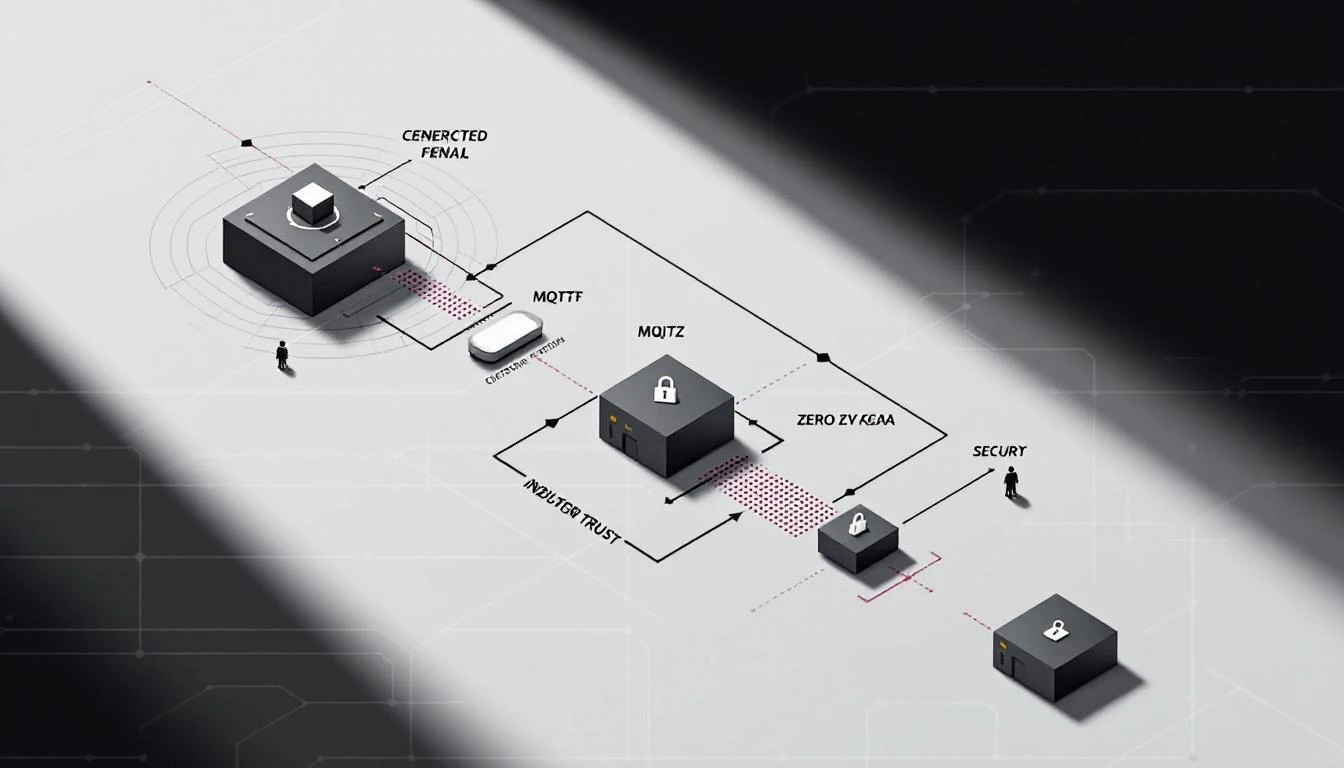
Here's a uncomfortable truth from the field: most industrial IoT deployments I've seen have at least one Modbus TCP device exposed without any authentication. No TLS. No access control. Just port 502, wide open, on a "segmented" network that's one misconfigured switch from the corporate LAN.
The excuse is always the same: "It's air-gapped." It never actually is.
This guide covers what securing industrial protocol communications looks like in practice — not the compliance checkbox version, but the engineering decisions that determine whether an attacker who lands on your OT network can read holding registers, inject false sensor data, or shut down a production line.
The Threat Model: What Are We Actually Protecting?
Before diving into TLS configurations and certificate management, let's be precise about what we're defending against:
Attack Surface 1: Data in Transit
Industrial protocol traffic between edge gateways and cloud endpoints (or IoT hubs) carries real-time operational data: temperatures, pressures, flow rates, equipment states, alarm conditions. If this traffic is intercepted, an attacker learns:
- Production schedules and capacity utilization
- Equipment configurations (what types of machines, what firmware versions)
- Alarm thresholds (what conditions trigger shutdowns)
- Serial numbers and device identities
If the traffic can be modified, the damage escalates:
- False sensor readings mask dangerous conditions
- Injected commands change setpoints, enable/disable equipment
- Replay attacks retrigger old configurations
Attack Surface 2: Edge Gateway Authentication
The edge gateway — the device sitting between your PLCs and the cloud — authenticates to both sides. Downstream, it speaks EtherNet/IP or Modbus to PLCs (typically unauthenticated). Upstream, it connects to an IoT hub (Azure IoT Hub, AWS IoT Core, or a custom MQTT broker) using credentials.
Those credentials — typically a connection string containing a hostname, device ID, and shared access signature with an expiration timestamp — are stored on the gateway device. If the gateway is compromised, the attacker gets cloud access.
Attack Surface 3: Configuration Injection
Edge gateways receive configuration updates over MQTT: which tags to poll, at what intervals, which device types to connect to. If an attacker can publish to the device's command topic (typically something like devices/{deviceId}/messages/devicebound/#), they can:
- Change polling configurations
- Point the gateway at a rogue PLC
- Alter batch sizes and upload intervals to create data gaps
- Update the device identity to impersonate another machine
Securing MQTT: TLS Is the Minimum, Not the Goal
TLS Configuration for Industrial MQTT
Every MQTT connection from an edge gateway to a cloud endpoint should use TLS 1.2 or later. Here's what a properly configured connection looks like:
Broker: iot-hub.example.com
Port: 8883 (MQTT over TLS, NOT 1883)
Protocol: MQTT v3.1.1
TLS: Required
CA Certificate: Root CA bundle (e.g., Baltimore CyberTrust / DigiCert G2)
Client Certificate: Optional (see mTLS below)
Keep-alive: 60 seconds
Clean Session: false (preserve subscriptions across reconnects)
The key decisions:
1. Server certificate verification
The MQTT client on the edge gateway must verify the broker's certificate against a trusted CA bundle. This PEM file (e.g., IoTHub_AzureCombinedCert.pem) is stored on the gateway's filesystem. If this file is missing or outdated, the connection fails — which is correct behavior. Never disable certificate verification in production.
2. Shared Access Signatures vs. X.509 Client Certificates
Most Azure IoT Hub deployments use SAS (Shared Access Signature) tokens embedded in the MQTT password field. The username follows a pattern like {hostname}/{deviceId}/?api-version=2018-06-30, and the password is the full SAS token.
SAS tokens have an expiration timestamp (se parameter). A well-designed gateway checks this timestamp on startup and logs a warning if the token is approaching expiration or has already expired. Token rotation requires either physical access to the gateway or a secure remote update mechanism.
mTLS (Mutual TLS) is stronger: the gateway presents its own X.509 certificate, and the broker validates it. This eliminates shared secrets entirely but requires provisioning a unique certificate per device — feasible with Azure DPS (Device Provisioning Service) or similar solutions.
3. Reconnection Strategy
Industrial MQTT connections drop. Cellular gateways lose signal. Cloud endpoints have maintenance windows. The reconnection strategy matters for both reliability and security:
Reconnect delay: 5 seconds (fixed, not exponential)
Async connection: Use a separate thread to avoid blocking data collection
Connection timeout: 60 seconds
Idle connection watchdog: Re-establish if no incoming commands or delivery
                         reports for 120 seconds
The idle watchdog is important — a silently dropped connection won't trigger a disconnect callback in some MQTT libraries. Without an active check, your gateway could sit disconnected for hours, buffering data locally until memory runs out.
QoS Levels and Data Integrity
MQTT QoS levels have security implications:
| QoS Level | Guarantee | Industrial Use Case |
|---|---|---|
| 0 (At most once) | Fire and forget | Heartbeats, non-critical metrics |
| 1 (At least once) | Delivered, possibly duplicated | Recommended for telemetry |
| 2 (Exactly once) | Delivered exactly once | Commands, setpoint changes |
For industrial telemetry (batched sensor data), QoS 1 is the pragmatic choice. The receiver should be idempotent — processing the same batch twice shouldn't corrupt state. QoS 2 adds significant overhead (4-packet handshake per message) and should be reserved for control-plane messages.
Store-and-Forward: Surviving Connectivity Gaps
A critical security feature that's often treated as a reliability feature: local buffering during disconnections.
When the MQTT connection drops, the edge gateway continues reading PLCs and accumulating data locally. The buffering implementation matters enormously for both data integrity and security:
Page-Based Buffer Architecture
A well-designed buffer uses a page-based memory allocator:
- Fixed-size memory pool divided into pages (typically 4KB each)
- Three page lists: free, work (currently filling), used (ready to send)
- When MQTT reconnects, used pages are transmitted in order
- If free pages are exhausted, the oldest used page is recycled (overflow)
- Thread-safe access via mutex locks
This design prevents:
- Memory exhaustion: Fixed allocation, no dynamic malloc during operation
- Data corruption: Mutex-protected concurrent access from PLC reading threads and MQTT publishing threads
- Delivery confirmation races: Each published message gets a packet ID tracked through the
on_publishcallback
Overflow Policy
When the buffer fills faster than it drains (prolonged disconnection + high-frequency data collection), the gateway faces a choice:
- Drop newest data (queue full, reject writes)
- Drop oldest data (recycle the oldest undelivered page)
Option 2 is typically correct for industrial telemetry — recent data is more valuable than historical data for real-time monitoring. But this means an attacker who can force a disconnection (e.g., by jamming a cellular connection) can cause targeted data loss by filling the buffer with stale data during the outage.
Mitigation: Size the buffer to hold at least 2x the expected maximum outage duration of data. For a 4KB batch every 60 seconds, a 2-hour outage buffer needs ~480KB — well within the capabilities of even a small embedded system.
OPC-UA Certificate Management
OPC-UA's security model is certificate-based and requires more operational overhead than MQTT+TLS, but provides stronger guarantees:
Application Instance Certificates
Every OPC-UA application needs an X.509 v3 certificate with:
Subject: CN=MachineCDN-EdgeGateway-001
SubjectAlternativeName:
  URI: urn:machinecdn:gateway:001
  DNS: gateway-001.plant.local
  IP: 192.168.1.100
Key Usage: Digital Signature, Key Encipherment, Data Encipherment
Extended Key Usage: Client Authentication, Server Authentication
Key Size: 2048-bit RSA minimum (4096-bit recommended)
Validity: 1-2 years (shorter = more rotation overhead, but limits exposure)
Trust List Management
Each OPC-UA application maintains:
- Trusted certificates folder: Peer certificates explicitly accepted
- Rejected certificates folder: Certificates presented but not yet trusted
- Issuer certificates folder: CA certificates for chain validation
- CRL folder: Certificate revocation lists
For a factory with 50 devices, this means managing 50+ trust relationships. The practical approaches:
Small deployments (< 20 devices): Manual trust. When a new device connects, its certificate appears in the rejected folder. An operator reviews and moves it to trusted. Simple but doesn't scale.
Medium deployments (20-200 devices): Use a shared CA. Issue all device certificates from a single factory CA. Each application trusts the CA certificate, and any device with a certificate issued by that CA is automatically trusted. Revocation via CRL.
Large deployments (200+ devices): OPC-UA Global Discovery Server (GDS). Centralized certificate lifecycle management with automated provisioning, renewal, and revocation. The GDS implements the OPC-UA GDS Push Model, pushing certificate updates to devices.
Security Mode Selection
OPC-UA connections negotiate one of three security modes:
- None: No security. For testing only. Never in production.
- Sign: Messages are signed (integrity) but not encrypted (confidentiality). Detects tampering but doesn't prevent eavesdropping.
- SignAndEncrypt: Full integrity and confidentiality. Always use this for production deployments.
The performance overhead of SignAndEncrypt with Aes128_Sha256_RsaOaep is typically under 5% CPU on modern ARM processors — negligible for the protection it provides.
Network Segmentation: The Purdue Model Is Dead, Long Live Zones
The Legacy Approach
The Purdue Enterprise Reference Architecture defined 5 levels:
- Level 0-1: Physical process and basic control (PLCs, sensors)
- Level 2: Area supervisory control (HMI, SCADA)
- Level 3: Site operations (historians, MES)
- Level 3.5: DMZ
- Level 4-5: Business logistics and enterprise
The idea was strict hierarchical communication: Level 1 only talks to Level 2, Level 2 only to Level 3, etc. Each boundary enforced by a firewall.
Why It Breaks Down in IIoT
Modern IIoT architectures violate the Purdue model constantly:
- Edge gateways at Level 1 send data directly to cloud services (bypassing Levels 2-4)
- OPC-UA Pub/Sub uses multicast or MQTT brokers that span multiple levels
- Remote monitoring means Level 4 needs real-time access to Level 1 data
- OTA firmware updates push from Level 4/5 down to Level 0 devices
Zero-Trust for OT Networks
Zero-trust principles apply to OT networks more practically than most people think:
1. Microsegmentation
Instead of broad network zones, isolate individual device groups:
VLAN 10: Blenders (EtherNet/IP, 192.168.10.0/24)
VLAN 20: Chillers (Modbus TCP, 192.168.20.0/24)
VLAN 30: Dryers (EtherNet/IP, 192.168.30.0/24)
VLAN 40: Edge Gateways (MQTT outbound, 192.168.40.0/24)
Firewall rules:
VLAN 40 → VLAN 10: Allow TCP/44818 (EtherNet/IP)
VLAN 40 → VLAN 20: Allow TCP/502 (Modbus TCP)
VLAN 40 → VLAN 30: Allow TCP/44818 (EtherNet/IP)
VLAN 40 → Internet: Allow TCP/8883 (MQTT TLS)
ALL → ALL: Deny
2. Device Identity
Every edge device gets a unique identity — not a shared credential. This means:
- Unique MQTT client IDs (typically the device serial number)
- Unique SAS tokens or client certificates per device
- Per-device authorization scopes (device A can only publish to its own topic)
3. Least Privilege
Edge gateways should only have the permissions they need:
- PLC access: Read-only. Never write holding registers from the gateway unless explicitly required for closed-loop control.
- MQTT access: Publish to device-specific telemetry topic. Subscribe to device-specific command topic. No access to other devices' topics.
- Local filesystem: Read configuration files. Write logs. No execute permissions on downloaded content.
4. Behavioral Monitoring
Monitor for anomalies at the protocol level:
- A Modbus TCP device suddenly receiving function code 5 or 6 (Write Single Coil/Register) when it should only be receiving function codes 1-4 (reads)
- MQTT publish frequency deviating from expected intervals (batch every 60 seconds, status every 5 minutes)
- Connection attempts from unexpected source IPs within the OT VLAN
Practical Security Checklist for Industrial Deployments
Before Deployment
- TLS 1.2+ enabled on all MQTT connections (port 8883, not 1883)
- Server certificate verification enabled (CA bundle installed)
- SAS token expiration monitored (alert 30 days before expiry)
- Unique device identity per gateway (no shared credentials)
- Modbus TCP listeners bound to localhost or Docker bridge — never 0.0.0.0
- PostgreSQL (if used for local caching) bound to 127.0.0.1 only
- SSH keys rotated, password authentication disabled
- Default user accounts removed or locked
During Operation
- Monitor MQTT connection uptime (detect silent disconnections)
- Alert on buffer overflow events (data loss indicator)
- Log configuration changes received via MQTT command topics
- Rotate SAS tokens/certificates before expiration
- Audit network segmentation quarterly (verify firewall rules haven't drifted)
Incident Response
- Procedure for revoking a compromised device's credentials
- Ability to isolate a single gateway without disrupting others
- Offline data preservation during gateway replacement
- Forensic log retention (syslog to a separate, secured collector)
The machineCDN Approach
Building secure industrial connectivity from scratch is hard. machineCDN handles the security fundamentals at the platform level:
- Encrypted telemetry: All data from edge to cloud is TLS-encrypted
- Per-device identity: Every connected machine has a unique identity and isolated data stream
- Secure buffering: Data is preserved locally during connectivity interruptions and delivered in order when the connection recovers
- Protocol abstraction: Whether your equipment speaks EtherNet/IP, Modbus TCP, Modbus RTU, or OPC-UA, the security model is consistent
The security perimeter in industrial IoT isn't a firewall at the plant boundary — it's the sum of every connection, every credential, and every configuration channel across your entire equipment fleet. Getting it right requires understanding the protocols at the wire level, not just checking compliance boxes.
Key Takeaways
-
Modbus TCP and EtherNet/IP have no built-in security. If you're using these protocols, security must come from the network layer (VLANs, firewalls) and the transport layer (MQTT over TLS for cloud connectivity).
-
MQTT over TLS with QoS 1 is the minimum viable security for industrial telemetry. Use mTLS (client certificates) for high-value assets.
-
OPC-UA provides end-to-end security by design — but requires certificate management infrastructure. Start with a shared CA for medium deployments.
-
Buffer architecture directly impacts security. Thread-safe, page-based buffering prevents data corruption and enables graceful handling of connectivity attacks.
-
Zero-trust beats air-gaps. Microsegmentation, device identity, least privilege, and behavioral monitoring are more realistic than pretending your OT network is isolated.
-
Never bind database or protocol listeners to 0.0.0.0 on an edge device. One exposed PostgreSQL instance or Modbus listener on a public IP is all it takes.
The hardest part of OT security isn't the technology — it's getting operations teams to accept the overhead. But the alternative (a cryptominer running on your production database server, or worse, a manipulated setpoint on a chiller) makes the investment trivial by comparison.