Best SCADA Alternatives in 2026: Modern Platforms That Replace Legacy Systems

· 10 min read
MachineCDN Team
Industrial IoT Experts

SCADA systems have been the backbone of industrial monitoring for four decades. They've earned their place — when a plant needed visibility into process variables, alarms, and equipment status, SCADA was the only game in town.

But here's what's happening in 2026: manufacturers aren't replacing their SCADA systems because SCADA stopped working. They're looking for alternatives because SCADA was built for a world that no longer exists — a world where data lived on-premise, where remote access meant a VPN headache, where adding a new data point required an integrator and a purchase order.

The modern manufacturing floor demands real-time cloud analytics, mobile access, AI-powered predictive maintenance, and deployments measured in minutes, not months. Legacy SCADA can't deliver that. These alternatives can.

Data Normalization in IIoT: Handling Register Formats, Byte Ordering, and Scaling Factors

· 13 min read
MachineCDN Team
Industrial IoT Experts

Data Normalization in IIoT

You've successfully polled your PLC. Registers are coming back as arrays of 16-bit unsigned integers. Your Modbus transaction completed without error. Now what?

The raw register values sitting in your receive buffer are useless until you transform them into meaningful engineering units — degrees Celsius, PSI, gallons per minute, kilowatt-hours. This transformation is where a shocking number of IIoT deployments break down, producing subtly wrong data that goes unnoticed for weeks until someone realizes the chiller outlet temperature has been reading 16,384°F.

This guide covers the real-world data normalization challenges you'll face when connecting to industrial equipment, and the strategies that actually work at scale.

Edge Computing Architectures for IIoT: Store-and-Forward, Local Processing, and Bandwidth Optimization [2026]

· 14 min read

Here's an uncomfortable truth about Industrial IoT: the factory floor doesn't care about your cloud architecture. PLCs don't pause production because your MQTT broker is restarting. Cellular connections drop. Ethernet switches fail. And through all of it, sensor data keeps flowing at 1-second intervals — either you capture it, or it's gone forever.

Edge computing in IIoT isn't about running machine learning models on Raspberry Pis. It's about building a reliable data pipeline between deterministic control systems and non-deterministic cloud infrastructure. The gap between those two worlds is where the real engineering happens.

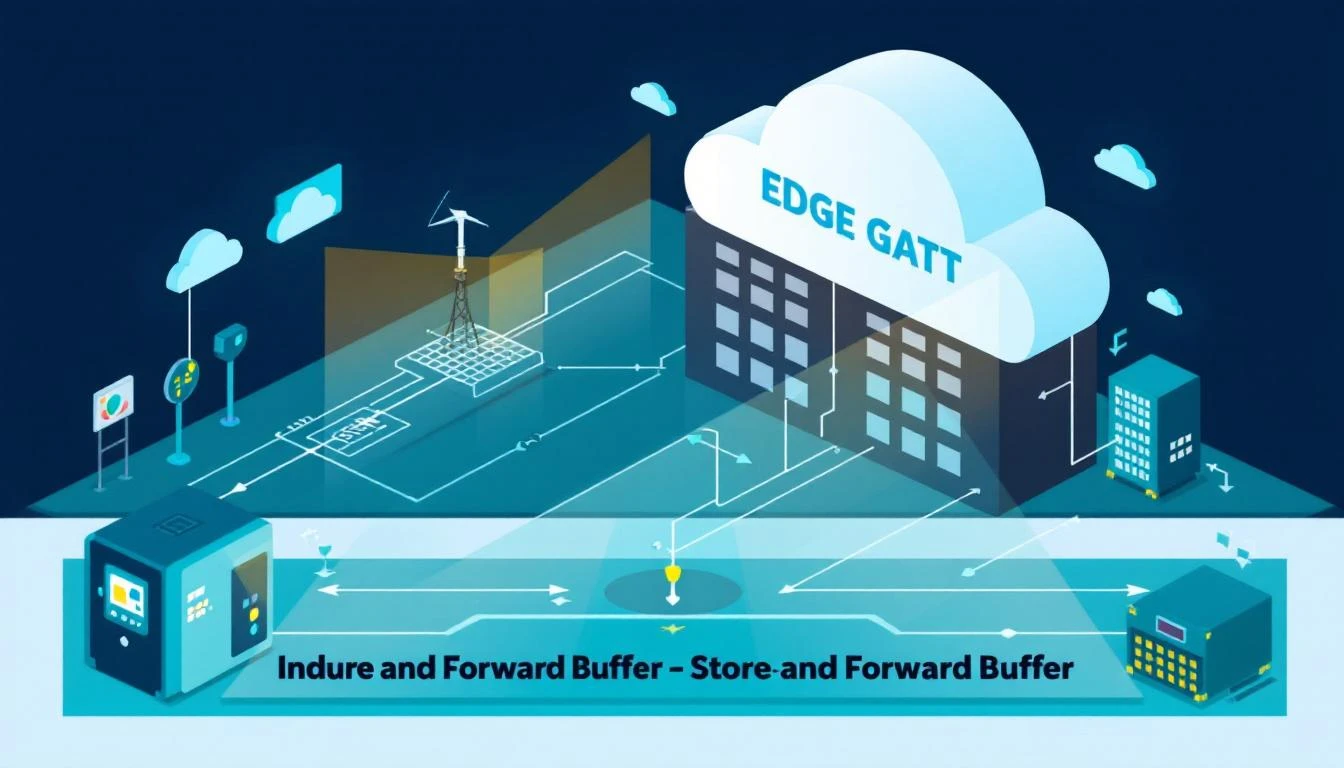
This guide covers the architectural patterns that make industrial edge computing work: page-based store-and-forward buffering, connection resilience, bandwidth-aware data transport, and the design decisions that separate production-grade systems from demo-day prototypes.

Edge computing architecture for IIoT

The Edge Gateway: More Than a Protocol Translator

The simplest mental model of an edge gateway is "read from PLC, send to cloud." But production edge gateways handle a staggering amount of complexity between those two steps:

  1. Protocol detection — Auto-detect whether the connected device speaks EtherNet/IP, Modbus TCP, or Modbus RTU
  2. Device identification — Read device type codes and serial numbers to load the correct configuration
  3. Tag polling — Continuously read configured data points at device-specific intervals
  4. Change detection — Compare values against previous readings to suppress redundant data
  5. Data batching — Accumulate readings into efficiently-packed payloads
  6. Store-and-forward — Buffer data locally when cloud connectivity is lost
  7. Reliable delivery — Guarantee data reaches the cloud exactly once, in order
  8. Remote configuration — Accept configuration updates from the cloud without requiring physical access

Each of these stages has failure modes that must be handled without losing data or disrupting production. Let's dig into the critical ones.

Store-and-Forward: The Page Buffer Architecture

The most important component in any edge gateway is its store-and-forward buffer. This is the mechanism that decouples data acquisition from data transmission — ensuring that sensor readings survive connectivity outages.

Why Ring Buffers Aren't Enough

The naive approach is a simple circular buffer: write data at the head, read from the tail, overwrite old data when full. This fails in industrial contexts for several reasons:

  • Message boundaries: Industrial payloads are variable-length (a batch might be 200 bytes or 3,000 bytes). Fixed-size ring buffer slots either waste memory or truncate messages.
  • Delivery confirmation: You can't move the read pointer until MQTT confirms delivery (via the PUBACK in QoS 1). Ring buffers don't naturally support this.
  • Concurrent access: The data acquisition thread writes continuously while the MQTT thread reads and publishes asynchronously. Lock contention becomes a bottleneck.

The Page-Based Buffer

A production-grade approach uses a page-based buffer with three pools:

┌─────────────────────────────────────────────┐
│ Fixed Memory Block │
│ (e.g., 2 MB pre-allocated at startup) │
├──────────┬──────────┬──────────┬────────────┤
│ Page 0 │ Page 1 │ Page 2 │ Page 3... │
│ (4 KB) │ (4 KB) │ (4 KB) │ (4 KB) │
└──────────┴──────────┴──────────┴────────────┘

Three pools:
FREE ──→ Pages available for writing
WORK ──→ Currently being filled with data
USED ──→ Full, queued for delivery

Lifecycle of a page:

  1. Free → Work: When data arrives and no work page exists, grab one from the free pool
  2. Work (accumulating): Multiple messages are packed into the page sequentially, each prefixed with a 4-byte message ID placeholder and 4-byte length
  3. Work → Used: When the page is full (next message wouldn't fit), move it to the used queue
  4. Used → Delivering: Read messages one at a time from the used page, publish via MQTT
  5. Delivering → Delivered: When MQTT confirms delivery (on_publish callback with matching packet ID), advance the read pointer
  6. Used → Free: When all messages on a page are delivered, move the page back to the free pool

The Overflow Strategy

What happens when the free pool is empty — all pages are either being written or awaiting delivery?

You have two choices, and neither is great:

  1. Drop new data: Preserve older data, lose current readings. Acceptable if historical data is more valuable (rare in industrial contexts).
  2. Sacrifice the oldest used page: Reclaim the oldest undelivered page for new writes. You lose some historical data, but current readings are preserved.

Option 2 is almost always correct for industrial telemetry. Current production data has higher operational value than readings from 10 minutes ago that haven't been delivered yet. The system should log a warning when this overflow occurs — it indicates the connectivity outage is severe enough to cause data loss, which may warrant an alert.

Thread Safety

The buffer must be thread-safe, because the PLC reading loop and the MQTT delivery loop run concurrently. Mutex-based locking around buffer operations is the pragmatic choice for embedded Linux gateways:

  • Lock on write: Acquire mutex, add data to work page (potentially promoting it to used), attempt to send next queued message, release mutex
  • Lock on delivery confirmation: Acquire mutex, advance read pointer, potentially free the page, attempt to send next message, release mutex
  • Lock on disconnect: Acquire mutex, mark buffer as disconnected, clear the "packet in flight" flag, release mutex

The key insight is that the send attempt happens inside both the write and delivery-confirmation paths. This ensures data flows out as fast as the MQTT connection allows, without needing a separate send timer.

MQTT Transport: Beyond Hello World

Most MQTT tutorials cover connect → publish → disconnect. Industrial MQTT requires handling about 15 additional failure modes that those tutorials never mention.

Connection Lifecycle Management

An industrial MQTT client must handle:

  1. Initial connection: Often via TLS with certificate pinning (Azure IoT Hub, AWS IoT Core). Connection string parsing, SAS token extraction, certificate validation.
  2. Async connection: The DNS resolution and TLS handshake can take seconds on cellular networks. Blocking the main loop is unacceptable — use connect_async in a separate thread.
  3. Automatic reconnection: When the connection drops, the client should retry with a fixed delay (e.g., 5 seconds). Exponential backoff sounds sophisticated but introduces unnecessary complexity for dedicated M2M connections.
  4. Subscription on connect: Subscribe to the device-specific command topic immediately after connection succeeds (in the on_connect callback), not before.
  5. Watchdog monitoring: If no data has been published or acknowledged for a configurable timeout (e.g., 120 seconds), force-reconnect the MQTT client. This catches silent disconnections that don't trigger the on_disconnect callback.

QoS 1: Exactly Once Delivery (Almost)

For industrial telemetry, MQTT QoS 1 is the sweet spot:

  • QoS 0 (fire and forget): Unacceptable — you'll silently lose data during network blips
  • QoS 1 (at least once): The broker acknowledges receipt. May produce duplicates on reconnection, but duplicates are far better than data loss
  • QoS 2 (exactly once): 4-packet handshake per message. The latency and complexity overhead is unjustifiable for sensor telemetry

The practical architecture: publish with QoS 1, use the on_publish callback with the matching packet ID to confirm delivery, and only advance the buffer read pointer after confirmation.

Token Expiration Monitoring

Cloud IoT platforms use time-limited authentication tokens (SAS tokens for Azure IoT Hub, JWT for Google Cloud IoT). The edge gateway must:

  1. Parse the expiration timestamp from the token at startup
  2. Compare against the device's current time
  3. Log a warning if the token is expired or approaching expiration
  4. Ideally, request a token refresh before expiration — but many constrained devices rely on periodic manual token rotation

This is a mundane but critical detail. Expired tokens cause silent connection failures that are extremely difficult to diagnose remotely.

Bandwidth Optimization Strategies

Industrial cellular connections (4G/LTE on Teltonika RUT-series routers, Cradlepoint, Sierra Wireless) typically have data caps ranging from 1 GB to 10 GB per month. A naive implementation that publishes every sensor reading as a separate JSON message can burn through 10 GB in days.

Binary vs. JSON: A 5x Difference

Consider a typical sensor reading payload:

JSON format (102 bytes):

{"ts":1709136000,"type":1010,"serial":12345,"values":[{"id":2,"value":55}]}

Binary format (20 bytes):

F7 00000001 60060A93 03F2 00003039 00000001 0002 00 0100 0037

That's a 5x reduction for the same information. Over a month of readings at 1-second intervals, that difference is:

  • JSON: ~260 MB/month
  • Binary: ~52 MB/month

For cellular-connected devices, binary packing isn't an optimization — it's a requirement.

Intelligent Batching

Beyond binary packing, batching multiple readings into a single MQTT message reduces overhead from MQTT framing, TLS record headers, and TCP acknowledgments:

StrategyMessages/hourBytes/hourMQTT overhead
Individual readings (1/sec)3,600~360 KB~180 KB
Time-batched (60s window)60~72 KB~3 KB
Size-batched (4 KB limit)~18~72 KB~1 KB

Using both time and size limits together provides the best behavior:

  • During active production (many tag changes): batches fill and flush based on size limit
  • During idle periods (few changes): the time limit ensures data doesn't sit in the buffer indefinitely

Change-Only Transmission

The highest-impact bandwidth optimization is simply not sending data that hasn't changed. A compare=true flag on stable configuration tags (device type, firmware version, serial number) means those values are only transmitted once — on first read or when they actually change.

For a typical device with 40 tags where 30 are configuration/status values that rarely change, this reduces steady-state bandwidth by 75%.

But pure change-detection has a reliability gap: if a single reading is lost, the cloud side has stale data until the value changes again. The solution is a periodic full refresh — force-read and transmit all tags once per hour, regardless of whether they've changed. This bounds the staleness window to 60 minutes maximum.

Remote Configuration: Closing the Loop

A truly useful edge computing architecture isn't just a one-way data pipe. The cloud side needs to push configuration updates back to the edge — new tag definitions, adjusted polling intervals, updated firmware parameters — without requiring a truck roll.

Configuration Hot-Reload

The edge daemon should monitor its configuration files for changes (via stat() file modification timestamps). When a configuration change is detected:

  1. Parse and validate the new configuration
  2. Tear down existing PLC connections cleanly
  3. Rebuild the device context with the new parameters
  4. Resume data acquisition with the updated tag list

Critically, this must happen without restarting the daemon process. A restart means a gap in data acquisition, which means missed production events.

Cloud-to-Edge Commands via MQTT

The MQTT subscription channel enables bidirectional communication. Common cloud-to-edge commands:

  • daemon_config: Update the central device configuration (IP addresses, serial ports, batch parameters)
  • device_config: Update a specific PLC's tag definitions (add/remove/modify tags)
  • tag_update: Modify the polling interval of a single tag at runtime (e.g., increase frequency during a diagnostic window)
  • read_now: Trigger an immediate read of a specific tag, bypassing the normal interval schedule
  • get_status: Request the current daemon status (uptime, connection states, tag health)

Each command is delivered as a JSON message on the device-specific MQTT topic. The edge daemon parses the command, executes it, and (for configuration updates) persists the change to the local filesystem so it survives reboots.

Device Detection and Auto-Configuration

In environments with diverse equipment, the edge gateway must auto-detect what's connected and load the appropriate configuration.

The Detection Sequence

A practical detection sequence for a multi-protocol gateway:

  1. Try EtherNet/IP first: Attempt to read a device_type tag from the configured IP address using the CIP protocol. If successful, you have an Allen-Bradley PLC.
  2. Fall back to Modbus TCP: Connect to the configured IP and port (default 502). Read input register 800 to get the device type code.
  3. Identify the specific model: Map the device type code (e.g., 1010 = Batch Blender, 1017 = Portable Chiller, 1018 = Central Chiller) to the correct configuration file.
  4. Read serial number: Each device type stores its serial number in different registers (the chiller stores year/month/unit across three holding registers at addresses 500/510/520, while the blender exposes them as named EtherNet/IP tags).
  5. Load configuration: Find and parse the JSON configuration file that matches the detected device type.
  6. Validate and start: Verify the configuration is internally consistent, then begin the polling loop.

If detection fails, the daemon continues retrying periodically rather than crashing. The PLC may not be powered up yet, or the network cable may be disconnected temporarily. Patience is a feature.

Hardware Platform Considerations

Edge computing hardware for IIoT falls into three tiers:

Tier 1: Industrial Cellular Routers (OpenWRT)

  • Examples: Teltonika RUT955, RUT950
  • CPU: MIPS or ARM, ~580 MHz
  • RAM: 128 MB
  • Storage: 16 MB flash
  • Connectivity: 4G/LTE cellular + Ethernet + RS-232/485
  • Constraints: Extremely limited memory and storage. Binary-only payloads. No room for scripting languages — C is the only practical choice.

These are the workhorses of remote industrial monitoring. The edge daemon must be compiled specifically for the target architecture (cross-compilation via the device SDK), and every byte of memory matters.

Tier 2: Industrial PCs and Panels

  • Examples: Siemens IPC, Advantech ADAM, Beckhoff
  • CPU: x86 or ARM Cortex-A series
  • RAM: 2–8 GB
  • Connectivity: Multiple Ethernet, serial, sometimes fieldbus
  • Constraints: More capable, but typically shared with HMI or SCADA software. The edge daemon runs as one process among many.

Tier 3: Cloud Gateways

  • Examples: AWS IoT Greengrass on any Linux box
  • CPU/RAM: Flexible
  • Constraints: Primarily software constraints — latency to the actual devices, container overhead, network configuration.

machineCDN targets all three tiers, with particular strength in Tier 1 deployments where the combination of C-based efficiency, binary data packing, and page-based buffering delivers reliable data acquisition on hardware that costs under $300 per site.

Failure Mode Analysis

Every component in the edge architecture has failure modes. The system must degrade gracefully:

FailureImpactRecovery
PLC communication lostTag reads return error statusRetry up to 3 times, then report link-down. Resume automatically when PLC responds.
Serial port error (Modbus RTU)ETIMEDOUT, ECONNRESET, EPIPEClose port, reconnect on next poll cycle
MQTT broker unreachableData accumulates in page bufferAuto-reconnect every 5 seconds. Buffer overflows if outage exceeds buffer capacity.
MQTT token expiredConnection rejectedLog warning. Requires manual token rotation (or automated renewal if supported).
Configuration file corruptDaemon can't load tag definitionsContinue running with last known good config. Report status error to cloud.
Memory exhaustionBuffer allocation failsPre-allocate all memory at startup. No dynamic allocation during runtime.

The most critical design principle: pre-allocate everything at startup. An edge daemon that calls malloc() during steady-state operation will eventually fail due to memory fragmentation on constrained devices. Allocate the PLC configuration memory (1 MB), the output buffer (2 MB), and all tag definitions in one shot at startup.

Real-World Performance Numbers

Based on production deployments monitoring plastics auxiliary equipment:

  • Tag read cycle: 1 second per device (50-tag configuration)
  • Average batch size: 800–2,000 bytes (binary format)
  • Batch interval: 60 seconds typical
  • Bandwidth consumption: 1.5–4 MB/day per device on cellular
  • Buffer capacity: ~500 batches (enough for ~8 hours of offline buffering)
  • Memory footprint: Under 3 MB RSS for the complete daemon
  • CPU usage: Under 2% on MIPS 580 MHz
  • Uptime: Months between restarts (typically only for firmware updates)

Key Takeaways

  1. Buffer before you transmit: A page-based store-and-forward buffer is the single most important component in an edge gateway. Without it, every connectivity blip means lost data.

  2. Binary over JSON for constrained links: The 5x bandwidth reduction from binary packing pays for itself immediately on cellular connections.

  3. Pre-allocate everything: No malloc() after startup. Industrial systems run for months — memory fragmentation will find you.

  4. Detect, don't assume: Auto-detect connected devices and load configurations dynamically. The edge gateway should work out of the box when plugged into an unknown PLC.

  5. Watchdog everything: Monitor MQTT connection health independently of the library's built-in reconnection. Silent failures are the most dangerous failures.

  6. Configuration as data: Tag definitions, polling intervals, batch parameters, and network settings should all live in JSON configuration files that can be updated remotely via MQTT commands.

Where machineCDN Fits

machineCDN provides purpose-built edge infrastructure that implements every pattern discussed in this article — from page-based buffering and binary transport to auto-detection, remote configuration, and multi-protocol support. The platform runs on everything from $200 cellular routers to full industrial PCs, delivering sub-3MB memory footprints and months of unattended uptime.

If you're evaluating edge computing platforms for industrial equipment monitoring, machineCDN is worth a look — especially if your deployment involves cellular connectivity, mixed PLC types, or sites where physical access for troubleshooting is expensive.


Running into edge gateway challenges? We've deployed these architectures across hundreds of manufacturing sites. Get in touch to discuss your specific requirements.

Edge Computing for IIoT: Store-and-Forward, Local Processing, and Bandwidth Optimization [2026]

· 16 min read

Edge Computing IIoT Architecture

The edge computing conversation in IIoT has been dominated by marketing buzzwords for years. "Fog computing." "Edge AI." "Intelligent gateways." Strip away the jargon and you're left with a practical engineering problem: how do you collect data from PLCs and sensors on a factory floor, process it locally where it matters, and reliably deliver it to the cloud — even when the network is unreliable?

This guide is written for the engineer who needs to actually build or select an edge computing architecture for industrial operations. We'll cover the core patterns — store-and-forward buffering, change-of-value filtering, tag batching, multi-protocol data collection — and the real-world tradeoffs you'll face when deploying them.

The Three-Layer Edge Architecture

Every serious IIoT edge deployment follows the same fundamental pattern:

┌──────────────────────────────────────────────────┐
│ CLOUD LAYER │
│ Dashboards │ Analytics │ Historian │ Alerting │
└──────────────────────┬───────────────────────────┘
│ MQTT / HTTPS
│ (unreliable WAN)
┌──────────────────────┴───────────────────────────┐
│ EDGE LAYER │
│ Protocol Translation │ Batching │ Buffering │
│ Change Detection │ Local Alarms │ Aggregation │
└──────────────────────┬───────────────────────────┘
│ Modbus / EtherNet/IP / RTU
│ (reliable local network)
┌──────────────────────┴───────────────────────────┐
│ DEVICE LAYER │
│ PLCs │ Sensors │ VFDs │ Chillers │ Blenders │
└──────────────────────────────────────────────────┘

The edge layer is where the engineering decisions matter most. Get it wrong and you lose data, waste bandwidth, or overload your PLCs. Get it right and you have a pipeline that's simultaneously efficient and resilient.

Let's break down each component.

Protocol Translation: Speaking the PLC's Language

The first job of an edge gateway is reading data from industrial controllers. This sounds simple until you realize that a single facility might have:

  • Allen-Bradley Micro800 PLCs speaking EtherNet/IP (CIP protocol over TCP)
  • Process chillers and TCUs on Modbus TCP (registers over TCP/IP)
  • Older equipment on Modbus RTU (registers over RS-485 serial)
  • Building systems on BACnet (object-oriented, for HVAC/lighting)

Each protocol has fundamentally different communication patterns, data types, and error handling requirements.

EtherNet/IP (CIP) Tag Reading

EtherNet/IP uses the Common Industrial Protocol (CIP) to access tag values by name. You request B3_0_0_blender_st_INT and get back a typed value — int16, float, boolean, etc.

Key considerations for edge gateways reading EtherNet/IP:

  • Tag creation overhead: Each tag must be "created" (opened) before it can be read. This involves a TCP connection setup and CIP path resolution. Create tags once at startup and cache the handles — don't create and destroy them on every read cycle.

  • Element sizing: Tags can be single values or arrays. When reading array elements, you need to specify both the element count and element size (1 byte for bools/int8, 2 bytes for int16/uint16, 4 bytes for int32/float). Getting this wrong causes silent data corruption — the bytes are read correctly but interpreted with the wrong width.

  • Timeout handling: Set a reasonable data timeout (2 seconds is typical). If a tag read times out, it usually means the PLC is rebooting or the network cable is unplugged. After 3 consecutive timeout errors, stop polling and enter a reconnection backoff — hammering a disconnected PLC with read requests is wasteful and can interfere with recovery.

  • Error -32 (connection failure): This is the most common error in EtherNet/IP communications. It means the TCP connection to the PLC was lost. When you see it, immediately set the device link state to "down," stop reading other tags (they'll all fail too), and wait for reconnection. Don't burn through your entire tag list trying each one — if the link is down, it's down for all of them.

Modbus TCP and RTU Tag Reading

Modbus is register-based rather than tag-based. You read from specific addresses: holding registers (40001+), input registers (30001+), coils (00001+), and discrete inputs (10001+).

The critical optimization for Modbus at the edge is contiguous register reads:

Instead of reading each register individually:

Read register 300000 → 1 transaction
Read register 300001 → 1 transaction
Read register 300002 → 1 transaction
...
Read register 300024 → 1 transaction
= 25 transactions, ~25 × 10ms = 250ms

Group contiguous registers into a single bulk read:

Read registers 300000-300024 → 1 transaction
= 1 transaction, ~10ms

A well-designed edge gateway analyzes the tag configuration at startup, identifies contiguous address ranges that share the same function code, and automatically groups them into bulk reads. The rules for grouping:

  1. Same function code: You can't mix holding registers (FC03) with input registers (FC04) in a single read
  2. Contiguous addresses: No gaps in the address range
  3. Same polling interval: Tags polled every 1 second shouldn't be grouped with tags polled every 60 seconds
  4. Maximum register count: Most Modbus devices support up to 125 registers per read, but staying under 50 provides better reliability

For Modbus RTU (serial), the same bulk-read optimization applies, plus additional considerations:

  • Serial port configuration: Baud rate (9600-115200), parity (none/even/odd), data bits (8), stop bits (1-2). Get any of these wrong and you'll see gibberish or timeouts.
  • Slave address: Each device on the RS-485 bus has a unique address (1-247). The gateway must set the correct slave address before each read sequence.
  • Bus timing: After each transaction, insert a 50ms delay before the next read. Modbus RTU devices need time to release the bus, and back-to-back reads without delays cause framing errors.
  • Response and byte timeouts: Configure explicitly rather than relying on defaults. A byte timeout of 50ms and response timeout of 500ms works for most industrial Modbus devices. Too short and you get false timeouts on busy buses; too long and a single unresponsive device stalls the entire read cycle.

Protocol Auto-Detection

When commissioning a new device, the edge gateway may not know what protocol it speaks. A practical auto-detection sequence:

  1. Try EtherNet/IP first: Attempt to read a known "device type" tag via CIP. If successful, you know the device speaks EtherNet/IP and you have its device type identifier.

  2. Fall back to Modbus TCP: Connect to port 502 and read a known device-type register (e.g., input register 800). If successful, you've identified a Modbus TCP device.

  3. Neither works: The device either uses a different protocol, is powered off, or isn't network-reachable. Log the failure and retry periodically.

This approach lets you deploy edge gateways that automatically discover and configure themselves for the devices on their network segment — a massive time saver during commissioning of large installations.

Change-of-Value Detection: The 80/20 of Bandwidth Optimization

The single most impactful optimization in edge computing for IIoT is change-of-value (COV) detection. The concept is simple: don't transmit data that hasn't changed.

How COV Detection Works

On every read cycle, the edge gateway:

  1. Reads the current value from the PLC
  2. Compares it against the last transmitted value
  3. If different → publish the new value and update the stored value
  4. If identical → skip transmission, move to the next tag

The comparison must be type-aware:

  • Boolean tags: Compare bit values directly. falsetrue is a change; truetrue is not.
  • Integer tags (int8/int16/int32): Compare raw integer values. Any difference triggers a publish.
  • Float tags: This is where it gets nuanced. Raw float comparison works, but you may want to add a deadband — only publish if the value changed by more than X units. A temperature sensor that fluctuates between 72.39°F and 72.41°F probably doesn't represent a real process change.

The Hourly Full-State Refresh

COV detection alone has a dangerous edge case: if a value doesn't change for hours, no messages are published, and subscribers lose confidence in whether the device is still online and reading correctly.

The solution: force a full-state read and publish on a periodic schedule (hourly is standard). Once per hour, the edge gateway reads all tags and publishes their values regardless of whether they changed. This acts as both a data integrity check and a heartbeat.

The implementation is straightforward: track the last forced-read time and trigger a new one when the hour rolls over. Reset all tags' "read once" flags, forcing the next cycle to treat every value as new and publish it.

Real-World Bandwidth Savings

On a typical industrial device (50-100 tags), COV detection reduces the number of published messages by 85-95%. Here's a real example from a portable chiller with 106 tags:

  • Without COV: 106 tags × 1 read/second = 106 messages/second → ~9.2 million messages/day
  • With COV: Average of 8-12 changes per second → ~860,000 messages/day
  • Savings: 91%

On a cellular connection at $0.01/MB, that's the difference between $30/month and $3/month per device. At 500 devices, you just saved $13,500/month.

Store-and-Forward: Zero Data Loss During Outages

Network connectivity between the edge and cloud is never 100% reliable. Cellular connections drop, VPN tunnels time out, and cloud brokers occasionally go down for maintenance.

A production-grade edge gateway must buffer data locally during outages and deliver it in order when connectivity returns. This is the store-and-forward pattern.

Memory-Based Page Buffering

The most robust approach for resource-constrained edge devices is a pre-allocated, page-based memory buffer:

┌────────────────────────────────────────────────────┐
│ Pre-allocated Buffer Memory │
│ (e.g., 512KB) │
├──────────┬──────────┬──────────┬──────────┬────────┤
│ Page 0 │ Page 1 │ Page 2 │ Page 3 │ ... │
│ (16KB) │ (16KB) │ (16KB) │ (16KB) │ │
└──────────┴──────────┴──────────┴──────────┴────────┘


┌──────────────────────────────────────────────┐
│ Page Structure │
│ ┌─────────┬─────────┬───────────────────┐ │
│ │ Msg ID │ Msg Size│ Message Body │ │
│ │ (4 bytes)│(4 bytes)│ (variable) │ │
│ ├─────────┼─────────┼───────────────────┤ │
│ │ Msg ID │ Msg Size│ Message Body │ │
│ ├─────────┼─────────┼───────────────────┤ │
│ │ ... │ ... │ ... │ │
│ └─────────┴─────────┴───────────────────┘ │
└──────────────────────────────────────────────┘

Here's how the buffer operates:

Normal operation (MQTT connected):

  1. Data arrives from the tag reading loop
  2. Data is written to the current "work page"
  3. When the page fills, it moves to the "used pages" queue
  4. The send routine pulls the oldest used page, transmits via MQTT
  5. On PUBACK confirmation, the page moves to the "free pages" pool

Disconnected operation:

  1. Data continues arriving from tag reading (PLC reading never stops)
  2. Data fills work pages, which queue into used pages
  3. When all pages are used and a new one is needed, the oldest undelivered page is recycled
  4. On reconnection, the used pages queue is drained in order

Why pre-allocate? Dynamic memory allocation (malloc/free) during runtime is dangerous on embedded edge devices:

  • Memory fragmentation over weeks of operation can cause allocation failures
  • Allocation failures during high-load periods (many tags changing simultaneously) cause data loss
  • Pre-allocation guarantees a known memory footprint that never grows

Why pages instead of a circular byte buffer? Pages align with MQTT publishes. Each page becomes one MQTT message. The broker acknowledges pages by message ID, and the buffer can confirm delivery at page granularity. With a circular buffer, you'd need separate tracking for which byte ranges have been acknowledged — significantly more complex.

Sizing the Buffer

Buffer sizing depends on two factors: data rate and maximum expected outage duration.

Formula: Buffer Size = Data Rate (bytes/sec) × Maximum Outage (seconds)

Example for a 100-tag device:

  • Average batch: ~500 bytes
  • Batch interval: 5 seconds
  • Data rate: 100 bytes/sec
  • Target coverage: 1 hour outage

Buffer size: 100 × 3600 = 360KB → round up to 512KB

On a device with 32MB of RAM (common for industrial Linux gateways), dedicating 512KB to buffering is trivial. For longer outage coverage or higher-frequency data, scale to 2-8MB.

The Disk vs. RAM Tradeoff

Some edge platforms use disk-based buffering (writing to SD card or eMMC). This provides virtually unlimited buffer capacity but introduces two problems:

  1. Write endurance: Industrial flash storage has limited write cycles. At 100 writes/second, a consumer-grade SD card will wear out in months. Industrial-grade eMMC is better but still a concern over multi-year deployments.

  2. I/O latency: Disk writes can stall during wear-leveling or garbage collection, causing backpressure into the data collection pipeline. Memory-based buffering has consistent, sub-microsecond latency.

The pragmatic approach: use RAM-based buffering for primary store-and-forward and only fall back to disk for extended outages (>1 hour) where RAM capacity is exceeded.

Local Processing: What to Do at the Edge

Beyond simply forwarding data, the edge layer can perform processing that adds value:

Calculated Tags

Some tag values aren't directly readable from a PLC — they're derived from other tags through bitwise or arithmetic operations. For example, a 16-bit status register might encode 16 individual boolean states. The edge gateway can:

  1. Read the raw uint16 register value
  2. Extract individual bits using shift-and-mask operations
  3. Publish each bit as a separate boolean tag

This transforms an opaque register value (0x3A04) into human-readable states ("Compressor A running: true," "Pump fault: false," "Fan overload: false").

Dependent Tag Chains

Some tags only matter when a parent tag changes. For example, detailed diagnostic registers on a chiller might only be relevant when the alarm status changes. The edge gateway can define dependency chains:

Alarm Status (parent) ─── changes ──► Read Diagnostic Tags (dependents)
- Error Code
- Last Fault Time
- Fault Counter

When the parent tag changes value, the edge gateway immediately reads all dependent tags and publishes them together. When the parent is stable, the dependent tags aren't read at all — saving bus bandwidth and PLC CPU.

Local Alarming

For safety-critical applications, don't rely on the cloud roundtrip for alarms. The edge gateway can evaluate alarm conditions locally:

  • Compare tag values against configured thresholds
  • Trigger local outputs (relay contacts, Modbus writes)
  • Send alarm notifications via local protocols (SNMP traps, syslog)

The cloud still gets the alarm data for logging and analytics, but the local alarm fires in under 100ms regardless of cloud connectivity.

Real-World Deployment Patterns

Pattern 1: Single-Protocol, Single-Device

The simplest deployment: one edge gateway connected to one PLC.

[PLC] ──── Modbus TCP ────► [Edge Gateway] ──── MQTT ────► [Cloud]

Configuration: Define tags in a JSON config file. The gateway reads the config, creates the Modbus connection, and starts polling. Typical tag counts: 50-200. Data rate: 1-10KB/sec. A Raspberry Pi-class device handles this easily.

Pattern 2: Multi-Protocol, Multi-Device

A production line with mixed equipment:

[AB PLC] ── EtherNet/IP ──┐
[Chiller] ── Modbus TCP ──┤── [Edge Gateway] ── MQTT ──► [Cloud]
[TCU] ── Modbus RTU ──────┘

The edge gateway manages three separate communication channels, each with its own thread, error handling, and reconnection logic. Tags from all devices are batched into a unified payload format for cloud delivery.

Key engineering decisions:

  • Thread isolation: Each protocol handler runs in its own thread. A Modbus RTU timeout on the serial bus shouldn't block EtherNet/IP reads on the Ethernet port.
  • Unified batching: Despite different source protocols, all tag values feed into the same batching and buffering pipeline. The batch includes a device type identifier and serial number so the cloud can route data correctly.
  • Independent health tracking: Each device connection has its own link state. A chiller going offline doesn't affect PLC data collection.

Pattern 3: Hierarchical Edge (Site Gateway)

Large facilities with hundreds of devices need a second tier:

[PLCs] ──► [Edge Gateway 1] ──┐
[PLCs] ──► [Edge Gateway 2] ──┤── [Site Gateway] ── MQTT ──► [Cloud]
[PLCs] ──► [Edge Gateway 3] ──┘ │
Local Dashboard
Local Historian

The site gateway aggregates data from multiple edge gateways, provides local storage and visualization, and manages the WAN connection to the cloud. This pattern is common in large manufacturing plants with 500+ controlled devices.

Monitoring Your Edge Infrastructure

An edge device that silently fails is worse than one that was never deployed. Every edge gateway should publish its own health metrics:

Daemon Status Heartbeat

Publish a status message every 60 seconds containing:

  • Software version (gateway firmware/application version and revision hash)
  • System uptime (time since last boot — catches unexpected reboots)
  • Daemon uptime (time since application start — catches crashes and restarts)
  • Device connection states (link up/down for each connected PLC)
  • Token/certificate expiry (for cloud authentication)
  • Buffer utilization (how full the store-and-forward buffer is)

This telemetry lets you monitor your monitoring infrastructure — you can alert on edge gateways that are down, running old firmware, or approaching buffer capacity before they start losing data.

Every protocol connection should track its link state and publish changes immediately:

  • Link up → publish immediately (not batched) so dashboards update in real time
  • Link down → publish immediately (via MQTT LWT if the gateway itself disconnects)

Link state is the most fundamental health indicator. If the edge gateway shows "link down" for a device, no amount of cloud-side troubleshooting will help — someone needs to check the physical connection.

How machineCDN Approaches Edge Computing

machineCDN's edge gateway architecture implements all of the patterns described above. The gateway supports simultaneous EtherNet/IP, Modbus TCP, and Modbus RTU connections with per-protocol thread isolation. Tag batching with COV detection reduces bandwidth by 85-95%, and a pre-allocated page-based buffer provides store-and-forward resilience during connectivity outages.

Each connected device is treated as an independent entity with its own configuration, health tracking, and data pipeline. When a new device is connected, the gateway auto-detects the protocol and device type, loads the appropriate tag configuration, and begins data collection — typically within 30 seconds of physical connection.

For plant engineers and controls integrators, this means deploying edge computing infrastructure that handles the hard engineering problems — protocol translation, data buffering, connection resilience — so they can focus on the process data that actually drives operational improvement.

Summary: Edge Computing Design Checklist

Before deploying an IIoT edge architecture, verify you've addressed each of these:

ConcernRequirement
Protocol supportCover all PLC types on site (Modbus TCP/RTU, EtherNet/IP, BACnet)
COV detectionSuppress unchanged values to reduce bandwidth 85-95%
Periodic refreshForce full-state publish hourly to catch stuck states
Batch optimizationGroup tag values into single publishes (500KB max batch size)
Critical alarm bypassSafety tags skip the batch queue for under 100ms delivery
Store-and-forwardRAM-based page buffer sized for 1-hour outage minimum
Buffer overflowRecycle oldest pages, not newest, during extended outages
Connection resilienceAuto-reconnect with backoff, async connect (don't block reads)
Contiguous readsGroup Modbus registers into bulk reads to minimize transactions
Serial bus timing50ms inter-transaction delay for Modbus RTU stability
Health telemetryPublish gateway status (uptime, link states, versions) every 60s
TLS encryptionMQTT over TLS (port 8883) with per-device certificates
Token managementMonitor SAS/cert expiry, alert 7 days before expiration
Thread isolationSeparate threads per protocol — one stall doesn't block others

Edge computing for IIoT isn't glamorous work. It's careful engineering of data pipelines, buffer management, and protocol handling. But when done right, it provides the reliable data foundation that every higher-level application — dashboards, analytics, predictive maintenance, AI — depends on.


EtherNet/IP and CIP: A Practical Guide to Implicit vs Explicit Messaging for Plant Engineers [2026]

· 12 min read

EtherNet/IP is everywhere in North American manufacturing — from plastics auxiliary equipment to automotive assembly lines. But the protocol's layered architecture confuses even experienced controls engineers. What's the actual difference between implicit and explicit messaging? When should you use connected vs unconnected messaging? And how does CIP fit into all of it?

This guide breaks down EtherNet/IP from the wire up, with practical configuration considerations drawn from years of connecting real industrial equipment to cloud analytics platforms.

IIoT for Automotive Manufacturing: A Practical Guide to Connecting Your Stamping, Welding, and Assembly Lines

· 8 min read
MachineCDN Team
Industrial IoT Experts

Automotive manufacturing is one of the most demanding environments for Industrial IoT. The combination of high-speed production, tight quality tolerances, multi-process workflows, and enormous downtime costs creates both the strongest need and the highest bar for IIoT platforms.

If you're running stamping presses, robotic welding cells, paint systems, or final assembly lines, here's what IIoT actually looks like in automotive — beyond the vendor brochures.

IIoT for Food and Beverage Manufacturing: A Practical Guide to Protecting Quality, Compliance, and Uptime

· 11 min read
MachineCDN Team
Industrial IoT Experts

Food and beverage manufacturing operates under constraints that most other industries don't face. Your products expire. Your regulators show up unannounced. Your equipment touches what people eat. And when a production line goes down during a seasonal peak, the raw materials waiting in your cooler don't politely pause their biological clocks.

These constraints make food and beverage one of the most compelling use cases for industrial IoT — and one of the most underserved. Most IIoT platforms were built for automotive, aerospace, or heavy industry. They don't understand changeover frequencies, CIP cycles, cold chain requirements, or why a 2°F temperature deviation at 3 AM matters more than a 20°F deviation in a metal stamping plant.

This guide breaks down how IIoT specifically helps food and beverage manufacturers address their unique challenges — not in theory, but in the practical, measurable ways that justify the investment.

IIoT for Pharmaceutical Manufacturing: Real-Time Monitoring for GMP Compliance, Batch Quality, and Equipment Reliability

· 9 min read
MachineCDN Team
Industrial IoT Experts

Pharmaceutical manufacturing operates under constraints that most industries never face. Every batch must meet exact specifications. Every process parameter must be documented. Every deviation must be investigated. And every minute of downtime on a high-value drug production line can cost hundreds of thousands of dollars.

Industrial IoT in pharma isn't about general "Industry 4.0" buzzwords — it's about solving the specific tension between regulatory compliance, batch quality, and operational efficiency.

Industrial Data Normalization: Handling PLC Register Formats, Byte Ordering, and Scaling Factors [2026]

· 11 min read

If you've ever stared at a raw 16-bit register value of 0x4248 from a Modbus device and wondered whether it represents 48.5°C, 16,968 counts, or something else entirely — welcome to the world of industrial data normalization.

Getting data out of PLCs is the easy part. Making that data correct and consistent across a fleet of heterogeneous devices? That's where real engineering happens.

This guide covers the practical challenges of normalizing industrial data: register type mappings, byte ordering traps, floating-point reconstruction from paired registers, and scaling strategies that hold up at scale.

Industrial data normalization pipeline

The Register Type Problem

Every industrial protocol organizes its data model around registers, but the semantics differ dramatically between protocols — and even between devices on the same protocol.

Modbus Register Types

Modbus defines four distinct address ranges, each implying a different data type and access pattern:

Address RangeRegister TypeAccessTypical Use
0–65,536Coils (discrete outputs)Read/WriteRelay states, motor commands
100,000–165,536Discrete inputsRead-onlySensor contacts, limit switches
300,000–365,536Input registers (16-bit)Read-onlyAnalog inputs, measurements
400,000–465,536Holding registers (16-bit)Read/WriteSetpoints, configuration

Each range maps to a different Modbus function code. Coils use FC01/FC02, holding registers use FC03, and input registers use FC04. Mismatching the function code for the address range is one of the most common integration errors — the device either returns an exception or, worse, returns data from an unrelated register.

The address range encoding is a convention, not a protocol-level construct. When you see address 304000 in a device configuration, you strip the prefix to get the actual register address (4000) and infer function code 4 (Read Input Registers) from the 3xxxxx prefix. Similarly, 400520 means register 520 via function code 3 (Read Holding Registers).

EtherNet/IP Tag-Based Access

EtherNet/IP takes a fundamentally different approach. Instead of numeric addresses, you access named tags directly — like capacity_utilization or serial_number_year. The CIP (Common Industrial Protocol) layer handles the mapping between tag names and internal memory locations.

This sounds simpler, and in some ways it is. But it introduces its own normalization challenges:

  • Element indexing: Array tags require specifying a start index and element count. A tag like RecipeVal[1..8] means "read 8 elements starting at index 1" — skipping element 0, which may hold metadata.
  • Element sizing: You must explicitly specify the byte width per element (1, 2, or 4 bytes), and get it wrong and you'll read garbage or trigger a protocol error.
  • CPU-specific tag paths: Allen-Bradley Micro800 series uses a specific connection string format (protocol=ab-eip&cpu=micro800) that differs from CompactLogix or ControlLogix paths.

The Type Casting Matrix

Once you've read raw bytes from any protocol, you need to cast them to the correct native type. The common types in industrial automation:

TypeSizeRangeCommon Use
bool1 byte0 or 1Discrete states, alarms
int8 / uint81 byte-128..127 / 0..255Status codes
int16 / uint162 bytes-32,768..32,767 / 0..65,535Analog values, counts
int32 / uint324 bytes±2.1B / 0..4.3BBatch counters, energy totals
float (IEEE 754)4 bytes±3.4×10³⁸Temperatures, pressures

The critical rule: the device configuration must specify the type, not the software inferring it. A register value of 0x0037 is 55 as a uint16, but could be a completely different value if the device actually stores a float across two consecutive registers.

Byte Ordering: The Silent Data Corruptor

Byte ordering issues are responsible for more subtle data corruption in IIoT systems than any other single cause. The problem is deceptive because you often get a number — just not the right number.

The Two-Register Float Problem

Modbus registers are 16 bits wide. A 32-bit float or integer requires two consecutive registers. The question is: which register holds the high word and which holds the low word?

Big-endian (AB CD) — Most common in Modbus:

Register N:   0x4248  (high word)
Register N+1: 0x0000 (low word)
Combined: 0x42480000 → IEEE 754 float → 50.0

Little-endian (CD AB) — Some devices use this:

Register N:   0x0000  (low word)  
Register N+1: 0x4248 (high word)
Combined: 0x42480000 → IEEE 754 float → 50.0

Word-swapped (BA DC) — Yes, this also exists:

Register N:   0x4842  (byte-swapped high)
Register N+1: 0x0000 (byte-swapped low)

In practice, when reading a 32-bit value from two Modbus registers, you often reconstruct it as:

value = (register[N+1] << 16) | register[N]

But this assumes little-endian word order. Some devices require:

value = (register[N] << 16) | register[N+1]

The only reliable way to determine byte ordering is to read a known reference value (like a firmware version or device type code) and verify it matches the documented value.

IEEE 754 Float Reconstruction

Reconstructing IEEE 754 floats from Modbus register pairs deserves special attention. The standard library function modbus_get_float() handles the conversion, but only if the word order matches what libmodbus expects. In practice, many integrations require explicit word swapping before calling the conversion function.

Here's what the bit layout looks like:

Bit 31:    Sign (0 = positive, 1 = negative)
Bits 30-23: Exponent (biased by 127)
Bits 22-0: Mantissa (fractional part)

Example: 50.0°C
Binary: 0 10000100 10010000000000000000000
Hex: 0x42480000

A common validation technique: after reconstructing the float, check if it falls within the physically plausible range for that measurement type. A temperature sensor reading 1.3×10³⁸ is not a temperature — it's a byte-ordering error.

Binary Packing for Transport

When data needs to move from edge devices to the cloud efficiently, binary packing with explicit byte ordering becomes essential. A well-designed binary telemetry format might look like:

Command byte:       1 byte  (0xF7 = tag values)
Number of groups: 4 bytes (big-endian)
─── Per group ───
Timestamp: 4 bytes (Unix epoch, big-endian)
Device type: 2 bytes
Serial number: 4 bytes
Value count: 4 bytes
─── Per value ───
Tag ID: 2 bytes
Status: 1 byte (0x00 = OK, else error code)
Array size: 1 byte
Element size: 1 byte (1, 2, or 4)
Data: size × count bytes

The key insight: always use a fixed, documented byte order in your transport format — even if the source devices use different orderings. Normalize at the edge, not in the cloud.

Scaling Factors and Calculated Values

Raw register values rarely represent final engineering units. A temperature reading of 2350 might mean 23.50°C, 235.0°F, or 2350 tenths-of-a-degree depending on the device.

Linear Scaling

The simplest and most common transformation:

engineering_value = raw_value × k1 / k2

Where k1 is a multiplier and k2 is a divisor. Using integer arithmetic (multiply then divide) avoids floating-point precision issues on constrained edge hardware:

  • Temperature: raw 2350, k1=1, k2=100 → 23.50°C
  • Weight: raw 15234, k1=1, k2=100 → 152.34 kg
  • Pressure: raw 4520, k1=1, k2=10 → 452.0 PSI

A k2 of zero is a configuration error that must be caught at parse time, not at runtime when it causes a division-by-zero crash on an embedded device.

Bitwise Calculated Values

Many PLCs pack multiple boolean status flags into a single 16-bit or 32-bit register. Extracting individual flags requires bit shifting and masking:

flag_value = (source_register >> shift_count) & mask

For example, a status register might pack 8 alarm flags into a single uint16:

  • Bit 0: Hopper 1 unstable
  • Bit 2: Hopper 2 unstable
  • Bit 4: Hopper 3 unstable
  • ...and so on

This pattern is extremely common in batch processing equipment (blenders, feeders, conveyors) where dozens of boolean states need to be monitored simultaneously without consuming individual register addresses.

The normalization strategy: define "calculated" or "dependent" tags that derive their value from a parent register's state change. When the parent register changes, recalculate all dependent values and deliver them. This avoids polling individual bits on tight intervals.

Change Detection vs. Periodic Reporting

Not all data needs the same reporting strategy. Normalizing the timing of data delivery is as important as normalizing the values themselves.

Compare-and-Send

For slowly-changing values (device type, firmware version, serial numbers), compare each read against the previous value and only transmit on change. This can reduce bandwidth by 90%+ for static configuration data.

Implementation nuances:

  • Compare at the raw byte level (uint_value != previous_uint_value), not after floating-point conversion
  • Always send the first reading after startup, regardless of comparison
  • Always send when the status changes (OK → error or error → OK), even if the value hasn't changed

Periodic Reporting with Hourly Resets

A practical pattern for production environments: compare-and-send most of the time, but force a full re-read and re-transmit of all tags once per hour. This provides:

  1. Bandwidth efficiency during normal operation
  2. Guaranteed freshness — if a change was missed, it's corrected within an hour
  3. System health indication — absence of the hourly burst signals a device offline

The reset should trigger on clock-hour boundaries (when the current hour differs from the previous read's hour), not on elapsed-time intervals. This makes the data predictable for downstream consumers.

Dependent Tag Triggering

Some values only matter in the context of a triggering event. For a batch blender, the individual hopper weights and recipe values are only meaningful when the batch counter increments. Rather than polling these auxiliary tags on a tight interval, read them reactively when the parent tag (batch count) changes.

This pattern significantly reduces both I/O load on the PLC and bandwidth consumption:

batch_count (poll every 1s, compare=true)
└── on change, read:
├── target_weights[1..8]
├── dispensed_weights[1..8]
├── hopper_inventories[1..8]
├── fractional_inventories[1..8]
├── max_throughput
├── average_processing_time
└── calibration_values[1..8]

Batching and Transport Optimization

Individual tag reads generate small payloads (often under 20 bytes). Transmitting each one individually over MQTT or HTTP creates massive overhead from connection framing, TLS handshakes, and topic routing.

Time-Based Batching

Accumulate values into batches bounded by both size and time:

  • Size limit: When the batch reaches a configured maximum (e.g., 4,000 bytes), finalize and transmit
  • Time limit: When the batch age exceeds a threshold (e.g., 60 seconds), finalize and transmit — even if it's not full
  • Immediate delivery: Critical alarms and state changes bypass batching entirely and transmit immediately with do_not_batch semantics

The values within a batch are grouped by timestamp, so the cloud side can reconstruct the exact temporal ordering of events — even if they arrive in a single MQTT message.

Dual-Format Support

Constrained edge gateways (running on OpenWRT routers with 32MB RAM, for instance) benefit from binary packing. Cloud-side consumers often prefer JSON. A well-architected edge daemon supports both formats, selected at configuration time:

  • Binary: Minimal overhead, ideal for cellular connections with data caps
  • JSON: Human-readable, easier to debug, acceptable on wired connections

The format choice should be transparent to the tag reading and normalization layers — only the final serialization step differs.

Practical Recommendations

After years of wrestling with industrial data normalization across heterogeneous device fleets, these patterns consistently prove their worth:

  1. Configuration-driven, not code-driven: Every tag's address, type, element count, scaling factors, and reporting interval should live in external configuration files (JSON), not compiled into the software. This enables remote reconfiguration without firmware updates.

  2. Validate at parse time: Catch impossible configurations (negative element counts, k2=0, address out of range, unsupported types) when loading the configuration — not during runtime when a crash means lost production data.

  3. Sort registers by address for Modbus: Ordering tags by register address enables coalescing adjacent registers into a single multi-register read request, reducing I/O transactions from N individual reads to a handful of batch reads.

  4. 3-retry policy on communication errors: A single failed read on a serial bus doesn't mean the device is offline. Retry up to 3 times before marking the link as down. But on connection-level errors (timeout, reset, refused, broken pipe), close and reconnect rather than retrying on a dead connection.

  5. Error-as-data: When a tag read fails, transmit the error status code as part of the telemetry — don't silently drop the reading. The cloud side needs to distinguish "value is 0" from "value could not be read."

  6. Normalize once, at the edge: Apply byte swapping, type casting, and scaling as close to the device as possible. Every downstream consumer should receive clean, correctly-typed values. Don't push raw register values to the cloud and attempt normalization there.

How machineCDN Handles This

machineCDN's edge infrastructure is purpose-built for the register-level complexities described throughout this article. The platform handles multi-protocol normalization (EtherNet/IP and Modbus TCP/RTU), configurable batching with both size and time bounds, change detection with hourly forced re-reads, dependent tag triggering, and binary-packed transport — all driven by JSON device configurations that can be updated remotely without restarting the edge daemon.

If you're building IIoT data pipelines and want to skip the years of debugging byte-ordering issues and scaling errors, machineCDN handles the normalization layer so you can focus on what the data means, not how to extract it correctly.


Have questions about normalizing data from a specific PLC or protocol? Reach out — we've probably seen your exact edge case before.

Industrial IoT Platform Comparison 2026: 12 Platforms Ranked for Manufacturing

· 10 min read
MachineCDN Team
Industrial IoT Experts

The industrial IoT platform market has exploded. Gartner counts over 150 vendors. IoT Analytics tracks 450+. Choosing the right platform for your manufacturing operation feels like navigating a minefield of buzzwords, vendor claims, and analyst reports that somehow all recommend different winners.

Here's what most comparison guides won't tell you: 80% of IIoT platform evaluations end without a purchase. Not because the technology isn't ready — but because buyers get paralyzed by options, overwhelmed by complexity, and spooked by implementation timelines that stretch into quarters and years.

This guide cuts through the noise. We've evaluated 12 IIoT platforms across the dimensions that actually matter for manufacturing engineers and plant managers: deployment speed, total cost, features that deliver ROI, and the honest trade-offs each platform makes.