Industrial Data Normalization: Byte Ordering, Register Formats, and Scaling Factors for IIoT [2026]
Every IIoT engineer eventually hits the same wall: the PLC says the temperature is 16,742, the HMI shows 167.42°C, and your cloud dashboard displays -8.2×10⁻³⁹. Same data, three different interpretations. The problem isn't the network, the database, or the visualization layer — it's data normalization at the edge.
Getting raw register values from industrial devices into correctly typed, properly scaled, human-readable data points is arguably the most underappreciated challenge in IIoT. This guide covers the byte-level mechanics that trip up engineers daily: endianness, register encoding schemes, floating-point reconstruction, and the scaling math that transforms a raw uint16 into a meaningful process variable.
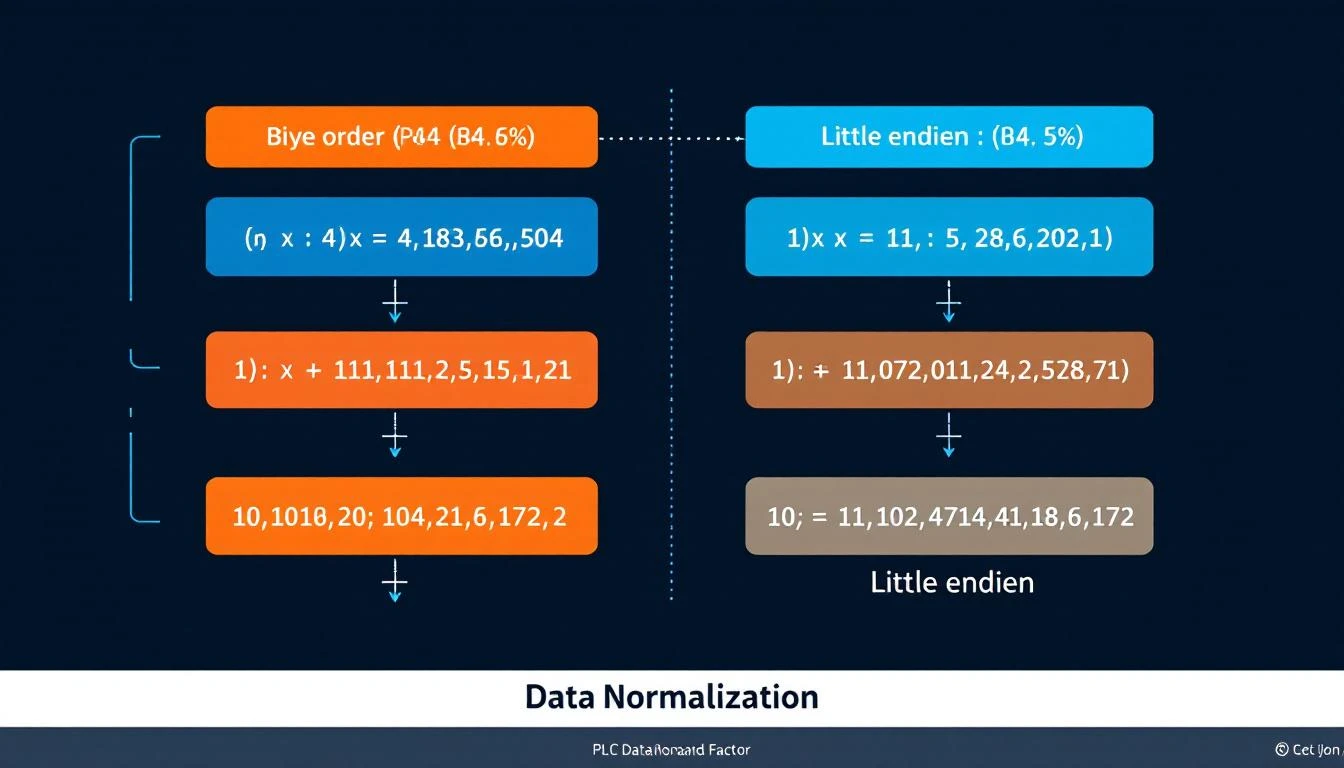
Why This Is Harder Than It Looks
Modern IT systems have standardized on little-endian byte ordering (x86, ARM in LE mode), IEEE 754 floating point, and UTF-8 strings. Industrial devices come from a different world:
- Modbus uses big-endian (network byte order) for 16-bit registers, but the ordering of registers within a 32-bit value varies by manufacturer
- EtherNet/IP uses little-endian internally (Allen-Bradley heritage), but CIP encapsulation follows specific rules per data type
- PROFINET uses big-endian for I/O data
- OPC-UA handles byte ordering transparently — one of its few genuinely nice features
When your edge gateway reads data from a Modbus device and publishes it via MQTT to a cloud platform, you're potentially crossing three byte-ordering boundaries. Get any one of them wrong and your data is silently corrupt.
The Modbus Register Map Problem
Modbus organizes data into four register types, each accessed by a different function code:
| Address Range | Register Type | Function Code | Data Direction | Access |
|---|---|---|---|---|
| 0–65,535 | Coils (discrete outputs) | FC 01 | Read | 1-bit |
| 100,000–165,535 | Discrete Inputs | FC 02 | Read | 1-bit |
| 300,000–365,535 | Input Registers | FC 04 | Read-only | 16-bit |
| 400,000–465,535 | Holding Registers | FC 03 | Read/Write | 16-bit |
The address ranges are a convention, not a protocol requirement. Your gateway needs to map addresses to function codes:
- Addresses 0–65,535 → FC 01 (Read Coils)
- Addresses 100,000–165,535 → FC 02 (Read Discrete Inputs)
- Addresses 300,000–365,535 → FC 04 (Read Input Registers)
- Addresses 400,000–465,535 → FC 03 (Read Holding Registers)
The actual register address sent in the Modbus PDU is the offset within the range. So address 400,100 becomes register 100 using function code 03.
Why this matters for normalization: A tag configured with address 300,800 means "read input register 800 using FC 04." A tag at address 400,520 means "read holding register 520 using FC 03." If your gateway mixes these up, it reads the wrong register type entirely — and the PLC happily returns whatever lives at that address, with no type error.
Reading Coils vs Registers: Type Coercion
When reading coils (FC 01/02), the response contains bit-packed data — each coil is a single bit. When reading registers (FC 03/04), each register is a 16-bit word.
The tricky part is mapping these raw responses to typed tag values. Consider a tag configured as uint16 that's being read from a coil address. The raw response is a single bit (0 or 1), but the tag expects a 16-bit value. Your gateway must handle this coercion:
Coil response → bool tag:     bit value directly
Coil response → uint8 tag:    cast to uint8
Coil response → uint16 tag:   cast to uint16
Coil response → int32 tag:    cast to int32 (effectively 0 or 1)
For register responses, the mapping depends on the element count — how many consecutive registers are combined to form the value:
1 register (elem_count=1):
  → uint16: direct value
  → int16:  interpret as signed
  → uint8:  mask with 0xFF (lower byte)
  → bool:   mask with 0xFF, then boolean

2 registers (elem_count=2):
  → uint32: combine two 16-bit registers
  → int32:  interpret combined value as signed
  → float:  interpret combined value as IEEE 754
The 32-Bit Register Combination Problem
Here's where manufacturers diverge and data corruption begins. A 32-bit value (integer or float) spans two consecutive 16-bit Modbus registers. But which register contains the high word?
Word Order Variants
Big-endian word order (AB CD): Register N contains the high word, register N+1 contains the low word.
Register[N]   = 0x4248    (high word)
Register[N+1] = 0x0000    (low word)
Combined      = 0x42480000
As float      = 50.0
Little-endian word order (CD AB): Register N contains the low word, register N+1 contains the high word.
Register[N]   = 0x0000    (low word)
Register[N+1] = 0x4248    (high word)
Combined      = 0x42480000
As float      = 50.0
Byte-swapped big-endian (BA DC): Each register's bytes are swapped, then combined in big-endian order.
Register[N]   = 0x4842    (swapped high)
Register[N+1] = 0x0000    (swapped low)
Combined      = 0x42480000
As float      = 50.0
Byte-swapped little-endian (DC BA): Each register's bytes are swapped, then combined in little-endian order.
Register[N]   = 0x0000    (swapped low)
Register[N+1] = 0x4842    (swapped high)
Combined      = 0x42480000
As float      = 50.0
All four combinations are found in the wild. Schneider PLCs typically use big-endian word order. Some Siemens devices use byte-swapped variants. Many Chinese-manufactured VFDs (variable frequency drives) use little-endian word order. There is no way to detect the word order automatically — you must know it from the device documentation or determine it empirically.
Practical Detection Technique
When commissioning a new device and the word order isn't documented:
- Find a register that should contain a known float value (like a temperature reading you can verify with a handheld thermometer)
- Read two consecutive registers and try all four combinations
- The one that produces a physically reasonable value is your word order
For example, if the device reads temperature and the registers contain 0x4220 and 0x0000:
- AB CD:
0x42200000= 40.0 ← probably correct if room temp - CD AB:
0x00004220= 5.9×10⁻⁴¹ ← nonsense - BA DC:
0x20420000= 1.6×10⁻¹⁹ ← nonsense - DC BA:
0x00002042= 1.1×10⁻⁴¹ ← nonsense
IEEE 754 Floating-Point Reconstruction
Reading a float from Modbus registers requires careful reconstruction. The standard approach:
Given: Register[N] = high_word, Register[N+1] = low_word (big-endian word order)

Step 1: Combine into 32 bits
  uint32 combined = (high_word << 16) | low_word

Step 2: Reinterpret as IEEE 754 float
  float value = *(float*)&combined    // C-style type punning
  // Or use modbus_get_float() from libmodbus
The critical detail: do not cast the integer to float — that performs a numeric conversion. You need to reinterpret the same bit pattern as a float. This is the difference between getting 50.0 (correct) and getting 1110441984.0 (the integer 0x42480000 converted to float).
Common Float Pitfalls
NaN and Infinity: IEEE 754 reserves certain bit patterns for special values. If your combined registers produce 0x7FC00000, that's NaN. If you see 0x7F800000, that's positive infinity. These often appear when:
- The sensor is disconnected (NaN)
- The measurement is out of range (Infinity)
- The registers are being read during a PLC scan update (race condition producing a half-updated value)
Denormalized numbers: Very small float values (< 1.175×10⁻³⁸) are "denormalized" and may lose precision. In industrial contexts, if you're seeing numbers this small, something is wrong with your byte ordering.
Zero detection: A float value of exactly 0.0 is 0x00000000. But 0x80000000 is negative zero (-0.0). Both compare equal in standard float comparison, but the bit patterns are different. If you're doing bitwise comparison for change detection, be aware of this edge case.
Scaling Factors: From Raw to Engineering Units
Many industrial devices don't transmit floating-point values. Instead, they send raw integers that must be scaled to engineering units. This is especially common with:
- Temperature transmitters (raw: 0–4000 → scaled: 0–100°C)
- Pressure sensors (raw: 0–65535 → scaled: 0–250 PSI)
- Flow meters (raw: counts/second → scaled: gallons/minute)
Linear Scaling
The most common pattern is linear scaling with two coefficients:
engineering_value = (raw_value × k1) / k2
Where k1 and k2 are integer scaling coefficients defined in the tag configuration. This avoids floating-point math on resource-constrained edge devices.
Examples:
- Temperature:
k1=1, k2=10→ raw 1675 becomes 167.5°C - Pressure:
k1=250, k2=65535→ raw 32768 becomes 125.0 PSI - RPM:
k1=1, k2=1→ raw value is direct (no scaling)
Important: k2 must never be zero. Always validate configuration before applying scaling — a division-by-zero in an edge gateway's main loop crashes the entire data acquisition pipeline.
Bit Extraction (Calculated Tags)
Some devices pack multiple boolean values into a single register. A 16-bit "status word" might contain:
Bit 0: Motor Running
Bit 1: Fault Active
Bit 2: High Temperature
Bit 3: Low Pressure
Bits 4-7: Operating Mode
Bits 8-15: Reserved
Extracting individual values requires bitwise operations:
motor_running = (status_word >> 0) & 0x01    // shift=0, mask=1
fault_active  = (status_word >> 1) & 0x01    // shift=1, mask=1
op_mode       = (status_word >> 4) & 0x0F    // shift=4, mask=15
In a well-designed edge gateway, these "calculated tags" are defined as children of the parent register tag. When the parent register value changes, the gateway automatically recalculates all child tags and delivers their values. This eliminates redundant register reads — you read the status word once and derive multiple data points.
Dependent Tag Chains
Beyond simple bit extraction, production systems use dependent tag chains: when tag A changes, immediately read tags B, C, and D regardless of their normal polling interval.
Example: When machine_state transitions from 0 (IDLE) to 1 (RUNNING), immediately read:
- Current speed setpoint
- Actual motor RPM
- Material temperature
- Batch counter
This captures the complete state snapshot at the moment of transition, which is far more valuable than catching each value at their independent polling intervals (where you might see the new speed 5 seconds after the state change).
The key architectural insight: tag dependencies form a directed acyclic graph. The edge gateway must traverse this graph depth-first on each parent change, reading and delivering dependent tags within the same batch timestamp for temporal coherence.
Binary Serialization for Bandwidth Efficiency
Once values are normalized, they need to be serialized for transport. Two common formats:
JSON (Human-Readable)
{
  "groups": [{
    "ts": 1709510400,
    "device_type": 1011,
    "serial_number": 12345,
    "values": [
      {"id": 1, "values": [167.5]},
      {"id": 2, "values": [true]},
      {"id": 3, "values": [1250, 1248, 1251, 1249, 1250, 1252]}
    ]
  }]
}
Binary (Bandwidth-Optimized)
A compact binary format packs the same data into roughly 20–30% of the JSON size:
Byte 0:     0xF7 (frame identifier)
Bytes 1-4:  Number of groups (uint32, big-endian)

Per group:
  4 bytes:  Timestamp (uint32)
  2 bytes:  Device type (uint16)
  4 bytes:  Serial number (uint32)
  4 bytes:  Number of values (uint32)

Per value:
  2 bytes:  Tag ID (uint16)
  1 byte:   Status (0x00 = OK, else error code)
  If status == OK:
    1 byte:  Array size (number of elements)
    1 byte:  Element size (1, 2, or 4 bytes)
    N bytes: Packed values, each big-endian
Value packing examples:
bool:   true  → 0x01           (1 byte)
bool:   false → 0x00           (1 byte)
int16:  55    → 0x00 0x37      (2 bytes, big-endian)
int16:  -55   → 0xFF 0xC9      (2 bytes, two's complement)
uint16: 32768 → 0x80 0x00
int32:  55    → 0x00 0x00 0x00 0x37
float:  1.55  → 0x3F 0xC6 0x66 0x66  (IEEE 754)
float: -1.55  → 0xBF 0xC6 0x66 0x66
Note the byte ordering in the serialization format: values are packed big-endian (MSB first) regardless of the source device's native byte ordering. The edge gateway normalizes byte order during serialization, so the cloud consumer never needs to worry about endianness.
Register Grouping and Read Optimization
Modbus allows reading up to 125 consecutive registers in a single request (FC 03/04). A naive implementation sends one request per tag — reading 50 tags requires 50 round trips, each with its own Modbus frame overhead and inter-frame delay.
A well-optimized gateway groups tags by:
- Same function code — Tags addressed at 400,100 and 300,100 cannot be grouped (different FC)
- Contiguous addresses — Tags at addresses 400,100 and 400,101 can be read in one request
- Same polling interval — Tags with different intervals should be in separate groups to avoid reading slow-interval tags too frequently
- Maximum register count — Cap at ~50 registers per request to stay well within Modbus limits and avoid timeout issues with slower devices
The algorithm: sort tags by address, then walk the sorted list. Start a new group when:
- The function code changes
- The address is not contiguous with the previous tag
- The polling interval differs
- The accumulated register count exceeds the maximum
After each group read, insert a brief pause (50ms is typical) before the next read. This prevents overwhelming slow Modbus devices that need time between transactions to process their internal scan.
Change Detection and Comparison
For bandwidth-constrained deployments (cellular, satellite, LoRaWAN backhaul), sending every value on every read cycle is wasteful. Implement value comparison:
On each tag read:
  if (tag.compare_enabled):
    if (new_value == last_value) AND (status unchanged):
      skip delivery
    else:
      deliver value
      update last_value
  else:
    always deliver
The comparison must be type-aware:
- Integer types: Direct bitwise comparison (
uint_value != last_uint_value) - Float types: Bitwise comparison, NOT approximate comparison. In industrial contexts, if the bits didn't change, the value didn't change. Using epsilon-based comparison would miss relevant changes while potentially false-triggering on noise.
- Boolean types: Direct comparison
Periodic forced delivery: Even with comparison enabled, force-deliver all tag values once per hour. This ensures the cloud state eventually converges with reality, even if a value change was missed during a brief network outage.
Handling Modbus RTU vs TCP
The normalization logic is identical for Modbus RTU (serial) and Modbus TCP (Ethernet). The differences are all in the transport layer:
| Parameter | Modbus RTU | Modbus TCP |
|---|---|---|
| Physical | RS-485 serial | Ethernet |
| Connection | Serial port open | TCP socket connect |
| Addressing | Slave address (1-247) | IP:port (default 502) |
| Framing | CRC-16 | MBAP header |
| Timing | Inter-character timeout matters | TCP handles retransmission |
| Baud rate | 9600–115200 typical | N/A (Ethernet speed) |
| Response timeout | 400ms typical | Shorter (network dependent) |
RTU-Specific Configuration
For Modbus RTU, the serial link parameters must match the device exactly:
Baud rate:       9600 (most common) or 19200, 38400, 115200
Parity:          None, Even, or Odd
Data bits:       8 (almost always)
Stop bits:       1 or 2
Slave address:   1-247
Byte timeout:    50ms (time between bytes in a frame)
Response timeout: 400ms (time to wait for a response)
Critical RTU detail: Always flush the serial buffer before starting a new transaction. Stale bytes in the receive buffer from a previous timed-out response will corrupt the current response parsing. This is the number one cause of intermittent "bad CRC" errors on Modbus RTU links.
Error Handling That Matters
When a Modbus read fails, the error code tells you what went wrong:
| errno | Meaning | Recovery Action |
|---|---|---|
| ETIMEDOUT | Device didn't respond | Retry 2x, then mark link DOWN |
| ECONNRESET | Connection dropped | Close + reconnect |
| ECONNREFUSED | Device rejected connection | Check IP/port, wait before retry |
| EPIPE | Broken pipe | Close + reconnect |
| EBADF | Bad file descriptor | Socket is dead, full reinit |
On any of these errors, the correct response is: flush the connection, close it, mark the device link state as DOWN, and attempt reconnection on the next cycle. Don't try to send more data on a dead connection — it will fail faster than you can log it.
Deliver error status alongside the tag. When a tag read fails, don't silently drop the data point. Deliver the tag ID with a non-zero status code and no value data. This lets the cloud platform distinguish between "the sensor reads 0" and "we couldn't reach the sensor." They're very different situations.
How machineCDN Handles Data Normalization
machineCDN's edge runtime performs all normalization at the device boundary — byte order conversion, type coercion, bit extraction, scaling, and comparison — before data touches the network. The binary serialization format described above is the actual wire format used between edge gateways and the machineCDN cloud, achieving typical compression ratios of 3–5x versus JSON while maintaining full type fidelity.
For plant engineers, this means you configure tags with their register addresses, data types, and scaling factors. The platform handles the byte-level mechanics — you never need to manually swap words, reconstruct floats, or debug endianness issues. Tag values arrive in the cloud as properly typed, correctly scaled engineering units, ready for dashboards, analytics, and alerting.
Checklist: Commissioning a New Device
When connecting a new Modbus device to your IIoT platform:
- ☐ Identify the register map — Get the manufacturer's documentation. Don't guess addresses.
- ☐ Determine the word order — Read a known float value and try all four combinations.
- ☐ Verify function codes — Confirm which registers use FC 03 vs FC 04.
- ☐ Check the slave address — RTU only; confirm via device configuration panel.
- ☐ Set appropriate timeouts — 50ms byte timeout, 400ms response timeout for RTU; 2000ms for TCP.
- ☐ Read one tag at a time first — Validate each tag independently before grouping.
- ☐ Compare with HMI values — Cross-reference your gateway's readings against the device's local display.
- ☐ Enable comparison selectively — For status bits and slow-changing values only. Disable for process variables during commissioning.
- ☐ Monitor for -32 / timeout errors — Persistent errors indicate wiring, addressing, or timing issues.
- ☐ Document everything — Future you will not remember why tag 0x1A uses elem_count=2 with k1=10 and k2=100.
Conclusion
Data normalization is the unglamorous foundation of every working IIoT system. When it works, nobody notices. When it fails, your dashboards show nonsense and operators lose trust in the platform.
The key principles:
- Know your byte order — and document it per device
- Match element size to data type — a 4-byte read on a 2-byte register reads adjacent memory
- Use bitwise comparison for floats — not epsilon
- Batch and serialize efficiently — binary beats JSON for bandwidth-constrained links
- Group contiguous registers — reduce Modbus round trips by 5–10x
- Always deliver error status — silent data drops are worse than explicit failures
Get these right at the edge, and every layer above — time-series databases, dashboards, ML models, alerting — inherits clean, trustworthy data. Get them wrong, and no amount of cloud processing can fix values that were corrupted before they left the factory floor.
