Allen-Bradley Micro800 EtherNet/IP Integration: A Practical Guide for Edge Connectivity [2026]
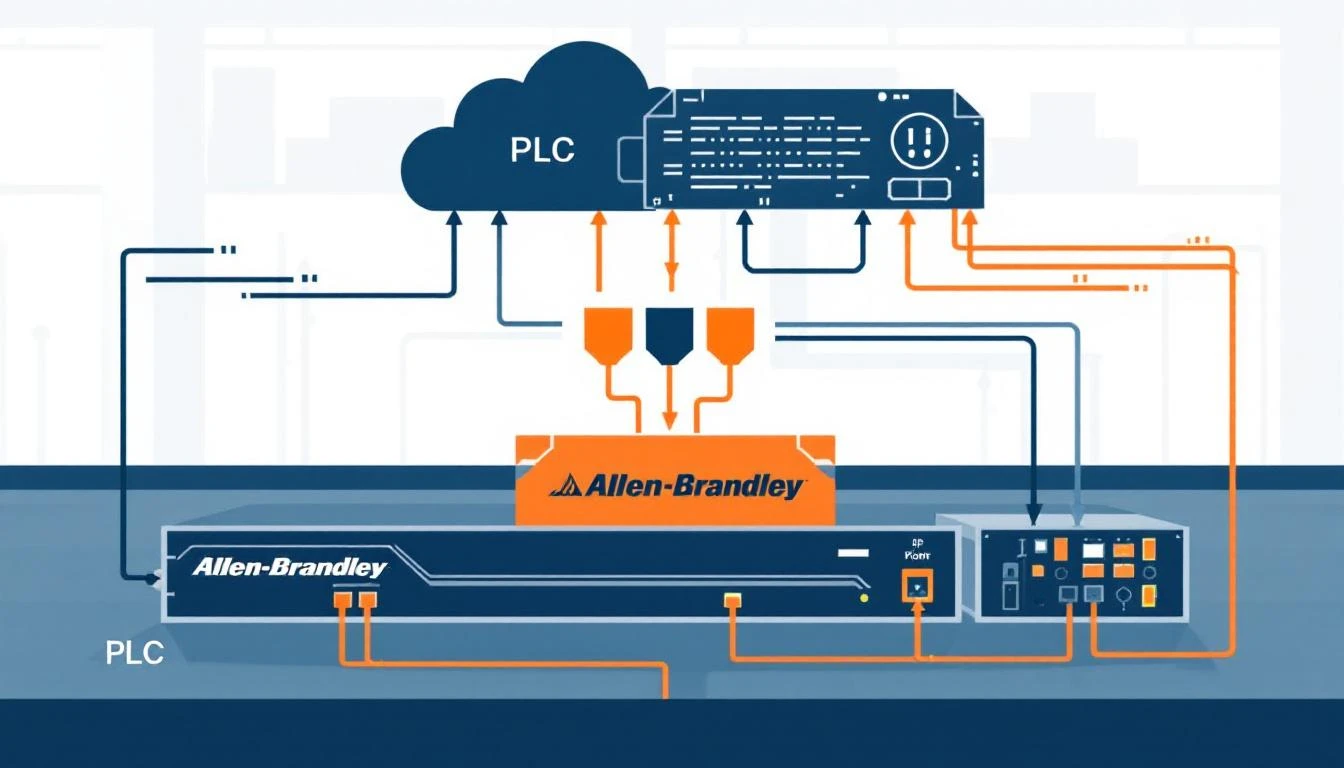
The Allen-Bradley Micro800 series — particularly the Micro820, Micro830, and Micro850 — occupies a sweet spot in industrial automation. These compact PLCs deliver enough processing power for standalone machines while speaking EtherNet/IP natively. But connecting them to modern IIoT edge gateways reveals subtleties that trip up even experienced automation engineers.
This guide covers what you actually need to know: how CIP tag-based addressing works on Micro800s, how to configure element sizes and counts correctly, how to handle different data types, and how to avoid the pitfalls that turn a simple connectivity project into a week-long debugging session.
Why Micro800 Is Different from ControlLogix
If you've worked with Allen-Bradley ControlLogix or CompactLogix controllers, you might assume Micro800 works the same way. It doesn't — and the differences matter for edge connectivity.
CPU Designation
When configuring an EtherNet/IP connection to a Micro800, you must specify the CPU type explicitly. Unlike ControlLogix controllers that auto-negotiate through the backplane, Micro800 PLCs require the micro800 CPU designation in the connection string. Getting this wrong results in a cryptic connection failure — the gateway simply can't establish a CIP session.
Tag-Based Addressing
Micro800 PLCs use tag-based addressing rather than the file-based addressing found in older SLC 500 or MicroLogix controllers. Every variable you want to read must be referenced by its exact tag name as defined in Connected Components Workbench (CCW).
This means your edge gateway configuration must mirror your PLC program's variable names precisely. A tag named B3_0_0_blender_st_INT in CCW must appear as exactly that string in your gateway configuration. Case sensitivity varies by firmware version — always match the case from your PLC program to be safe.
Array Access
For array tags, the access pattern uses bracket notation with a start index. A tag named temperatures with 10 elements would be accessed as temperatures[0] through temperatures[9]. The start index isn't always zero — some PLC programs define arrays starting at arbitrary positions, and your gateway must match.
When reading a single value at position zero, you can omit the bracket notation entirely and use the clean tag name. But for any non-zero start index, brackets are mandatory.
Element Sizing: The Detail That Breaks Everything
The most common source of connectivity failures between edge gateways and Micro800 PLCs is incorrect element sizing. EtherNet/IP CIP requires you to specify both the number of elements (elem_count) and the size of each element in bytes (elem_size) when creating a tag connection.
Data Type to Element Size Mapping
| PLC Data Type | Element Size (bytes) | Notes |
|---|---|---|
| BOOL | 1 | Read as uint8, interpret bit 0 |
| SINT (int8) | 1 | Signed 8-bit integer |
| USINT (uint8) | 1 | Unsigned 8-bit integer |
| INT (int16) | 2 | Signed 16-bit integer |
| UINT (uint16) | 2 | Unsigned 16-bit integer |
| DINT (int32) | 4 | Signed 32-bit integer |
| UDINT (uint32) | 4 | Unsigned 32-bit integer |
| REAL (float) | 4 | IEEE 754 single precision |
Why This Matters
If you specify elem_size=4 for a 16-bit integer tag, the CIP read will succeed but return garbage. The controller sends 2 bytes, the gateway expects 4, and the value interpretation is wrong. This bug is insidious because the data looks plausible — you might see values in range but slightly off, making you think you have a sensor calibration issue rather than a data type mismatch.
Rule of thumb: Always verify the data type in your PLC program before configuring the edge gateway. Don't guess based on tag names.
Array Element Counts
When reading arrays, the elem_count parameter tells the CIP layer how many elements to fetch in a single request. Reading 10 float values means elem_count=10 and elem_size=4, which results in a 40-byte data payload. Keep array reads under about 450 bytes per request to stay within the CIP implicit messaging limits.
Connection String Anatomy
An EtherNet/IP connection to a Micro800 PLC requires a well-formed connection string. Here's the general structure:
protocol=ab-eip&gateway=192.168.1.100&cpu=micro800&elem_count=1&elem_size=2&name=my_tag_name
Parameters Explained
- protocol: Always
ab-eipfor Allen-Bradley EtherNet/IP - gateway: The IP address of the PLC's Ethernet port
- cpu: Must be
micro800— notlgx,plc5,slc, ormicro - elem_count: Number of elements to read (1 for scalars, N for arrays)
- elem_size: Size in bytes of each element (1, 2, or 4)
- name: The exact tag name from the PLC program
Common Mistakes
-
Using
cpu=microinstead ofcpu=micro800— These are different controller families.microtargets MicroLogix, which uses file-based addressing. Micro800 is tag-based. -
Omitting elem_size — Some CIP libraries default to 4 bytes. This breaks reads of INT (2-byte) and BOOL (1-byte) tags silently.
-
DNS instead of IP — While CIP technically supports hostname resolution, most edge gateways in industrial environments should use static IPs. DNS failures on the plant floor are more common than you'd expect, and a DNS timeout adds 30+ seconds of delay before falling back.
Reading Tags: Timeouts and Error Handling
Connection Timeout
A typical CIP tag create-and-read cycle on a Micro800 should complete in under 2 seconds on a healthy network. Set your initial timeout to 2000ms. If you're consistently hitting timeouts, the problem is almost always network-related — not PLC processing speed.
Micro800 PLCs respond to CIP requests promptly. A 2-second timeout is generous. If you need to increase it beyond 5 seconds, investigate your network infrastructure (switches, VLANs, firewalls) rather than increasing the timeout further.
Error Code -32: Link Failure
The most critical error code you'll encounter is -32, which indicates a CIP connection failure. This can mean:
- The PLC is powered off or unreachable
- The IP address is wrong
- A firewall is blocking TCP port 44818 (the EtherNet/IP encapsulation port)
- The PLC's Ethernet port is misconfigured
When you get error -32, don't keep hammering the PLC with reconnection attempts. Implement an exponential backoff or at minimum cap your retry count. A well-designed edge gateway should attempt connection no more than 3 times before marking the device as offline and backing off.
After 3 consecutive -32 errors, the gateway should set the device link state to "down" and stop attempting reads until a configurable cooldown period expires. This prevents flooding the network with SYN packets to a dead host.
Partial Read Failures
Individual tag reads can fail even when the CIP session is healthy. Typical causes:
- Tag doesn't exist: The tag name is wrong or was deleted from the PLC program after the last download
- Access denied: The tag is scoped to a specific task or routine and isn't globally accessible
- Array bounds exceeded: Requesting
elem_count=10on a 5-element array
Each failed read should be tracked separately from link-level failures. A single tag returning errors shouldn't trigger a full device reconnection — only persistent link-layer failures should.
Data Type Handling at the Edge
Integer Types
For 16-bit integers (INT/UINT), the CIP response contains exactly 2 bytes per element. The byte order follows CIP conventions (little-endian). Your edge gateway must extract and sign-extend correctly:
- INT (signed 16-bit): Values range from -32,768 to 32,767. Sign extension is critical — a raw value of
0xFFFFis -1, not 65,535. - UINT (unsigned 16-bit): Values range from 0 to 65,535. No sign extension needed.
For 32-bit integers reading from two consecutive 16-bit registers (which happens in Modbus but can also apply to CIP array reads):
- Big-endian assembly:
(high_word << 16) | low_word - The order depends on the PLC's configuration — verify with a known value.
Floating-Point Values
REAL (float32) tags return IEEE 754 single-precision values. The byte order matters. CIP uses little-endian encoding, so a float value of 72.5 arrives as bytes 00 00 91 42 (hex). Your gateway must interpret these as a 32-bit IEEE 754 float, not as an integer.
Common pitfall: Reading a float tag with elem_size=2 and elem_count=2 instead of elem_size=4 and elem_count=1. Both transfer 4 bytes, but the CIP layer interprets them differently, and you'll get NaN or infinity values instead of the actual temperature or pressure reading.
Boolean Tags
BOOL tags on Micro800 are stored as 8-bit values at the CIP level, even though they represent a single bit. A value of 0 means false; any non-zero value means true. Most PLC programs write 1 for true, but don't assume — check for non-zero, not for exactly 1.
Interval-Based Polling Strategies
Not every tag needs to be read every scan cycle. A well-designed edge gateway uses interval-based polling to reduce network traffic and PLC CPU load.
Configuring Read Intervals
Assign each tag a read interval in seconds. Typical values:
| Tag Type | Recommended Interval | Rationale |
|---|---|---|
| Machine state (running/stopped) | 1-5 seconds | Fast detection of state changes |
| Process temperatures | 5-15 seconds | Thermal systems change slowly |
| Alarm/fault words | 1-3 seconds | Rapid fault detection |
| Production counters | 30-60 seconds | Incremental counts don't need high frequency |
| Recipe parameters | 60-300 seconds | Only change during changeovers |
Change-of-Value Detection
For tags configured with comparison enabled, the edge gateway compares each new read against the previously stored value. If nothing changed, the value isn't forwarded to the cloud — saving bandwidth and storage costs.
This works especially well for machine state tags. A machine that runs for 8 hours straight would generate 28,800 identical data points at 1-second intervals. With change detection, you send exactly 2 points: the transition to "running" and the transition to "stopped."
Important caveat: Even with change detection enabled, the gateway should periodically force a full read of all tags (typically hourly). This ensures data freshness and catches any missed transitions. Clock drift between the gateway and PLC can cause subtle synchronization issues over long periods.
Serial Number and Device Identity
Micro800 PLCs expose device identity through dedicated tags. A well-configured edge gateway reads three identity tags at startup:
- serial_number_year: Manufacturing year (2-digit)
- serial_number_month: Manufacturing month
- serial_number_unit: Unit number within that production run
These combine into a 32-bit serial number: (year << 24) | (month << 16) | unit. This serial number uniquely identifies the PLC and is critical for fleet management — without it, you can't distinguish between identical machines on the same network.
Validation: If the year field is zero, the serial number is invalid. This typically means the PLC hasn't been properly initialized or the identity tags weren't configured in the PLC program. Your gateway should flag this as an error and optionally generate a synthetic serial number for tracking purposes.
How machineCDN Handles AB Micro800 Connectivity
machineCDN's edge platform handles the complexity of Micro800 integration natively. The gateway automatically detects Micro800 PLCs on the network, reads device identity tags, loads the appropriate tag configuration, and begins polling — all without manual connection string construction.
When a CIP connection drops, machineCDN's resilience layer tracks the link state, implements intelligent retry logic, and buffers any pending telemetry in a local store-and-forward system. When connectivity is restored, buffered data flows upstream in the correct time-order, ensuring no gaps in your machine monitoring history.
The platform handles the element sizing, data type mapping, and byte-order conversions automatically based on the tag configuration. Engineers define what they want to monitor — temperatures, pressures, states — and the platform handles the CIP protocol details.
Key Takeaways
-
Micro800 requires
cpu=micro800— notmicro, notlgx, not auto-detect. This is non-negotiable. -
Element size must match data type exactly — 1 byte for BOOL/SINT/USINT, 2 bytes for INT/UINT, 4 bytes for DINT/UDINT/REAL.
-
Cap your retry count at 3 for connection failures. Don't flood the network with reconnection attempts to a dead PLC.
-
Use change-of-value detection for machine state tags to reduce bandwidth by 90%+, but force a full read hourly to maintain freshness.
-
Always validate serial numbers at startup. A zero year field means the identity tags aren't configured.
-
Set connection timeouts to 2 seconds. If you need more, fix your network — don't increase the timeout.
Getting Micro800 integration right at the edge means fewer production blind spots and faster time-to-insight. The protocol details matter, and getting them wrong can mean weeks of debugging what looks like a data quality issue but is actually a misconfigured connection string.