Most IIoT content treats the edge gateway as a black box: PLC data goes in, cloud data comes out. That's fine for a sales deck. It's useless for the engineer who needs to understand why their gateway loses data during a network flap, or why configuration changes require a full restart, or why it takes 90 seconds after boot before the first telemetry packet reaches the cloud.
This article breaks down the complete lifecycle of a production industrial edge gateway — from the moment it powers on to steady-state telemetry delivery, including every decision point, failure mode, and recovery mechanism in between. These patterns are drawn from real-world gateways running on resource-constrained hardware (64MB RAM, MIPS processors) in plastics manufacturing plants, monitoring TCUs, chillers, blenders, and dryers 24/7.
Phase 1: Boot and Configuration Load
When a gateway boots (or restarts after a configuration change), the first task is loading its configuration. In production deployments, there are typically two configuration layers:
The Daemon Configuration
This is the central configuration that defines what equipment to talk to:
{
  "plc": {
    "ip": "192.168.5.5",
    "modbus_tcp_port": 502
  },
  "serial_device": {
    "port": "/dev/rs232",
    "baud": 9600,
    "parity": "none",
    "data_bits": 8,
    "stop_bits": 1,
    "byte_timeout_ms": 4,
    "response_timeout_ms": 100
  },
  "batch_size": 4000,
  "batch_timeout_sec": 60,
  "startup_delay_sec": 30
}
The startup delay is a critical design choice. When a gateway boots simultaneously with the PLCs it monitors (common after a power outage), the PLCs may need 10-30 seconds to initialize their communication stacks. If the gateway immediately tries to connect, it fails, marks the PLC as unreachable, and enters a slow retry loop. A 30-second startup delay avoids this race condition.
The serial link parameters (baud, parity, data bits, stop bits) must match the PLC exactly. A mismatch here produces zero error feedback — you just get silence. The byte timeout (time between consecutive bytes) and response timeout (time to wait for a complete response) are tuned per equipment type. TCUs with slower processors may need 100ms+ response timeouts; modern PLCs respond in 10-20ms.
The Device Configuration Files
Each equipment type gets its own configuration file that defines which registers to read, what data types to expect, and how often to poll. These files are loaded dynamically based on the device type detected during the discovery phase.
A real device configuration for a batch blender might define 40+ tags, each with:
- A unique tag ID (1-32767)
- The Modbus register address or EtherNet/IP tag name
- Data type (bool, int8, uint8, int16, uint16, int32, uint32, float)
- Element count (1 for scalars, 2+ for arrays or multi-register values)
- Poll interval in seconds
- Whether to compare with previous value (change-based delivery)
- Whether to send immediately or batch with other values
Hot-reload capability is essential for production systems. The gateway should monitor configuration file timestamps and automatically detect changes. When a configuration file is modified (pushed via MQTT from the cloud, or copied via SSH during maintenance), the gateway reloads it without requiring a full restart. This means configuration updates can be deployed remotely to gateways in the field without disrupting data collection.
Phase 2: Device Detection
After configuration loads successfully, the gateway enters the device detection phase. This is where protocol-level intelligence matters.
Multi-Protocol Discovery
A well-designed gateway doesn't assume which protocol the PLC speaks. Instead, it tries multiple protocols in order of preference:
Step 1: Try EtherNet/IP
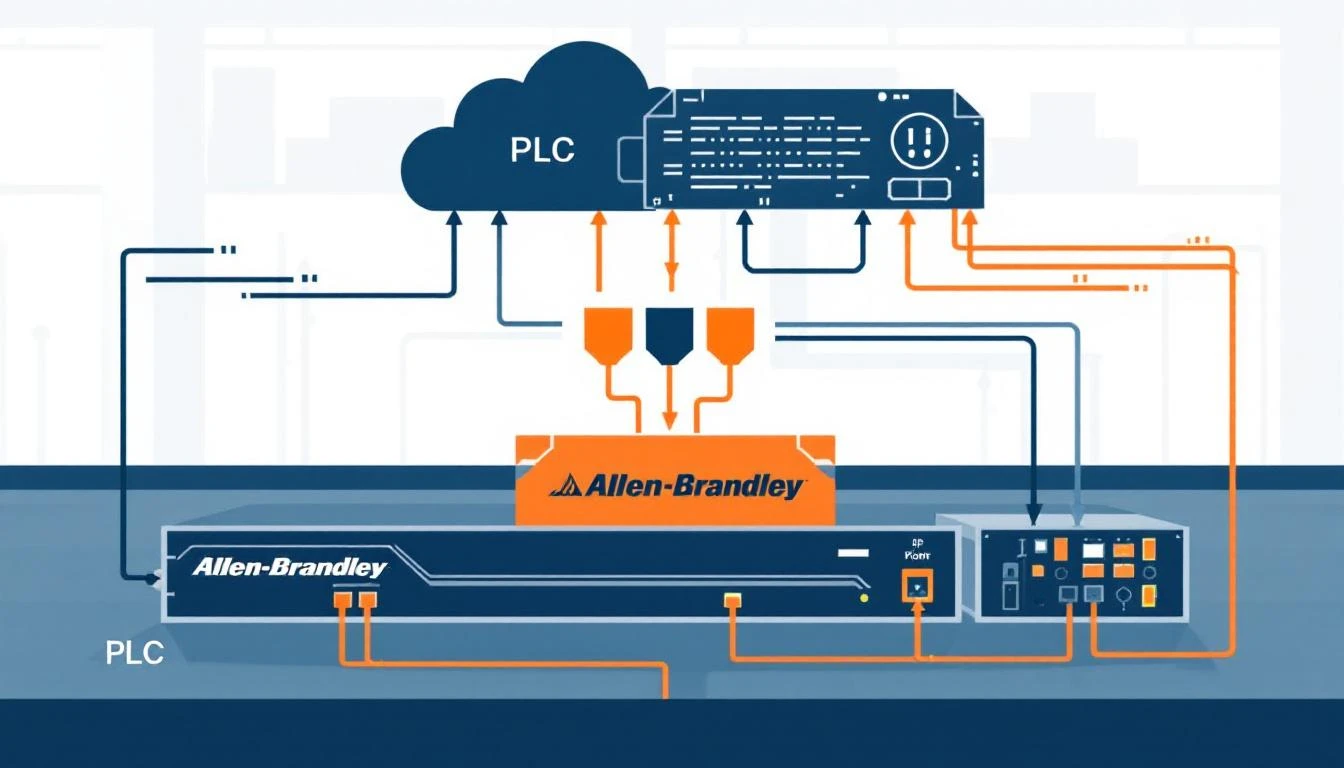
The gateway sends a CIP (Common Industrial Protocol) request to the configured IP address, attempting to read a device_type tag. EtherNet/IP uses the ab-eip protocol with a micro800 CPU profile (for Allen-Bradley Micro8xx series). If the PLC responds with a valid device type, the gateway knows this is an EtherNet/IP device.
Connection path: protocol=ab-eip, gateway=192.168.5.5, cpu=micro800
Target tag: device_type (uint16)
Timeout: 2000ms
Step 2: Fall back to Modbus TCP
If EtherNet/IP fails (error code -32 = "no connection"), the gateway tries Modbus TCP on port 502. It reads input register 800 (address 300800) which, by convention, stores the device type identifier.
Function code: 4 (Read Input Registers)
Register: 800
Count: 1
Expected: uint16 device type code
Step 3: Serial detection for Modbus RTU
If TCP protocols fail, the gateway probes the serial port for Modbus RTU devices. RTU detection is trickier because there's no auto-discovery mechanism — you must know the slave address. Production gateways typically configure a default address (slave ID 1) and attempt a read.
After identifying the device type, the gateway reads the equipment's serial number. This is critical for fleet management — each physical machine needs a unique identifier for cloud-side tracking.
Different equipment types store serial numbers in different registers:
| Equipment Type | Protocol | Month Register | Year Register | Unit Register |
|---|
| Portable Chiller | Modbus TCP | Input 22 | Input 23 | Input 24 |
| Central Chiller | Modbus TCP | Holding 520 | Holding 510 | Holding 500 |
| TCU | Modbus RTU | EtherNet/IP | EtherNet/IP | EtherNet/IP |
| Batch Blender | EtherNet/IP | CIP tag | CIP tag | CIP tag |
The serial number is packed into a 32-bit value:
Byte 3: Year  (0x40=2010, 0x41=2011, ...)
Byte 2: Month (0x00=Jan, 0x01=Feb, ...)
Bytes 0-1: Unit number (sequential)

Example: 0x002A0050 = January 2010, unit #80
Fallback serial generation: If the PLC doesn't have a programmed serial number (common with newly installed equipment), the gateway generates one using the router's serial number as a seed, with a prefix byte distinguishing PLCs (0x7F) from TCUs (0x7E). This ensures every device in the fleet has a unique identifier even before the serial number is programmed.
Configuration Loading by Device Type
Once the device type is known, the gateway searches for a matching configuration file. If type 1010 is detected, it loads the batch blender configuration. If type 5000, it loads the TCU configuration. If no matching configuration exists, the gateway logs an error and continues monitoring other ports.
This pattern — detect → identify → configure — means a single gateway binary handles dozens of equipment types. Adding support for a new machine is a configuration file change, not a firmware update.
Phase 3: MQTT Connection and Cloud Link
With devices detected and configured, the gateway establishes its cloud connection via MQTT.
Connection Architecture
Production IIoT gateways use MQTT 3.1.1 over TLS (port 8883) for cloud connectivity. The connection setup involves:
- Certificate verification — the gateway validates the cloud broker's certificate against a CA root cert stored locally
- SAS token authentication — using a device-specific Shared Access Signature that encodes the hostname, device ID, and expiration timestamp
- Topic subscription — after connecting, the gateway subscribes to its command topic for receiving configuration updates and control commands from the cloud
Publish topic:  devices/{deviceId}/messages/events/
Subscribe topic: devices/{deviceId}/messages/devicebound/#
QoS: 1 (at least once delivery)
QoS 1 is the standard choice for industrial telemetry — it guarantees message delivery while avoiding the overhead and complexity of QoS 2 (exactly once). Since the data pipeline is designed to handle duplicates (via timestamp deduplication at the cloud layer), QoS 1 provides the right balance of reliability and performance.
The Async Connection Thread
MQTT connection can take 5-30 seconds depending on network conditions, DNS resolution, and TLS handshake time. A naive implementation blocks the main loop during connection, which means no PLC data is read during this time.
The solution: run mosquitto_connect_async() in a separate thread. The main loop continues reading PLC tags and buffering data while the MQTT connection establishes in the background. Once the connection callback fires, buffered data starts flowing to the cloud.
This is implemented using a semaphore-based producer-consumer pattern:
- Main thread prepares connection parameters and posts to a semaphore
- Connection thread wakes up, calls
connect_async(), and signals completion
- Main thread checks semaphore state before attempting reconnection (prevents double-connect)
Connection Watchdog
Network connections fail. Cell modems lose signal. Cloud brokers restart. A production gateway needs a watchdog that detects stale connections and forces reconnection.
The watchdog pattern:
Every 120 seconds:
  1. Check: have we received ANY confirmation from the broker?
     (delivery ACK, PUBACK, SUBACK — anything)
  2. If yes → connection is healthy, reset watchdog timer
  3. If no → connection is stale. Destroy MQTT client and reinitiate.
The 120-second timeout is tuned for cellular networks where intermittent connectivity is expected. On wired Ethernet, you could reduce this to 30-60 seconds. The key insight: don't just check "is the TCP socket open?" — check "has the broker confirmed any data delivery recently?" A half-open socket can persist for hours without either side knowing.
Phase 4: Steady-State Tag Reading
Once PLC connections and MQTT are established, the gateway enters its main polling loop. This is where it spends 99.9% of its runtime.
The Main Loop (1-second resolution)
The core loop runs every second and performs three operations:
- Configuration check — detect if any configuration file has been modified (via file stat monitoring)
- Tag read cycle — iterate through all configured tags and read those whose polling interval has elapsed
- Command processing — check the incoming command queue for cloud-side instructions (config updates, manual reads, interval changes)
Interval-Based Polling
Each tag has a polling interval in seconds. The gateway maintains a monotonic clock timestamp of the last read for each tag. On each loop iteration:
for each tag in device.tags:
    elapsed = now - tag.last_read_time
    if elapsed >= tag.interval_sec:
        read_tag(tag)
        tag.last_read_time = now
Typical intervals by data category:
| Data Type | Interval | Rationale |
|---|
| Temperatures, pressures | 60s | Slow-changing process values |
| Alarm states (booleans) | 1s | Immediate awareness needed |
| Machine state (running/idle) | 1s | OEE calculation accuracy |
| Batch counts | 1s | Production tracking |
| Version, serial number | 3600s | Static values, verify hourly |
Compare Mode: Change-Based Delivery
For many tags, sending the same value every second is wasteful. If a chiller alarm bit is false for 8 hours straight, that's 28,800 redundant messages.
Compare mode solves this: the gateway stores the last-read value and only delivers to the cloud when the value changes. This is configured per tag:
{
  "name": "Compressor Fault Alarm",
  "type": "bool",
  "interval": 1,
  "compare": true,
  "do_not_batch": true
}
This tag is read every second, but only transmitted when it changes. The do_not_batch flag means changes are sent immediately rather than waiting for the next batch finalization — critical for alarm states where latency matters.
Hourly Full Refresh
There's a subtle problem with pure change-based delivery: if a value changes while the MQTT connection is down, the cloud never learns about the transition. And if a value stays constant for days, the cloud has no heartbeat confirming the sensor is still alive.
The solution: every hour (on the hour change), the gateway resets all "read once" flags, forcing a complete re-read and re-delivery of all tags. This guarantees the cloud has fresh values at least hourly, regardless of change activity.
Phase 5: Data Batching and Delivery
Raw tag values don't get sent individually (except high-priority alarms). Instead, they're collected into batches for efficient delivery.
Binary Encoding
Production gateways use binary encoding rather than JSON to minimize bandwidth. The binary format packs values tightly:
Header:        1 byte  (0xF7 = tag values)
Group count:   4 bytes (number of timestamp groups)

Per group:
  Timestamp:   4 bytes
  Device type: 2 bytes
  Serial num:  4 bytes
  Value count: 4 bytes

Per value:
  Tag ID:      2 bytes
  Status:      1 byte (0x00=OK, else error code)
  Array size:  1 byte (if status=OK)
  Elem size:   1 byte (1, 2, or 4 bytes per element)
  Data:        size × count bytes
A batch containing 20 float values uses about 200 bytes in binary vs. ~2,000 bytes in JSON — a 10× bandwidth reduction that matters on cellular connections billed per megabyte.
Batch Finalization Triggers
A batch is finalized (sent to MQTT) when either:
- Size threshold — the batch reaches the configured maximum size (default: 4,000 bytes)
- Time threshold — the batch has been collecting for longer than
batch_timeout_sec (default: 60 seconds)
This ensures data reaches the cloud within 60 seconds even during low-activity periods, while maximizing batch efficiency during high-activity periods (like a blender running a batch cycle that triggers many dependent tag reads).
The Paged Ring Buffer
Between the batching layer and the MQTT publish layer sits a paged ring buffer. This is the gateway's resilience layer against network outages.
The buffer divides available memory into fixed-size pages. Each page holds one or more complete MQTT messages. The buffer operates as a queue:
- Write side: Finalized batches are written to the current work page. When a page fills up, it moves to the "used" queue.
- Read side: When MQTT is connected, the gateway publishes the oldest used page. Upon receiving a PUBACK (delivery confirmation), the page moves to the "free" pool.
- Overflow: If all pages are used (network down too long), the gateway overwrites the oldest used page — losing the oldest data to preserve the newest.
This design means the gateway can buffer 15-60 minutes of telemetry data during a network outage (depending on available memory and data density), then drain the buffer once connectivity restores.
Disconnect Recovery
When the MQTT connection drops:
- The buffer's "connected" flag is cleared
- All pending publish operations are halted
- Incoming PLC data continues to be read, batched, and buffered
- The MQTT async thread begins reconnection
- On reconnection, the buffer's "connected" flag is set, and data delivery resumes from the oldest undelivered page
This means zero data loss during short outages (up to the buffer capacity), and newest-data-preserved during long outages (the overflow policy drops oldest data first).
Phase 6: Remote Configuration and Control
A production gateway accepts commands from the cloud over its MQTT subscription topic. This enables remote management without SSH access.
Supported Command Types
| Command | Direction | Description |
|---|
daemon_config | Cloud → Device | Update central configuration (IP addresses, serial params) |
device_config | Cloud → Device | Update device-specific tag configuration |
get_status | Cloud → Device | Request current daemon/PLC/TCU status report |
get_status_ext | Cloud → Device | Request extended status with last tag values |
read_now_plc | Cloud → Device | Force immediate read of a specific tag |
tag_update | Cloud → Device | Change a tag's polling interval remotely |
Remote Interval Adjustment
This is a powerful production feature: the cloud can remotely change how often specific tags are polled. During a quality investigation, an engineer might temporarily increase temperature polling from 60s to 5s to capture rapid transients. After the investigation, they reset to 60s via another command.
The gateway applies interval changes immediately and persists them to the configuration file, so they survive a restart. The modified_intervals flag in status reports tells the cloud that intervals have been manually adjusted.
Designing for Constrained Hardware
These gateways often run on embedded Linux routers with severely constrained resources:
- RAM: 64-128MB (of which 30-40MB is available after OS)
- CPU: MIPS or ARM, 500-800 MHz, single core
- Storage: 16-32MB flash (no disk)
- Network: Cellular (LTE Cat 4/Cat M1) or Ethernet
Design constraints this imposes:
-
Fixed memory allocation — allocate all buffers at startup, never malloc() during runtime. A memory fragmentation crash at 3 AM in a factory with no IT staff is unrecoverable.
-
No floating-point unit — older MIPS processors do software float emulation. Keep float operations to a minimum; do heavy math in the cloud.
-
Flash wear — don't write configuration changes to flash more than necessary. Batch writes, use write-ahead logging if needed.
-
Watchdog timer — use the hardware watchdog timer. If the main loop hangs, the hardware reboots the gateway automatically.
How machineCDN Implements These Patterns
machineCDN's ACS (Auxiliary Communication System) gateway embodies all of these lifecycle patterns in a production-hardened implementation that's been running on thousands of plastics manufacturing machines for years.
The gateway runs on Teltonika RUT9XX industrial cellular routers, providing cellular connectivity for machines in facilities without available Ethernet. It supports EtherNet/IP and Modbus (both TCP and RTU) simultaneously, auto-detecting device types at boot and loading the appropriate configuration from a library of pre-built equipment profiles.
For manufacturers deploying machineCDN, the complexity described in this article — protocol detection, configuration management, MQTT buffering, recovery — is entirely handled by the platform. The result is that plant engineers get reliable, continuous telemetry from their equipment without needing to understand (or debug) the edge gateway's internal lifecycle.
Understanding how edge gateways actually work — not just what they do, but how they manage their lifecycle — is essential for building reliable IIoT infrastructure. The patterns described here (startup sequencing, multi-protocol detection, buffered delivery, watchdog recovery) separate toy deployments from production systems that run for years without intervention.