9 posts tagged with "Protocols"

Industrial communication protocols and standards

View All Tags

Modbus TCP Gateway Failover: Building Redundant PLC Communication for Manufacturing [2026]
· 14 min read

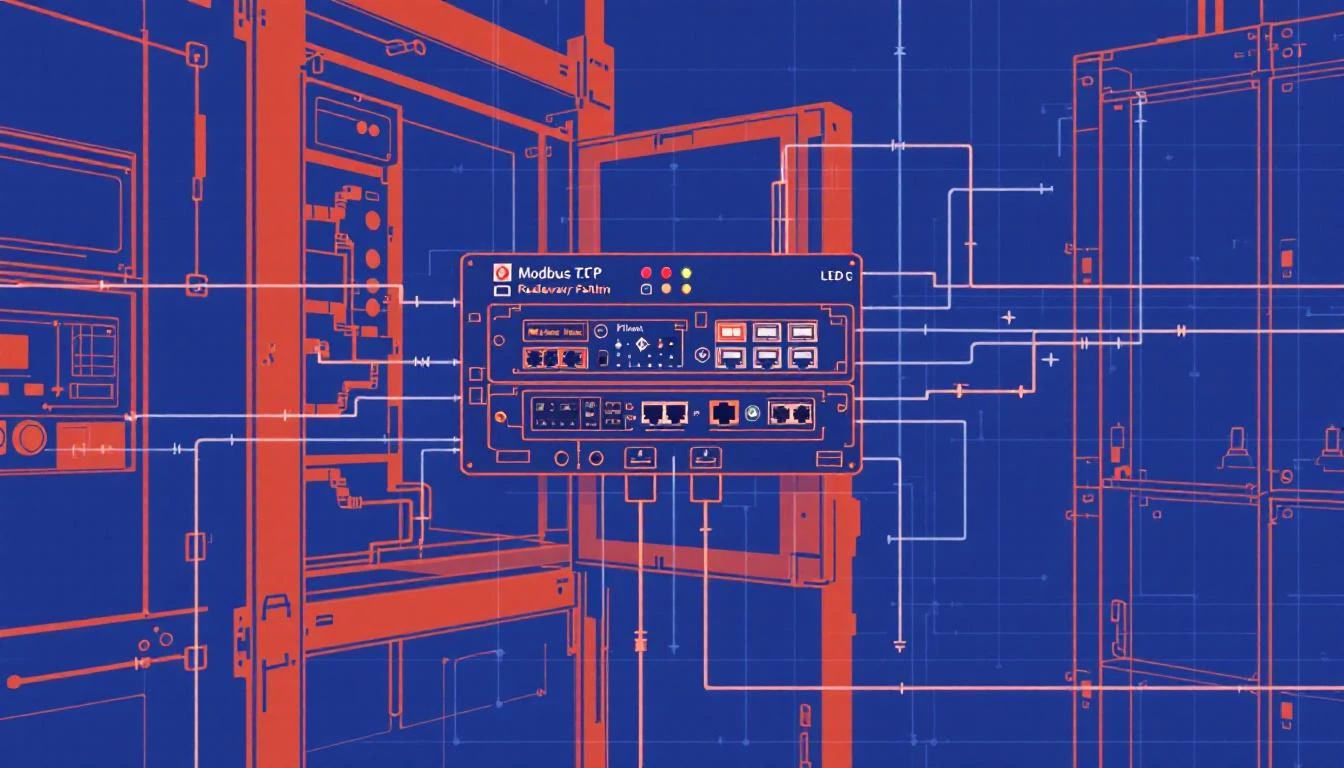
Modbus TCP gateway failover architecture

Modbus TCP remains the most widely deployed industrial protocol in manufacturing. Despite being a 1979 design extended to Ethernet in 1999, its simplicity — request/response over TCP, 16-bit registers, four function codes that cover 90% of use cases — makes it the lowest common denominator that virtually every PLC, VFD, and sensor hub supports.

But simplicity has a cost: Modbus TCP has zero built-in redundancy. No heartbeats. No automatic reconnection. No session recovery. When the TCP connection drops — and in a factory environment with electrical noise, cable vibrations, and switch reboots, it will drop — your data collection goes dark until someone manually restarts the gateway or the application logic handles recovery.

This guide covers the architecture patterns for building resilient Modbus TCP gateways that maintain data continuity through link failures, PLC reboots, and network partitions.

Understanding Why Modbus TCP Connections Fail

Before designing failover, you need to understand the failure modes. In a year of operating Modbus TCP gateways across manufacturing floors, you'll encounter all of these:

Failure Mode 1: TCP Connection Reset (ECONNRESET)

The PLC or an intermediate switch drops the TCP connection. Common causes:

  • PLC firmware update or watchdog reboot
  • Switch port flap (cable vibration, loose connector)
  • PLC connection limit exceeded (most support 6-16 simultaneous TCP connections)
  • Network switch spanning tree reconvergence (can take 30-50 seconds on older managed switches)

Detection time: Immediate — the next modbus_read_registers() call returns ECONNRESET.

Failure Mode 2: Connection Timeout (ETIMEDOUT)

The PLC stops responding but doesn't close the connection. The TCP socket remains open, but reads time out. Common causes:

  • PLC CPU overloaded (complex ladder logic consuming all scan cycles)
  • Network congestion (broadcast storms, misconfigured VLANs)
  • IP conflict (another device grabbed the PLC's address)
  • PLC in STOP mode (program halted, communication stack still partially active)

Detection time: Your configured response timeout (typically 500ms-2s) per read operation. For a 100-tag poll cycle, a full timeout can mean 50-200 seconds of dead time before you confirm the link is down.

Failure Mode 3: Connection Refused (ECONNREFUSED)

The PLC's TCP stack is active but Modbus is not. Common causes:

  • PLC in bootloader mode after firmware flash
  • Modbus TCP server disabled in PLC configuration
  • Firewall rule change on managed switch blocking port 502

Detection time: Immediate on the next connection attempt.

Failure Mode 4: Silent Failure (EPIPE/EBADF)

The connection appears open from the gateway's perspective, but the PLC has already closed it. The first write or read on a stale socket triggers EPIPE or EBADF. This happens when:

  • PLC reboots cleanly but the gateway missed the FIN packet (common with UDP-accelerated switches)
  • OS socket cleanup runs asynchronously

Detection time: Only on the next read/write attempt — could be seconds to minutes if polling intervals are long.

The Connection Recovery State Machine

A resilient Modbus TCP gateway implements a state machine with five states:

                    ┌─────────────┐
│ CONNECTING │
│ (backoff) │
└──────┬──────┘
│ modbus_connect() success
┌──────▼──────┐
┌─────│ CONNECTED │─────┐
│ │ (polling) │ │
│ └──────┬──────┘ │
│ │ │
timeout/error link_state=1 read error
│ │ │
┌────────▼───┐ ┌─────▼─────┐ ┌──▼──────────┐
│ RECONNECT │ │ READING │ │ LINK_DOWN │
│ (flush + │ │ (normal) │ │ (notify + │
│ close) │ │ │ │ reconnect) │
└────────┬───┘ └───────────┘ └──┬──────────┘
│ │
└────────────────────────┘
close + backoff

Key Implementation Details

1. Always close before reconnecting. A stale Modbus context will leak file descriptors and eventually exhaust the OS socket table. When any error occurs in the ETIMEDOUT/ECONNRESET/EPIPE/EBADF family, the correct sequence is:

modbus_flush(context)   → drain pending data
modbus_close(context) → close the TCP socket
sleep(backoff_ms) → prevent reconnection storms
modbus_connect(context) → establish new connection

Never call modbus_connect() on a context that hasn't been closed first. The libmodbus library doesn't handle this gracefully — you'll get zombie sockets.

2. Implement exponential backoff with a ceiling. After a connection failure, don't retry immediately — the PLC may be rebooting and needs time. A practical backoff schedule:

AttemptDelayCumulative Time
11 second1s
22 seconds3s
34 seconds7s
48 seconds15s
5+10 seconds (ceiling)25s+

The 10-second ceiling is important — you don't want the backoff growing to minutes. PLC reboots typically complete in 15-45 seconds. A 10-second retry interval means you'll reconnect within one retry cycle after the PLC comes back.

3. Flush serial buffers for Modbus RTU. If your gateway also supports Modbus RTU (serial), always call modbus_flush() before reading after a reconnection. Serial buffers can contain stale response fragments from before the disconnection, and these will corrupt the first read's response parsing.

4. Track link state as a first-class data point. Don't just log connection status — deliver it to the cloud alongside your tag data. A special "link state" tag (boolean: 0 = disconnected, 1 = connected) transmitted immediately (not batched) gives operators real-time visibility into gateway health. When the link transitions from 1→0, send a notification. When it transitions from 0→1, force-read all tags to establish current values.

Register Grouping: Minimizing Round Trips

Modbus TCP's request/response model means each read operation incurs a full TCP round trip (~0.5-5ms on a local network, 50-200ms over cellular). Reading 100 individual registers one at a time takes 100 round trips — potentially 500ms on a good day.

The optimization is contiguous register grouping — instead of reading registers one at a time, read blocks of contiguous registers in a single request.

The Grouping Algorithm

Given a sorted list of register addresses to read, the gateway walks through them and groups contiguous registers that meet three criteria:

  1. Same function code — you can't mix input registers (FC 4, 3xxxxx) with holding registers (FC 3, 4xxxxx) in one request
  2. Contiguous addresses — register N+1 immediately follows register N (with appropriate gaps filled)
  3. Same polling interval — don't group a 1-second alarm tag with a 60-second temperature tag
  4. Maximum register count ≤ 50 — while Modbus allows up to 125 registers per read, keeping requests under 50 registers (~100 bytes) prevents fragmentation issues on constrained networks and limits the blast radius of a single failed read

Example: Optimized vs Naive Polling

Consider a chiller with 10 compressor circuits, each reporting 16 process variables:

Naive approach: 160 individual reads = 160 round trips

Read register 300003 → 1 register  (CQT1 Condenser Inlet Temp)
Read register 300004 → 1 register (CQT1 Approach Temp)
Read register 300005 → 1 register (CQT1 Chill In Temp)
...
Read register 300016 → 1 register (CQT1 Superheat Temp)

Grouped approach: Registers 300003-300018 are contiguous, same function code (FC 4), same interval (60s)

Read registers 300003 → 16 registers (all CQT1 process data in ONE request)
Read registers 300350 → 16 registers (all CQT2 process data in ONE request)
...

Result: 160 round trips → 10 round trips. On a 2ms RTT network, that's 320ms → 20ms.

Handling Non-Contiguous Gaps

Real PLC register maps aren't perfectly contiguous. The chiller above has CQT1 data at registers 300003-300018 and CQT2 data starting at 300350 — a gap of 332 registers. Don't try to read 300003-300695 in one request to "fill the gap" — you'll read hundreds of irrelevant registers and waste bandwidth.

Instead, break at non-contiguous boundaries:

Group 1: 300003-300018  (16 registers, CQT1 process data)
Group 2: 300022-300023 (2 registers, CQT1 alarm bits)
Group 3: 300038-300043 (6 registers, CQT1 expansion + version)
Group 4: 300193-300194 (2 registers, CQT1 status words)
Group 5: 300260-300278 (19 registers, CQT2-10 alarm bits)
Group 6: 300350-300366 (17 registers, CQT2-3 temperatures)
...

The 50ms Inter-Read Delay

Between consecutive Modbus read requests, insert a 50ms delay. This sounds counterintuitive — why slow down? — but it serves two purposes:

  1. PLC scan cycle breathing room. Many PLCs process Modbus requests in their communication interrupt, which competes with the main scan cycle. Rapid-fire requests can extend the scan cycle, triggering watchdog timeouts on safety-critical programs.

  2. TCP congestion avoidance. On constrained networks (especially cellular gateways), bursting 50 reads in 100ms can overflow buffers. The 50ms spacing distributes the load evenly.

Dual-Path Failover Architecture

For mission-critical data collection (pharmaceutical batch records, automotive quality traceability), a single gateway represents a single point of failure. The dual-path architecture uses two independent gateways polling the same PLC:

Architecture

                    ┌──────────┐
│ PLC │
│ (Modbus) │
└──┬───┬──┘
│ │
Port 502 │ │ Port 502
│ │
┌────────▼┐ ┌▼────────┐
│Gateway A│ │Gateway B│
│(Primary)│ │(Standby)│
└────┬────┘ └────┬────┘
│ │
▼ ▼
┌────────────────────┐
│ MQTT Broker │
│ (cloud/edge) │
└────────────────────┘

Active/Standby vs Active/Active

Active/Standby: Gateway A polls the PLC. Gateway B monitors A's heartbeat (via MQTT LWT or a shared health topic). If A goes silent for >30 seconds, B starts polling. When A recovers, it checks B's status and either resumes as primary or remains standby.

  • Pro: Only one gateway reads from the PLC, respecting the PLC's connection limit
  • Con: 30-second failover gap

Active/Active: Both gateways poll the PLC simultaneously. The cloud platform deduplicates data based on timestamps and device serial numbers. If one gateway fails, the other's data is already flowing.

  • Pro: Zero-downtime failover, no coordination needed
  • Con: Doubles PLC connection count and network traffic. Most PLCs support this (6-16 connections), but verify.

Recommendation: Active/Active with cloud-side deduplication. The PLC connection overhead is negligible compared to the operational cost of a 30-second data gap. Cloud-side deduplication is trivial — tag ID + timestamp + device serial number provides a natural composite key.

Store-and-Forward: Surviving Cloud Disconnections

Gateway-to-PLC failover handles half the problem. The other half is cloud connectivity — cellular links drop, VPN tunnels restart, and MQTT brokers undergo maintenance. During these outages, the gateway must buffer data locally and forward it when connectivity returns.

The Paged Ring Buffer

A production-grade store-and-forward buffer uses a paged ring buffer — pre-allocated memory divided into fixed-size pages, with separate write and read pointers:

┌──────────┐
│ Page 0 │ ← read_pointer (next to transmit)
│ [data] │
├──────────┤
│ Page 1 │
│ [data] │
├──────────┤
│ Page 2 │ ← write_pointer (next to fill)
│ [empty] │
├──────────┤
│ Page 3 │
│ [empty] │
└──────────┘

When the MQTT connection is healthy:

  1. Tag data is written to the current work page
  2. When the page fills, it moves to the "used" queue
  3. The buffer transmits the oldest used page to MQTT (QoS 1 for delivery confirmation)
  4. On publish acknowledgment, the page moves to the "free" queue

When the MQTT connection drops:

  1. Tag data continues writing to pages (the PLC doesn't stop producing data)
  2. Used pages accumulate in the queue
  3. If the queue fills, the oldest used page is recycled as a work page — accepting data loss of the oldest data to preserve the newest

This design guarantees:

  • Constant memory usage — no dynamic allocation on an embedded device
  • Graceful degradation — oldest data is sacrificed first
  • Thread safety — mutex-protected page transitions prevent race conditions between the reading thread (PLC poller) and writing thread (MQTT publisher)

Sizing the Buffer

Buffer size depends on your data rate and expected maximum outage duration:

buffer_size = data_rate_bytes_per_second × max_outage_seconds × 1.2 (overhead)

For a typical deployment:

  • 100 tags × 4 bytes/value = 400 bytes per poll cycle
  • 1 poll per second = 400 bytes/second
  • Binary encoding with batch overhead: ~500 bytes/second
  • Target 4 hours of offline buffering: 500 × 14,400 = 7.2MB

With 512KB pages, that's ~14 pages. Allocate 16 pages (minimum 3 needed for operation: one writing, one transmitting, one free) for an 8MB buffer.

Binary vs JSON Encoding for Buffered Data

JSON is wasteful for buffered data. The same 100-tag reading:

  • JSON: {"groups":[{"ts":1709500800,"device_type":1018,"serial_number":23456,"values":[{"id":1,"values":[245]},{"id":2,"values":[312]},...]}]} → ~2KB
  • Binary: Header (0xF7 + group count + timestamp + device info) + packed tag values → ~500 bytes

Binary encoding uses a compact format:

[0xF7] [num_groups:4] [timestamp:4] [device_type:2] [serial_num:4] 
[num_values:4] [tag_id:2] [status:1] [value_count:1] [value_size:1] [values...]

Over a cellular connection billing at $5/GB, the 4× bandwidth savings of binary encoding pays for itself within days on a busy gateway.

Alarm Tag Priority: Batched vs Immediate Delivery

Not all tags are created equal. A temperature reading that's 0.1°C different from the last poll can wait for the next batch. An alarm bit that just flipped from 0 to 1 cannot.

The gateway should support two delivery modes per tag:

Batched Delivery (Default)

Tags are accumulated in the batch buffer and delivered on the batch timeout (typically 5-30 seconds) or batch size limit (typically 10-500KB). This is efficient for process variables that change slowly.

Configuration:

{
"name": "Tank Temperature",
"id": 1,
"addr": 300202,
"type": "int16",
"interval": 60,
"compare": false
}

Immediate Delivery (do_not_batch)

Tags bypass the batch buffer entirely. When the value changes, a single-value batch is created, serialized, and pushed to the output buffer immediately. This is essential for:

  • Alarm words — operators need sub-second alarm notification
  • Machine state transitions — running/stopped/faulted changes trigger downstream actions
  • Safety interlocks — any safety-relevant state change must be delivered without batching delay

Configuration:

{
"name": "CQT 1 Alarm Bits 1",
"id": 163,
"addr": 300022,
"type": "uint16",
"interval": 1,
"compare": true,
"do_not_batch": true
}

The compare: true flag is critical for immediate-delivery tags — without it, the gateway would transmit on every read cycle (every 1 second), flooding the network. With comparison enabled, the gateway only transmits when the alarm word actually changes — zero bandwidth during normal operation, instant delivery when an alarm fires.

Calculated Tags: Extracting Bit-Level Alarms from PLC Words

Many PLCs pack multiple alarm states into a single 16-bit register. Bit 0 might indicate "high temperature," bit 1 "low flow," bit 2 "compressor fault," etc. Rather than requiring the cloud platform to perform bitwise decoding, a production gateway extracts individual bits and delivers them as separate boolean tags.

The extraction uses shift-and-mask arithmetic:

alarm_word = 0xA5 = 10100101 in binary

bit_0 = (alarm_word >> 0) & 0x01 = 1 → "High Temperature" = TRUE
bit_1 = (alarm_word >> 1) & 0x01 = 0 → "Low Flow" = FALSE
bit_2 = (alarm_word >> 2) & 0x01 = 1 → "Compressor Fault" = TRUE
...

These calculated tags are defined as children of the parent alarm word. When the parent tag changes value (detected by the compare flag), all child calculated tags are re-evaluated and delivered. If the parent doesn't change, no child processing occurs — zero CPU overhead during steady state.

This architecture keeps the PLC configuration simple (one alarm word per circuit) while giving cloud consumers individual, addressable alarm signals.

Putting It All Together: A Production Gateway Checklist

Before deploying a Modbus TCP gateway to production, verify:

  • Connection recovery handles all five error codes (ETIMEDOUT, ECONNRESET, ECONNREFUSED, EPIPE, EBADF)
  • Exponential backoff with 10-second ceiling prevents reconnection storms
  • Link state is delivered as a first-class tag (not just logged)
  • Register grouping batches contiguous same-function-code registers (max 50 per read)
  • 50ms inter-read delay protects PLC scan cycle integrity
  • Store-and-forward buffer sized for target offline duration
  • Binary encoding used for buffered data (not JSON)
  • Alarm tags configured with compare: true and immediate delivery
  • Calculated tags extract individual bits from alarm words
  • Force-read on reconnection ensures fresh values after any link recovery
  • Hourly full re-read resets all "read once" flags to catch any drift

machineCDN and Modbus TCP

machineCDN's edge gateway implements these patterns natively — connection state management, contiguous register grouping, binary batch encoding, paged ring buffers, and calculated alarm tags — so that plant engineers can focus on which tags to monitor rather than how to keep the data flowing. The gateway's JSON-based tag configuration maps directly to the PLC's register map, and the dual-format delivery system (binary for efficiency, JSON for interoperability) adapts to whatever network path is available.

For manufacturing teams running Modbus TCP equipment — from chillers and dryers to injection molding machines and conveying systems — getting the gateway layer right is the difference between a monitoring system that works in the lab and one that survives a year on the factory floor.


Building a Modbus TCP monitoring system? machineCDN handles protocol translation, buffering, and cloud delivery for manufacturing equipment — so your data keeps flowing even when your network doesn't.

Time-Sensitive Networking (TSN) for Industrial Ethernet: Why Deterministic Communication Is the Future of IIoT [2026]

· 11 min read

If you've spent any time on a factory floor, you know the fundamental tension: control traffic needs hard real-time guarantees (microsecond-level determinism), while monitoring and analytics traffic just needs "fast enough." For decades, the industry solved this by running separate networks — a PROFINET or EtherNet/IP fieldbus for control, and standard Ethernet for everything else.

Time-Sensitive Networking (TSN) eliminates that compromise. It brings deterministic, bounded-latency communication to standard IEEE 802.3 Ethernet — meaning your motion control packets and your IIoT telemetry can share the same physical wire without interfering with each other.

This isn't theoretical. TSN-capable switches are shipping from Cisco, Belden, Moxa, and Siemens. OPC-UA Pub/Sub over TSN is in production pilots. And if you're designing an IIoT architecture today, understanding TSN isn't optional — it's the foundation of where industrial networking is going.

The Problem TSN Solves

Standard Ethernet is "best effort." When you plug a switch into a network, frames are forwarded based on MAC address tables, and if two frames need the same port at the same time, one waits. That waiting — buffering, queueing, potential frame drops — is completely acceptable for web traffic. It's catastrophic for servo drives.

Consider a typical plastics manufacturing cell. An injection molding machine has:

  • Motion control loop running at 1ms cycle time (servo drives, hydraulic valves)
  • Process monitoring polling barrel temperatures every 2-5 seconds
  • Quality inspection sending 10MB camera images to an edge server
  • IIoT telemetry batching 500 tag values to MQTT every 30 seconds
  • MES integration exchanging production orders and counts

Before TSN, this required at minimum two separate networks — often three. The motion controller ran on a dedicated real-time fieldbus (PROFINET IRT, EtherCAT, or SERCOS III). Process monitoring lived on standard Ethernet. And the camera system had its own GigE network to avoid flooding the process network.

TSN says: one network, one wire, zero compromises.

The TSN Standards Stack

TSN isn't a single protocol — it's a family of IEEE 802.1 standards that work together. Understanding which ones matter for industrial deployments is critical.

IEEE 802.1AS: Time Synchronization

Everything in TSN starts with a shared clock. 802.1AS (generalized Precision Time Protocol, or gPTP) synchronizes all devices on the network to a common time reference with sub-microsecond accuracy.

Key differences from standard PTP (IEEE 1588):

FeatureIEEE 1588 PTPIEEE 802.1AS gPTP
ScopeAny IP networkLayer 2 only
Best Master ClockComplex negotiationSimplified selection
Peer delay measurementOptionalMandatory
TransportUDP (L3) or L2L2 only
Typical accuracy1-10 μs< 1 μs

For plant engineers, the practical implication is this: every TSN bridge (switch) participates in time synchronization. There's no "transparent clock" mode where a switch just passes PTP packets through. Every hop actively measures its own residence time and adjusts timestamps accordingly.

This gives you a synchronized time base across the entire network — which is what makes scheduled traffic possible.

IEEE 802.1Qbv: Time-Aware Shaper (TAS)

This is the core of TSN determinism. 802.1Qbv introduces the concept of time gates on each egress port of a switch. Every port has up to 8 priority queues (matching 802.1Q priority code points), and each queue has a gate that opens and closes on a precise schedule.

The schedule repeats on a fixed cycle — say, every 1ms. During the first 100μs, only the highest-priority queue (motion control) is open. During the next 300μs, process data queues open. The remaining 600μs is available for best-effort traffic (IIoT telemetry, file transfers, web browsing).

Time Cycle (1ms example):
├── 0-100μs: Gate 7 OPEN (motion control only)
├── 100-400μs: Gate 5-6 OPEN (process monitoring, alarms)
├── 400-1000μs: Gates 0-4 OPEN (IIoT, MES, IT traffic)
└── Cycle repeats...

The beauty of this approach is mathematical: if a motion control frame fits within its dedicated time slot, it's physically impossible for lower-priority traffic to delay it. No amount of IIoT telemetry bursts, camera image transfers, or IT traffic can interfere.

Practical consideration: TAS schedules must be configured consistently across all switches in the path. A motion control packet traversing 5 switches needs all 5 to have synchronized, compatible gate schedules. This is where centralized network configuration (via 802.1Qcc) becomes essential.

IEEE 802.1Qbu/802.3br: Frame Preemption

Even with scheduled gates, there's a problem: what if a low-priority frame is already being transmitted when the high-priority gate opens? On a 100Mbps link, a maximum-size Ethernet frame (1518 bytes) takes ~120μs to transmit. That's an unacceptable delay for a 1ms control loop.

Frame preemption solves this. It allows a switch to pause ("preempt") a low-priority frame mid-transmission, send the high-priority frame, then resume the preempted frame from where it left off.

The preempted frame is split into fragments, each with its own CRC for integrity checking. The receiving end reassembles them transparently. From the application's perspective, no frames are lost — the low-priority frame just arrives a bit later.

Why this matters in practice: Without preemption, you'd need to reserve guard bands — empty time slots before each high-priority window to ensure no large frame is in flight. Guard bands waste bandwidth. On a 100Mbps link with 1ms cycles, a 120μs guard band wastes 12% of available bandwidth. Preemption eliminates that waste entirely.

IEEE 802.1Qcc: Stream Reservation and Configuration

In a real plant, you don't manually configure gate schedules on every switch. 802.1Qcc defines a Centralized Network Configuration (CNC) model where a controller:

  1. Discovers the network topology
  2. Receives stream requirements from talkers (e.g., "I need to send 64 bytes every 1ms with max 50μs latency")
  3. Computes gate schedules across all switches in the path
  4. Programs the schedules into each switch

This is conceptually similar to how SDN (Software Defined Networking) works in data centers, adapted for the specific needs of industrial real-time traffic.

Current reality: CNC tooling is still maturing. As of early 2026, most TSN deployments use vendor-specific configuration tools (Siemens TIA Portal for PROFINET over TSN, Rockwell's Studio 5000 for EtherNet/IP over TSN). Full, vendor-agnostic CNC is coming but isn't plug-and-play yet.

IEEE 802.1CB: Frame Replication and Elimination

For safety-critical applications (emergency stops, protective relay controls), TSN supports seamless redundancy through 802.1CB. A talker sends duplicate frames along two independent paths through the network. Each receiving bridge eliminates the duplicate, passing only one copy to the application.

If one path fails, the other delivers the frame with zero switchover time. There's no spanning tree reconvergence, no RSTP timeout — the redundant frame was already there.

This gives you "zero recovery time" redundancy that's comparable to PRP (Parallel Redundancy Protocol) or HSR (High-availability Seamless Redundancy), but integrated into the TSN framework.

TSN vs. Existing Industrial Protocols

PROFINET IRT

PROFINET IRT (Isochronous Real-Time) achieves similar determinism to TSN, but it does so with proprietary hardware. IRT requires special ASICs in every switch and end device. Standard Ethernet switches don't work.

TSN-based PROFINET ("PROFINET over TSN") is Siemens' path forward. It preserves the PROFINET application layer while moving the real-time mechanism to TSN. The payoff: you can mix PROFINET devices with OPC-UA publishers, MQTT clients, and standard IT equipment on the same network.

EtherCAT

EtherCAT achieves extraordinary performance (sub-microsecond synchronization) by processing Ethernet frames "on the fly" — each slave modifies the frame as it passes through. This requires daisy-chain topology and dedicated EtherCAT hardware.

TSN can't match EtherCAT's raw performance in a daisy chain. But TSN supports standard star topologies with off-the-shelf switches, which is far more practical for plant-wide networks. The trend: EtherCAT for servo-level control within a machine, TSN for the plant-level network connecting machines.

Mitsubishi's CC-Link IE TSN was one of the first industrial protocols to adopt TSN natively. It demonstrates the model: keep the application-layer protocol (CC-Link IE Field), replace the real-time Ethernet mechanism with standard TSN. This lets CC-Link IE coexist with other TSN traffic on the same network.

Practical Architecture: TSN in a Manufacturing Plant

Here's how a TSN-based IIoT architecture looks in practice:

┌─────────────┐     ┌─────────────┐     ┌─────────────┐
│ Servo Drives │ │ PLC / Motion│ │ Edge Gateway │
│ (TSN NIC) │────│ Controller │────│ (machineCDN) │
└─────────────┘ └─────────────┘ └──────┬───────┘
│ │
┌──────┴───────┐ │
│ TSN Switch │ │
│ (802.1Qbv) │────────────┘
└──────┬───────┘

┌────────────┼────────────┐
│ │ │
┌──────┴──┐ ┌────┴────┐ ┌────┴─────┐
│ HMI / │ │ Vision │ │ IT/Cloud │
│ SCADA │ │ System │ │ Traffic │
└─────────┘ └─────────┘ └──────────┘

The TSN switch runs 802.1Qbv with a gate schedule that guarantees:

  • Priority 7: Motion control frames — guaranteed 100μs slots at 1ms intervals
  • Priority 5-6: Process monitoring, alarms — 300μs slots
  • Priority 3-4: MES, HMI, SCADA — allocated bandwidth in best-effort window
  • Priority 0-2: IIoT telemetry, file transfers — fills remaining bandwidth

The edge gateway collecting IIoT telemetry operates in the best-effort tier. It polls PLC tags over EtherNet/IP or Modbus TCP, batches the data, and publishes to MQTT — all without any risk of interfering with the control loops sharing the same wire.

Platforms like machineCDN that bridge industrial protocols to cloud already handle the data collection side — Modbus register grouping, EtherNet/IP tag reads, change-of-value filtering. TSN just means that data collection traffic coexists safely with control traffic, eliminating the need for separate networks.

Performance Benchmarks

Real-world TSN deployments show consistent results:

MetricTypical Performance
Time sync accuracy200-800 ns across 10 hops
Minimum guaranteed cycle31.25 μs (with preemption)
Maximum jitter (scheduled traffic)< 1 μs
Maximum hops for < 10μs latency5-7 (at 1Gbps)
Bandwidth efficiency85-95% (vs 70-80% without preemption)
Frame preemption overhead~20 bytes per fragment (minimal)

Compare this to standard Ethernet QoS (802.1p priority queues without TAS): priority queuing gives you statistical priority, not deterministic guarantees. Under heavy load, even high-priority frames can experience hundreds of microseconds of jitter.

Common Pitfalls

1. Not All "TSN-Capable" Switches Are Equal

Some switches support 802.1AS (time sync) but not 802.1Qbv (scheduled traffic). Others support Qbv but not frame preemption. Check the specific IEEE profiles supported, not just the TSN marketing label.

The IEC/IEEE 60802 TSN Profile for Industrial Automation defines the mandatory feature set for industrial use. Look for compliance with this profile.

2. End-Device TSN Support Is Still Emerging

A TSN switch is only half the equation. For guaranteed determinism, the end device (PLC, drive, sensor) needs a TSN-capable Ethernet controller that can transmit frames at precisely scheduled times. Many current PLCs use standard Ethernet NICs — they benefit from TSN's traffic isolation but can't achieve sub-microsecond transmission timing.

3. Configuration Complexity

TSN gate schedules are powerful but complex. A misconfigured schedule can:

  • Create "dead time" where no queue is open (wasted bandwidth)
  • Allow large best-effort frames to overflow into scheduled slots
  • Cause frame drops if the schedule doesn't account for inter-frame gaps

Start simple: define two traffic classes (real-time and best-effort) before attempting multi-level scheduling.

4. Cabling and Distance

TSN doesn't change Ethernet's physical limitations. Standard Cat 5e/6 runs up to 100m per segment. For plant-wide TSN, you'll need fiber between buildings and proper cable management. Time synchronization accuracy degrades with asymmetric cable lengths — use equal-length cables for links between TSN bridges.

Getting Started

If you're designing a new IIoT deployment or modernizing an existing plant network:

  1. Audit your traffic classes. Map every communication flow to a priority level. Most plants have 3-4 distinct classes: hard real-time control, soft real-time monitoring, IT/business, and bulk transfers.

  2. Start with TSN-capable spine switches. Even if your end devices aren't TSN-ready, deploying TSN switches at the aggregation layer gives you traffic isolation today and a deterministic upgrade path for tomorrow.

  3. Deploy IIoT data collection at the appropriate priority. Edge gateways that poll PLCs and publish to MQTT typically operate fine at priority 3-4. They don't need deterministic guarantees — they need reliable throughput. TSN ensures that throughput is available even when control traffic is present.

  4. Plan for centralized configuration. As your TSN deployment grows beyond a single machine cell, manual switch configuration becomes untenable. Invest in network management tools that support 802.1Qcc configuration.

The Convergence Thesis

TSN's real impact isn't about making Ethernet faster — it's about eliminating the network boundaries between IT and OT.

Today, most factories have 3-5 separate network segments with firewalls, protocol converters, and data diodes between them. Each segment has its own switches, cables, management tools, and maintenance burden.

TSN collapses these into a single converged network where control traffic and IT traffic coexist with mathematical guarantees. That means:

  • Lower infrastructure cost (one network instead of three)
  • Simpler troubleshooting (one set of diagnostic tools)
  • Direct IIoT access to real-time data (no protocol conversion needed)
  • Unified security policy (one network to secure, one set of ACLs)

For plant engineers deploying IIoT platforms, TSN means the data you need is already on the same network — no bridging, no gateways, no proprietary converters. You connect your edge device, configure the right traffic priority, and start collecting data from machines that were previously on isolated control networks.

The deterministic network is coming. The question is whether your infrastructure will be ready for it.

Modbus Address Conventions and Function Codes: The Practical Guide Every IIoT Engineer Needs [2026]

· 11 min read

If you've ever stared at a PLC register map wondering why address 300001 means something completely different from 400001, or why your edge gateway reads all zeros from a register that should contain temperature data — this guide is for you.

Modbus has been the lingua franca of industrial automation for nearly five decades. Its longevity comes from simplicity, but that simplicity hides a handful of conventions that trip up even experienced engineers. The addressing scheme and its relationship to function codes is the single most important concept to nail before you write a single line of polling logic.

Let's break it apart.

OPC-UA Subscriptions and Monitored Items: Engineering Low-Latency Data Pipelines for Manufacturing [2026]

· 10 min read

If you've worked with industrial protocols long enough, you know there are exactly two categories of data delivery: polling (you ask, the device answers) and subscriptions (the device tells you when something changes). OPC-UA's subscription model is one of the most sophisticated data delivery mechanisms in industrial automation — and one of the most frequently misconfigured.

This guide covers how OPC-UA subscriptions actually work at the wire level, how to configure monitored items for different manufacturing scenarios, and the real-world performance tradeoffs that separate a responsive factory dashboard from one that lags behind reality by minutes.

How OPC-UA Subscriptions Differ from Polling

In a traditional Modbus or EtherNet/IP setup, the client polls registers on a fixed interval — every 1 second, every 5 seconds, whatever the configuration says. This is simple and predictable, but it has fundamental limitations:

  • Wasted bandwidth: If a temperature value hasn't changed in 30 minutes, you're still reading it every second
  • Missed transients: If a pressure spike occurs between poll cycles, you'll never see it
  • Scaling problems: With 500 tags across 20 PLCs, fixed-interval polling creates predictable network congestion waves

OPC-UA subscriptions flip this model. Instead of the client pulling data, the server monitors values internally and notifies the client only when something meaningful changes. The key word is "meaningful" — and that's where the engineering gets interesting.

The Three Layers of OPC-UA Subscriptions

An OPC-UA subscription isn't a single thing. It's three nested concepts that work together:

1. The Subscription Object

A subscription is a container that defines the publishing interval — how often the server checks its monitored items and bundles any pending notifications into a single message. Think of it as the heartbeat of the data pipeline.

Publishing Interval: 500ms
Max Keep-Alive Count: 10
Max Notifications Per Publish: 0 (unlimited)
Priority: 100

The publishing interval is NOT the sampling rate. This is a critical distinction. The publishing interval only controls how often notifications are bundled and sent to the client. A 500ms publishing interval with a 100ms sampling rate means values are checked 5 times between each publish cycle.

2. Monitored Items

Each variable you want to track becomes a monitored item within a subscription. This is where the real configuration lives:

  • Sampling Interval: How often the server reads the underlying data source (PLC register, sensor, calculated value)
  • Queue Size: How many value changes to buffer between publish cycles
  • Discard Policy: When the queue overflows, do you keep the oldest or newest values?
  • Filter: What constitutes a "change" worth reporting?

3. Filters (Deadbands)

Filters determine when a monitored item's value has changed "enough" to warrant a notification. There are two types:

  • Absolute Deadband: Value must change by at least X units (e.g., temperature must change by 0.5°F)
  • Percent Deadband: Value must change by X% of its engineering range

Without a deadband filter, you'll get notifications for every single floating-point fluctuation — including ADC noise that makes a temperature reading bounce between 72.001°F and 72.003°F. That's not useful data. That's noise masquerading as signal.

Practical Configuration Patterns

Pattern 1: Critical Alarms (Boolean State Changes)

For alarm bits — compressor faults, pressure switch trips, flow switch states — you want immediate notification with zero tolerance for missed events.

Subscription:
Publishing Interval: 250ms

Monitored Item (alarm_active):
Sampling Interval: 100ms
Queue Size: 10
Discard Policy: DiscardOldest
Filter: None (report every change)

Why a queue size of 10? Because boolean alarm bits can toggle rapidly during fault conditions. A compressor might fault, reset, and fault again within a single publish cycle. Without a queue, you'd only see the final state. With a queue, you see the full sequence — which is critical for root cause analysis.

Pattern 2: Process Temperatures (Slow-Moving Analog)

Chiller outlet temperature, barrel zone temps, coolant temperatures — these change gradually and generate enormous amounts of redundant data without deadbanding.

Subscription:
Publishing Interval: 1000ms

Monitored Item (chiller_outlet_temp):
Sampling Interval: 500ms
Queue Size: 5
Discard Policy: DiscardOldest
Filter: AbsoluteDeadband(0.5) // °F

A 0.5°F deadband means you won't get notifications from ADC noise, but you will catch meaningful process drift. At a 500ms sampling rate, the server checks the value twice per publish cycle, ensuring you don't miss a rapid temperature swing even with the coarser publishing interval.

Pattern 3: High-Frequency Production Counters

Cycle counts, part counts, shot counters — these increment continuously during production and need efficient handling.

Subscription:
Publishing Interval: 5000ms

Monitored Item (cycle_count):
Sampling Interval: 1000ms
Queue Size: 1
Discard Policy: DiscardOldest
Filter: None

Queue size of 1 is intentional here. You only care about the latest count value — intermediate values are meaningless because the counter only goes up. A 5-second publishing interval means you update dashboards at a reasonable rate without flooding the network with every single increment.

Pattern 4: Energy Metering (Cumulative Registers)

Power consumption registers accumulate continuously. The challenge is capturing the delta accurately without drowning in data.

Subscription:
Publishing Interval: 60000ms (1 minute)

Monitored Item (energy_kwh):
Sampling Interval: 10000ms
Queue Size: 1
Discard Policy: DiscardOldest
Filter: PercentDeadband(1.0) // 1% of range

For energy data, minute-level resolution is typically sufficient for cost allocation and ESG reporting. The percent deadband prevents notifications from meter jitter while still capturing real consumption changes.

Queue Management: The Hidden Performance Killer

Here's what most OPC-UA deployments get wrong: they set queue sizes too small and wonder why their historical data has gaps.

Consider what happens during a network hiccup. The subscription's publish cycle fires, but the client is temporarily unreachable. The server holds notifications in the subscription's retransmission queue for a configurable number of keep-alive cycles. But the monitored item queue is independent — it continues filling with new samples.

If your monitored item queue size is 1 and the network is down for 10 seconds at a 100ms sampling rate, you've lost 100 samples. When the connection recovers, you get exactly one value — the last one. The history is gone.

Rule of thumb: Set the queue size to at least (expected_max_outage_seconds × 1000) / sampling_interval_ms for any tag where you can't afford data gaps.

For a process that needs 30-second outage tolerance at 500ms sampling:

Queue Size = (30 × 1000) / 500 = 60

That's 60 entries per monitored item. Multiply by your tag count and you'll understand why OPC-UA server memory sizing matters.

Sampling Interval vs. Publishing Interval: Getting the Ratio Right

The relationship between sampling interval and publishing interval determines your system's behavior:

RatioBehaviorUse Case
Sampling = PublishingSample once, publish onceSimple monitoring, low bandwidth
Sampling < PublishingMultiple samples per publish, deadband filtering effectiveProcess control, drift detection
Sampling << PublishingHigh-resolution capture, batched deliveryVibration, power quality

Anti-pattern: Setting sampling interval to 0 (fastest possible). This tells the server to sample at its maximum rate, which on some implementations means every scan cycle of the underlying PLC. A Siemens S7-1500 scanning at 1ms will generate 1,000 samples per second per tag. With 200 tags, that's 200,000 data points per second — most of which are identical to the previous value.

Better approach: Match the sampling interval to the physical process dynamics. A barrel heater zone that takes 30 seconds to change 1°F doesn't need 10ms sampling. A pneumatic valve that opens in 50ms does.

Subscription Diagnostics and Health Monitoring

OPC-UA provides built-in diagnostics that most deployments ignore:

Subscription-Level Counters

  • NotificationCount: Total notifications sent since subscription creation
  • PublishRequestCount: How many publish requests the client has outstanding
  • RepublishCount: How many times the server had to retransmit (indicates network issues)
  • TransferredCount: Subscriptions transferred between sessions (cluster failover)

Monitored Item Counters

  • SamplingCount: How many times the item was sampled
  • QueueOverflowCount: How many values were discarded due to full queues — this is your canary
  • FilteredCount: How many samples were suppressed by deadband filters

If QueueOverflowCount is climbing, your queue is too small for the sampling rate and publish interval combination. If FilteredCount is near SamplingCount, your deadband is too aggressive — you're suppressing real data.

How This Compares to Change-Based Polling in Other Protocols

OPC-UA subscriptions aren't the only way to get change-driven data from PLCs. In practice, many IIoT platforms — including machineCDN — implement intelligent change detection at the edge, regardless of the underlying protocol.

The pattern works like this: the edge gateway reads register values on a schedule, compares them to the previously read values, and only transmits data upstream when a meaningful change occurs. Critical state changes (alarms, link state transitions) bypass batching entirely and are sent immediately. Analog values are batched on configurable intervals and compared using value-based thresholds.

This approach brings subscription-like efficiency to protocols that don't natively support it (Modbus, older EtherNet/IP devices). The tradeoff is latency — you're still polling, so maximum detection latency equals your polling interval. But for processes where sub-second change detection isn't required, it's remarkably effective and dramatically reduces cloud ingestion costs.

Real-World Performance Numbers

From production deployments across plastics, packaging, and discrete manufacturing:

ConfigurationTagsBandwidthUpdate Latency
Fixed 1s polling, no filtering5002.1 Mbps1s
OPC-UA subscriptions, 500ms publish, deadband500180 Kbps250ms–500ms
Edge change detection + batching50095 Kbps1s–5s (configurable)
OPC-UA subs + edge batching combined50045 Kbps500ms–5s (priority dependent)

The bandwidth savings from proper subscription configuration are typically 10–20x compared to naive polling. Combined with edge-side batching for cloud delivery, you can achieve 40–50x reduction — which matters enormously on cellular connections at remote facilities.

Common Pitfalls

1. Ignoring the Revised Sampling Interval

When you request a sampling interval, the server may revise it to a supported value. Always check the response — if you asked for 100ms and the server gave you 1000ms, your entire timing assumption is wrong.

2. Too Many Subscriptions

Each subscription has overhead: keep-alive traffic, retransmission buffers, and a dedicated publish thread on some implementations. Don't create one subscription per tag — group tags by priority class and use 3–5 subscriptions total.

3. Forgetting Lifetime Count

The subscription's lifetime count determines how many publish cycles can pass without a successful client response before the server kills the subscription. On unreliable networks, set this high enough to survive outages without losing your subscription state.

4. Not Monitoring Queue Overflows

If you're not checking QueueOverflowCount, you have no idea whether you're losing data. This is especially insidious because everything looks fine on your dashboard — you just have invisible gaps in your history.

Wrapping Up

OPC-UA subscriptions are the most capable data delivery mechanism in industrial automation today, but capability without proper configuration is just complexity. The fundamentals come down to:

  1. Match sampling intervals to process dynamics, not to what feels fast enough
  2. Use deadbands aggressively on analog values — noise isn't data
  3. Size queues for your worst-case outage, not your average case
  4. Monitor the diagnostics — OPC-UA tells you when things are wrong, if you're listening

For manufacturing environments where protocols like Modbus and EtherNet/IP dominate the device layer, an edge platform like machineCDN provides change-based detection and intelligent batching that delivers subscription-like efficiency regardless of the underlying protocol — bridging the gap between legacy equipment and modern analytics pipelines.

The protocol layer is just plumbing. What matters is getting the right data, at the right time, to the right system — without burying your network or your cloud budget under a mountain of redundant samples.

Binary Telemetry Encoding for IIoT: Why JSON Is Killing Your Bandwidth [2026]

· 11 min read

If you're sending PLC tag values as JSON from edge gateways to the cloud, you're wasting 80–90% of your bandwidth. On a cellular-connected factory floor with dozens of machines, that's the difference between a $50/month data plan and a $500/month one — and the difference between sub-second telemetry and multi-second lag.

This guide breaks down binary telemetry encoding: how to pack industrial data efficiently at the edge, preserve type fidelity across the wire, and design batch grouping strategies that survive unreliable networks.

Binary telemetry encoding for IIoT edge devices

MQTT Store-and-Forward for IIoT: Building Bulletproof Edge-to-Cloud Pipelines [2026]

· 12 min read

Factory networks go down. Cellular modems lose signal. Cloud endpoints hit capacity limits. VPN tunnels drop for seconds or hours. And through all of it, your PLCs keep generating data that cannot be lost.

Store-and-forward buffering is the difference between an IIoT platform that works in lab demos and one that survives a real factory. This guide covers the engineering patterns — memory buffer design, connection watchdogs, batch queuing, and delivery confirmation — that keep telemetry flowing even when the network doesn't.

MQTT store-and-forward buffering for industrial IoT

Modbus TCP vs RTU: A Practical Guide for Plant Engineers [2026]

· 14 min read
MachineCDN Team
Industrial IoT Experts

Modbus TCP vs RTU

Modbus has been the lingua franca of industrial automation for over four decades. Despite the rise of OPC-UA, MQTT, and EtherNet/IP, Modbus remains the most widely deployed protocol on factory floors worldwide. If you're connecting PLCs, chillers, temperature controllers, or blenders to any kind of monitoring or cloud platform, you will encounter Modbus — guaranteed.

But Modbus comes in two flavors that behave very differently at the wire level: Modbus RTU (serial) and Modbus TCP (Ethernet). Choosing the wrong one — or misconfiguring either — is the single most common source of data collection failures in IIoT deployments.

This guide covers the real differences that matter when you're wiring up a plant, not textbook definitions.

MQTT vs OPC UA: Which Protocol Should You Use for Industrial IoT?

· 10 min read
MachineCDN Team
Industrial IoT Experts

Every IIoT architecture decision eventually arrives at the same question: MQTT or OPC UA? Both are legitimate, production-proven protocols with massive industry backing. Both have vocal advocates who'll tell you the other one is wrong. And both are almost certainly present in your future IIoT stack — because the real answer is "both, in different layers."

This guide breaks down the engineering trade-offs so you can make the right choice for your specific manufacturing environment, not based on vendor marketing, but on what actually works at the protocol level.

MQTT vs OPC UA: Which Protocol Should You Use for Industrial IoT?

· 10 min read
MachineCDN Team
Industrial IoT Experts

Every IIoT architecture decision eventually arrives at the same question: MQTT or OPC UA? Both are legitimate, production-proven protocols with massive industry backing. Both have vocal advocates who'll tell you the other one is wrong. And both are almost certainly present in your future IIoT stack — because the real answer is "both, in different layers."

This guide breaks down the engineering trade-offs so you can make the right choice for your specific manufacturing environment, not based on vendor marketing, but on what actually works at the protocol level.