Store-and-Forward Buffer Design for Reliable Industrial MQTT Telemetry [2026]
Your edge gateway just collected 200 data points from six machines. The MQTT connection to the cloud dropped 47 seconds ago. What happens to that data?
In consumer IoT, the answer is usually "it gets dropped." In industrial IoT, that answer gets you fired. A single missed alarm delivery can mean a $50,000 chiller compressor failure. A gap in temperature logging can invalidate an entire production batch for FDA compliance.
The solution is a store-and-forward buffer — a memory structure that sits between your data collection layer and your MQTT transport, holding telemetry data during disconnections and draining it the moment connectivity returns. It sounds simple. The engineering details are anything but.
This article walks through the design of a production-grade store-and-forward buffer for resource-constrained edge gateways running on embedded Linux.
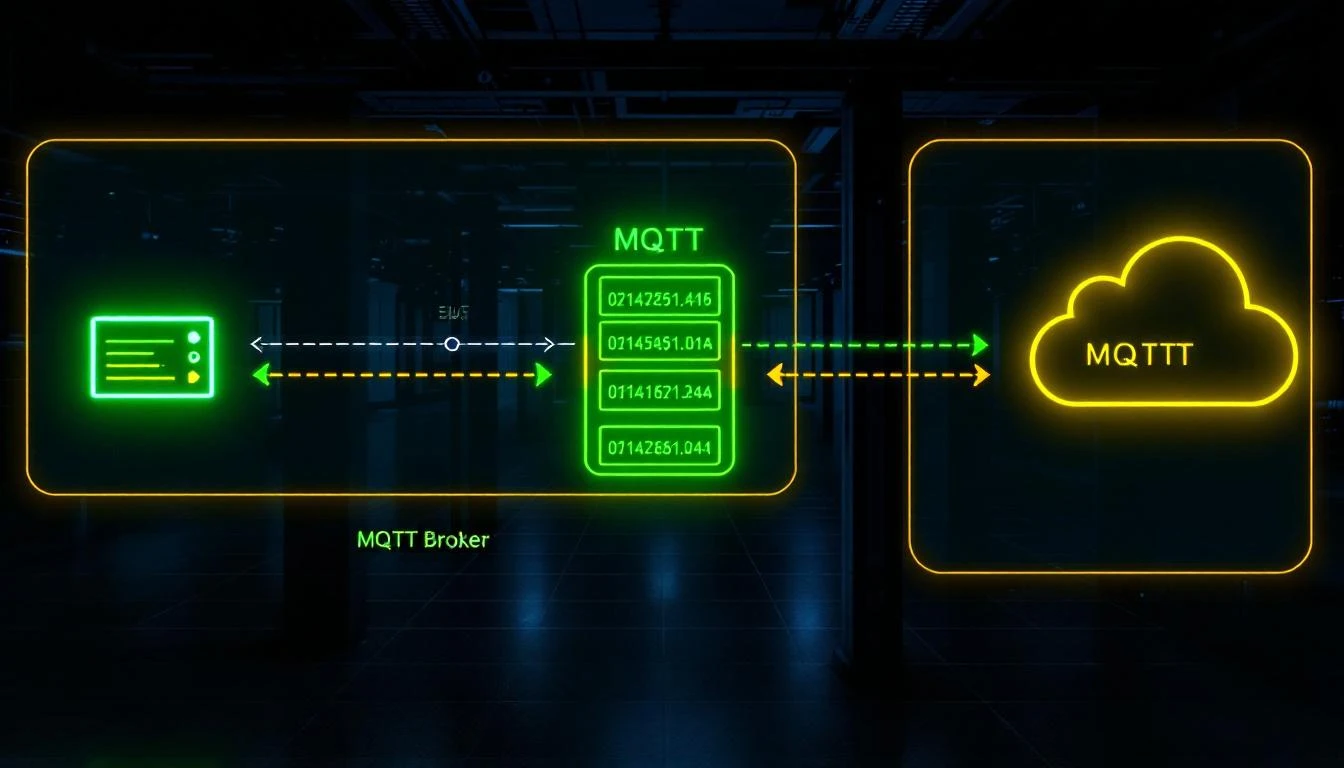
Why MQTT QoS Isn't Enough
The first objection is always: "MQTT already has QoS 1 and QoS 2 — doesn't the broker handle retransmission?"
Technically yes, but only for messages that have already been handed to the MQTT client library. The problem is what happens before the publish call:
- The TCP connection is down.
mosquitto_publish()returnsMOSQ_ERR_NO_CONN. Your data is gone unless you stored it somewhere. - The MQTT library's internal buffer is full. Most MQTT client libraries have a finite send queue. When it fills, new publishes get rejected.
- The gateway rebooted. Any data in memory is lost. Only data written to persistent storage survives.
QoS handles message delivery within an established session. Store-and-forward handles data persistence across disconnections, reconnections, and reboots.
The Page-Based Buffer Architecture
A production buffer uses a paged memory pool — a contiguous block of memory divided into fixed-size pages that cycle through three states:
┌─────────────────────────────────────────────────────┐
│                  Buffer Memory Pool                  │
│                                                      │
│  ┌──────┐  ┌──────┐  ┌──────┐  ┌──────┐  ┌──────┐  │
│  │Page 0│  │Page 1│  │Page 2│  │Page 3│  │Page 4│  │
│  │ FREE │  │ USED │  │ USED │  │ WORK │  │ FREE │  │
│  └──────┘  └──────┘  └──────┘  └──────┘  └──────┘  │
│                                                      │
│  FREE = empty, available for writing                 │
│  WORK = currently being filled with incoming data    │
│  USED = full, queued for delivery to MQTT broker     │
└─────────────────────────────────────────────────────┘
Page States
- FREE pages form a linked list of available pages. When the buffer needs a new work page, it pulls from the free list.
- WORK page is the single page currently accepting incoming data. New telemetry batches get appended here. There is always at most one work page.
- USED pages form an ordered queue of pages waiting to be delivered. The buffer sends data from the head of the used queue, one message at a time.
Page Structure
Each page contains multiple messages, packed sequentially:
┌─────────────────────────────────────────────┐
│                    Page N                     │
│                                               │
│  ┌──────────┬──────────┬──────────────────┐  │
│  │ msg_id   │ msg_size │ message_data     │  │
│  │ (4 bytes)│ (4 bytes)│ (variable)       │  │
│  ├──────────┼──────────┼──────────────────┤  │
│  │ msg_id   │ msg_size │ message_data     │  │
│  │ (4 bytes)│ (4 bytes)│ (variable)       │  │
│  ├──────────┼──────────┼──────────────────┤  │
│  │          ... more messages ...          │  │
│  └──────────────────────────────────────────┘  │
│                                               │
│  write_p ──→ next write position              │
│  read_p  ──→ next read position (delivery)    │
│                                               │
└─────────────────────────────────────────────┘
The msg_id field is critical — it gets filled in by the MQTT library's publish() call, which returns a packet ID. When the broker acknowledges delivery (via the PUBACK callback in QoS 1), the buffer matches the acknowledged ID against the head of the delivery queue.
Memory Sizing
The minimum viable buffer needs at least three pages:
- One page being filled (WORK)
- One page being transmitted (USED, head of queue)
- One page available for the next batch (FREE)
In practice, you want more headroom. The formula:
buffer_size = page_size × desired_holdover_time / batch_interval

Example:
- Page size: 32 KB
- Batch interval: 30 seconds
- Desired holdover: 10 minutes
- Pages needed: 32KB × (600s / 30s) = 20 pages = 640 KB
On a typical embedded Linux gateway with 256MB–512MB RAM, dedicating 1–4 MB to the telemetry buffer is reasonable.
The Write Path: Accepting Incoming Data
When the data collection layer finishes a polling cycle and has a batch of tag values ready to deliver, it calls into the buffer:
Step 1: Check the Work Page
If no work page exists, allocate one from the free list. If the free list is empty, steal the oldest used page — this is the overflow strategy (more on this below).
Step 2: Size Check
Before writing, verify that the message (plus its 8-byte header) fits in the remaining space on the work page:
remaining = page_size - (write_p - start_p)
needed = 4 (msg_id) + 4 (msg_size) + payload_size

if needed > remaining:
    move work_page to used_pages queue
    allocate a new work page
    retry
Step 3: Write the Message
1. Write 4 zero bytes at write_p    (placeholder for msg_id)
2. Write message size as uint32     (4 bytes)
3. Write message payload            (N bytes)
4. Advance write_p by 8 + N
The msg_id is initially zero because we don't know it yet — it gets assigned when the message is actually published to MQTT.
Step 4: Trigger Delivery
After every write, the buffer checks if it can send data. If the connection is up and no message is currently awaiting acknowledgment, it initiates delivery of the next queued message.
The Read Path: Delivering to MQTT
Delivery follows a strict one-message-at-a-time discipline. The buffer maintains a packet_sent flag:
if connected == false:  return
if packet_sent == true: return    (waiting for PUBACK)

message = used_pages[0].read_p
result = mqtt_publish(message.data, message.size, &message.msg_id)

if result == success:
    packet_sent = true
else:
    packet_sent = false           (retry on next opportunity)
Why One at a Time?
Sending multiple messages without waiting for acknowledgment is tempting — it would be faster. But it creates a delivery ordering problem. If messages 1, 2, and 3 are sent simultaneously and message 2's PUBACK arrives first, you don't know whether messages 1 and 3 were delivered. With one-at-a-time, the delivery order is guaranteed to match the insertion order.
For higher throughput, some implementations pipeline 2–3 messages and track a small window of in-flight packet IDs. But for industrial telemetry where data integrity matters more than latency, sequential delivery is the safer choice.
The Delivery Confirmation Callback
When the MQTT library's on_publish callback fires with a packet ID:
1. Lock the buffer mutex
2. Check that the packet_id matches used_pages[0].read_p.msg_id
3. Advance read_p past the delivered message
4. If read_p >= write_p:
     - Page completely delivered
     - Move page from used_pages to free_pages
     - Reset the page's write_p and read_p
5. Set packet_sent = false
6. Attempt to send the next message
7. Unlock mutex
This is where the msg_id field in the page pays off — it's the correlation key between "we published this" and "the broker confirmed this."
Overflow Handling: When Memory Runs Out
On a constrained device, the buffer will eventually fill up during an extended outage. The question is: what do you sacrifice?
Strategy 1: Drop Newest (Ring Buffer)
When the free list is empty, reject new writes. The data collection layer simply loses the current batch. This preserves historical data but creates gaps at the end of the outage.
Strategy 2: Drop Oldest (FIFO Eviction)
When the free list is empty, steal the oldest used page — the one at the head of the delivery queue. This preserves the most recent data but creates gaps at the beginning of the outage.
Which to Choose?
For industrial monitoring, drop-oldest is almost always correct. The reasoning:
- During a long outage, the most recent data is more actionable than data from 20 minutes ago.
- When connectivity returns, operators want to see current machine state, not historical state from the beginning of the outage.
- Historical data from the outage period can often be reconstructed from PLC internal logs after the fact.
A production implementation logs a warning when it evicts a page:
Buffer: Overflow warning! Extracted USED page (#7)
This warning should be forwarded to the platform's monitoring layer so operators know data was lost.
Thread Safety
The buffer is accessed from two threads:
- The polling thread — calls
buffer_add_data()after each collection cycle - The MQTT callback thread — calls
buffer_process_data_delivered()when PUBACKs arrive
A mutex protects all buffer operations:
// Pseudocode
void buffer_add_data(buffer, data, size) {
    lock(buffer->mutex)
    write_data_to_work_page(buffer, data, size)
    try_send_next_message(buffer)
    unlock(buffer->mutex)
}

void buffer_on_puback(buffer, packet_id) {
    lock(buffer->mutex)
    advance_read_pointer(buffer, packet_id)
    try_send_next_message(buffer)
    unlock(buffer->mutex)
}
The key insight: try_send_next_message() is called from both code paths. After adding data, the buffer checks if it can immediately begin delivery. After confirming delivery, it checks if there's more data to send. This creates a self-draining pipeline that doesn't need a separate timer or polling loop.
Connection State Management
The buffer tracks connectivity through two callbacks:
On Connect
buffer->connected = true
try_send_next_message(buffer)    // Start draining the queue
On Disconnect
buffer->connected = false
buffer->packet_sent = false      // Reset in-flight tracking
The packet_sent = false on disconnect is critical. If a message was in flight when the connection dropped, we have no way of knowing whether the broker received it. Setting packet_sent = false means the message will be re-sent on reconnection. This may result in duplicate delivery — which is fine. Industrial telemetry systems should be idempotent anyway (a repeated temperature reading at timestamp T is the same as the original).
Batch Finalization: When to Flush
Data arrives at the buffer through a batch layer that groups multiple tag values before serialization. The batch finalizes (and writes to the buffer) on two conditions:
1. Size Limit
When the accumulated batch exceeds a configured maximum size (e.g., 32 KB for JSON, or when the binary payload reaches 90% of the maximum), the batch is serialized and written to the buffer immediately:
if current_batch_size > max_batch_size:
    finalize_and_write_to_buffer(batch)
    reset_batch()
2. Time Limit
When the time since the batch started collecting exceeds a configured timeout (e.g., 30 seconds), the batch is finalized regardless of size:
elapsed = now - batch_start_time
if elapsed > max_batch_time:
    finalize_and_write_to_buffer(batch)
    reset_batch()
The time-based trigger is checked at the end of each tag group within a polling cycle, not on a separate timer. This avoids adding another thread and ensures the batch is finalized at a natural boundary in the data stream.
Binary vs. JSON Serialization
Production edge systems typically support two serialization formats:
JSON Format
{
  "groups": [
    {
      "ts": 1709341200,
      "device_type": 1018,
      "serial_number": 12345,
      "values": [
        {"id": 1, "values": [452]},
        {"id": 2, "values": [38]},
        {"id": 162, "error": -5}
      ]
    }
  ]
}
JSON is human-readable and easy to debug but verbose. A batch of 25 tag values in JSON might be 800 bytes.
Binary Format
0xF7              Command byte
[4B] num_groups   Number of timestamp groups
  [4B] timestamp  Unix timestamp
  [2B] dev_type   Device type ID
  [4B] serial     Device serial number
  [4B] num_values Number of values in group
    [2B] tag_id   Tag identifier
    [1B] status   0x00=OK, other=error
    [1B] count    Array size
    [1B] elem_sz  Element size (1, 2, or 4 bytes)
    [N×S bytes]   Packed values (MSB first)
The same 25 tag values in binary format might be 180 bytes — a 4.4× reduction. On cellular connections where bandwidth is metered per megabyte, this matters enormously.
The format choice is configured per device. Many deployments use binary for production and JSON for commissioning/debugging.
Monitoring the Buffer
A healthy buffer should have these characteristics:
- Pages cycling regularly — pages move from FREE → WORK → USED → FREE in a steady rhythm
- No overflow warnings — if you see "extracted USED page" in the logs, the buffer is undersized or the connection is too unreliable
- Delivery timestamps advancing — track the timestamp of the last confirmed delivery. If it stops advancing while data is being collected, something is wrong with the MQTT connection
The edge daemon should publish buffer health as part of its periodic status message:
{
  "buffer": {
    "total_pages": 20,
    "free_pages": 14,
    "used_pages": 5,
    "work_pages": 1,
    "last_delivery_ts": 1709341200,
    "overflow_count": 0
  }
}
How machineCDN Implements Store-and-Forward
machineCDN's edge gateway implements the full page-based buffer architecture described in this article. The buffer sits between the batch serialization layer and the MQTT transport, providing:
- Automatic page management — the gateway sizes the buffer based on available memory and configured batch parameters
- Drop-oldest overflow — during extended outages, the most recent data is always preserved
- Dual-format support — JSON for commissioning, binary for production deployments, configurable per device
- Connection-aware delivery — the buffer begins draining immediately when the MQTT connection comes back up, with sequential delivery confirmation via QoS 1 PUBACKs
For multi-machine deployments on cellular gateways, the binary format combined with batch-and-forward typically reduces bandwidth consumption by 70–80% compared to per-tag JSON publishing — which translates directly to lower cellular data costs.
Key Takeaways
-
MQTT QoS doesn't replace store-and-forward. QoS handles delivery within a session. Store-and-forward handles persistence across disconnections.
-
Use a paged memory pool. Fixed-size pages with three states (FREE/WORK/USED) give you predictable memory usage and simple overflow handling.
-
One message at a time for delivery integrity. Sequential delivery with PUBACK confirmation guarantees ordering and makes the system easy to reason about.
-
Drop oldest on overflow. In industrial monitoring, recent data is more valuable than historical data from the beginning of an outage.
-
Finalize batches on both size and time. Size limits prevent memory bloat; time limits prevent stale data sitting in an incomplete batch.
-
Thread safety is non-negotiable. The polling thread and MQTT callback thread both touch the buffer. A mutex with minimal critical sections keeps things safe without impacting throughput.
The store-and-forward buffer is the unsung hero of reliable industrial telemetry. It's not glamorous, it doesn't show up in marketing slides, but it's the component that determines whether your IIoT platform loses data at 2 AM on a Saturday when the cell tower goes down — or quietly holds everything until the connection comes back and delivers it all without anyone ever knowing there was a problem.