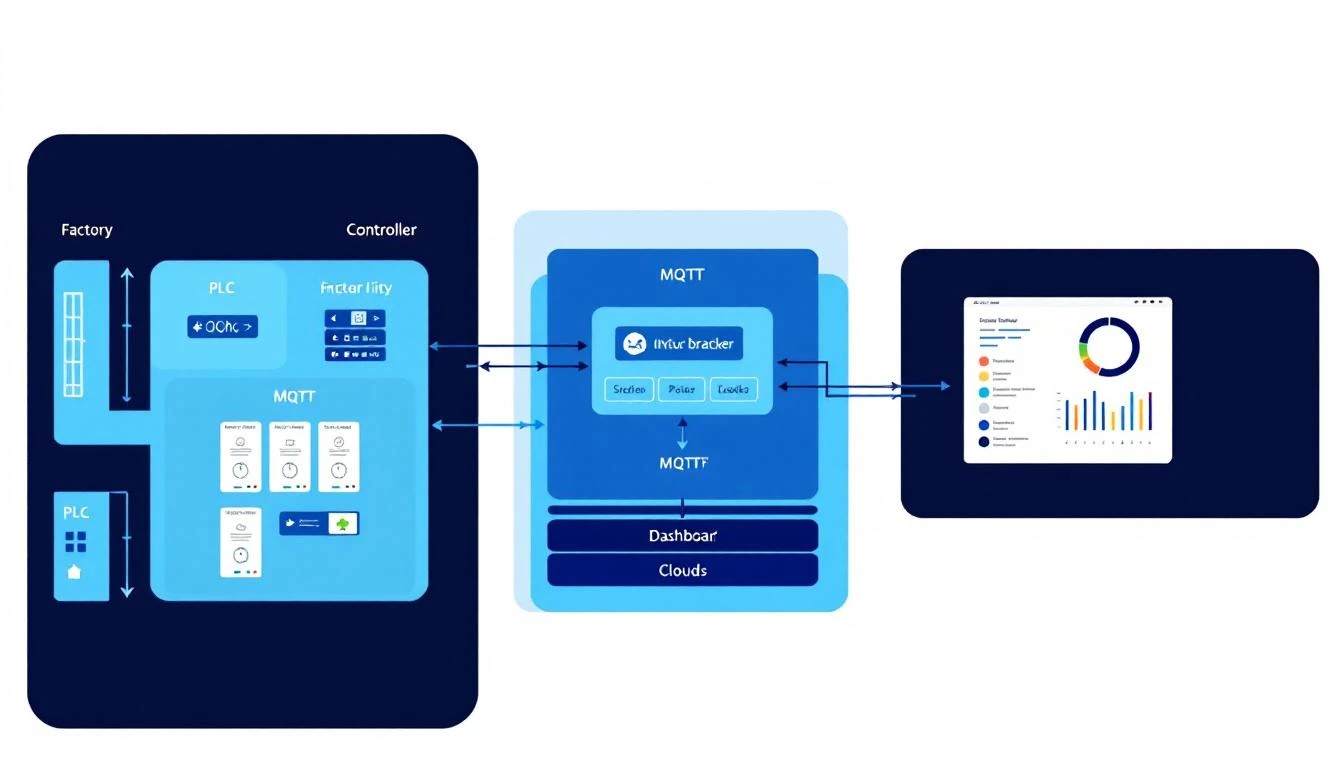
32 posts tagged with "industrial-protocols"

View All Tags

PLC Alarm Decoding in IIoT: Byte Masking, Bit Fields, and Building Reliable Alarm Pipelines [2026]

· 13 min read

PLC Alarm Decoding

Every machine on your plant floor generates alarms. Motor overtemp. Hopper empty. Pressure out of range. Conveyor jammed. These alarms exist as bits in PLC registers — compact, efficient, and completely opaque to anything outside the PLC unless you know how to decode them.

The challenge isn't reading the register. Any Modbus client can pull a 16-bit value from a holding register. The challenge is turning that 16-bit integer into meaningful alarm states — knowing that bit 3 means "high temperature warning" while bit 7 means "emergency stop active," and that some alarms span multiple registers using offset-and-byte-count encoding that doesn't map cleanly to simple bit flags.

This guide covers the real-world techniques for PLC alarm decoding in IIoT systems — the bit masking, the offset arithmetic, the edge detection, and the pipeline architecture that ensures no alarm gets lost between the PLC and your monitoring dashboard.

How PLCs Store Alarms

PLCs don't have alarm objects the way SCADA software does. They have registers — 16-bit integers that hold process data, configuration values, and yes, alarm states. The PLC programmer decides how alarms are encoded, and there are three common patterns.

Pattern 1: Single-Bit Alarms (One Bit Per Alarm)

The simplest and most common pattern. Each bit in a register represents one alarm:

Register 40100 (16-bit value: 0x0089 = 0000 0000 1000 1001)

Bit 0 (value 1): Motor Overload → ACTIVE ✓
Bit 1 (value 0): High Temperature → Clear
Bit 2 (value 0): Low Pressure → Clear
Bit 3 (value 1): Door Interlock Open → ACTIVE ✓
Bit 4 (value 0): Emergency Stop → Clear
Bit 5 (value 0): Communication Fault → Clear
Bit 6 (value 0): Vibration High → Clear
Bit 7 (value 1): Maintenance Due → ACTIVE ✓
Bits 8-15: (all 0) → Clear

To check if a specific alarm is active, you use bitwise AND with a mask:

is_active = (register_value >> bit_offset) & 1

For bit 3 (Door Interlock):

(0x0089 >> 3) & 1 = (0x0011) & 1 = 1 → ACTIVE

For bit 4 (Emergency Stop):

(0x0089 >> 4) & 1 = (0x0008) & 1 = 0 → Clear

This is clean and efficient. One register holds 16 alarms. Two registers hold 32. Most small PLCs can encode all their alarms in 2-4 registers.

Pattern 2: Multi-Bit Alarm Codes (Encoded Values)

Some PLCs use multiple bits to encode alarm severity or type. Instead of one bit per alarm, a group of bits represents an alarm code:

Register 40200 (value: 0x0034)

Bits 0-3: Feeder Status Code
0x0 = Normal
0x1 = Low material warning
0x2 = Empty hopper
0x3 = Jamming detected
0x4 = Motor fault

Bits 4-7: Dryer Status Code
0x0 = Normal
0x1 = Temperature deviation
0x2 = Dew point high
0x3 = Heater fault

To extract the feeder status:

feeder_code = register_value & 0x0F           // mask lower 4 bits
dryer_code = (register_value >> 4) & 0x0F // shift right 4, mask lower 4

For value 0x0034:

feeder_code = 0x0034 & 0x0F = 0x04 → Motor fault
dryer_code = (0x0034 >> 4) & 0x0F = 0x03 → Heater fault

This pattern is more compact but harder to decode — you need to know both the bit offset AND the mask width (how many bits represent this alarm).

Pattern 3: Offset-Array Alarms

For machines with many alarm types — blenders with multiple hoppers, granulators with different zones, chillers with multiple pump circuits — the PLC programmer often uses an array structure where a single tag (register) holds multiple alarm values at different offsets:

Tag ID 5, Register 40300: Alarm Word
Read as an array of values: [value0, value1, value2, value3, ...]

Offset 0: Master alarm (1 = any alarm active)
Offset 1: Hopper 1 high temp
Offset 2: Hopper 1 low level
Offset 3: Hopper 2 high temp
Offset 4: Hopper 2 low level
...

In this pattern, the PLC transmits the register value as a JSON-encoded array (common with modern IIoT gateways). To check a specific alarm:

values = [0, 1, 0, 0, 1, 0, 0, 0]
is_hopper1_high_temp = values[1] // → 1 (ACTIVE)
is_hopper2_low_level = values[4] // → 1 (ACTIVE)

When offset is 0 and the byte count is also 0, you're looking at a simple scalar — the entire first value is the alarm state. When offset is non-zero, you index into the array. When the byte count is non-zero, you're doing bit masking on the scalar value:

if (bytes == 0 && offset == 0):
active = values[0] // Simple: first value is the state
elif (bytes == 0 && offset != 0):
active = values[offset] != 0 // Array: index by offset
elif (bytes != 0):
active = (values[0] >> offset) & bytes // Bit masking: shift and mask

This three-way decode logic is the core of real-world alarm processing. Miss any branch and you'll have phantom alarms or blind spots.

Building the Alarm Decode Pipeline

A reliable alarm pipeline has four stages: poll, decode, deduplicate, and notify.

Stage 1: Polling Alarm Registers

Alarm registers must be polled at a higher frequency than general telemetry. Process temperatures can be sampled every 5-10 seconds, but alarms need sub-second detection for safety-critical states.

The practical approach:

  • Alarm registers: Poll every 1-2 seconds
  • Process data registers: Poll every 5-10 seconds
  • Configuration registers: Poll once at startup or on-demand

Group alarm-related tag IDs together so they're read in a single Modbus transaction. If your PLC stores alarm data across tags 5, 6, and 7, read all three in one poll cycle rather than three separate requests.

Stage 2: Decode Each Tag

For each alarm tag received, look up the alarm type definitions — a configuration that maps tag_id + offset + byte_count to an alarm name and decode method.

Example alarm type configuration:

Alarm NameMachine TypeTag IDOffsetBytesUnit
Motor OverloadGranulator500-
High TemperatureGranulator510°F
Vibration WarningGranulator504-
Jam DetectionGranulator620-

The decode logic for each row:

Motor Overload (tag 5, offset 0, bytes 0): active = values[0] — direct scalar

High Temperature (tag 5, offset 1, bytes 0): active = values[1] != 0 — array index

Vibration Warning (tag 5, offset 0, bytes 4): active = (values[0] >> 0) & 4 — bit mask at position 0 with mask width 4. This checks if the third bit (value 4 in decimal) is set in the raw alarm word.

Jam Detection (tag 6, offset 2, bytes 0): active = values[2] != 0 — array index on a different tag

Stage 3: Edge Detection and Deduplication

Raw alarm states are level-based — "the alarm IS active right now." But alarm notifications need to be edge-triggered — "the alarm JUST became active."

Without edge detection, every poll cycle generates a notification for every active alarm. A motor overload alarm that stays active for 30 minutes would generate 1,800 notifications at 1-second polling. Your operators will mute alerts within hours.

The edge detection approach:

previous_state = get_cached_state(device_id, alarm_type_id)
current_state = decode_alarm(tag_values, offset, bytes)

if current_state AND NOT previous_state:
trigger_alarm_activation(alarm)
elif NOT current_state AND previous_state:
trigger_alarm_clear(alarm)

cache_state(device_id, alarm_type_id, current_state)

Critical: The cached state must survive gateway restarts. Store it in persistent storage (file or embedded database), not just in memory. Otherwise, every reboot triggers a fresh wave of alarm notifications for all currently-active alarms.

Stage 4: Notification and Routing

Not all alarms are equal. A "maintenance due" flag shouldn't page the on-call engineer at 2 AM. A "motor overload on running machine" absolutely should.

Alarm routing rules:

SeverityResponseNotification
Critical (E-stop, fire, safety)Immediate shutdownSMS + phone call + dashboard
High (equipment damage risk)Operator attention neededPush notification + dashboard
Medium (process deviation)Investigate within shiftDashboard + email digest
Low (maintenance, informational)Schedule during downtimeDashboard only

The machine's running state matters for alarm priority. An active alarm on a stopped machine is informational. The same alarm on a running machine is critical. This context-aware prioritization requires correlating alarm data with the machine's operational state — the running tag, idle state, and whether the machine is in a planned downtime window.

Machine-Specific Alarm Patterns

Different machine types encode alarms differently. Here are patterns common across industrial equipment:

Blenders and Feeders

Blenders with multiple hoppers generate per-hopper alarms. A 6-hopper batch blender might have:

  • Tags 1-6: Per-hopper weight/level values
  • Tag 7: Alarm word with per-hopper fault bits
  • Tag 8: Master alarm rollup

The number of active hoppers varies by recipe. A machine configured for 4 ingredients only uses hoppers 1-4. Alarms on hoppers 5-6 should be suppressed — they're not connected, and their registers contain stale data.

Discovery pattern: Read the "number of hoppers" or "ingredients configured" register first. Only decode alarms for hoppers 1 through N.

Temperature Control Units (TCUs)

TCUs have a unique alarm pattern: the alert tag is a single scalar where a non-zero value indicates any active alert. This is the simplest pattern — no bit masking, no offset arrays:

alert_tag_value = read_tag(tag_id=23)
if alert_tag_value[0] != 0:
alarm_active = True

This works because TCUs typically have their own built-in alarm logic. The IIoT gateway doesn't need to decode individual fault codes — the TCU has already determined that something is wrong. The gateway just needs to surface that to the operator.

Granulators and Heavy Equipment

Granulators and similar heavy-rotating-equipment tend to use the full three-pattern decode. They have:

  • Simple scalar alarms (is the machine faulted? yes/no)
  • Array-offset alarms (which specific fault zone is affected?)
  • Bit-masked alarm words (which combination of faults is present?)

All three might exist simultaneously on the same machine, across different tags. Your decode logic must handle them all.

Common Pitfalls in Alarm Pipeline Design

1. Polling the Same Tag Multiple Times

If multiple alarm types reference the same tag_id, don't read the tag separately for each alarm. Read the tag once per poll cycle, then run all alarm type decoders against the cached value. This is especially important over Modbus RTU where every extra register read costs 40-50ms.

Group alarm types by their unique tag_ids:

unique_tags = distinct(tag_id for alarm_type in alarm_types)
for tag_id in unique_tags:
values = read_register(device, tag_id)
cache_values(device, tag_id, values)

for alarm_type in alarm_types:
values = get_cached_values(device, alarm_type.tag_id)
active = decode(values, alarm_type.offset, alarm_type.bytes)

2. Ignoring the Difference Between Alarm and Active Alarm

Many systems maintain two concepts:

  • Alarm: A historical record of what happened and when
  • Active Alarm: The current state, right now

Active alarms are tracked in real-time and cleared when the condition resolves. Historical alarms are never deleted — they form the audit trail.

A common mistake is treating the active alarm table as the alarm history. Active alarms should be a thin, frequently-updated state table. Historical alarms should be an append-only log with timestamps for activation, acknowledgment, and clearance.

3. Not Handling Stale Data

When a gateway loses communication with a PLC, the last-read register values persist in cache. If the alarm pipeline continues using these stale values, it won't detect new alarms or clear resolved ones.

Implement a staleness check:

  • Track the timestamp of the last successful read per device
  • If data is older than 2× the poll interval, mark all alarms for that device as "UNKNOWN" (not active, not clear — unknown)
  • Display UNKNOWN state visually distinct from both ACTIVE and CLEAR on the dashboard

4. Timestamp Confusion

PLC registers don't carry timestamps. The timestamp is assigned by whatever reads the register — the edge gateway, the cloud API, or the SCADA system.

For alarm accuracy:

  • Timestamp at the edge gateway, not in the cloud. Network latency can add seconds (or minutes during connectivity loss) between the actual alarm event and cloud receipt.
  • Use the gateway's NTP-synchronized clock. PLCs don't have accurate clocks — some don't have clocks at all.
  • Store timestamps in UTC. Convert to local time only at the display layer, using the machine's configured timezone.

5. Unit Conversion on Alarm Thresholds

If a PLC stores temperature in Fahrenheit and your alarm threshold logic operates in Celsius (or vice versa), every comparison is wrong. This happens more than you'd think in multi-vendor environments where some equipment uses imperial units and others use metric.

Normalize at the edge. Convert all values to SI units (Celsius, kilograms, meters, kPa) before applying alarm logic. This means your alarm thresholds are always in consistent units regardless of the source equipment.

Common conversions that trip people up:

  • Weight/throughput: Imperial (lbs/hr) vs. metric (kg/hr). 1 lb = 0.4536 kg.
  • Flow: GPM vs. LPM. 1 GPM = 3.785 LPM.
  • Length: ft/min vs. m/min. 1 ft = 0.3048 m.
  • Pressure delta: PSI to kPa — ÷0.145.
  • Temperature delta: A 10°F delta ≠ a 10°C delta. Delta conversion: ΔC = ΔF × 5/9.

Architecture: From PLC Register to Dashboard Alert

The end-to-end alarm pipeline in a well-designed IIoT system:

PLC Register (bit field)

Edge Gateway (poll + decode + edge detect)

Local Buffer (persist if cloud is unreachable)

Cloud Ingestion (batch upload with timestamps)

Alarm Service (route + prioritize + notify)

Dashboard / SMS / Email

The critical path: PLC → Gateway → Operator. Everything else (cloud storage, analytics, history) is important but secondary. If the cloud goes down, the gateway must still detect alarms, log them locally, and trigger local notifications (buzzer, light tower, SMS via cellular).

machineCDN implements this architecture with its edge gateway handling the decode and buffering layers, ensuring alarm data is never lost even during connectivity gaps. The gateway maintains PLC communication state, handles the three-pattern alarm decode natively, and batches alarm events for efficient cloud delivery.

Testing Your Alarm Pipeline

Before deploying to production, test every alarm path:

  1. Force each alarm in the PLC (using the PLC programming software) and verify it appears on the dashboard within your target latency
  2. Clear each alarm and verify the dashboard reflects the clear state
  3. Disconnect the PLC (pull the Ethernet cable or RS-485 connector) and verify alarms transition to UNKNOWN, not CLEAR
  4. Reconnect the PLC while alarms are active and verify they immediately show as ACTIVE without requiring a transition through CLEAR first
  5. Restart the gateway while alarms are active and verify no duplicate alarm notifications are generated
  6. Simulate cloud outage and verify alarms are buffered locally and delivered in order when connectivity returns

If any of these tests fail, your alarm pipeline has a gap. Fix it before your operators learn to ignore alerts.

Conclusion

PLC alarm decoding is unglamorous work — bit masking, offset arithmetic, edge detection. It's not the part of IIoT that makes it into the keynote slides. But it's the part that determines whether your monitoring system catches a motor overload at 2 AM or lets it burn out a $50,000 gearbox.

The three-pattern decode (scalar, array-offset, bit-mask) covers the vast majority of industrial equipment. Get this right at the edge gateway layer, add proper edge detection and staleness handling, and your alarm pipeline will be as reliable as the hardwired annunciators it's replacing.


machineCDN's edge gateway decodes alarm registers from any PLC — Modbus RTU or TCP — with configurable alarm type mappings, automatic edge detection, and store-and-forward buffering. No alarms lost, no false positives from stale data. See how it works →

PROFINET for IIoT Engineers: Real-Time Classes, IO Device Configuration, and GSD Files Explained [2026]

· 11 min read

If you've spent time integrating PLCs over Modbus TCP or EtherNet/IP, PROFINET can feel like stepping into a different world. Same Ethernet cable, radically different philosophy. Where Modbus gives you a polled register model and EtherNet/IP wraps everything in CIP objects, PROFINET delivers deterministic, real-time IO data exchange — with a configuration-driven architecture that eliminates most of the guesswork about data types, scaling, and addressing.

This guide covers how PROFINET actually works at the wire level, what distinguishes its real-time classes, how GSD files define device behavior, and where PROFINET fits (or doesn't fit) in modern IIoT architectures.

The Three Real-Time Classes: RT, IRT, and TSN

PROFINET doesn't have a single communication mode — it has three, each targeting a different performance tier. Understanding which one your application needs is the first design decision.

PROFINET RT (Real-Time) — The Workhorse

PROFINET RT is what 90% of PROFINET deployments use. It operates on standard Ethernet hardware — no special switches, no dedicated ASICs. Data frames are prioritized using IEEE 802.1Q VLAN tagging (priority 6), which gives them precedence over regular TCP/IP traffic but doesn't guarantee hard determinism.

Typical cycle times: 1–10 ms (achievable on uncongested networks)

What it looks like on the wire:

Ethernet Frame:
├── Dst MAC: Device MAC
├── Src MAC: Controller MAC
├── EtherType: 0x8892 (PROFINET)
├── Frame ID: 0x8000–0xBFFF (cyclic RT)
├── Cycle Counter
├── Data Status
├── Transfer Status
└── IO Data (provider data)

The key insight: PROFINET RT uses Layer 2 Ethernet frames directly — not TCP, not UDP. This skips the entire IP stack, which is how it achieves sub-millisecond latencies on standard hardware. When you compare this to Modbus TCP (which requires a full TCP handshake, connection management, and sequential polling), the difference in latency is 10–50x for equivalent data volumes.

However, PROFINET RT doesn't guarantee determinism. If you share the network with heavy TCP traffic (file transfers, HMI polling, video), your RT frames can be delayed. The 802.1Q priority helps, but it's not a hard guarantee.

PROFINET IRT (Isochronous Real-Time) — For Motion Control

IRT is where PROFINET enters territory that Modbus and standard EtherNet/IP simply cannot reach. IRT divides each communication cycle into two phases:

  1. Reserved phase — A time-sliced window at the beginning of each cycle exclusively for IRT traffic. No other frames are allowed during this window.
  2. Open phase — The remainder of the cycle, where RT traffic, TCP/IP, and other protocols can share the wire.

Cycle times: 250 µs – 1 ms, with jitter below 1 µs

This requires IRT-capable switches (often built into the IO devices themselves — PROFINET devices typically have 2-port switches integrated). The controller and all IRT devices must be time-synchronized, and the communication schedule must be pre-calculated during engineering.

When you need IRT:

  • Servo drive synchronization (multi-axis motion)
  • High-speed packaging lines with electronic cams
  • Printing press register control
  • Any application requiring synchronized motion across multiple drives

When RT is sufficient:

  • Process monitoring and data collection
  • Discrete I/O for conveyor control
  • Temperature/pressure regulation
  • General-purpose PLC IO

PROFINET over TSN — The Future

The newest evolution replaces the proprietary IRT scheduling with IEEE 802.1 Time-Sensitive Networking standards (802.1AS for time sync, 802.1Qbv for time-aware scheduling). This is significant because it means PROFINET determinism can coexist on the same infrastructure with OPC-UA Pub/Sub, EtherNet/IP, and other protocols — true convergence.

TSN-based PROFINET is still emerging in production deployments (as of 2026), but new controllers from Siemens and Phoenix Contact are shipping with TSN support.

The IO Device Model: Provider/Consumer

PROFINET uses a fundamentally different data exchange model than Modbus. Instead of a client polling registers, PROFINET uses a provider/consumer model:

  • IO Controller (typically a PLC) configures the IO device at startup and acts as provider of output data
  • IO Device (sensor module, drive, valve terminal) provides input data back to the controller
  • IO Supervisor (engineering tool) handles parameterization, diagnostics, and commissioning

Once a connection is established, data flows cyclically in both directions without explicit request/response transactions. This is fundamentally different from Modbus, where every data point requires a request frame and a response frame:

Modbus TCP approach (polling):

Controller → Device: Read Holding Registers (FC 03), Addr 0, Count 10
Device → Controller: Response with 20 bytes
Controller → Device: Read Input Registers (FC 04), Addr 0, Count 10
Device → Controller: Response with 20 bytes
(repeat every cycle)

PROFINET approach (cyclic provider/consumer):

Every cycle (automatic, no polling):
Controller → Device: Output data (all configured outputs in one frame)
Device → Controller: Input data (all configured inputs in one frame)

The PROFINET approach eliminates the overhead of request framing, function codes, and sequential polling. For a device with 100 data points, Modbus might need 5–10 separate transactions per cycle (limited by the 125-register maximum per read). PROFINET sends everything in a single frame per direction.

GSD Files: The Device DNA

Every PROFINET device ships with a GSD file (Generic Station Description) — an XML file that completely describes the device's capabilities, data structure, and configuration parameters. Think of it as a comprehensive device driver that the engineering tool uses to auto-configure the controller.

A GSD file contains:

Device Identity

<DeviceIdentity VendorID="0x002A" DeviceID="0x0001">
<InfoText TextId="DeviceInfoText"/>
<VendorName Value="ACME Industrial"/>
</DeviceIdentity>

Every PROFINET device has a globally unique VendorID + DeviceID combination, assigned by PI (PROFIBUS & PROFINET International). This eliminates the ambiguity you often face with Modbus devices where two different manufacturers might use the same register layout differently.

Module and Submodule Descriptions

This is where GSD files shine for IIoT integration. Each module explicitly defines:

  • Data type (UNSIGNED8, UNSIGNED16, SIGNED32, FLOAT32)
  • Byte length
  • Direction (input, output, or both)
  • Semantics (what the data actually means)
<Submodule ID="Temperature_Input" SubmoduleIdentNumber="0x0001">
<IOData>
<Input>
<DataItem DataType="Float32" TextId="ProcessTemperature"/>
</Input>
</IOData>
<RecordDataList>
<ParameterRecordDataItem Index="100" Length="4">
<!-- Measurement range configuration -->
</ParameterRecordDataItem>
</RecordDataList>
</Submodule>

Compare this to Modbus, where you get a register address and must consult a separate PDF manual to know whether register 30001 contains a temperature in tenths of degrees, hundredths of degrees, or raw ADC counts — and whether it's big-endian or little-endian. The GSD file eliminates an entire class of integration errors.

Parameterization Records

GSD files also define the device's configurable parameters — measurement ranges, filter constants, alarm thresholds — as structured records. The engineering tool reads these definitions and presents them to the user during commissioning. When the controller connects to the device, it automatically writes these parameters before starting cyclic data exchange.

This is a massive workflow improvement over Modbus, where parameterization typically requires a separate tool from the device manufacturer, a different communication channel (often Modbus writes to holding registers), and manual coordination.

Data Handling: Where PROFINET Eliminates Headaches

Anyone who's spent time wrangling Modbus register data knows the pain: Is this 32-bit value stored in two consecutive registers? Which word comes first? Is the float IEEE 754 or some vendor-specific format? Does this temperature need to be divided by 10 or by 100?

These problems stem from Modbus's minimalist design — it defines 16-bit registers and nothing more. The protocol has no concept of data types beyond "16-bit word." When a device needs to transmit a 32-bit float, it packs it into two consecutive registers, but the byte ordering is vendor-defined.

Common Modbus byte-ordering variants in practice:

  • Big-endian (ABCD): Honeywell, ABB, most European devices
  • Little-endian (DCBA): Some older Allen-Bradley devices
  • Mid-big-endian (BADC): Schneider Electric, Daniel flow meters
  • Mid-little-endian (CDAB): Various Asian manufacturers

PROFINET eliminates this entirely. The GSD file specifies exact data types (Float32 is always IEEE 754, in network byte order), exact byte positions within the IO data frame, and exact semantics. The engineering tool handles all marshaling.

For IIoT data collection platforms like machineCDN, this means PROFINET integration can be largely automated from the GSD file — unlike Modbus, where every device integration requires manual register mapping, byte-order configuration, and scaling factor discovery.

Network Topology and Device Naming

PROFINET devices use names, not IP addresses, for identification. During commissioning:

  1. The engineering tool assigns a device name (e.g., "conveyor-drive-01") via DCP (Discovery and Configuration Protocol)
  2. The controller resolves the device name to an IP address using DCP
  3. IP addresses can be assigned via DHCP or statically, but the name is the primary identifier

This has practical implications for IIoT:

  • Device replacement: If a motor drive fails, the replacement device gets the same name, and the controller reconnects automatically — no IP address reconfiguration
  • Network documentation: Device names are human-readable and meaningful, unlike Modbus slave addresses (1–247) or IP addresses
  • Multi-controller environments: Multiple controllers can discover and communicate with devices by name

Diagnostics: PROFINET's Hidden Strength

PROFINET includes standardized, structured diagnostics that go far beyond what Modbus or basic EtherNet/IP offer:

Channel Diagnostics

Every IO channel can report structured alarms with:

  • Channel number — which physical channel has the issue
  • Error type — standardized codes (short circuit, wire break, overrange, underrange)
  • Severity — maintenance required, maintenance demanded, or fault

Device-Level Diagnostics

  • Module insertion/removal
  • Power supply status
  • Internal device errors
  • Firmware version mismatches

Alarm Prioritization

PROFINET defines alarm types with priorities:

  • Process alarms: Application-level (e.g., limit switch triggered)
  • Diagnostic alarms: Device health changes
  • Pull/Plug alarms: Module hot-swap events

For IIoT systems focused on predictive maintenance and condition monitoring, this built-in diagnostic structure means less custom code and fewer vendor-specific workarounds.

When to Choose PROFINET vs. Alternatives

FactorPROFINET RTModbus TCPEtherNet/IP
Cycle time1–10 ms50–500 ms (polling)1–100 ms (implicit)
Data type clarityFull (GSD)None (manual)Partial (EDS)
Max devices256 per controller247 (slave addresses)Limited by scanner
DeterminismSoft (RT), Hard (IRT)NoneCIP Sync (optional)
Standard hardwareYes (RT)YesYes
Device replacementName-based (easy)Address-basedIP-based
Regional strengthEurope, AsiaGlobalAmericas
Motion controlIRT/TSNNot suitableCIP Motion

Integration Patterns for IIoT

For modern IIoT platforms, PROFINET networks are typically integrated at the controller level:

  1. PLC-to-cloud: The controller aggregates PROFINET IO data and publishes it via MQTT, OPC-UA, or a proprietary API. This is the most common pattern — the IIoT platform doesn't interact with PROFINET directly.

  2. Edge gateway tap: An edge gateway connects to the PROFINET controller via its secondary interface (often OPC-UA or Modbus TCP) and relays telemetry to the cloud. Platforms like machineCDN typically integrate at this level, pulling normalized data from the controller rather than sniffing PROFINET frames directly.

  3. PROFINET-to-MQTT bridge: Some modern IO devices support dual protocols — PROFINET for control and MQTT for telemetry. This allows direct-to-cloud data without routing through the controller, though it adds network complexity.

Practical Deployment Checklist

If you're adding PROFINET devices to an existing IIoT-monitored plant:

  • Obtain GSD files for all devices (check the PI Product Finder or manufacturer websites)
  • Import GSD files into your engineering tool (TIA Portal, CODESYS, etc.)
  • Plan your naming convention before commissioning (changing device names later requires re-commissioning)
  • Separate PROFINET RT traffic on its own VLAN if sharing infrastructure with IT networks
  • For IRT, ensure all switches in the path are IRT-capable — a single standard switch breaks the deterministic chain
  • Configure your edge gateway or IIoT platform to collect data from the controller's secondary interface, not directly from the PROFINET network
  • Set up diagnostic alarm forwarding — PROFINET's structured diagnostics are too valuable to ignore for predictive maintenance

Looking Forward

PROFINET's evolution toward TSN is the most significant development in industrial Ethernet convergence. By replacing proprietary IRT scheduling with IEEE standards, the dream of running PROFINET, OPC-UA Pub/Sub, and standard IT traffic on a single converged network is becoming reality.

For IIoT engineers, this means simpler network architectures, fewer protocol gateways, and more direct access to field-level data. Combined with PROFINET's rich device descriptions and structured diagnostics, it remains one of the most IIoT-friendly industrial protocols available — particularly when working with European automation vendors.

The protocol's self-describing nature via GSD files points toward a future where device integration is increasingly automated, reducing the manual configuration burden that has historically made industrial data collection such a time-intensive process.

Protocol Bridging: Translating Modbus to MQTT at the Industrial Edge [2026]

· 15 min read

Protocol Bridging Architecture

Every plant floor speaks Modbus. Every cloud platform speaks MQTT. The 20 inches of Ethernet cable between them is where industrial IoT projects succeed or fail.

Protocol bridging — the act of reading data from one industrial protocol and publishing it via another — sounds trivial on paper. Poll a register, format a JSON payload, publish to a topic. Three lines of pseudocode. But the engineers who've actually deployed these bridges at scale know the truth: the hard problems aren't in the translation. They're in the timing, the buffering, the failure modes, and the dozens of edge cases that only surface when a PLC reboots at 2 AM while your MQTT broker is mid-failover.

This guide covers the real engineering of Modbus-to-MQTT bridges — from register-level data mapping to store-and-forward architectures that survive weeks of disconnection.

Why Bridging Is Harder Than It Looks

Modbus and MQTT are fundamentally different communication paradigms. Understanding these differences is critical to building a bridge that doesn't collapse under production conditions.

Modbus is synchronous and polled. The master (your gateway) initiates every transaction. It sends a request frame, waits for a response, processes the data, and moves on. There's no concept of subscriptions, push notifications, or asynchronous updates. If you want a value, you ask for it. Every. Single. Time.

MQTT is asynchronous and event-driven. Publishers send messages whenever they have data. Subscribers receive messages whenever they arrive. The broker decouples producers from consumers. There's no concept of polling — data flows when it's ready.

Bridging these two paradigms means your gateway must act as a Modbus master on one side (issuing timed read requests) and an MQTT client on the other (publishing messages asynchronously). The gateway is the only component that speaks both languages, and it bears the full burden of timing, error handling, and data integrity.

The Timing Mismatch

Modbus RTU on RS-485 at 9600 baud takes roughly 20ms per single-register transaction (request frame + inter-frame delay + response frame + turnaround time). Reading 100 registers individually would take 2 seconds — an eternity if you need sub-second update rates.

Modbus TCP eliminates the serial timing constraints but introduces TCP socket management, connection timeouts, and the possibility of the PLC's TCP stack running out of connections (most PLCs support only 4–8 simultaneous TCP connections).

MQTT, meanwhile, can handle thousands of messages per second. The bottleneck is never the MQTT side — it's always the Modbus side. Your bridge architecture must respect the slower protocol's constraints while maximizing throughput.

Register Mapping: The Foundation

The first engineering decision is how to map Modbus registers to MQTT topics and payloads. There are three common approaches, each with trade-offs.

Approach 1: One Register, One Message

Topic: plant/line3/plc1/holding/40001
Payload: {"value": 1847, "ts": 1709312400, "type": "uint16"}

Pros: Simple, granular, easy to subscribe to individual data points. Cons: Catastrophic at scale. 200 registers means 200 MQTT publishes per poll cycle. At a 1-second poll rate, that's 200 messages/second — sustainable for the broker, but wasteful in bandwidth and processing overhead on constrained gateways.

Approach 2: Batched JSON Messages

Topic: plant/line3/plc1/batch
Payload: {
"ts": 1709312400,
"device_type": 1010,
"tags": [
{"id": 1, "value": 1847, "type": "uint16"},
{"id": 2, "value": 23.45, "type": "float"},
{"id": 3, "value": true, "type": "bool"}
]
}

Pros: Drastically fewer MQTT messages. One publish carries an entire poll cycle's worth of data. Cons: JSON encoding adds CPU overhead on embedded gateways. Payload size can grow large if you have hundreds of tags.

Approach 3: Binary-Encoded Batches

Instead of JSON, encode tag values in a compact binary format: a header with timestamp and device metadata, followed by packed tag records (tag ID + status + type + value). A single 16-bit register value takes 2 bytes in binary vs. ~30 bytes in JSON.

Pros: Minimum bandwidth. Critical for cellular-connected gateways where data costs money per megabyte. Cons: Requires matching decoders on the cloud side. Harder to debug.

The right approach depends on your constraints. For Ethernet-connected gateways with ample bandwidth, batched JSON is the sweet spot. For cellular or satellite links, binary encoding can reduce data costs by 10–15x.

Contiguous Register Coalescing

The single most impactful optimization in any Modbus-to-MQTT bridge is contiguous register coalescing: instead of reading registers one at a time, group adjacent registers into a single Modbus read request.

Consider a tag list where you need registers at addresses 40100, 40101, 40102, 40103, and 40110. A naive implementation makes 5 read requests. A smart bridge recognizes that 40100–40103 are contiguous and reads them in one Read Holding Registers (function code 03) call with a quantity of 4. That's 2 transactions instead of 5.

The coalescing logic must respect several constraints:

  1. Same function code. You can't coalesce a coil read (FC 01) with a holding register read (FC 03). The bridge must group tags by their Modbus register type — coils (0xxxxx), discrete inputs (1xxxxx), input registers (3xxxxx), and holding registers (4xxxxx) — and coalesce within each group.

  2. Maximum register count per transaction. The Modbus specification limits a single read to 125 registers (for 16-bit registers) or 2000 coils. In practice, keeping blocks under 50 registers reduces the risk of timeout errors on slower PLCs.

  3. Addressing gaps. If registers 40100 and 40150 both need reading, coalescing them into a single 51-register read wastes 49 registers worth of response data. Set a maximum gap threshold (e.g., 10 registers) — if the gap exceeds it, split into separate transactions.

  4. Same polling interval. Tags polled every second shouldn't be grouped with tags polled every 60 seconds. Coalescing must respect per-tag timing configuration.

// Pseudocode: Coalescing algorithm
sort tags by address ascending
group_head = first_tag
group_count = 1

for each subsequent tag:
if tag.function_code == group_head.function_code
AND tag.address == group_head.address + group_registers
AND group_registers < MAX_BLOCK_SIZE
AND tag.interval == group_head.interval:
// extend current group
group_registers += tag.elem_count
group_count += 1
else:
// read current group, start new one
read_modbus_block(group_head, group_count, group_registers)
group_head = tag
group_count = 1

In production deployments, contiguous coalescing routinely reduces Modbus transaction counts by 5–10x, which directly translates to faster poll cycles and fresher data.

Data Type Handling: Where the Devils Live

Modbus registers are 16-bit words. Everything else — 32-bit integers, IEEE 754 floats, booleans packed into bit fields — is a convention imposed by the PLC programmer. Your bridge must handle all of these correctly.

32-Bit Values Across Two Registers

A 32-bit float or integer spans two consecutive 16-bit Modbus registers. The critical question: which register contains the high word?

There's no standard. Some PLCs use big-endian word order (high word first, often called "ABCD" byte order). Others use little-endian word order (low word first, "CDAB"). Some use mid-endian orders ("BADC" or "DCBA"). You must know your PLC's convention, or your 23.45°C temperature reading becomes 1.7e+38 garbage.

For IEEE 754 floats specifically, the conversion from two 16-bit registers to a float is:

// Big-endian word order (ABCD)
float_value = ieee754_decode(register[n] << 16 | register[n+1])

// Little-endian word order (CDAB)
float_value = ieee754_decode(register[n+1] << 16 | register[n])

Production bridges must support configurable byte/word ordering on a per-tag basis, because it's common to have PLCs from different manufacturers on the same network.

Boolean Extraction From Status Words

PLCs frequently pack multiple boolean states into a single 16-bit register — machine running, alarm active, door open, etc. Extracting individual bits requires configurable shift-and-mask operations:

bit_value = (register_value >> shift_count) & mask

Where shift_count identifies the bit position (0–15) and mask is typically 0x01 for a single bit. The bridge's tag configuration should support this as a first-class feature, not a post-processing hack.

Type Safety Across the Bridge

When values cross from Modbus to MQTT, type information must be preserved. A uint16 register value of 65535 means something very different from a signed int16 value of -1 — even though the raw bits are identical. Your MQTT payload must carry the type alongside the value, whether in JSON field names or binary format headers.

Connection Resilience: The Store-and-Forward Pattern

The Modbus side of a protocol bridge is local — wired directly to PLCs over Ethernet or RS-485. It rarely fails. The MQTT side connects to a remote broker over a WAN link that will fail. Cellular drops out. VPN tunnels collapse. Cloud brokers restart for maintenance.

A production bridge must implement store-and-forward: continue reading from Modbus during MQTT outages, buffer the data locally, and drain the buffer when connectivity returns.

Page-Based Ring Buffers

The most robust buffering approach for embedded gateways uses a page-based ring buffer in pre-allocated memory:

  1. Format a fixed memory region into equal-sized pages at startup.
  2. Write incoming Modbus data to the current "work page." When a page fills, move it to the "used" queue.
  3. Send pages from the "used" queue to MQTT, one message at a time. Wait for the MQTT publish acknowledgment (at QoS 1) before advancing the read pointer.
  4. Recycle fully-delivered pages back to the "free" list.

If the MQTT connection drops:

  • Stop sending, but keep writing to new pages.
  • If all pages fill up (true buffer overflow), start overwriting the oldest used page. You lose the oldest data, but never the newest.

This design has several properties that matter for industrial deployments:

  • No dynamic memory allocation. The entire buffer is pre-allocated. No malloc, no fragmentation, no out-of-memory crashes at 3 AM.
  • Bounded memory usage. You know exactly how much RAM the buffer consumes. Critical on gateways with 64–256 MB.
  • Delivery guarantees. Each page tracks its own read pointer. If the gateway crashes mid-delivery, the page is re-sent on restart (at-least-once semantics).

How Long Can You Buffer?

Quick math: A gateway reading 100 tags every 5 seconds generates roughly 2 KB of batched JSON per poll cycle. That's 24 KB/minute, 1.4 MB/hour, 34 MB/day. A 256 MB buffer holds 7+ days of data. In binary format, that extends to 50+ days.

For most industrial applications, 24–48 hours of buffering is sufficient to survive maintenance windows, network outages, and firmware upgrades.

MQTT Connection Management

The MQTT side of the bridge deserves careful engineering. Industrial connections aren't like web applications — they run for months without restart, traverse multiple NATs and firewalls, and must recover automatically from every failure mode.

Async Connection With Threaded Reconnect

Never block the Modbus polling loop waiting for an MQTT connection. The correct architecture uses a separate thread for MQTT connection management:

  1. The main thread polls Modbus on a tight timer and writes data to the buffer.
  2. A connection thread handles MQTT connect/reconnect attempts asynchronously.
  3. The buffer drains automatically when the MQTT connection becomes available.

This separation ensures that a 30-second MQTT connection timeout doesn't stall your 1-second Modbus poll cycle. Data keeps flowing into the buffer regardless of MQTT state.

Reconnect Strategy

Use a fixed reconnect delay (5 seconds works well for most deployments) rather than exponential backoff. Industrial MQTT connections are long-lived — the overhead of a 5-second retry is negligible compared to the cost of missing data during a 60-second exponential backoff.

However, protect against connection storms: if the broker is down for an extended period, ensure reconnect attempts don't overwhelm the gateway's CPU or the broker's TCP listener.

TLS Certificate Management

Production MQTT bridges almost always use TLS (port 8883 rather than 1883). The bridge must handle:

  • Certificate expiration. Monitor the TLS certificate file's modification timestamp. If the cert file changes on disk, tear down the current MQTT connection and reinitialize with the new certificate. Don't wait for the existing connection to fail — proactively reconnect.
  • SAS token rotation. When using Azure IoT Hub or similar services with time-limited tokens, parse the token's expiration timestamp and reconnect before it expires.
  • CA certificate bundles. Embedded gateways often ship with minimal CA stores. Ensure your IoT hub's root CA is explicitly included in the gateway's certificate chain.

Change-of-Value vs. Periodic Reporting

Not all tags need the same reporting strategy. A bridge should support both:

Periodic reporting publishes every tag value at a fixed interval, regardless of whether the value changed. Simple, predictable, but wasteful for slowly-changing values like ambient temperature or firmware version.

Change-of-value (COV) reporting compares each newly read value against the previous value and only publishes when a change is detected. This dramatically reduces MQTT traffic for boolean states (machine on/off), setpoints, and alarm registers that change infrequently.

The implementation stores the last-read value for each tag and performs a comparison before deciding whether to publish:

if tag.compare_enabled:
if new_value != tag.last_value:
publish(tag, new_value)
tag.last_value = new_value
else:
publish(tag, new_value) # always publish

A hybrid approach works best: use COV for digital signals and alarm words, periodic for analog measurements like temperature and pressure. Some tags (critical alarms, safety interlocks) should always be published immediately — bypassing both the normal comparison logic and the batching system — to minimize latency.

Calculated and Dependent Tags

Real-world PLCs don't always expose data in the format you need. A bridge should support calculated tags — values derived from raw register data through mathematical or bitwise operations.

Common patterns include:

  • Bit extraction from status words. A 16-bit register contains 16 individual boolean states. The bridge extracts each bit as a separate tag using shift-and-mask operations.
  • Scaling and offset. Raw register value 4000 represents 400.0°F when divided by 10. The bridge applies a linear transformation (value × k1 / k2) to produce engineering units.
  • Dependent tag chains. When a parent tag's value changes, the bridge automatically reads and publishes a set of dependent tags. Example: when the "recipe number" register changes, immediately read all recipe parameter registers.

These calculations must happen at the edge, inside the bridge, before data is published to MQTT. Pushing raw register values to the cloud and calculating there wastes bandwidth and adds latency.

A bridge should publish its own health status alongside machine data. The most critical metric is link state — whether the gateway can actually communicate with the PLC.

When a Modbus read fails with a connection error (timeout, connection reset, connection refused, or broken pipe), the bridge should:

  1. Set the link state to "down" and publish immediately (not batched).
  2. Close the existing Modbus connection and attempt reconnection.
  3. Continue publishing link-down status at intervals so the cloud system knows the gateway is alive but the PLC is unreachable.
  4. When reconnection succeeds, set link state to "up" and force-read all tags to re-establish baseline values.

This link state telemetry is invaluable for distinguishing between "the machine is off" and "the network cable is unplugged" — two very different problems that look identical without gateway-level diagnostics.

How machineCDN Handles Protocol Bridging

machineCDN's edge gateway was built from the ground up for exactly this problem. The gateway daemon handles Modbus RTU (serial), Modbus TCP, and EtherNet/IP on the device side, and publishes all data over MQTT with TLS to the cloud.

Key architectural decisions in the machineCDN gateway:

  • Pre-allocated page buffer with configurable page sizes for zero-allocation runtime operation.
  • Automatic contiguous register coalescing that respects function code boundaries, tag intervals, and register limits.
  • Per-tag COV comparison with an option to bypass batching for latency-critical values.
  • Calculated tag chains for bit extraction and dependent tag reads.
  • Hourly full refresh — every 60 minutes, the gateway resets all COV baselines and publishes every tag value, ensuring the cloud always has a complete snapshot even if individual change events were missed.
  • Async MQTT reconnection with certificate hot-reloading and SAS token expiration monitoring.

The result is a bridge that reliably moves data from plant-floor PLCs to cloud dashboards with sub-second latency during normal operation and zero data loss during outages lasting hours or days.

Deployment Checklist

Before deploying a Modbus-to-MQTT bridge in production:

  • Map every register — document address, data type, byte order, scaling factor, and engineering units
  • Set appropriate poll intervals — 1s for process-critical, 5–60s for environmental, 300s+ for configuration data
  • Size the buffer — calculate daily data volume and ensure the buffer can hold 24+ hours
  • Test byte ordering — verify float and 32-bit integer decoding against known PLC values before trusting the data
  • Configure COV vs periodic — boolean and alarm tags = COV, analog = periodic
  • Enable TLS — never run MQTT unencrypted on production networks
  • Monitor link state — alert on PLC disconnections, not just missing data
  • Test failover — unplug the WAN cable for 4 hours and verify data drains correctly when it reconnects

Protocol bridging isn't glamorous work. It's plumbing. But it's the plumbing that determines whether your IIoT deployment delivers reliable data or expensive noise. Get the bridge right, and everything downstream — analytics, dashboards, predictive maintenance — just works.

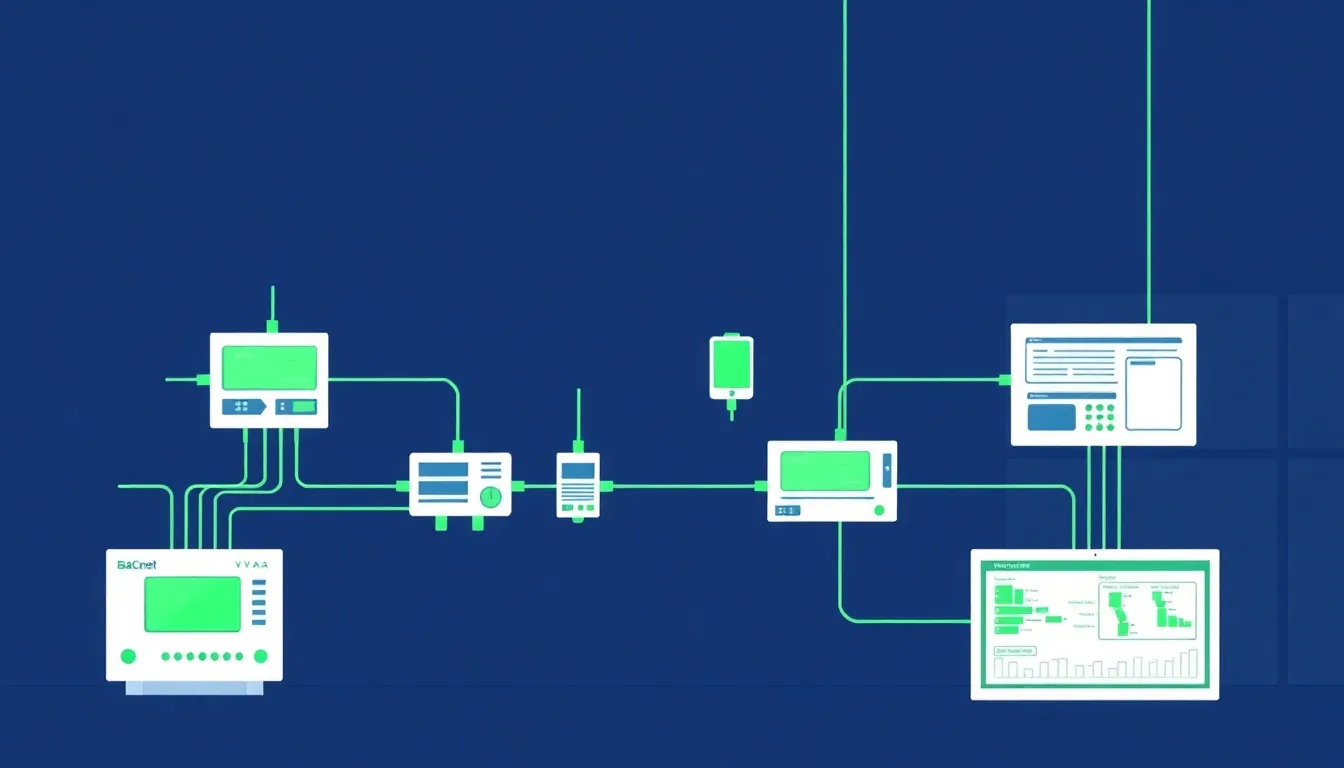
BACnet for IIoT Engineers: Object Types, COV Subscriptions, and the Building-Industrial Crossover [2026]

· 13 min read

BACnet Building Automation and IIoT Crossover

Most IIoT engineers live in the world of Modbus registers, EtherNet/IP CIP objects, and MQTT topics. BACnet — the dominant protocol in building automation — rarely appears on their radar. But as manufacturing facilities increasingly integrate HVAC, energy management, and environmental monitoring into their operational technology (OT) stacks, understanding BACnet becomes a practical necessity.

This article explains BACnet from the perspective of someone who already understands industrial protocols. If you can read a Modbus register map, you can understand BACnet's object model. The concepts map more cleanly than you might expect.

Data Normalization in IIoT: Handling Register Formats, Byte Ordering, and Scaling Factors [2026]

· 11 min read
MachineCDN Team
Industrial IoT Experts

Every IIoT engineer eventually faces the same rude awakening: you've got a perfectly good Modbus connection to a PLC, registers are responding, data is flowing — and every single value is wrong.

Not "connection refused" wrong. Not "timeout" wrong. The insidious kind of wrong where a temperature reading of 23.5°C shows up as 17,219, or a pressure value oscillates between astronomical numbers and zero for no apparent reason.

Welcome to the data normalization problem — the unsexy, unglamorous, absolutely critical layer between raw industrial registers and usable engineering data. Get it wrong, and your entire IIoT platform is built on garbage.

Data Normalization in IIoT: Handling PLC Register Formats, Byte Ordering, and Scaling Factors [2026 Guide]

· 13 min read
MachineCDN Team
Industrial IoT Experts

If you've ever stared at a raw Modbus register dump and tried to figure out why your temperature reading shows 16,838 instead of 72.5°F, this article is for you. Data normalization is the unglamorous but absolutely critical layer between industrial equipment and useful analytics — and getting it wrong means your dashboards lie, your alarms misfire, and your predictive maintenance models train on garbage.

After years of building data pipelines from PLCs across plastics, HVAC, and conveying systems, here's what we've learned about the hard parts nobody warns you about.

EtherNet/IP and CIP: A Practical Guide to Implicit vs Explicit Messaging for Plant Engineers [2026]

· 12 min read

EtherNet/IP is everywhere in North American manufacturing — from plastics auxiliary equipment to automotive assembly lines. But the protocol's layered architecture confuses even experienced controls engineers. What's the actual difference between implicit and explicit messaging? When should you use connected vs unconnected messaging? And how does CIP fit into all of it?

This guide breaks down EtherNet/IP from the wire up, with practical configuration considerations drawn from years of connecting real industrial equipment to cloud analytics platforms.

MQTT for Industrial IoT: QoS, Sparkplug B, and Broker Architecture Explained [2026]

· 15 min read

MQTT Industrial IoT Architecture

MQTT has become the dominant messaging protocol for Industrial IoT — and for good reason. It's lightweight enough to run on resource-constrained edge gateways, resilient enough to handle flaky cellular connections on remote sites, and flexible enough to carry everything from a single boolean alarm bit to a 500-tag batch payload from a production line.

But deploying MQTT in an industrial environment is fundamentally different from using it for consumer IoT. The stakes are higher, the data patterns are more complex, and getting the architecture wrong can mean lost production data or, worse, missed safety alarms.

This guide covers everything a plant engineer or controls integrator needs to know about running MQTT in production — from QoS level selection to broker architecture to the Sparkplug B specification that's finally bringing standardization to industrial MQTT payloads.

Why MQTT Won the Industrial IoT Protocol War

Before diving into the technical details, it's worth understanding why MQTT displaced so many competing approaches. Traditional industrial data collection relied on polling — a SCADA system or historian would periodically query PLCs via Modbus or OPC-DA, pulling register values on a fixed schedule.

This polling model has several problems at scale:

  • Bandwidth waste: Most register values don't change between polls. A temperature sensor reading 72.4°F doesn't need to be transmitted every second if it hasn't moved.
  • Latency on critical events: If a compressor fault fires 500ms after the last poll, you won't see it for another 500ms — or longer if the poll cycle is slow.
  • Scaling headaches: Every additional client polling the same PLC adds load. With 20 systems all querying the same controller, you're burning CPU cycles on the PLC answering redundant requests.

MQTT inverts this model. Instead of clients pulling data, edge devices publish data when it changes (or on a configurable interval), and any number of subscribers can consume that data without adding load to the source device.

The key insight that makes this work in industrial settings is change-of-value detection combined with periodic heartbeats. A well-designed edge gateway will:

  1. Read PLC tags on a fast cycle (typically 1-second intervals for critical tags)
  2. Compare each reading against the last delivered value
  3. Only publish to MQTT when a value actually changes
  4. Still publish unchanged values periodically (hourly is common) to confirm the connection is alive

This approach dramatically reduces bandwidth — often by 80-90% compared to blind periodic polling — while actually reducing latency for state changes since they're published immediately rather than waiting for the next poll window.

QoS Levels: Why QoS 1 Is Almost Always the Right Choice

MQTT defines three Quality of Service levels, and choosing the right one is critical in industrial deployments:

QoS 0 — Fire and Forget

The broker delivers the message at most once, with no acknowledgment. If the subscriber is disconnected, the message is lost.

When to use it: Almost never in industrial settings. The only exception is high-frequency telemetry where individual samples are expendable — vibration data at 1kHz, for example, where losing a few samples in a burst doesn't affect the analysis.

QoS 1 — At Least Once Delivery

The broker guarantees delivery but may deliver duplicates. The publisher sends the message, waits for a PUBACK from the broker, and retransmits if the acknowledgment doesn't arrive within a timeout.

When to use it: This is the standard for industrial IoT. It guarantees your alarm states and production data reach the broker, and the duplicate delivery risk is easily handled by idempotent processing on the subscriber side (if you receive the same batch timestamp twice, just ignore the duplicate).

In practice, the "at least once" guarantee is exactly what you need for event-driven tag data. When a PLC tag transitions from false to true — say a compressor fault alarm — you need assurance that transition reaches the cloud. QoS 1 provides that assurance with minimal overhead.

QoS 2 — Exactly Once Delivery

A four-step handshake (PUBLISH → PUBREC → PUBREL → PUBCOMP) guarantees exactly-once delivery. The overhead is significant — roughly 2x the round trips of QoS 1.

When to use it: Rarely justified in IIoT. The scenarios where duplicate delivery actually causes problems (financial transactions, one-time commands) are uncommon on the factory floor. The extra latency and bandwidth are almost never worth the guarantee.

The QoS 1 + Idempotent Subscriber Pattern

The production-proven pattern for industrial MQTT looks like this:

Edge Gateway → MQTT Broker (QoS 1) → Cloud Subscriber
↓ ↓
Publish with Deduplicate by
message ID batch timestamp +
+ retry on device serial number
no PUBACK

Your edge device publishes each batch with a timestamp and a unique device identifier. On the subscriber side, you check whether you've already processed a message with that exact timestamp from that device. If yes, discard. If no, process and store.

This gives you effectively exactly-once semantics with QoS 1 performance.

Retained Messages and Last Will: The Industrial Essentials

Two MQTT features are particularly important for industrial deployments:

Retained Messages

When a message is published with the retained flag set, the broker stores the last message on that topic and delivers it immediately to any new subscriber. This is essential for device status.

Consider the scenario: your cloud dashboard reconnects after a network outage. Without retained messages, you have no idea whether 50 devices on the factory floor are online or offline until each one publishes its next status update. With retained messages on the status topic, the dashboard gets the current state of every device the instant it subscribes.

Best practice is to publish retained messages on status/heartbeat topics, but not on telemetry topics. You don't want a new subscriber to receive a stale temperature reading from 3 hours ago as if it were current.

Last Will and Testament (LWT)

When an MQTT client connects to the broker, it can register a "last will" message — a message the broker will automatically publish if the client disconnects ungracefully (network failure, power loss, crash).

For edge gateways, the LWT should publish a status message indicating the device is offline:

{
"cmd": "status",
"status": "offline",
"ts": 0
}

Combined with periodic status heartbeats (every 60 seconds is typical), this gives you a reliable presence detection system:

  • Normal operation: Edge gateway publishes status every 60 seconds → subscribers know device is online
  • Graceful shutdown: Edge gateway publishes "offline" status before disconnecting
  • Crash/power loss: Broker publishes LWT "offline" message after keepalive timeout

The keepalive interval is critical here. Too short (under 30 seconds) and you'll get false offline detections from temporary network hiccups. Too long (over 120 seconds) and there's an unacceptable delay between device failure and detection. 60 seconds is the sweet spot for most industrial deployments.

Sparkplug B: Standardizing Industrial MQTT Payloads

The biggest challenge with raw MQTT in industrial settings has always been payload format. MQTT is transport-agnostic — it doesn't care whether you're sending JSON, binary, Protobuf, or plain text. This flexibility is a double-edged sword.

Without a standard, every integration becomes bespoke. One vendor sends JSON with camelCase keys, another uses snake_case, a third sends raw binary with a custom header format. Your cloud platform needs custom parsers for each.

Sparkplug B (now an Eclipse Foundation specification) solves this by defining:

  1. Topic namespace: spBv1.0/{group_id}/{message_type}/{edge_node_id}/{device_id}
  2. Payload format: Google Protocol Buffers (Protobuf) with a defined schema
  3. State management: Birth/death certificates, metric definitions, and state machines
  4. Data types: Boolean, integer (8/16/32/64 bit signed and unsigned), float, double, string, bytes, datetime

The Sparkplug State Machine

Sparkplug introduces a formal state machine for edge nodes and devices:

                    ┌─────────┐
Power On ──────►│ OFFLINE │
└────┬────┘
│ NBIRTH published

┌─────────┐
│ ONLINE │◄──── NDATA published
└────┬────┘ (periodic updates)

┌──────────┼──────────┐
│ │ │
Lost Conn NDEATH Broker
(LWT fires) published restart
│ │ │
▼ ▼ ▼
┌─────────┐
│ OFFLINE │──── Reconnect ────► NBIRTH
└─────────┘

The birth certificate (NBIRTH) contains the complete metric definition for the edge node — every tag name, data type, and current value. This means a new subscriber can immediately understand the full data model without any out-of-band configuration.

Why Sparkplug B Matters for Scale

If you're connecting 5 devices to a single cloud platform, the payload format barely matters. At 500 or 5,000 devices across multiple sites, standardization becomes critical.

Sparkplug's use of Protobuf also provides significant bandwidth savings over JSON. A typical 50-tag batch that might be 2-3KB in JSON compresses to 400-600 bytes in Sparkplug Protobuf format — a 4-5x reduction that matters when you're pushing data over cellular connections with per-MB pricing.

Broker Architecture for Industrial Deployments

The MQTT broker is the single most critical component in your IIoT data pipeline. Every message flows through it, and if it goes down, your entire data collection stops.

Single Broker vs. Broker Cluster

For a single-site deployment with under 100 devices, a single broker instance (Mosquitto, HiveMQ, EMQX) on a dedicated VM is sufficient. Mosquitto can comfortably handle 10,000+ concurrent connections and 50,000+ messages/second on modest hardware (2 cores, 4GB RAM).

For multi-site or high-availability deployments, you need a clustered broker:

Site A Edge Gateways ──► Local Broker ──► Cloud Broker Cluster
│ (3-node minimum)
│ │
Site B Edge Gateways ──► Local Broker ──────────► │

Cloud Subscribers
(Dashboards, Analytics,
Historians, Alerting)

The local broker pattern is important: each site runs its own MQTT broker, which bridges to the cloud cluster. This provides:

  • Store-and-forward: If the WAN connection drops, the local broker queues messages and delivers them when connectivity returns
  • Local subscribers: Site-level dashboards and alarm systems can subscribe to the local broker with sub-millisecond latency
  • Reduced WAN traffic: The local broker can aggregate and compress data before forwarding

TLS Configuration for Industrial MQTT

MQTT over TLS (port 8883) is non-negotiable for any production deployment. The configuration details matter:

  1. Certificate management: Use device-specific certificates, not shared keys. Each edge gateway should have its own client certificate signed by your CA. When a device is decommissioned, revoke its certificate without affecting the rest of the fleet.

  2. Protocol version: TLS 1.2 minimum. TLS 1.3 preferred where both client and broker support it.

  3. Certificate rotation: Plan for certificate expiry. In industrial environments, devices may run for years. Set certificate validity to 2-5 years and implement a rotation mechanism (OPC-UA has built-in certificate management; for MQTT, you'll need a custom solution or a device management platform).

  4. Token expiry monitoring: If you're using SAS tokens (common with Azure IoT Hub), monitor the expiry timestamp. An expired token means silent disconnection — your edge gateway will fail to reconnect and you won't get an error unless you're checking. Best practice: compare the token's se (expiry) timestamp against current system time on every connection attempt and log a warning when within 7 days of expiry.

Connection Resilience

Industrial networks are unreliable. Cellular connections drop, site VPNs flap, firewalls time out idle connections. Your MQTT client implementation must handle all of these gracefully:

  • Automatic reconnection: Use mosquitto_reconnect_delay_set() or equivalent to configure exponential backoff. A fixed 5-second retry is appropriate for most industrial deployments — fast enough to recover quickly but not so aggressive that it hammers the broker during extended outages.

  • Asynchronous connection: Never block the main data collection loop waiting for MQTT to connect. Run the connection process in a background thread so PLC tag reading continues even when MQTT is down. Buffer the data locally and deliver it when connectivity returns.

  • Clean session = false: Set clean_session to false (MQTT 3.1.1) or use persistent sessions (MQTT 5.0) so the broker maintains your subscription state across reconnections. This prevents missing messages during brief disconnections.

Batching: The Performance Multiplier Nobody Talks About

One of the most impactful optimizations for industrial MQTT is intelligent batching — grouping multiple tag values into a single MQTT publish rather than publishing each tag individually.

Why Batching Matters

Consider a device with 100 tags, all updating every second. Without batching, that's 100 MQTT publishes per second — 100 TCP round trips, 100 broker message handling operations, 100 subscriber deliveries.

With batching, you group all tags that changed in the same read cycle into a single message. The structure typically looks like:

{
"cmd": "data",
"ts": 1709136000,
"sn": 16842753,
"type": 1017,
"groups": [
{
"ts": 1709136000,
"values": [
[1, 0, 0, 0, [1]],
[80, 0, 0, 0, [724]],
[82, 0, 0, 0, [185]]
]
}
]
}

Each value entry carries the tag ID, status, and value(s) — compact enough that 50 tags fit in under 1KB. The result: 1 MQTT publish per second instead of 100, with identical data delivered.

Batch Size and Timeout Tuning

Two parameters control batching behavior:

  • Max batch size (bytes): The maximum payload size before the batch is flushed. 500KB is a reasonable upper limit — large enough to hold hundreds of tags but small enough to avoid memory pressure on constrained edge hardware.

  • Batch timeout (seconds): The maximum time a batch can be held open before flushing, regardless of size. This ensures low-frequency data gets delivered promptly. 5-10 seconds is typical.

The Exception: Critical Alarms

Not every tag should be batched. Safety-critical alarms — compressor faults, high-pressure switches, flow switch failures — should bypass the batch entirely and be published immediately as individual messages.

The pattern: tag your alarm points with a "do not batch" flag. When these tags change value, publish them immediately via a direct MQTT publish, bypassing the batching layer. The latency difference between a batched delivery (up to 10 seconds) and a direct publish (under 100ms) can be the difference between catching a fault early and a costly shutdown.

Binary vs. JSON Payloads: The Bandwidth Tradeoff

For industrial MQTT, you have two practical payload format choices:

JSON

  • Pros: Human-readable, easy to debug, universally parsed
  • Cons: Verbose, ~3-5x larger than binary equivalents
  • Best for: Development, debugging, small deployments, or when bandwidth isn't a concern

Binary (Custom or Protobuf)

  • Pros: Compact (often 4-5x smaller than JSON), faster to serialize/deserialize
  • Cons: Requires schema documentation, harder to debug
  • Best for: Production deployments with cellular connectivity, large tag counts, or bandwidth-constrained environments

A well-designed binary format packs each tag value into a fixed-width structure: 2 bytes for tag ID, 1 byte for status, 1 byte for type, and 2-4 bytes for the value. A 50-tag batch becomes ~300 bytes instead of 2-3KB in JSON.

The practical recommendation: start with JSON during development and commissioning (the ability to read raw payloads in a debug tool is invaluable), then switch to binary for production when bandwidth matters.

Store-and-Forward: Don't Lose Data During Outages

The most common failure mode in industrial MQTT is losing data during connectivity outages. The edge gateway reads values from PLCs, tries to publish to MQTT, fails because the broker is unreachable, and... drops the data.

A production-grade edge gateway needs a local buffer that stores data when MQTT is disconnected and delivers it in order when connectivity returns.

The buffer architecture should:

  1. Pre-allocate memory: Don't dynamically allocate during operation. Pre-allocate a fixed buffer (512KB to 8MB depending on available RAM) and divide it into fixed-size pages.
  2. Use a page-based queue: Data flows into a "work page" until it's full, then the page moves to a "ready" queue. When MQTT is connected, pages are transmitted in order.
  3. Handle overflow gracefully: When the buffer is full and new data arrives, overwrite the oldest undelivered page (not the newest). In an extended outage, you want the most recent data, not the oldest.
  4. Track delivery confirmation: Don't free a buffer page until the MQTT PUBACK confirms the broker received it. If the connection drops mid-delivery, the page stays in the queue for retry.

This architecture ensures zero data loss during outages of minutes to hours (depending on buffer size and data rate) without any disk I/O — critical for edge devices running on flash storage where write endurance is a concern.

How machineCDN Handles Industrial MQTT

machineCDN's edge infrastructure implements all of the patterns described above. The edge gateway handles multi-protocol tag reading (Modbus RTU, Modbus TCP, EtherNet/IP), intelligent batching with change-of-value detection, and resilient MQTT delivery with a page-based store-and-forward buffer.

The platform supports both JSON and binary payload formats, configurable per device. Critical alarm tags can be flagged for immediate delivery, bypassing the batch. And the MQTT connection layer handles automatic reconnection with proper keepalive management — including SAS token expiry monitoring for Azure IoT Hub deployments.

For teams deploying MQTT in industrial environments, the combination of protocol-native tag reading and production-grade MQTT delivery eliminates the most common integration pitfalls — and lets engineers focus on the process data rather than the plumbing.

Key Takeaways

  1. Use QoS 1 with idempotent subscribers — it's the right balance for industrial data
  2. Implement change-of-value detection at the edge to reduce bandwidth by 80-90%
  3. Batch tag values into single publishes, but bypass the batch for critical alarms
  4. Build a store-and-forward buffer that pre-allocates memory and tracks delivery confirmation
  5. Use TLS with device-specific certificates — shared keys are a security liability at scale
  6. Deploy local brokers at each site to provide resilience and local subscriptions
  7. Consider Sparkplug B if you're connecting devices from multiple vendors or scaling past 100 endpoints
  8. Monitor connection health actively — check keepalive timers, token expiry, and buffer utilization

MQTT is not just a protocol choice — it's an architecture decision. Get the broker topology, QoS level, and buffering strategy right, and you'll have a data pipeline that's resilient enough for real industrial operations.

Best OPC UA Data Platforms 2026: Connecting Industrial Equipment to Modern Analytics

· 8 min read
MachineCDN Team
Industrial IoT Experts

OPC UA has become the de facto standard for industrial data interoperability, but choosing a platform that actually handles OPC UA data well — from edge collection to cloud analytics — remains one of the most confusing decisions in manufacturing IT. Most platforms claim OPC UA support. Far fewer deliver seamless, production-ready implementations that manufacturing engineers can deploy without a six-month integration project.

OPC-UA Information Modeling for IIoT: Beyond Simple Tag Reads [2026 Guide]

· 10 min read

OPC-UA Information Modeling Architecture

If you've spent any time polling PLC tags over EtherNet/IP or reading Modbus registers, you've felt the pain: flat address spaces, no self-description, and zero standardized semantics. Register 40001 on one chiller means something completely different on another vendor's dryer. You end up maintaining sprawling JSON configuration files that map register addresses to human-readable names, data types, element counts, and polling intervals — for every single device variant.

OPC-UA was designed to solve exactly this problem. But most guides treat it as an abstract specification. This article breaks down what actually matters when you're building industrial IoT infrastructure that needs to talk to real equipment.