Binary Telemetry Encoding for IIoT: Why JSON Is Killing Your Bandwidth [2026]

· 11 min read

If you're sending PLC tag values as JSON from edge gateways to the cloud, you're wasting 80–90% of your bandwidth. On a cellular-connected factory floor with dozens of machines, that's the difference between a $50/month data plan and a $500/month one — and the difference between sub-second telemetry and multi-second lag.

This guide breaks down binary telemetry encoding: how to pack industrial data efficiently at the edge, preserve type fidelity across the wire, and design batch grouping strategies that survive unreliable networks.

Binary telemetry encoding for IIoT edge devices

Condition-Based Monitoring vs Predictive Maintenance: What's the Difference and Which Do You Need?

· 10 min read
MachineCDN Team
Industrial IoT Experts

The terms "condition-based monitoring" (CBM) and "predictive maintenance" (PdM) get thrown around interchangeably in the IIoT world, and that confusion costs manufacturers real money. They're related — PdM is essentially the evolution of CBM — but they're not the same thing, and understanding the difference changes how you implement your maintenance strategy.

Best Downtime Tracking Software for Manufacturing in 2026: Stop Losing $260K Per Hour

· 9 min read
MachineCDN Team
Industrial IoT Experts

The average manufacturer loses $260,000 per hour of unplanned downtime. That number comes from Aberdeen Group research, and it hasn't gotten better — if anything, the cost per hour has increased as production lines become more automated and interdependent. Yet most plants still track downtime with clipboards, Excel spreadsheets, and the occasional SCADA alarm log.

Best Energy Monitoring Software for Manufacturing in 2026: Track Consumption, Cut Costs, Hit ESG Targets

· 10 min read
MachineCDN Team
Industrial IoT Experts

Energy costs are the second-largest operating expense for most manufacturers — right behind labor. In 2026, with industrial electricity rates rising 4–8% annually across most markets and ESG reporting requirements tightening, the ability to monitor energy consumption at the machine level has shifted from "nice-to-have" to "operationally critical."

IIoT for Chemical Manufacturing: How to Monitor Reactors, Distillation Columns, and Process Equipment in Real Time

· 9 min read
MachineCDN Team
Industrial IoT Experts

Chemical manufacturing is one of the most complex — and highest-stakes — environments for industrial IoT deployment. A pharmaceutical plant or specialty chemical facility runs continuous processes where temperature deviations of 2°C, pressure spikes of 5 PSI, or flow rate fluctuations of 0.5 GPM can mean the difference between a quality product and a batch rejection worth $100,000 or more.

IIoT for Metals and Steel Manufacturing: How to Monitor Furnaces, Rolling Mills, and Casting Operations in Real Time

· 9 min read
MachineCDN Team
Industrial IoT Experts

Metals and steel manufacturing operates at extremes that few other industries match. Electric arc furnaces hit 3,000°F. Rolling mills apply thousands of tons of force. Casting operations pour molten metal at speeds where a 10-second process deviation scraps an entire heat worth $50,000–$500,000.

Intelligent Polling Strategies for Industrial PLCs: Beyond Fixed-Interval Reads [2026]

· 14 min read
MachineCDN Team
Industrial IoT Experts

If you've ever watched a gateway hammer a PLC with fixed 100ms polls across 200+ tags — while 90% of those values haven't changed since the shift started — you've seen the most common mistake in industrial data acquisition.

Naive polling wastes bus bandwidth, increases response times for the tags that actually matter, and can destabilize older PLCs that weren't designed for the throughput demands of modern IIoT platforms. But the alternative isn't obvious. How do you poll "smart"?

This guide covers the polling strategies that separate production-grade IIoT systems from prototypes: change-of-value detection, register grouping, dependent tag chains, and interval-aware scheduling. We'll look at concrete timing numbers, Modbus and EtherNet/IP specifics, and the failure modes you'll hit in real plants.

MachineMetrics Pricing in 2026: What Does MachineMetrics Actually Cost?

· 8 min read
MachineCDN Team
Industrial IoT Experts

If you've been evaluating CNC monitoring platforms, MachineMetrics has probably come up. They've carved out a niche in discrete manufacturing — particularly in CNC machine shops — with a platform that promises real-time production visibility and predictive analytics. But when it comes to actually pricing the thing, you'll find that MachineMetrics makes it surprisingly difficult to get a straight answer.

Contiguous Modbus Register Reads: How to Optimize PLC Polling for Maximum Throughput [2026]

· 12 min read

If you're polling a PLC with Modbus and reading one register at a time, you're wasting 80% of your bus time on protocol overhead. Every Modbus transaction carries a fixed cost — framing bytes, CRC calculations, response timeouts, and turnaround delays — regardless of whether you're reading 1 register or 120. The math is brutal: reading 60 holding registers individually means 60 request/response cycles. Coalescing them into a single read means one cycle that returns all 60 values.

This article breaks down the mechanics of contiguous register optimization, shows you exactly how to implement it, and explains why it's the single highest-impact change you can make to your IIoT data collection architecture.

Modbus register optimization

The Hidden Cost of Naive Polling

Let's do the math on a typical Modbus RTU link at 9600 baud.

A single Modbus RTU read request (function code 03) for one holding register looks like this:

FieldBytes
Slave Address1
Function Code1
Starting Address2
Quantity of Registers2
CRC2
Request Total8

The response for a single register:

FieldBytes
Slave Address1
Function Code1
Byte Count1
Register Value2
CRC2
Response Total7

That's 15 bytes on the wire for 2 bytes of actual data — 13.3% payload efficiency.

Now add the silent interval between frames. Modbus RTU requires a minimum 3.5-character gap (roughly 4ms at 9600 baud) between transactions. Plus a typical slave response time of 5–50ms. For a conservative 20ms response delay:

  • Wire time per transaction: ~15.6ms (15 bytes × 1.04ms/byte at 9600 baud)
  • Turnaround + gap: ~24ms
  • Total per register: ~39.6ms
  • 60 registers individually: ~2,376ms (2.4 seconds!)

Now, reading those same 60 registers in one contiguous block:

  • Request: 8 bytes (unchanged)
  • Response: 1 + 1 + 1 + 120 + 2 = 125 bytes
  • Wire time: ~138.5ms
  • One turnaround: ~24ms
  • Total: ~162.5ms

That's 14.6x faster for the same data. On a serial bus where you might have multiple slave devices and hundreds of tags, this is the difference between a 1-second polling cycle and a 15-second one.

Understanding Modbus Address Spaces

Before you can coalesce reads, you need to understand that Modbus defines four distinct address spaces, each requiring a different function code:

Address RangeRegister TypeFunction CodeRead Operation
0–65,535Coils (discrete outputs)FC 01Read Coils
100,001–165,536Discrete InputsFC 02Read Discrete Inputs
300,001–365,536Input Registers (16-bit, read-only)FC 04Read Input Registers
400,001–465,536Holding Registers (16-bit, read/write)FC 03Read Holding Registers

Critical rule: you cannot coalesce reads across function codes. A request using FC 03 (holding registers) cannot include addresses that belong to FC 04 (input registers). They're physically different memory areas in the PLC. Any optimization algorithm must first partition tags by their function code, then optimize within each partition.

The address encoding convention (where 400001 maps to holding register 0) is a common source of bugs. When you see address 404002 in a tag configuration, the leading 4 indicates holding registers (FC 03), and the actual Modbus address sent on the wire is 4002. Your coalescing logic needs to strip the prefix for wire protocol but keep it for function code selection.

The Coalescing Algorithm

The core idea is simple: sort tags by address within each function code group, then merge adjacent tags into single read operations. Here's the logic:

Step 1: Sort Tags by Address

Your tag list must be ordered by Modbus address. If tags arrive in arbitrary order (as they typically do from configuration files), sort them first. This is a one-time cost at startup.

Tag: "Delivery Temp"    addr: 404002  type: float  ecount: 2
Tag: "Mold Temp" addr: 404004 type: float ecount: 2
Tag: "Return Temp" addr: 404006 type: float ecount: 2
Tag: "Flow Value" addr: 404008 type: float ecount: 2
Tag: "System Standby" addr: 404010 type: float ecount: 2

All five tags use FC 03 (holding registers). Their addresses are contiguous: 4002, 4004, 4006, 4008, 4010. Each occupies 2 registers (32-bit float = 2 × 16-bit registers).

Step 2: Walk the Sorted List and Build Read Groups

Starting from the first tag, accumulate subsequent tags into the same group as long as:

  1. Same function code — The address prefix maps to the same Modbus command
  2. Contiguous addresses — The next tag's address equals the current head address plus accumulated register count
  3. Same polling interval — Tags with different intervals should be in separate groups (a 1-second tag shouldn't force a 60-second tag to be read every second)
  4. Register count limit — Modbus protocol limits a single read to 125 registers (for FC 03/04) or 2000 coils (for FC 01/02). In practice, keeping it under 50–120 registers per read improves reliability on noisy links

When any condition fails, finalize the current group, issue the read, and start a new group with the current tag as head.

Step 3: Dispatch the Coalesced Read

For our five temperature tags:

Single coalesced read:
Function Code: 03
Starting Address: 4002
Quantity: 10 registers (5 tags × 2 registers each)

One transaction returns all 10 registers. The response buffer contains the raw bytes in order — you then walk through the buffer, extracting values according to each tag's type and element count.

Step 4: Unpack Values from the Response Buffer

This is where data types matter. The response is a flat array of 16-bit words. For each tag in the group, you consume the correct number of words:

  • uint16/int16: 1 word, direct assignment
  • uint32/int32: 2 words, combine as (word[1] << 16) | word[0] (check your PLC's byte order!)
  • float32: 2 words, requires IEEE 754 reconstruction — modbus_get_float() in libmodbus or manual byte swapping
  • bool/int8/uint8: 1 word, mask with & 0xFF
Response buffer: [w0, w1, w2, w3, w4, w5, w6, w7, w8, w9]
|-------| |-------| |-------| |-------| |-------|
Tag 0 Tag 1 Tag 2 Tag 3 Tag 4
float float float float float

Handling Gaps in the Address Space

Real-world tag configurations rarely have perfectly contiguous addresses. You'll encounter gaps:

Tag A: addr 404000, ecount 2
Tag B: addr 404004, ecount 2 ← gap of 2 registers at 404002
Tag C: addr 404006, ecount 2

You have two choices:

  1. Read through the gap — Issue one read from 4000 to 4007 (8 registers), and simply ignore the 2 garbage registers at offset 2–3. This is usually optimal if the gap is small (< 10 registers). The cost of reading extra registers is almost zero.

  2. Split into separate reads — If the gap is large (say, 50+ registers), two smaller reads are more efficient than one bloated read full of data you'll discard.

A good heuristic: if the gap is less than the per-transaction overhead expressed in registers, read through it. At 9600 baud, a transaction costs ~24ms of overhead, equivalent to reading about 12 extra registers. So gaps under 12 registers should be read through.

Handling Mixed Polling Intervals

Not all tags need the same update rate. Temperature setpoints might only need reading every 60 seconds, while pump status flags need 1-second updates. Your coalescing algorithm must handle this.

The approach: partition by interval before coalescing by address. Tags with interval: 1 form one pool, tags with interval: 60 form another. Within each pool, apply address-based coalescing normally.

During each polling cycle, check whether enough time has elapsed since a tag's last read. If a tag isn't due for reading, skip it — but this means breaking the contiguous chain:

Cycle at T=30s:
Tag A (interval: 1s) → READ addr: 404000
Tag B (interval: 60s) → SKIP addr: 404002 ← breaks contiguity
Tag C (interval: 1s) → READ addr: 404004

Tags A and C can't be coalesced because Tag B sits between them and isn't being read. The algorithm must detect the break and issue two separate reads.

Optimization: If Tag B is cheap to read (1–2 registers), consider reading it anyway and discarding the result. The overhead of an extra 2 registers in a contiguous block is far less than the overhead of a separate transaction.

Modbus RTU vs TCP: Different Optimization Priorities

Modbus RTU (Serial)

  • Bottleneck: Baud rate and turnaround time
  • Priority: Minimize transaction count at all costs
  • Flush between reads: Always flush the serial buffer before starting a new poll cycle to clear any stale or corrupted data
  • Retry logic: Implement 2–3 retries per read with short delays — serial links are noisy, but a retry is still cheaper than dropping data
  • Response timeout: Configure carefully. Too short (< 50ms) causes false timeouts; too long (> 500ms) kills throughput. 100–200ms is typical for most PLCs
  • Byte/character timeout: Set to ~5ms at 9600 baud. This detects mid-frame breaks

Modbus TCP

  • Bottleneck: Connection management, not bandwidth
  • Priority: Keep connection alive and reuse it
  • Connection recovery: Detect ETIMEDOUT, ECONNRESET, ECONNREFUSED, EPIPE, and EBADF — these all mean the connection is dead and needs reconnecting
  • No inter-frame gaps: TCP handles framing, so back-to-back transactions are fine
  • Default port: 502, but some PLCs use non-standard ports — make this configurable

Real-World Configuration Example

Here's a practical tag configuration for a temperature control unit using Modbus RTU, with 32 holding registers read as IEEE 754 floats:

{
"protocol": "modbus-rtu",
"batch_timeout": 60,
"link": {
"port": "/dev/rs232",
"base_addr": 1,
"baud": 9600,
"parity": "N",
"data_bits": 8,
"stop_bits": 2,
"byte_timeout_ms": 5,
"response_timeout_ms": 200
},
"tags": [
{"name": "Delivery Temp", "addr": 404002, "type": "float", "ecount": 2, "interval": 60},
{"name": "Mold Temp", "addr": 404004, "type": "float", "ecount": 2, "interval": 60},
{"name": "Return Temp", "addr": 404006, "type": "float", "ecount": 2, "interval": 60},
{"name": "Flow Value", "addr": 404008, "type": "float", "ecount": 2, "interval": 60},
{"name": "Heater Output %", "addr": 404054, "type": "float", "ecount": 2, "interval": 60},
{"name": "Cooling Output %", "addr": 404056, "type": "float", "ecount": 2, "interval": 60},
{"name": "Pump Status", "addr": 404058, "type": "float", "ecount": 2, "interval": 1, "immediate": true},
{"name": "Heater Status", "addr": 404060, "type": "float", "ecount": 2, "interval": 1, "immediate": true},
{"name": "Vent Status", "addr": 404062, "type": "float", "ecount": 2, "interval": 1, "immediate": true}
]
}

The coalescing algorithm would produce:

  • Group 1 (interval: 60s): Read 404002–404009 → 4 tags, 8 registers, one read
  • Group 2 (interval: 60s): Read 404054–404057 → 2 tags, 4 registers, one read (non-contiguous with Group 1, separate read)
  • Group 3 (interval: 1s): Read 404058–404063 → 3 tags, 6 registers, one read

Three transactions instead of nine. At 9600 baud, that saves ~240ms per polling cycle — which adds up to minutes of saved bus time per hour.

Common Pitfalls

1. Ignoring Element Count

A float tag occupies 2 registers, not 1. If your coalescing logic treats every tag as 1 register, your contiguity check will be wrong and you'll read corrupt data. Always use addr + elem_count when calculating the next expected address.

2. Byte Order Confusion

Different PLCs use different byte orders for 32-bit values. Some use big-endian word order (ABCD), others use little-endian (DCBA), and some use mid-endian (BADC or CDAB). If your float values come back as NaN or astronomically wrong numbers, byte order is almost certainly the issue. Test with a known value (like a temperature setpoint you can verify on the HMI) and adjust.

3. Not Handling Read Failures Gracefully

When a coalesced read fails, the entire group fails. Don't panic — just flush the serial buffer, log the error, and retry up to 3 times. If the error is a connection-level failure (timeout, connection reset), close and reopen the Modbus context rather than hammering a dead link.

4. Exceeding the Register Limit

The Modbus specification allows up to 125 registers per read (FC 03/04) and 2000 coils (FC 01/02). In practice, many PLCs choke at lower limits — some only handle 50–60 registers per request reliably. Cap your coalesced read size at a conservative number (50 is safe for virtually all PLCs) and test with your specific hardware.

5. Mixing Immediate and Batched Tags

Some tags (like alarm states, emergency stops, or pump status changes) need to be sent to the cloud immediately — not held in a batch for 60 seconds. These "do not batch" tags should be delivered to the MQTT layer as soon as they're read, bypassing the batching pipeline. But they can still participate in coalesced reads; the immediate/batched distinction is about delivery, not reading.

How machineCDN Handles This

The machineCDN edge daemon implements all of these optimizations natively. Tags are automatically sorted by address at configuration load time, coalesced into contiguous read groups respecting function code boundaries and interval constraints, and read with retry logic tuned for industrial serial links. Both Modbus RTU and Modbus TCP are supported with automatic protocol detection — the daemon probes the PLC at startup to determine the device type, serial number, and communication protocol before configuring the polling loop.

The result: a single edge gateway on a Teltonika RUT9 industrial router can poll hundreds of tags from multiple devices with sub-second cycle times, even on 9600 baud serial links.

Conclusion

Contiguous register optimization is not optional for production IIoT deployments. The performance difference between naive per-register polling and properly coalesced reads is an order of magnitude. The algorithm is straightforward — sort by address, group by function code and interval, cap at the register limit, and handle gaps intelligently. Get this right, and your serial bus goes from bottleneck to barely loaded.

The tags are just data points. How you read them determines whether your IIoT system is a science project or production infrastructure.

MQTT Broker Architecture for Industrial Deployments: Clustering, Persistence, and High Availability [2026]

· 11 min read

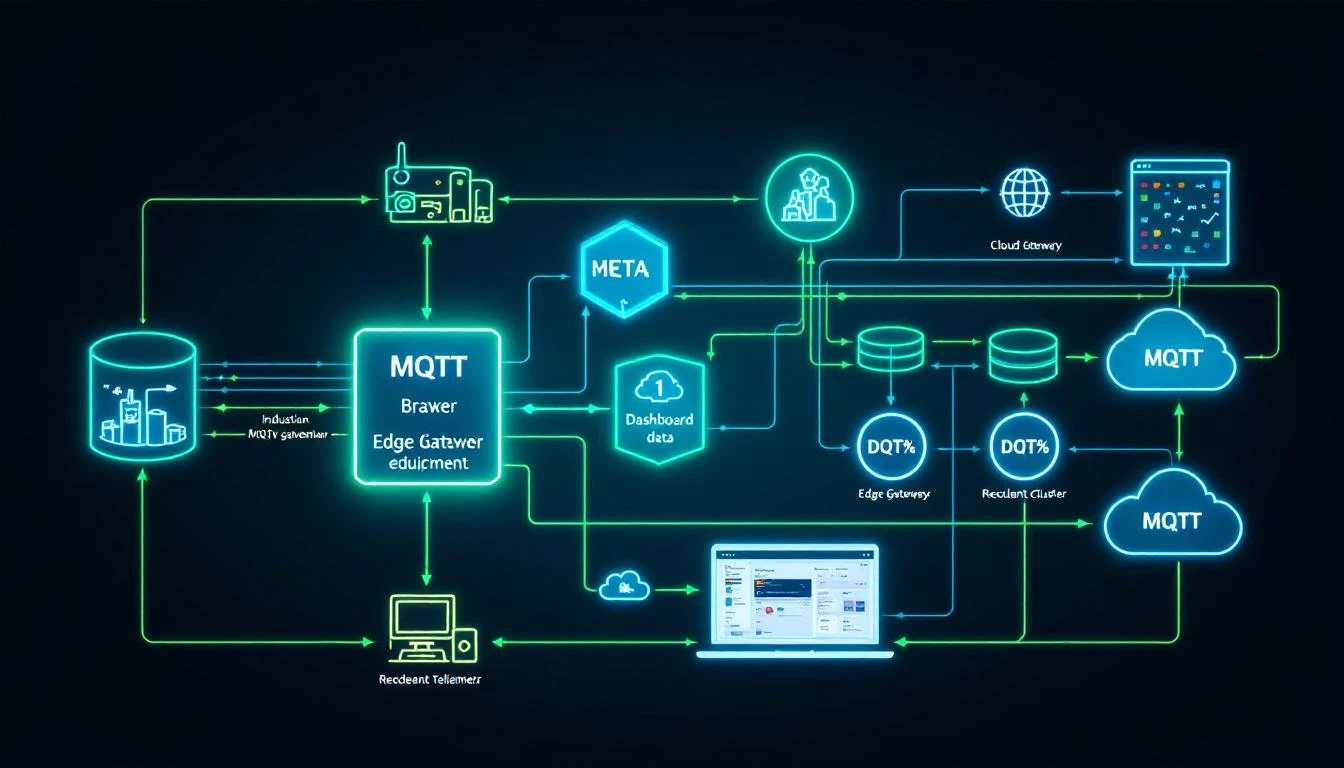
MQTT Broker Architecture

Every IIoT tutorial makes MQTT look simple: connect, subscribe, publish. Three calls and you're streaming telemetry. What those tutorials don't tell you is what happens when your broker goes down at 2 AM, your edge gateway's cellular connection drops for 40 minutes, or your plant generates 50,000 messages per second and you need every single one to reach the historian.

Industrial MQTT isn't a protocol problem. It's an architecture problem. The protocol itself is elegant and well-specified. The hard part is designing the broker infrastructure — clustering, persistence, session management, and failover — so that zero messages are lost when (not if) something fails.

This article is for engineers who've gotten past "hello world" and need to build MQTT infrastructure that meets manufacturing reliability requirements. We'll cover the internal mechanics that matter, the failure modes you'll actually hit, and the architecture patterns that work at scale.

How MQTT Brokers Actually Handle Messages

Before discussing architecture, let's nail down what the broker is actually doing internally. This understanding is critical for sizing, troubleshooting, and making sensible design choices.

The Session State Machine

When a client connects with CleanSession=false (MQTT 3.1.1) or CleanStart=false with a non-zero SessionExpiryInterval (MQTT 5.0), the broker creates a persistent session bound to the client ID. This session maintains:

  • The set of subscriptions (topic filters + QoS levels)
  • QoS 1 and QoS 2 messages queued while the client is offline
  • In-flight QoS 2 message state (PUBLISH received, PUBREC sent, waiting for PUBREL)
  • The packet identifier namespace

This is the mechanism that makes MQTT suitable for unreliable networks — and it's the mechanism that will eat your broker's memory and disk if you don't manage it carefully.

Message Flow at QoS 1

Most industrial deployments use QoS 1 (at least once delivery). Here's what actually happens inside the broker:

  1. Publisher sends PUBLISH with QoS 1 and a packet identifier
  2. Broker receives the message and must:
    • Match the topic against all active subscription filters
    • For each matching subscription, enqueue the message
    • For connected subscribers with matching QoS, deliver immediately
    • For disconnected subscribers with persistent sessions, store in the session queue
    • Persist the message to disk (if persistence is enabled) before acknowledging
  3. Broker sends PUBACK to the publisher — only after all storage operations complete
  4. For each connected subscriber, broker sends PUBLISH and waits for PUBACK
  5. If PUBACK isn't received, broker retransmits on reconnection

The critical detail: step 3 is the durability guarantee. If the broker crashes between receiving the PUBLISH and sending the PUBACK, the publisher will retransmit. If the broker crashes after PUBACK but before delivering to all subscribers, the message must survive the crash — which means it must be on disk.

QoS 2: The Four-Phase Handshake

QoS 2 (exactly once) uses a four-message handshake: PUBLISH → PUBREC → PUBREL → PUBCOMP. The broker must maintain state for each in-flight QoS 2 transaction. In industrial settings, this is occasionally used for critical state changes (machine start/stop commands, recipe downloads) where duplicate delivery would cause real damage.

The operational cost: each QoS 2 message requires 4x the network round trips of QoS 0, and the broker must maintain per-message transaction state. For high-frequency telemetry, this is almost never worth the overhead. QoS 1 with application-level deduplication (using message timestamps or sequence numbers) is the standard industrial approach.

Broker Persistence: What Gets Stored and Where

In-Memory vs Disk-Backed

A broker with no persistence is a broker that loses messages on restart. Period. For development and testing, in-memory operation is fine. For production industrial deployments, you need disk-backed persistence.

What needs to be persisted:

DataPurposeStorage Impact
Retained messagesLast-known-good value per topicGrows with topic count
Session stateOffline subscriber queuesGrows with offline duration × message rate
Inflight messagesQoS 1/2 messages awaiting acknowledgmentUsually small, bounded by max_inflight
Will messagesLast-will-and-testament per clientOne per connected client

The session queue is where most storage problems originate. Consider: an edge gateway publishes 100 tags at 1-second intervals. Each message is ~200 bytes. If the cloud subscriber goes offline for 1 hour, that's 360,000 messages × 200 bytes = ~72 MB queued for that single client. Now multiply by 50 gateways across a plant.

Practical Queue Management

Every production broker deployment needs queue limits:

  • Maximum queue depth — Cap the number of messages per session queue. When the queue is full, either drop the oldest message (most common for telemetry) or reject new publishes (appropriate for control messages).
  • Maximum queue size in bytes — A secondary safeguard when message sizes vary.
  • Message expiry — MQTT 5.0 supports per-message expiry intervals. For telemetry data, 1-hour expiry is typical — a temperature reading from 3 hours ago has no operational value.

A well-configured broker with 4 GB of RAM can handle approximately:

  • 100,000 active sessions
  • 500,000 subscriptions
  • 10,000 messages/second throughput
  • 50 MB of retained messages

These are ballpark figures that vary enormously with message size, topic tree depth, and subscription overlap. Always benchmark with your actual traffic profile.

Clustering: Why and How

A single broker is a single point of failure. For industrial deployments where telemetry loss means blind spots in production monitoring, you need broker clustering.

Active-Active vs Active-Passive

Active-passive (warm standby): One broker handles all traffic. A secondary broker synchronizes state and takes over on failure. Failover time: typically 5-30 seconds depending on detection mechanism.

Active-active (load sharing): Multiple brokers share the client load. Messages published to any broker are replicated to subscribers on other brokers. This provides both high availability and horizontal scalability.

The Shared Subscription Problem

In a clustered setup, if three subscribers share a subscription (e.g., three historian instances for redundancy), each message should be delivered to exactly one of them — not all three. MQTT 5.0's shared subscriptions ($share/group/topic) handle this, distributing messages round-robin among group members.

Without shared subscriptions, each historian instance receives every message, tripling your write load. This is one of the strongest arguments for MQTT 5.0 over 3.1.1 in industrial architectures.

Message Ordering Guarantees

MQTT guarantees message ordering per publisher, per topic, per QoS level. In a clustered broker, maintaining this guarantee across brokers requires careful replication design. Most broker clusters provide:

  • Strong ordering for messages within a single broker node
  • Eventual ordering for messages replicated across nodes (typically < 100ms delay)

For industrial telemetry where timestamps are embedded in the payload, eventual ordering is almost always acceptable. For control messages where sequencing matters, route the publisher and subscriber to the same broker node.

Designing the Edge-to-Cloud Pipeline

The most common industrial MQTT architecture has three layers:

Layer 1: Edge Broker (On-Premises)

Runs on the edge gateway or a local server within the plant network. Responsibilities:

  • Local subscribers — HMI panels, local alarm engines, historian
  • Store-and-forward buffer — Queues messages when cloud connectivity is lost
  • Protocol translation — Accepts data from Modbus/EtherNet/IP collectors and publishes to MQTT
  • Data reduction — Filters unchanged values, aggregates high-frequency data

The edge broker must run on reliable storage (SSD, not SD card) because it's your buffer against network outages. Size the storage for your worst-case outage duration:

Storage needed = (messages/sec) × (avg message size) × (max outage seconds)

Example: 500 msg/s × 200 bytes × 3600 sec = 360 MB per hour of outage

Layer 2: Bridge to Cloud

The edge broker bridges selected topics to a cloud-hosted broker or IoT hub. Key configuration decisions:

  • Bridge QoS — Use QoS 1 for the bridge connection. QoS 0 means any TCP reset loses messages in transit. QoS 2 adds overhead with minimal benefit since telemetry is naturally idempotent.
  • Topic remapping — Prefix bridged topics with a plant/location identifier. A local topic machines/chiller-01/temperature becomes plant-detroit/machines/chiller-01/temperature in the cloud.
  • Bandwidth throttling — Limit the bridge's publish rate to avoid saturating the WAN link. If local collection runs at 500 msg/s but your link can sustain 200 msg/s, the edge broker must buffer or aggregate the difference.

Layer 3: Cloud Broker Cluster

Receives bridged data from all plants. Serves cloud-hosted consumers: analytics pipelines, dashboards, ML training jobs. This layer typically uses a managed service (Azure IoT Hub, AWS IoT Core, HiveMQ Cloud) or a self-hosted cluster.

Key sizing for cloud brokers:

  • Concurrent connections — One per edge gateway, plus cloud consumers
  • Message throughput — Sum of all edge bridge rates
  • Retention — Typically short (minutes to hours). Long-term storage is the historian's job.

Connection Management: The Details That Bite You

Keep-Alive and Half-Open Connections

MQTT's keep-alive mechanism is your primary tool for detecting dead connections. When a client sets keepAlive=60, it must send a PINGREQ within 60 seconds if no other packets are sent. The broker will close the connection after 1.5× the keep-alive interval with no activity.

In industrial environments, be aware of:

  • NAT timeouts — Many firewalls and NAT devices close idle TCP connections after 30-120 seconds. Set keep-alive below your NAT timeout.
  • Cellular networks — 4G/5G connections can silently disconnect. A keep-alive of 30 seconds is aggressive but appropriate for cellular gateways.
  • Half-open connections — The TCP connection is dead but neither side has detected it. Until keep-alive expires, the broker maintains the session and queues messages that will never be delivered. This is why aggressive keep-alive matters.

Last Will and Testament for Device Health

Configure every edge gateway with a Last Will and Testament (LWT):

Topic: devices/{device-id}/status
Payload: {"status": "offline", "timestamp": 1709251200}
QoS: 1
Retain: true

On clean connection, publish a retained "online" message to the same topic. Now any subscriber can check device status by reading the retained message on the status topic. If the device disconnects uncleanly (network failure, power loss), the broker publishes the LWT automatically.

This pattern provides a real-time device health map across your entire fleet without any polling or heartbeat logic in your application.

Authentication and Authorization at Scale

Certificate-Based Authentication

For fleets of 100+ edge gateways, username/password authentication becomes an operational burden. Certificate-based TLS client authentication scales better:

  • Issue each gateway a unique X.509 certificate from your PKI
  • Configure the broker to extract the client identity from the certificate's Common Name (CN) or Subject Alternative Name (SAN)
  • Revoke compromised devices by updating the Certificate Revocation List (CRL) — no password rotation needed

Topic-Level Authorization

Not every device should publish to every topic. A well-designed ACL (Access Control List) restricts:

  • Each gateway can only publish to plants/{plant-id}/devices/{device-id}/#
  • Each gateway can only subscribe to plants/{plant-id}/devices/{device-id}/commands/#
  • Cloud services can subscribe to plants/+/devices/+/# (wildcard across all plants)
  • No device can subscribe to another device's command topics

This contains the blast radius of a compromised device. It can only pollute its own data stream, not inject false data into other devices' telemetry.

Monitoring Your Broker: The Metrics That Matter

$SYS Topics

Most MQTT brokers expose internal metrics via $SYS/ topics:

  • $SYS/broker/messages/received — Total messages received (track rate, not absolute)
  • $SYS/broker/clients/connected — Current connected client count
  • $SYS/broker/subscriptions/count — Active subscription count
  • $SYS/broker/retained/messages/count — Retained message store size
  • $SYS/broker/heap/current — Memory usage

Operational Alerts

Set alerts for:

  • Connected client count drops > 10% in 5 minutes → possible network issue
  • Message rate drops > 50% vs rolling average → possible edge gateway failure
  • Heap usage > 80% of available → approaching memory limit, check session queue sizes
  • Subscription count anomaly → possible subscription leak (client reconnecting without cleaning up)

Where machineCDN Fits

All of this broker infrastructure complexity is why industrial IIoT platforms exist. machineCDN's edge software handles the protocol collection layer (Modbus, EtherNet/IP, and more), implements the store-and-forward buffering that keeps data safe during connectivity gaps, and manages the secure delivery pipeline to cloud infrastructure. The goal is to let plant engineers focus on what the data means rather than how to transport it reliably.

Whether you build your own MQTT infrastructure or use a managed platform, the principles in this article apply. Understand your persistence requirements, size your queues for realistic outage durations, and test failover before you need it in production. The protocol is simple. The architecture is where the engineering happens.

Quick Reference: Broker Sizing Calculator

Plant SizeEdge GatewaysTags/GatewayMsgs/sec (total)Min Broker RAMStorage (1hr buffer)
Small10505001 GB360 MB
Medium501005,0004 GB3.6 GB
Large20020040,00016 GB28.8 GB
Enterprise500+500250,00064 GB+180 GB+

These assume 200-byte average message size, QoS 1, and 1-second publishing intervals per tag. Your mileage will vary — always benchmark with representative traffic.