187 posts tagged with "Industrial IoT"

Industrial Internet of Things insights and best practices

View All Tags

Binary vs JSON Payloads for Industrial MQTT Telemetry: Bandwidth, Encoding Strategies, and When Each Wins [2026]

· 14 min read

Every IIoT platform faces the same fundamental design decision for machine telemetry: do you encode data as human-readable JSON, or pack it into a compact binary format?

The answer affects bandwidth consumption, edge buffer capacity, parsing performance, debugging experience, and how well your system degrades under constrained connectivity. Despite what vendor marketing suggests, neither format universally wins. The engineering tradeoffs are real, and the right choice depends on your deployment constraints.

This article breaks down both approaches with the depth that plant engineers and IIoT architects need to make an informed decision.

How to Set Up OPC UA Connectivity for Legacy Manufacturing Equipment

· 12 min read
MachineCDN Team
Industrial IoT Experts

Your factory runs on equipment that was installed before the iPhone existed. The PLCs controlling your injection molders speak Modbus RTU. Your CNC machines communicate via Ethernet/IP. That packaging line from 2004? It has a proprietary serial protocol that only one retired engineer understood.

Welcome to the reality of brownfield manufacturing — where 85% of installed equipment predates modern IIoT connectivity standards, and replacing it would cost millions you don't have.

The good news: OPC UA (Open Platform Communications Unified Architecture) was designed to solve exactly this problem. The bad news: most guides skip the messy details of actually connecting equipment that wasn't designed to be connected.

This guide covers what actually works on real factory floors — not in vendor demo environments.

OPC-UA Pub/Sub Over TSN: Building Deterministic Industrial Networks [2026 Guide]

· 12 min read

OPC-UA Pub/Sub over TSN architecture

The traditional OPC-UA client/server model has served manufacturing well for decades of SCADA modernization. But as factories push toward converged IT/OT networks — where machine telemetry, MES transactions, and enterprise ERP traffic share the same Ethernet fabric — the client/server polling model starts to buckle under latency requirements that demand microsecond-level determinism.

OPC-UA Pub/Sub over TSN solves this by decoupling data producers from consumers entirely, while TSN's IEEE 802.1 extensions guarantee bounded latency delivery. This guide breaks down how these technologies work together, the pitfalls of real-world deployment, and the configuration patterns that actually work on production floors.

Why Client/Server Breaks Down at Scale

In a typical OPC-UA client/server deployment, every consumer opens a session to every producer. A plant with 50 machines and 10 data consumers (HMIs, historians, analytics engines, edge gateways) generates 500 active sessions. Each session carries its own subscription, and the server must serialize, authenticate, and deliver data to each client independently.

The math gets brutal quickly:

  • 50 machines × 200 tags each = 10,000 data points
  • 10 consumers polling at 1-second intervals = 100,000 read operations per second
  • Session overhead: ~2KB per subscription keepalive × 500 sessions = 1MB/s baseline traffic before any actual data moves

In practice, most OPC-UA servers in PLCs hit their connection ceiling around 15-20 simultaneous sessions. Allen-Bradley Micro800 series and Siemens S7-1200 controllers — the workhorses of mid-market automation — will start rejecting connections well before you've connected all your consumers.

Pub/Sub eliminates the N×M session problem by introducing a one-to-many data distribution model where publishers push data to the network without knowing (or caring) who's consuming it.

The Pub/Sub Architecture: How Data Actually Flows

OPC-UA Pub/Sub introduces three key concepts that don't exist in the client/server model:

Publishers and DataSets

A publisher is any device that produces data — typically a PLC, edge gateway, or sensor hub. Instead of waiting for client requests, publishers periodically assemble DataSets — structured collections of tag values with metadata — and push them to the network.

A DataSet maps directly to the OPC-UA information model. If your PLC exposes temperature, pressure, and flow rate variables in an ObjectType node, the corresponding DataSet contains those three fields with their current values, timestamps, and quality codes.

The publisher configuration defines:

  • Which variables to include in each DataSet
  • Publishing interval (how often to push updates, typically 10ms-10s)
  • Transport protocol (UDP multicast for TSN, MQTT for cloud-bound data, AMQP for enterprise messaging)
  • Encoding format (UADP binary for low-latency, JSON for interoperability)

Subscribers and DataSetReaders

Subscribers declare interest in specific DataSets by configuring DataSetReaders that filter incoming network messages. A subscriber doesn't connect to a publisher — it listens on a multicast group or MQTT topic and selectively processes messages that match its reader configuration.

This is the critical architectural shift: publishers and subscribers are completely decoupled. A publisher doesn't know how many subscribers exist. A subscriber can receive data from multiple publishers without establishing any sessions.

WriterGroups and NetworkMessages

Between individual DataSets and the wire, Pub/Sub introduces WriterGroups — logical containers that batch multiple DataSets into a single NetworkMessage for efficient transport. A single NetworkMessage might contain DataSets from four temperature sensors, two pressure transducers, and a motor current monitor — all packed into one UDP frame.

This batching is crucial for TSN. Each WriterGroup maps to a TSN traffic class, and each traffic class gets its own guaranteed bandwidth reservation. By grouping DataSets with similar latency requirements into the same WriterGroup, you minimize the number of TSN stream reservations needed.

TSN: The Network Layer That Makes It Deterministic

Standard Ethernet is "best effort" — frames compete for bandwidth with no delivery guarantees. TSN (IEEE 802.1) adds four capabilities that transform Ethernet into a deterministic transport:

Time Synchronization (IEEE 802.1AS-2020)

Every device on a TSN network synchronizes to a grandmaster clock with sub-microsecond accuracy. This is non-negotiable — without a shared time reference, scheduled transmission is meaningless.

In practice, configure your TSN switches as boundary clocks and your edge gateways as slave clocks. The synchronization protocol (gPTP) runs automatically, but you need to verify accuracy after deployment:

# Check gPTP synchronization status on a Linux-based edge gateway
pmc -u -b 0 'GET CURRENT_DATA_SET'
# Look for: offsetFromMaster < 1000ns (1μs)

If your offset exceeds 1μs consistently, check cable lengths (asymmetric path delay), switch hop count (keep it under 7), and whether any non-TSN switches are breaking the timing chain.

Scheduled Traffic (IEEE 802.1Qbv)

This is the heart of TSN for industrial use. 802.1Qbv implements time-aware shaping — the switch opens and closes transmission "gates" on a strict schedule. During a gate's open window, only frames from that traffic class can transmit. During the closed window, frames are queued.

A typical gate schedule for a manufacturing cell:

Time SlotDurationTraffic ClassContent
0-250μs250μsTC7 (Scheduled)Motion control data (servo positions)
250-750μs500μsTC6 (Scheduled)Process data (temperatures, pressures)
750-5000μs4250μsTC0-5 (Best Effort)IT traffic, diagnostics, file transfers

The cycle repeats every 5ms (200Hz), giving motion control data a guaranteed 250μs window every cycle — regardless of how much IT traffic is on the network.

Stream Reservation (IEEE 802.1Qcc)

Before a publisher starts transmitting, it reserves bandwidth end-to-end through every switch in the path. The reservation specifies maximum frame size, transmission interval, and latency requirement. Switches that can't honor the reservation reject it — you find out at configuration time, not at 2 AM when the line goes down.

Frame Preemption (IEEE 802.1Qbu)

When a high-priority frame needs to transmit but a low-priority frame is already in flight, preemption splits the low-priority frame, transmits the high-priority data, then resumes the interrupted frame. This reduces worst-case latency from one maximum-frame-time (12μs at 1Gbps for a 1500-byte frame) to near-zero.

Mapping OPC-UA Pub/Sub to TSN Traffic Classes

Here's where theory meets configuration. Each WriterGroup needs a TSN traffic class assignment based on its latency and jitter requirements:

Motion Control Data (TC7, under 1ms cycle)

  • Servo positions, encoder feedback, torque commands
  • Publishing interval: 1-4ms
  • UADP encoding (binary, no JSON overhead)
  • Fixed DataSet layout (no dynamic fields — the subscriber knows the structure at compile time)
  • Configuration tip: Set MaxNetworkMessageSize to fit within one Ethernet frame (1472 bytes for UDP). Fragmentation kills determinism.

Process Data (TC6, 10-100ms cycle)

  • Temperatures, pressures, flow rates, OEE counters
  • Publishing interval: 10-1000ms
  • UADP encoding for edge-to-edge, JSON for cloud-bound paths
  • Variable DataSet layout acceptable (metadata included in messages)

Diagnostic and Configuration (TC0-5, best effort)

  • Alarm states, configuration changes, firmware updates
  • No strict timing requirement
  • JSON encoding fine — human-readable diagnostics matter more than microseconds

Practical Configuration Example

For a plastics injection molding cell with 6 machines, each reporting 30 process variables at 100ms intervals:

# OPC-UA Pub/Sub Publisher Configuration (conceptual)
publisher:
transport: udp-multicast
multicast_group: 239.0.1.10
port: 4840

writer_groups:
- name: "ProcessData_Cell_A"
publishing_interval_ms: 100
tsn_traffic_class: 6
max_message_size: 1472
encoding: UADP
datasets:
- name: "IMM_01_Process"
variables:
- barrel_zone1_temp # int16, °C × 10
- barrel_zone2_temp # int16, °C × 10
- barrel_zone3_temp # int16, °C × 10
- mold_clamp_pressure # float32, bar
- injection_pressure # float32, bar
- cycle_time_ms # uint32
- shot_count # uint32

- name: "Alarms_Cell_A"
publishing_interval_ms: 0 # event-driven
tsn_traffic_class: 5
encoding: UADP
key_frame_count: 1 # every message is a key frame
datasets:
- name: "IMM_01_Alarms"
variables:
- alarm_word_1 # uint16, bitfield
- alarm_word_2 # uint16, bitfield

The Data Encoding Decision: UADP vs JSON

OPC-UA Pub/Sub supports two wire formats, and choosing wrong will cost you either bandwidth or interoperability.

UADP (UA DataPoints Protocol)

  • Binary encoding, tightly packed
  • A 30-variable DataSet encodes to ~200 bytes
  • Supports delta frames — after an initial key frame sends all values, subsequent frames only include changed values
  • Requires subscribers to know the DataSet layout in advance (discovered via OPC-UA client/server or configured statically)
  • Use for: Edge-to-edge communication, TSN paths, anything latency-sensitive

JSON Encoding

  • Human-readable, self-describing
  • The same 30-variable DataSet expands to ~2KB
  • Every message carries field names and type information
  • No prior configuration needed — subscribers can parse dynamically
  • Use for: Cloud-bound telemetry, debugging, integration with IT systems

The Hybrid Pattern That Works

In practice, most deployments run UADP on the factory-floor TSN network and JSON on the cloud-bound MQTT path. The edge gateway — the device sitting between the OT and IT networks — performs the translation:

  1. Subscribe to UADP multicast on the TSN interface
  2. Decode DataSets using pre-configured metadata
  3. Re-publish as JSON over MQTT to the cloud broker
  4. Add store-and-forward buffering for cloud connectivity gaps

This is exactly the pattern that platforms like machineCDN implement — the edge gateway handles protocol translation transparently so that neither the PLCs nor the cloud backend need to understand each other's wire format.

Security Considerations for Pub/Sub Over TSN

The multicast nature of Pub/Sub changes the security model fundamentally. In client/server OPC-UA, each session is authenticated and encrypted end-to-end with X.509 certificates. In Pub/Sub, there's no session — data flows to anyone on the multicast group.

SecurityMode Options

OPC-UA Pub/Sub defines three security modes per WriterGroup:

  1. None — no encryption, no signing. Acceptable only on physically isolated networks with no IT connectivity.
  2. Sign — messages are signed with the publisher's private key. Subscribers verify authenticity but data is readable by anyone on the network.
  3. SignAndEncrypt — messages are both signed and encrypted. Requires key distribution to all authorized subscribers.

Key Distribution: The Hard Problem

Unlike client/server where keys are exchanged during session establishment, Pub/Sub needs a Security Key Server (SKS) that distributes symmetric keys to publishers and subscribers. The SKS rotates keys periodically (recommended: every 1-24 hours depending on sensitivity).

In practice, deploy the SKS on a hardened server in the DMZ between OT and IT networks. Use OPC-UA client/server (with mutual certificate authentication) for key distribution, and Pub/Sub (with those distributed keys) for data delivery.

Network Segmentation

Even with encrypted Pub/Sub, follow defense-in-depth:

  • Isolate TSN traffic on dedicated VLANs
  • Use managed switches with ACLs to restrict multicast group membership
  • Deploy a data diode or unidirectional gateway between the TSN network and any internet-facing systems

Common Deployment Pitfalls

Pitfall 1: Multicast Flooding

TSN switches handle multicast natively, but if your path crosses a non-TSN switch (even one), multicast frames flood to all ports. This can saturate uplinks and crash unrelated systems. Verify every switch in the path supports IGMP snooping at minimum.

Pitfall 2: Clock Drift Under Load

gPTP synchronization works well at low CPU load, but when an edge gateway is processing 10,000 tags per second, the system clock can drift because gPTP packets get delayed in software queues. Use hardware timestamping (PTP-capable NICs) — software timestamping adds 10-100μs of jitter, which defeats the purpose of TSN.

Pitfall 3: DataSet Version Mismatch

When you add a variable to a publisher's DataSet, all subscribers with static configurations will misparse subsequent messages. UADP includes a DataSetWriterId and ConfigurationVersion — increment the version on every schema change and implement version checking in subscriber code.

Pitfall 4: Oversubscribing TSN Bandwidth

Each TSN stream reservation is guaranteed, but the total bandwidth allocated to scheduled traffic classes can't exceed ~75% of link capacity (the remaining 25% prevents guard-band starvation of best-effort traffic). On a 1Gbps link, that's 750Mbps for all scheduled streams combined. Do the bandwidth math before deployment, not after.

When to Use Pub/Sub vs Client/Server

Pub/Sub over TSN isn't a universal replacement for client/server. Use this decision matrix:

ScenarioRecommended Model
HMI reading 50 tags from one PLCClient/Server
Historian collecting from 100+ PLCsPub/Sub
Real-time motion control (under 1ms)Pub/Sub over TSN
Configuration and commissioningClient/Server
Cloud telemetry pipelinePub/Sub over MQTT
10+ consumers need same dataPub/Sub
Firewall traversal requiredClient/Server (reverseConnect)

The Road Ahead: OPC-UA FX

The OPC Foundation's Field eXchange (FX) initiative extends Pub/Sub with controller-to-controller communication profiles — enabling PLCs from different vendors to exchange data over TSN without custom integration. FX defines standardized connection management, diagnostics, and safety communication profiles.

For manufacturers, FX means the edge gateway that today bridges between incompatible PLCs will eventually become optional for direct PLC-to-PLC communication — while remaining essential for the cloud telemetry path where platforms like machineCDN normalize data across heterogeneous equipment.

Key Takeaways

  1. Pub/Sub eliminates the N×M session problem that limits OPC-UA client/server at scale
  2. TSN provides deterministic delivery with bounded latency guaranteed by the network infrastructure
  3. UADP encoding on TSN, JSON over MQTT is the hybrid pattern that works for most manufacturing deployments
  4. Hardware timestamping is non-negotiable for sub-microsecond synchronization accuracy
  5. Security requires a Key Server — Pub/Sub's multicast model doesn't support session-based authentication
  6. Budget 75% of link capacity for scheduled traffic to prevent guard-band starvation

The convergence of OPC-UA Pub/Sub and TSN represents the most significant shift in industrial networking since the migration from fieldbus to Ethernet. Getting the architecture right at deployment time saves years of retrofitting — and the practical patterns in this guide reflect what actually works on production floors, not just in vendor demo labs.

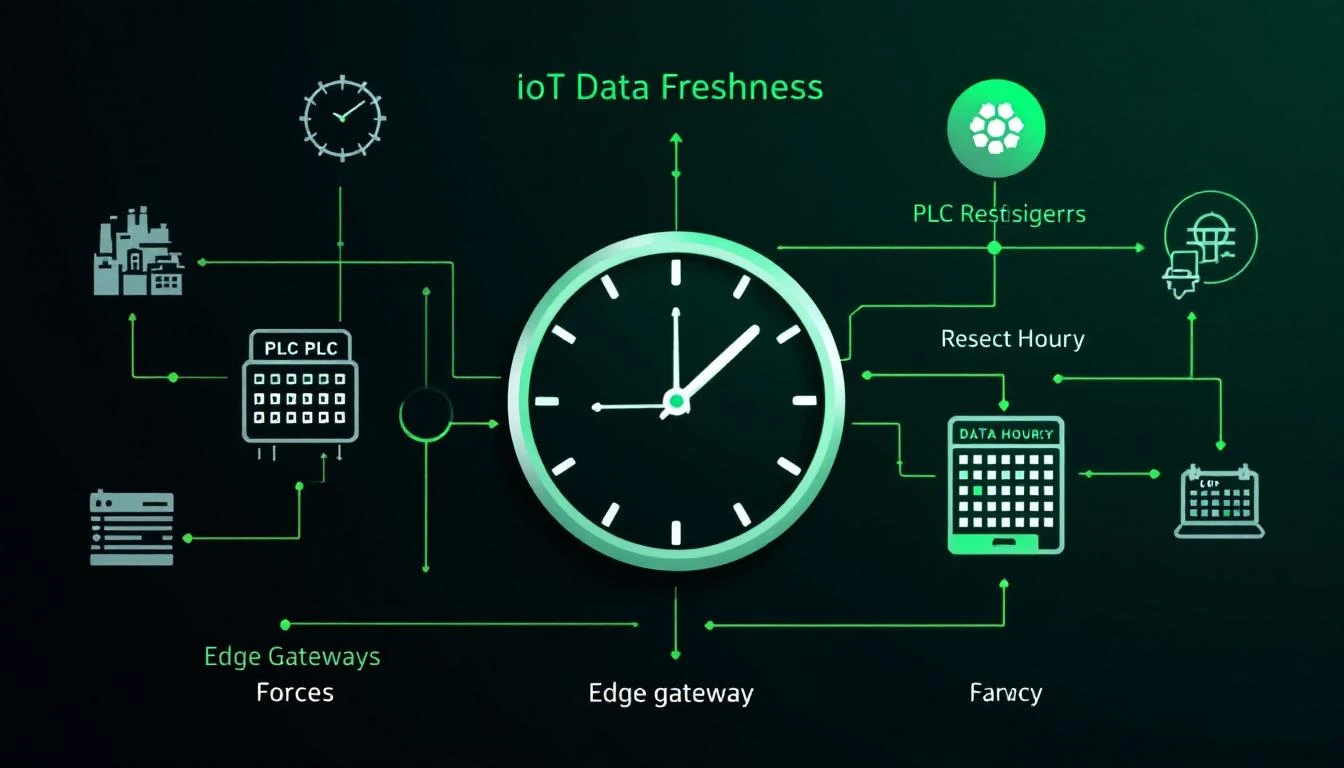
Periodic Tag Reset and Forced Reads: Ensuring Data Freshness in Long-Running IIoT Gateways [2026]

· 11 min read

Periodic Tag Reset and Data Freshness in IIoT

Here's a scenario every IIoT engineer has encountered: your edge gateway has been running flawlessly for 72 hours. Dashboards look great. Then maintenance swaps a temperature sensor on a machine, and the new sensor reads 5°C higher than the old one. Your gateway, using change-of-value detection, duly reports the new temperature. But what about the 47 other tags on that machine that haven't changed? Are they still accurate, or has the PLC rebooted during the sensor swap and your cached "last known values" are now stale?

This is the data freshness problem, and it's one of the most overlooked failure modes in industrial IoT deployments. The solution involves periodic tag resets and forced reads — a pattern that sounds simple but requires careful engineering to implement correctly.

How to Build a Maintenance Spare Parts Inventory Strategy with IIoT Data

· 10 min read
MachineCDN Team
Industrial IoT Experts

Your parts room tells a story. It's the story of every emergency you've ever had.

That shelf with 47 proximity sensors? Those were panic-ordered at 3x premium after a packaging line was down for 14 hours waiting for one $12 sensor. The $8,400 servo drive collecting dust since 2019? Insurance against the memory of the time Press #7 was down for three weeks waiting for a replacement from Germany.

Most maintenance spare parts inventories are built on fear and memory, not data. The result is predictable: $200K-$500K tied up in parts that may never be used, while the part you actually need on a Saturday night is never in stock.

IIoT changes this equation. When you have real-time data on equipment health, failure trends, and degradation patterns, spare parts inventory becomes a science instead of a guessing game.

Best IIoT Platform for Small Manufacturers in 2026: Enterprise Monitoring Without Enterprise Budgets

· 10 min read
MachineCDN Team
Industrial IoT Experts

The Industrial IoT market has a small-manufacturer problem. Platforms like Siemens MindSphere, PTC ThingWorx, and GE Predix were designed for Fortune 500 manufacturers with dedicated IT departments, six-figure budgets, and multi-year implementation timelines. If you run a shop with 10-50 machines, three shifts, and zero IT staff, most of these platforms are not built for you.

But you need machine monitoring just as badly as the big plants — maybe more. When one CNC mill going down means losing ,000 per hour and you only have six of them, unplanned downtime hits harder than it does at a plant with 200 machines and built-in redundancy. The question is not whether small manufacturers need IIoT. It is which platform can deliver real value without requiring a dedicated IT team to deploy and maintain it.

The Business Case for Cellular IIoT Connectivity: Why Smart Manufacturers Are Bypassing Plant Networks

· 10 min read
MachineCDN Team
Industrial IoT Experts

Every IIoT deployment hits the same wall within the first week: IT. The factory floor needs to send machine data to the cloud. The IT department needs to approve network access, configure firewall rules, set up VLANs, conduct security reviews, and integrate the new traffic into their existing network architecture. What should be a two-day deployment becomes a three-month project — not because the technology is complex, but because the organizational process around network access was designed to prevent exactly the kind of connectivity that IIoT requires.

Cellular IIoT connectivity eliminates this wall entirely. Instead of routing machine data through the plant network, cellular-connected edge devices use their own mobile data connection to send data directly to the cloud. No IT involvement. No network configuration. No security review. No firewall rules. The machine data never touches the plant network at all.

This is not a workaround or a compromise. For a growing number of manufacturers, cellular connectivity is the architecturally superior approach to IIoT deployment — faster to deploy, more secure in practice, and cheaper when you account for the true cost of IT-dependent deployments.

Device Provisioning and Authentication for Industrial IoT Gateways: SAS Tokens, Certificates, and Auto-Reconnection [2026]

· 13 min read

Every industrial edge gateway faces the same fundamental challenge: prove its identity to a cloud platform, establish a secure connection, and keep that connection alive for months or years — all while running on hardware with limited memory, intermittent connectivity, and no IT staff on-site to rotate credentials.

Getting authentication wrong doesn't just mean lost telemetry. It means a factory floor device that silently stops reporting, burning through its local buffer until data is permanently lost. Or worse — an improperly secured device that becomes an entry point into an OT network.

This guide covers the practical reality of device provisioning, from the first boot through ongoing credential management, with patterns drawn from production deployments across thousands of industrial gateways.

DeviceNet to EtherNet/IP Migration: A Practical Guide for Modernizing Legacy CIP Networks [2026]

· 14 min read

DeviceNet isn't dead — it's still running in thousands of manufacturing plants worldwide. But if you're maintaining a DeviceNet installation in 2026, you're living on borrowed time. Parts are getting harder to find. New devices are EtherNet/IP-only. Your IIoT platform can't natively speak CAN bus. And the engineers who understand DeviceNet's quirks are retiring.

The good news: DeviceNet and EtherNet/IP share the same application layer — the Common Industrial Protocol (CIP). That means migration isn't a complete rearchitecture. It's more like upgrading the transport while keeping the logic intact.

The bad news: the differences between a CAN-based serial bus and modern TCP/IP Ethernet are substantial, and the migration is full of subtle gotchas that can turn a weekend project into a month-long nightmare.

This guide covers what actually changes, what stays the same, and how to execute the migration without shutting down your production line.

Why Migrate Now

The Parts Clock Is Ticking

DeviceNet uses CAN (Controller Area Network) at the physical layer — the same bus technology from automotive. DeviceNet taps, trunk cables, terminators, and CAN-specific interface cards are all becoming specialty items. Allen-Bradley 1756-DNB DeviceNet scanners cost 2-3x what they did five years ago on the secondary market.

EtherNet/IP uses standard Ethernet infrastructure. Cat 5e/6 cable, commodity switches, and off-the-shelf NICs. You can buy replacement parts at any IT supplier.

IIoT Demands Ethernet

Modern IIoT platforms connect to PLCs via EtherNet/IP (CIP explicit messaging), Modbus TCP, or OPC-UA — all Ethernet-based protocols. Connecting to DeviceNet requires a protocol converter or a dedicated scanner module, adding cost and complexity.

When an edge gateway reads tags from an EtherNet/IP-connected PLC, it speaks CIP directly over TCP/IP. The tag path, element count, and data types map cleanly to standard read operations. With DeviceNet, there's an additional translation layer — the gateway must talk to the DeviceNet scanner module, which then mediates communication to the DeviceNet devices.

Eliminating that layer means faster polling, simpler configuration, and fewer failure points.

Bandwidth Limitations

DeviceNet runs at 125, 250, or 500 kbps — kilobits, not megabits. For simple discrete I/O (24 photoelectric sensors and a few solenoid valves), this is fine. But modern manufacturing cells generate far more data:

  • Servo drive diagnostics
  • Process variable trends
  • Vision system results
  • Safety system status words
  • Energy monitoring data

A single EtherNet/IP connection runs at 100 Mbps minimum (1 Gbps typical) — that's 200-8,000x more bandwidth. The difference isn't just theoretical: it means you can read every tag at full speed without bus contention errors.

What Stays the Same: CIP

The Common Industrial Protocol is protocol-agnostic. CIP defines objects (Identity, Connection Manager, Assembly), services (Get Attribute Single, Set Attribute, Forward Open), and data types independently of the transport layer.

This is DeviceNet's salvation — and yours. A CIP Assembly object that maps 32 bytes of I/O data works identically whether the transport is:

  • DeviceNet (CAN frames, MAC IDs, fragmented messaging)
  • EtherNet/IP (TCP/IP encapsulation, IP addresses, implicit I/O connections)
  • ControlNet (scheduled tokens, node addresses)

Your PLC program doesn't care how the Assembly data arrives. The I/O mapping is the same. The tag names are the same. The data types are the same.

Practical Implication

If you're running a Micro850 or CompactLogix PLC with DeviceNet I/O modules, migrating to EtherNet/IP I/O modules means:

  1. PLC logic stays unchanged (mostly — more on this later)
  2. Assembly instances map directly (same input/output sizes)
  3. CIP services work identically (Get Attribute, Set Attribute, explicit messaging)
  4. Data types are preserved (BOOL, INT, DINT, REAL — same encoding)

What changes is the configuration: MAC IDs become IP addresses, DeviceNet scanner modules become EtherNet/IP adapter ports, and CAN trunk cables become Ethernet switches.

What Changes: The Deep Differences

Addressing: MAC IDs vs. IP Addresses

DeviceNet uses 6-bit MAC IDs (0-63) set via physical rotary switches or software. Each device on the bus has a unique MAC ID, and the scanner references devices by this number.

EtherNet/IP uses standard IP addressing. Devices get addresses via DHCP, BOOTP, or static configuration. The scanner references devices by IP address and optionally by hostname.

Migration tip: Create an address mapping spreadsheet before you start:

DeviceNet MAC ID → EtherNet/IP IP Address
━━━━━━━━━━━━━━━━━━━━━━━━━━━━━━━━━━━━━━
MAC 01 (Motor Starter #1) → 192.168.1.101
MAC 02 (Photoelectric Bank) → 192.168.1.102
MAC 03 (Valve Manifold) → 192.168.1.103
MAC 10 (VFD Panel A) → 192.168.1.110
MAC 11 (VFD Panel B) → 192.168.1.111

Use the last two octets of the IP address to mirror the old MAC ID where possible. Maintenance technicians who know "MAC 10 is the VFD panel" will intuitively map to 192.168.1.110.

Communication Model: Polled I/O vs. Implicit Messaging

DeviceNet primarily uses polled I/O or change-of-state messaging. The scanner sends a poll request to each device, and the device responds with its current data. This is sequential — device 1, then device 2, then device 3, and so on.

EtherNet/IP uses implicit (I/O) messaging with Requested Packet Interval (RPI). The scanner opens a CIP connection to each adapter, and data flows at a configured rate (typically 5-100ms) using UDP multicast. All connections run simultaneously — no sequential polling.

DeviceNet (Sequential):
Scanner → Poll MAC01 → Response → Poll MAC02 → Response → ...
Total cycle = Sum of all individual transactions

EtherNet/IP (Parallel):
Scanner ──┬── Connection to 192.168.1.101 (RPI 10ms)
├── Connection to 192.168.1.102 (RPI 10ms)
├── Connection to 192.168.1.103 (RPI 10ms)
└── Connection to 192.168.1.110 (RPI 20ms)
Total cycle = Max(individual RPIs) = 20ms

Performance impact: A DeviceNet bus with 20 devices at 500kbps might have a scan cycle of 15-30ms. The same 20 devices on EtherNet/IP can all run at 10ms RPI simultaneously, with room to spare. Your control loop gets faster, not just your bandwidth.

Error Handling: Bus Errors vs. Connection Timeouts

DeviceNet has explicit error modes tied to the CAN bus: bus-off, error passive, CAN frame errors. When a device misses too many polls, it goes into a "timed out" state. The scanner reports which MAC ID failed.

EtherNet/IP uses TCP connection timeouts and UDP heartbeats. If an implicit I/O connection misses 4x its RPI without receiving data, the connection times out. The error reporting is more granular — you can distinguish between "device unreachable" (ARP failure), "connection refused" (CIP rejection), and "data timeout" (UDP loss).

Important: DeviceNet's error behavior is synchronous with the bus scan. When a device fails, you know immediately on the next scan cycle. EtherNet/IP's timeout behavior is asynchronous — a connection can be timing out while others continue normally. Your fault-handling logic may need adjustment to handle this differently.

Wiring and Topology

DeviceNet is a bus topology with a single trunk line. All devices tap into the same cable. Maximum trunk length depends on baud rate:

  • 500 kbps: 100m trunk
  • 250 kbps: 250m trunk
  • 125 kbps: 500m trunk

Drop cables from trunk to device are limited to 6m. Total combined drop length has a bus-wide limit (156m at 125 kbps).

EtherNet/IP is a star topology. Each device connects to a switch port via its own cable (up to 100m per run for copper, kilometers for fiber). No trunk length limits, no drop length limits, no shared-bus contention.

Migration implication: You can't just swap cables. DeviceNet trunk cables are typically 18 AWG with integrated power (24V bus power). Ethernet uses Cat 5e/6 without power. If your DeviceNet devices were bus-powered, you'll need separate 24V power runs to each device location, or use PoE (Power over Ethernet) switches.

Migration Strategy: The Three Approaches

Replace everything at once during a planned shutdown. Remove all DeviceNet hardware, install EtherNet/IP modules, reconfigure the PLC, test, and restart.

Pros: Clean cutover, no mixed-network complexity. Cons: If anything goes wrong, your entire line is down. Testing time is limited to the shutdown window. Very high risk.

2. Parallel Run with Protocol Bridge

Install a DeviceNet-to-EtherNet/IP protocol bridge (like ProSoft MVI69-DFNT or HMS Anybus). Keep the DeviceNet bus running while you add EtherNet/IP connectivity.

PLC ──── EtherNet/IP ──── Protocol Bridge ──── DeviceNet Bus

IIoT Edge Gateway
(native EtherNet/IP access)

Pros: Zero downtime, gradual migration, IIoT connectivity immediately. Cons: Protocol bridge adds latency (~5-10ms), cost ($500-2000 per bridge), another device to maintain. Assembly mapping through the bridge can be tricky.

Replace DeviceNet devices one at a time (or one machine cell at a time) with EtherNet/IP equivalents. The PLC runs both a DeviceNet scanner and an EtherNet/IP adapter simultaneously during the transition.

Most modern PLCs (CompactLogix, ControlLogix) support both. The DeviceNet scanner module (1756-DNB or 1769-SDN) stays in the rack alongside the Ethernet port. As devices are migrated, their I/O is remapped from the DeviceNet scanner tree to the EtherNet/IP I/O tree.

Migration sequence per device:

  1. Order the EtherNet/IP equivalent of the DeviceNet device
  2. Pre-configure IP address, Assembly instances, RPI
  3. During a micro-stop (shift change, lunch break):
    • Disconnect DeviceNet device
    • Install EtherNet/IP device + Ethernet cable
    • Remap I/O tags in PLC from DeviceNet scanner to EtherNet/IP adapter
    • Test
  4. Remove old DeviceNet device

Typical timeline: 15-30 minutes per device. A 20-device network can be migrated over 2-3 weeks of micro-stops.

PLC Program Changes

Tag Remapping

The biggest PLC-side change is tag paths. DeviceNet I/O tags reference the scanner module and MAC ID:

DeviceNet:
Local:1:I.Data[0] (Scanner in slot 1, input word 0)

EtherNet/IP I/O tags reference the connection by IP:

EtherNet/IP:
Valve_Manifold:I.Data[0] (Named connection, input word 0)

Best practice: Use aliased tags in your PLC program. If your rungs reference Motor_1_Running (alias of Local:1:I.Data[0].2), you only need to change the alias target — not every rung that uses it. If your rungs directly reference the I/O path... you have more work to do.

RPI Tuning

DeviceNet scan rates are managed at the bus level. EtherNet/IP lets you set RPI per connection. Start with:

  • Discrete I/O (photoelectrics, solenoids): 10-20ms RPI
  • Analog I/O (temperatures, pressures): 50-100ms RPI
  • VFDs (speed/torque data): 20-50ms RPI
  • Safety I/O (CIP Safety): 10-20ms RPI (match safety PFD requirements)

Don't over-poll. Setting everything to 2ms RPI because you can will create unnecessary network load and CPU consumption. Match the RPI to the actual process dynamics.

Connection Limits

DeviceNet scanners support 63 devices (MAC ID limit). EtherNet/IP has no inherent device limit, but each PLC has a connection limit — typically 128-256 CIP connections depending on the controller model.

Each EtherNet/IP I/O device uses at least one connection. Devices with multiple I/O assemblies (e.g., separate safety and standard I/O) use multiple connections. Monitor your controller's connection count during migration.

IIoT Benefits After Migration

Once your devices are on EtherNet/IP, your IIoT edge gateway can access them directly via CIP explicit messaging — no protocol converters needed.

The gateway opens CIP connections to each device, reads tags at configurable intervals, and publishes the data to MQTT or another cloud transport. This is how platforms like machineCDN operate: they speak native EtherNet/IP (and Modbus TCP) to the devices, handling type conversion, batch aggregation, and store-and-forward for cloud delivery.

What this enables:

  • Direct device diagnostics: Read CIP identity objects (vendor ID, product name, firmware version) from every device on the network. No more walking the floor with a DeviceNet configurator.
  • Process data at full speed: Read servo drive status, VFD parameters, and temperature controllers at 1-2 second intervals without bus contention.
  • Predictive maintenance signals: Vibration data, motor current, bearing temperature — all available over EtherNet/IP from modern drives.
  • Remote troubleshooting: An engineer can read device parameters from anywhere on the plant network (or through VPN) without physically connecting to a DeviceNet bus.

Tag Reads After Migration

With EtherNet/IP, the edge gateway connects using CIP's ab-eip protocol to read tags by name:

Protocol: EtherNet/IP (CIP)
Gateway: 192.168.1.100 (PLC IP)
CPU: Micro850
Tag: barrel_temp_zone_1
Type: REAL (float32)

The gateway reads the tag value, applies type conversion (the PLC stores IEEE 754 floats natively, so no Modbus byte-swapping gymnastics), and delivers it to the cloud. Compared to reading the same value through a DeviceNet scanner's polled I/O words — where you'd need to know which word offset maps to which variable — named tags are dramatically simpler.

Network Design for EtherNet/IP

Switch Selection

Use managed industrial Ethernet switches, not consumer/office switches. Key features:

  • IGMP snooping: EtherNet/IP uses UDP multicast for implicit I/O. Without IGMP snooping, multicast traffic floods every port.
  • QoS/DiffServ: Prioritize CIP I/O traffic (DSCP 47/55) over best-effort traffic.
  • Port mirroring: Essential for troubleshooting with Wireshark.
  • DIN-rail mounting: Because this is going in an industrial panel, not a server room.
  • Extended temperature range: -10°C to 60°C minimum for factory environments.

VLAN Segmentation

Separate your EtherNet/IP I/O traffic from IT/IIoT traffic using VLANs:

VLAN 10: Control I/O (PLC ↔ I/O modules, drives)
VLAN 20: HMI/SCADA (operator stations)
VLAN 30: IIoT/Cloud (edge gateways, MQTT)
VLAN 99: Management (switch configuration)

The edge gateway lives on VLAN 30 with a routed path to VLAN 10 for CIP reads. This ensures IIoT traffic can never interfere with control I/O at the switch level.

Ring Topology for Redundancy

DeviceNet is a bus — one cable break takes down everything downstream. EtherNet/IP with DLR (Device Level Ring) or RSTP (Rapid Spanning Tree) provides sub-second failover. A single cable cut triggers a topology change, and traffic reroutes automatically.

Most Allen-Bradley EtherNet/IP modules support DLR natively. Third-party devices may require an external DLR-capable switch.

Common Migration Mistakes

1. Forgetting Bus Power

DeviceNet provides 24V bus power on the trunk cable. Many DeviceNet devices (especially compact I/O blocks) draw power from the bus and have no separate power terminals. When you remove the DeviceNet trunk, those devices need a dedicated 24V supply.

Check every device's power requirements before migration. This is the most commonly overlooked issue.

2. IP Address Conflicts

DeviceNet MAC IDs are set physically — you can see them. IP addresses are invisible. Two devices with the same IP will cause intermittent communication failures that are incredibly difficult to diagnose.

Reserve a dedicated subnet for EtherNet/IP I/O (e.g., 192.168.1.0/24) and maintain a strict IP allocation spreadsheet. Use DHCP reservations or BOOTP if your devices support it.

3. Not Testing Failover Behavior

DeviceNet and EtherNet/IP handle device failures differently. Your PLC program may assume DeviceNet-style fault behavior (synchronous, bus-wide notification). EtherNet/IP faults are per-connection and asynchronous.

Test every failure mode: device power loss, cable disconnection, switch failure. Verify that your fault-handling rungs respond correctly.

4. Ignoring Firmware Compatibility

EtherNet/IP devices from the same vendor may have different Assembly instance mappings across firmware versions. The device you tested in the lab may behave differently from the one installed on the floor if the firmware versions don't match.

Document firmware versions and maintain spare devices with matching firmware.

Timeline and Budget

For a typical migration of a 20-device DeviceNet network:

ItemEstimated Cost
EtherNet/IP equivalent devices (20 units)$8,000-15,000
Industrial Ethernet switches (2-3 managed)$1,500-3,000
Cat 6 cabling and patch panels$500-1,500
Engineering time (40-60 hours)$4,000-9,000
Commissioning and testing$2,000-4,000
Total$16,000-32,500

Timeline: 2-4 weeks with rolling migration approach, including engineering prep, device installation, and testing. The line can continue running throughout.

Compare this to the alternative: maintaining a DeviceNet network with $800 replacement scanner modules, 4-week lead times on DeviceNet I/O blocks, and no IIoT connectivity. The migration pays for itself in reduced maintenance costs and operational visibility within 12-18 months.

Conclusion

DeviceNet to EtherNet/IP migration is not a question of if — it's a question of when. The CIP application layer makes it far less painful than migrating between incompatible protocols. Your PLC logic stays intact, your I/O mappings transfer directly, and you gain immediate benefits in bandwidth, diagnostic capability, and IIoT readiness.

Start with a network audit. Map every device, its MAC ID, its I/O configuration, and its power requirements. Then execute a rolling migration — one device at a time, one micro-stop at a time — until the last DeviceNet tap is removed.

Your reward: a modern Ethernet infrastructure that speaks the same CIP language, runs 1,000x faster, and connects directly to every IIoT platform on the market.


Edge Gateway Hot-Reload and Watchdog Patterns for Industrial IoT [2026]

· 12 min read

Here's a scenario every IIoT engineer dreads: it's 2 AM on a Saturday, your edge gateway in a plastics manufacturing plant has lost its MQTT connection to the cloud, and nobody notices until Monday morning. Forty-eight hours of production data — temperatures, pressures, cycle counts, alarms — gone. The maintenance team wanted to correlate a quality defect with process data from Saturday afternoon. They can't.

This is a reliability problem, and it's solvable. The patterns that separate a production-grade edge gateway from a prototype are: configuration hot-reload (change settings without restarting), connection watchdogs (detect and recover from silent failures), and graceful resource management (handle reconnections without memory leaks).

This guide covers the architecture behind each of these patterns, with practical design decisions drawn from real industrial deployments.

Edge gateway hot-reload and firmware patterns

The Problem: Why Edge Gateways Fail Silently

Industrial edge gateways operate in hostile environments: temperature swings, electrical noise, intermittent network connectivity, and 24/7 uptime requirements. The failure modes are rarely dramatic — they're insidious:

  • MQTT connection drops silently. The broker stops responding, but the client library doesn't fire a disconnect callback because the TCP connection is still half-open.
  • Configuration drift. An engineer updates tag definitions on the management server, but the gateway is still running the old configuration.
  • Memory exhaustion. Each reconnection allocates new buffers without properly freeing the old ones. After enough reconnections, the gateway runs out of memory and crashes.
  • PLC link flapping. The PLC reboots or loses power briefly. The gateway keeps polling, getting errors, but never properly re-detects or reconnects.

Solving these requires three interlocking systems: hot-reload for configuration, watchdogs for connections, and disciplined resource management.

Pattern 1: Configuration File Hot-Reload

The simplest and most robust approach to configuration hot-reload is file-based with stat polling. The gateway periodically checks if its configuration file has been modified (using the file's modification timestamp), and if so, reloads and applies the new configuration.

Design: stat() Polling vs. inotify

You have two options for detecting file changes:

stat() polling — Check the file's st_mtime on every main loop iteration:

on_each_cycle():
current_stat = stat(config_file)
if current_stat.mtime != last_known_mtime:
reload_configuration()
last_known_mtime = current_stat.mtime

inotify (Linux) — Register for kernel-level file change notifications:

fd = inotify_add_watch(config_file, IN_MODIFY)
poll(fd) // blocks until file changes
reload_configuration()

For industrial edge gateways, stat() polling wins. Here's why:

  1. It's simpler. No file descriptor management, no edge cases with inotify watches being silently dropped.
  2. It works across filesystems. inotify doesn't work on NFS, CIFS, or some embedded filesystems. stat() works everywhere.
  3. The cost is negligible. A single stat() call takes ~1 microsecond. Even at 1 Hz, it's invisible.
  4. It naturally integrates with the main loop. Industrial gateways already run a polling loop for PLC reads. Adding a stat() check is one line.

Graceful Reload: The Teardown-Rebuild Cycle

When a configuration change is detected, the gateway must:

  1. Stop active PLC connections. For EtherNet/IP, destroy all tag handles. For Modbus, close the serial port or TCP connection.
  2. Free allocated memory. Tag definitions, batch buffers, connection contexts — all of it.
  3. Re-read and validate the new configuration.
  4. Re-detect the PLC and re-establish connections with the new tag map.
  5. Resume data collection with a forced initial read of all tags.

The critical detail is step 2. Industrial gateways often use a pool allocator instead of individual malloc/free calls. All configuration-related memory is allocated from a single large buffer. On reload, you simply reset the allocator's pointer to the beginning of the buffer:

// Pseudo-code: pool allocator reset
config_memory.write_pointer = config_memory.base_address
config_memory.used_bytes = 0
config_memory.free_bytes = config_memory.total_size

This eliminates the risk of memory leaks during reconfiguration. No matter how many times you reload, memory usage stays constant.

Multi-File Configuration

Production gateways often have multiple configuration files:

  • Daemon config — Network settings, serial port parameters, batch sizes, timeouts
  • Device configs — Per-device-type tag maps (one JSON file per machine model)
  • Connection config — MQTT broker address, TLS certificates, authentication tokens

Each file should be watched independently. If only the daemon config changes (e.g., someone adjusts the batch timeout), you don't need to re-detect the PLC — just update the runtime parameter. If a device config changes (e.g., someone adds a new tag), you need to rebuild the tag chain.

A practical approach: when the daemon config changes, set a flag to force a status report on the next MQTT cycle. When a device config changes, trigger a full teardown-rebuild of that device's tag chain.

Pattern 2: Connection Watchdogs

The most dangerous failure mode in MQTT-based telemetry is the silent disconnect. The TCP connection appears alive (no RST received), but the broker has stopped processing messages. The client's publish calls succeed (they're just writing to a local socket buffer), but data never reaches the cloud.

The MQTT Delivery Confirmation Watchdog

The robust solution uses MQTT QoS 1 delivery confirmations as a heartbeat:

// Track the timestamp of the last confirmed delivery
last_delivery_timestamp = 0

on_publish_confirmed(packet_id):
last_delivery_timestamp = now()

on_watchdog_check(): // runs every N seconds
if last_delivery_timestamp == 0:
return // no data sent yet, nothing to check

elapsed = now() - last_delivery_timestamp
if elapsed > WATCHDOG_TIMEOUT:
trigger_reconnect()

With MQTT QoS 1, the broker sends a PUBACK for every published message. If you haven't received a PUBACK in, say, 120 seconds, but you've been publishing data, something is wrong.

The key insight is that you're not watching the connection state — you're watching the delivery pipeline. A connection can appear healthy (no disconnect callback fired) while the delivery pipeline is stalled.

Reconnection Strategy: Async with Backoff

When the watchdog triggers, the reconnection must be:

  1. Asynchronous — Don't block the PLC polling loop. Data collection should continue even while MQTT is reconnecting. Collected data gets buffered locally.
  2. Non-destructive — The MQTT loop thread must be stopped before destroying the client. Stopping the loop with force=true ensures no callbacks fire during teardown.
  3. Complete — Disconnect, destroy the client, reinitialize the library, create a new client, set callbacks, start the loop, then connect. Half-measures (just calling reconnect) often leave stale state.

A dedicated reconnection thread works well:

reconnect_thread():
while true:
wait_for_signal() // semaphore blocks until watchdog triggers

log("Starting MQTT reconnection")
stop_mqtt_loop(force=true)
disconnect()
destroy_client()
cleanup_library()

// Re-initialize from scratch
init_library()
create_client(device_id)
set_credentials(username, password)
set_tls(certificate_path)
set_protocol(MQTT_3_1_1)
set_callbacks(on_connect, on_disconnect, on_message, on_publish)
start_loop()
set_reconnect_delay(5, 5, no_exponential)
connect_async(host, port, keepalive=60)

signal_complete() // release semaphore

Why a separate thread? The connect_async call can block for up to 60 seconds on DNS resolution or TCP handshake. If this runs on the main thread, PLC polling stops. Industrial processes don't wait for your network issues.

PLC Connection Watchdog

MQTT isn't the only connection that needs watching. PLC connections — both EtherNet/IP and Modbus TCP — can also fail silently.

For Modbus TCP, the watchdog logic is simpler because each read returns an explicit error code:

on_modbus_read_error(error_code):
if error_code in [ETIMEDOUT, ECONNRESET, ECONNREFUSED, EPIPE, EBADF]:
close_modbus_connection()
set_link_state(DOWN)
// Will reconnect on next polling cycle

For EtherNet/IP via libraries like libplctag, a return code of -32 (connection failed) should trigger:

  1. Setting the link state to DOWN
  2. Destroying the tag handles
  3. Attempting re-detection on the next cycle

A critical detail: track consecutive errors, not individual ones. A single timeout might be a transient hiccup. Three consecutive timeouts (error_count >= 3) indicate a real problem. Break the polling cycle early to avoid hammering a dead connection.

The gateway should treat the connection state itself as a telemetry point. When the PLC link goes up or down, immediately publish a link state tag — a boolean value with do_not_batch: true:

link_state_changed(device, new_state):
publish_immediately(
tag_id=LINK_STATE_TAG,
value=new_state, // true=up, false=down
timestamp=now()
)

This gives operators cloud-side visibility into gateway connectivity. A dashboard can show "Device offline since 2:47 AM" instead of just "no data" — which is ambiguous (was the device off, or was the gateway offline?).

Pattern 3: Store-and-Forward Buffering

When MQTT is disconnected, you can't just drop data. A production gateway needs a paged ring buffer that accumulates data during disconnections and drains it when connectivity returns.

Paged Buffer Architecture

The buffer divides a fixed-size memory region into pages of equal size:

Total buffer: 2 MB
Page size: ~4 KB (derived from max batch size)
Pages: ~500

Page states:
FREE → Available for writing
WORK → Currently being written to
USED → Full, queued for delivery

The lifecycle:

  1. Writing: Data is appended to the WORK page. When it's full, WORK moves to the USED queue, and a FREE page becomes the new WORK page.
  2. Sending: When MQTT is connected, the first USED page is sent. On PUBACK confirmation, the page moves to FREE.
  3. Overflow: If all pages are USED (buffer full, MQTT down for too long), the oldest USED page is recycled as the new WORK page. This loses the oldest data to preserve the newest — the right tradeoff for most industrial applications.

Thread safety is critical. The PLC polling thread writes to the buffer, the MQTT thread reads from it, and the PUBACK callback advances the read pointer. A mutex protects all buffer operations:

buffer_add_data(data, size):
lock(mutex)
append_to_work_page(data, size)
if work_page_full():
move_work_to_used()
try_send_next()
unlock(mutex)

on_puback(packet_id):
lock(mutex)
advance_read_pointer()
if page_fully_delivered():
move_page_to_free()
try_send_next()
unlock(mutex)

on_disconnect():
lock(mutex)
connected = false
packet_in_flight = false // reset delivery state
unlock(mutex)

Sizing the Buffer

Buffer sizing depends on your data rate and your maximum acceptable offline duration:

buffer_size = data_rate_bytes_per_second × max_offline_seconds

For a typical deployment:

  • 50 tags × 4 bytes average × 1 read/second = 200 bytes/second
  • With binary encoding overhead: ~300 bytes/second
  • Maximum offline duration: 2 hours (7,200 seconds)
  • Buffer needed: 300 × 7,200 = ~2.1 MB

A 2 MB buffer with 4 KB pages gives you ~500 pages — more than enough for 2 hours of offline operation.

The Minimum Three-Page Rule

The buffer needs at minimum 3 pages to function:

  1. One WORK page (currently being written to)
  2. One USED page (queued for delivery)
  3. One page in transition (being delivered, not yet confirmed)

If you can't fit 3 pages in the buffer, the page size is too large relative to the buffer. Validate this at initialization time and reject invalid configurations rather than failing at runtime.

Pattern 4: Periodic Forced Reads

Even with change-detection enabled (the compare flag), a production gateway should periodically force-read all tags and transmit their values regardless of whether they changed. This serves several purposes:

  1. Proof of life. Downstream systems can distinguish "the value hasn't changed" from "the gateway is dead."
  2. State synchronization. If the cloud-side database lost data (a rare but real scenario), periodic full-state updates resynchronize it.
  3. Clock drift correction. Over time, individual tag timers can drift. A periodic full reset realigns all tags.

A practical approach: reset all tags on the hour boundary. Check the system clock, and when the hour rolls over, clear all "previously read" flags. Every tag will be read and transmitted on its next polling cycle, regardless of change detection:

on_each_read_cycle():
current_hour = localtime(now()).hour
previous_hour = localtime(last_read_time).hour

if current_hour != previous_hour:
reset_all_tags() // clear read-once flags
log("Hourly forced read: all tags will be re-read")

This adds at most one extra transmission per tag per hour — a negligible bandwidth cost for significant reliability improvement.

Pattern 5: SAS Token and Certificate Expiry Monitoring

If your MQTT connection uses time-limited credentials (like Azure IoT Hub SAS tokens or short-lived TLS certificates), the gateway must monitor expiry and refresh proactively.

For SAS tokens, extract the se (expiry) parameter from the connection string and compare it against the current system time:

on_config_load(sas_token):
expiry_timestamp = extract_se_parameter(sas_token)

if current_time > expiry_timestamp:
log_warning("Token has expired!")
// Still attempt connection — the broker will reject it,
// but the error path will trigger a config reload
else:
time_remaining = expiry_timestamp - current_time
log("Token valid for %d hours", time_remaining / 3600)

Don't silently fail. If the token is expired, log a prominent warning. The gateway should still attempt to connect (the broker rejection will be informative), but operations teams need visibility into credential lifecycle.

For TLS certificates, monitor both the certificate file's modification time (has a new cert been deployed?) and the certificate's validity period (is it about to expire?).

How machineCDN Implements These Patterns

machineCDN's edge gateway — deployed on OpenWRT-based industrial routers in plastics manufacturing plants — implements all five patterns:

  • Configuration hot-reload using stat() polling on the main loop, with pool-allocated memory for zero-leak teardown/rebuild cycles
  • Dual watchdogs for MQTT delivery confirmation (120-second timeout) and PLC link state (3 consecutive errors trigger reconnection)
  • Paged ring buffer with 2 MB capacity, supporting both JSON and binary encoding, with automatic overflow handling that preserves newest data
  • Hourly forced reads that ensure complete state synchronization regardless of change detection
  • SAS token monitoring with proactive expiry warnings

These patterns enable 99.9%+ data capture rates even in plants with intermittent cellular connectivity — because the gateway collects data continuously and back-fills when connectivity returns.

Implementation Checklist

If you're building or evaluating an edge gateway for industrial IoT, verify that it supports:

CapabilityWhy It Matters
Config hot-reload without restartZero-downtime updates, no data gaps during reconfiguration
Pool-based memory allocationNo memory leaks across reload cycles
MQTT delivery watchdogDetects silent connection failures
Async reconnection threadPLC polling continues during MQTT recovery
Paged store-and-forward bufferPreserves data during network outages
Consecutive error thresholdsAvoids false-positive disconnections
Link state telemetryDistinguishes "offline gateway" from "idle machine"
Periodic forced readsState synchronization and proof-of-life
Credential expiry monitoringProactive certificate/token management

Conclusion

Reliability in industrial IoT isn't about preventing failures — it's about recovering from them automatically. Networks will drop. PLCs will reboot. Certificates will expire. The question is whether your edge gateway handles these events gracefully or silently loses data.

The patterns in this guide — hot-reload, watchdogs, store-and-forward, forced reads, and credential monitoring — are the difference between a gateway that works in the lab and one that works at 3 AM on a holiday weekend in a plant with spotty cellular coverage.

Build for the 3 AM scenario. Your operations team will thank you.