How to Set Up Remote PLC Diagnostics: A Practical Guide for Manufacturing Engineers

Your plant's PLCs hold the truth about every machine on the floor — cycle counts, fault codes, temperature readings, pressure levels, motor currents. The problem? That data is trapped. Getting to it requires a truck roll, a laptop, and an engineer standing next to the panel.
Remote PLC diagnostics changes that equation entirely. Instead of dispatching someone every time a machine throws a fault, you can see what's happening from anywhere — your office, your home, or a different plant 500 miles away.
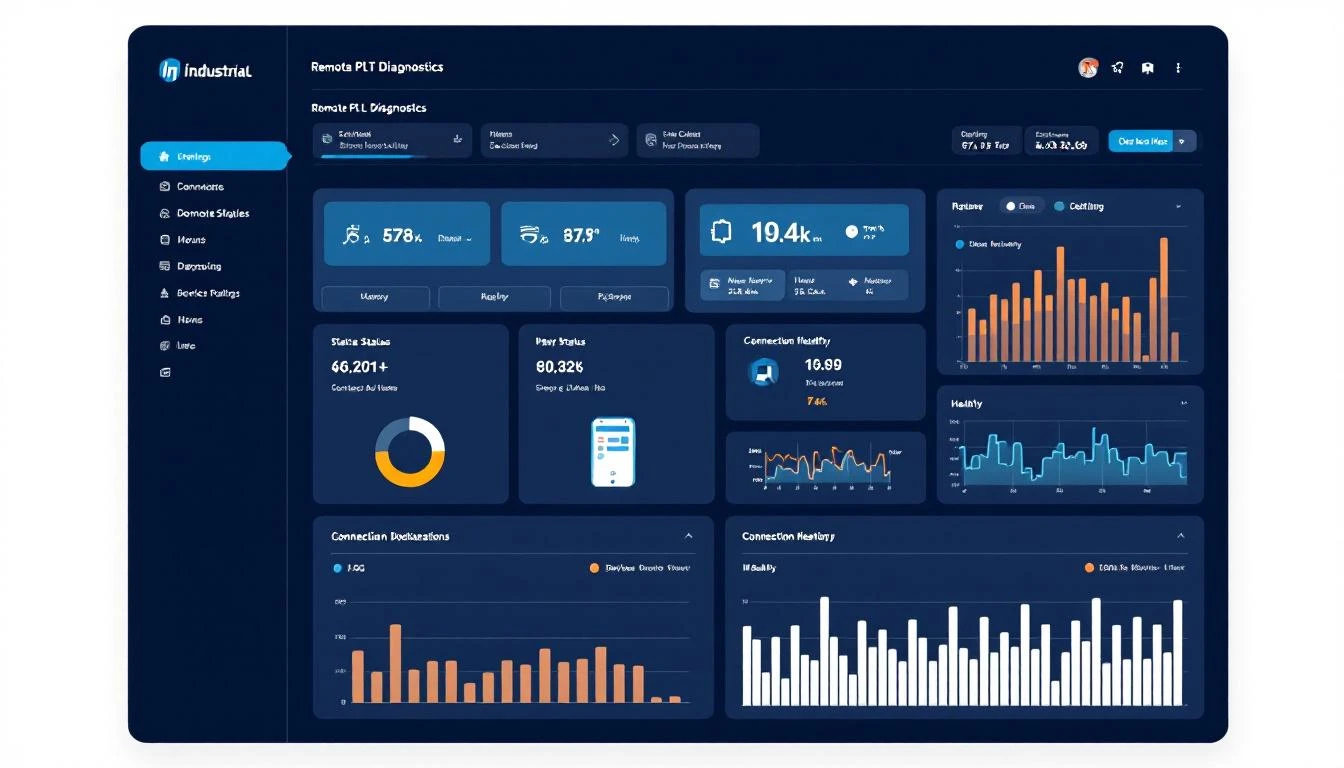
This guide walks you through setting up remote PLC diagnostics step by step. No theoretical hand-waving. No vendor brochures. Just the practical steps that get you from "I can't see anything" to "I know exactly what's wrong before I walk onto the floor."
Why Remote PLC Diagnostics Matters in 2026
The average manufacturer loses $260,000 per hour of unplanned downtime. A significant chunk of that cost comes from diagnostic delay — the time between "something's wrong" and "we know what's wrong."
Here's what that diagnostic delay actually looks like:
- Operator notices a fault — 5-15 minutes (sometimes hours on unmanned shifts)
- Maintenance dispatched — 15-30 minutes to find and deploy someone
- Travel to the machine — 5 minutes on a small floor, 30+ across a large plant
- Connect laptop to PLC — 10-20 minutes (find the right cable, right software version, right credentials)
- Actually diagnose the issue — 15-60 minutes depending on complexity
That's potentially 2+ hours before anyone even starts fixing the problem. With remote PLC diagnostics, steps 2-4 collapse to near zero. You see the fault in real time, check the PLC registers remotely, and dispatch maintenance with a specific diagnosis: "Bearing temperature on Motor 3 has been trending up for 48 hours. Replace the bearing."
The difference between reactive and proactive maintenance often comes down to data access. If you can see PLC data remotely, you spot trends before they become failures.
Step 1: Inventory Your PLCs and Protocols
Before buying any hardware or software, you need to know exactly what you're connecting to. This is where most projects stall — teams jump to solutions before understanding the problem.
Create a PLC inventory spreadsheet with these columns:
- Machine name and location (Zone A, Press Line 3, etc.)
- PLC manufacturer and model (Allen-Bradley CompactLogix L33, Siemens S7-1500, etc.)
- Firmware version (matters for protocol compatibility)
- Communication protocol (Ethernet/IP, Modbus TCP, Modbus RTU, PROFINET, OPC UA)
- Network connectivity (Is the PLC on the plant network? Air-gapped? Serial only?)
- Critical tags (Which data points do you actually need? Temperature, pressure, cycle count, fault codes?)
Most plants have a mix. You might have modern Allen-Bradley controllers on Ethernet/IP, legacy Siemens S5 units on serial, and a handful of Mitsubishi PLCs speaking Modbus RTU. That's normal. Your solution needs to handle all of them.
Protocol priority for remote diagnostics:
| Protocol | Best For | Latency | Complexity |
|---|---|---|---|
| Ethernet/IP | Allen-Bradley, Rockwell | Low | Medium |
| Modbus TCP | Multi-vendor, simple reads | Low | Low |
| Modbus RTU | Legacy serial devices | Medium | Medium (requires converter) |
| OPC UA | New installations, cross-vendor | Low | High |
| PROFINET | Siemens ecosystems | Low | Medium |
The key insight: you don't need every tag. For remote diagnostics, focus on the 20% of data points that tell you 80% of what's happening — fault codes, critical temperatures, motor currents, cycle counts, and pressure readings.
Step 2: Choose Your Connectivity Architecture
This is the most important decision you'll make. There are three main approaches, and each has trade-offs:

Option A: Plant Network + VPN
How it works: PLCs connect to the plant Ethernet network. An edge gateway or industrial PC on the same network reads PLC data and sends it through the corporate VPN to a cloud platform or on-premise server.
Pros: Uses existing infrastructure. No additional cellular costs. Higher bandwidth.
Cons: IT department involvement is mandatory. Network security reviews can take months. If the plant network goes down, your diagnostics go with it. Firewall rules, VLAN segmentation, and corporate policies add complexity.
Best for: Plants with mature IT infrastructure and a cooperative IT department.
Option B: Cellular Gateway (Air-Gapped)
How it works: A cellular edge gateway sits next to the PLC, connects directly via Ethernet or serial, and sends data over a cellular connection (4G/5G) that's completely separate from the plant network.
Pros: Zero IT involvement. Deployed in minutes, not months. Doesn't touch the plant network at all — bypasses every firewall, VLAN, and corporate security policy. Works even if the plant network is down.
Cons: Cellular data costs (typically $15-50/month per gateway). Slightly higher latency than wired connections. Bandwidth limitations for very high-frequency data.
Best for: Plants where IT approval would take forever, brownfield installations, multi-site rollouts where consistency matters. This is the approach MachineCDN uses — a cellular edge gateway connects directly to PLCs and sends data to the cloud, completely bypassing plant IT.
Option C: Hybrid
How it works: Critical machines get dedicated cellular gateways for guaranteed connectivity. Non-critical machines use the plant network.
Pros: Balances cost and reliability.
Cons: Two systems to manage.
Best for: Large plants with hundreds of machines where cellular for every PLC isn't cost-effective.
For most manufacturers starting with remote diagnostics, Option B (cellular) gets you live in days instead of months. You can always migrate to a hybrid approach later.
Step 3: Configure Edge Data Collection
Once you've chosen your architecture, the edge gateway needs to know which PLC registers to read and how often.
Tag configuration best practices:
-
Start with fault and alarm registers. These are your highest-value data points for remote diagnostics. If a machine throws a fault code, you want to see it in real time — not when someone walks by the HMI.
-
Add critical process variables. Temperature, pressure, flow rate, vibration — whatever indicates the health of your most expensive or most failure-prone equipment.
-
Set appropriate polling intervals. Not everything needs sub-second updates:
- Fault codes and alarms: 1-5 seconds
- Process temperatures and pressures: 5-15 seconds
- Cycle counts and production metrics: 15-60 seconds
- Energy consumption: 60 seconds
-
Use change-of-value (COV) delivery where possible. Instead of polling on a fixed interval, only send data when a value actually changes. This dramatically reduces bandwidth and storage costs while ensuring you never miss a transition.
-
Map register addresses to human-readable names. Register 40001 means nothing to the maintenance supervisor reviewing data at 2 AM. "Hydraulic Press 7 — Clamp Pressure (PSI)" tells them exactly what they're looking at.
Common pitfall: Collecting too much data too fast. A single PLC with 500 tags at 1-second intervals generates 43 million data points per day. Be selective. You can always add tags later.
Step 4: Set Up Cloud Storage and Visualization
Raw PLC register values sitting in a database aren't diagnostics. You need visualization, trending, and alerting to turn data into actionable insight.
What your diagnostic dashboard needs:
- Real-time machine status — Running, idle, faulted, offline. At a glance.
- Trend charts for critical variables — See the last 24 hours, 7 days, 30 days of any tag. Trends reveal problems that point-in-time values don't.
- Fault history with context — When a fault occurs, show the values of related variables at the time. What was the temperature when the overtemp fault triggered? What was the pressure 5 minutes before the seal failure?
- Threshold alerts — Push notifications when values enter warning ranges, not just when they hit failure points. The difference between threshold alerting and alarm response is the difference between prevention and reaction.
Platforms like MachineCDN provide this out of the box — real-time dashboards, historical trending, configurable threshold alerts, and fleet management across multiple plants. If you're building this yourself, expect 3-6 months of development work before it's production-ready.
Step 5: Implement Security Properly
Remote PLC access means your industrial control systems are now reachable from outside the plant. This is the part that keeps CISO's up at night — and rightfully so.
Non-negotiable security requirements:
-
No direct PLC access from the internet. Ever. The edge gateway should initiate outbound connections only. No inbound ports, no port forwarding, no exposed IP addresses. This is the single most important security rule.
-
Encrypted transport. TLS 1.2+ for all data in transit. If your platform doesn't support encryption, find a different platform.
-
Certificate-based authentication. Each edge device gets a unique certificate. No shared passwords, no API keys stored in plaintext on the device.
-
Read-only access by default. For diagnostics, you need to read PLC data. You almost never need to write to PLCs remotely. Keep write access disabled unless there's a specific, documented use case with proper change management.
-
Audit logging. Every access, every data query, every configuration change should be logged. When the security team asks "who accessed the PLC data at 3 AM?", you need an answer.
-
Network segmentation. Even with cellular gateways that bypass the plant network, the PLC-to-gateway connection should be on an isolated segment. The gateway doesn't need (and shouldn't have) access to the rest of the plant network.
For a deeper dive on securing your IIoT deployment, see our guide on cybersecurity for industrial IoT.
Step 6: Build Diagnostic Workflows
Technology is only half the battle. The other half is process — what happens when the system detects an anomaly?
Define clear escalation paths:
-
Level 1 (Automated): Threshold alerts trigger automatic notifications to the on-shift maintenance tech. Include the machine name, the specific reading that triggered the alert, and the trend over the last hour.
-
Level 2 (Remote diagnosis): Maintenance engineer reviews PLC data remotely. Checks fault codes, trends related variables, reviews recent maintenance history. Makes a diagnosis without going to the machine.
-
Level 3 (Dispatched repair): When remote diagnosis confirms the issue, dispatch a tech with the right parts and the right information. "Motor 7, bearing failure, bring a 6205-2RS bearing and the alignment tool."
The goal is to make Level 2 (remote diagnosis) the default. Most PLC faults can be diagnosed remotely if you have the right data. The tech shows up once — with the right parts, the right tools, and the right knowledge of what went wrong.
Step 7: Validate and Iterate
Don't try to instrument your entire plant on day one. Start with your most critical or most failure-prone machines and expand from there.
Recommended rollout:
- Week 1-2: Install gateways on 3-5 critical machines. Configure basic tags (fault codes, key process variables). Verify data is flowing correctly.
- Week 3-4: Tune threshold alerts based on actual operating data. Eliminate false positives. Add tags you missed.
- Week 5-8: Expand to the next 10-20 machines. Train maintenance team on remote diagnostic workflows.
- Month 3+: Plant-wide rollout with multi-plant visibility if applicable.
This phased approach is how platforms like MachineCDN help manufacturers achieve ROI in 5 weeks — start small, prove value, then scale.
Common Mistakes to Avoid
Having helped dozens of plants implement remote diagnostics, here are the patterns that consistently cause problems:
-
Trying to collect every tag from every PLC. More data isn't better data. Start with the 50-100 most diagnostic tags per machine and add from there.
-
Ignoring legacy equipment. Your oldest machines are often your most failure-prone and most valuable to monitor. Serial Modbus RTU converters cost $50-100 and make legacy PLCs accessible.
-
No baseline data. You can't detect anomalies without knowing what normal looks like. Run for 2-4 weeks in monitoring mode before setting threshold alerts.
-
Security as an afterthought. Bolt-on security doesn't work for industrial systems. Choose a platform with security built into the architecture from the ground up.
-
Forgetting the human process. The best diagnostics system in the world is useless if nobody looks at it. Build dashboards into daily routines. Make alerts actionable, not noisy.
What Remote PLC Diagnostics Actually Looks Like Day-to-Day
Once it's running, remote diagnostics quietly transforms how your maintenance team operates:
-
Morning standup becomes data-driven. Instead of "any problems last night?", it's "Motor 4 bearing temperature increased 3°C over the last 72 hours — let's schedule a bearing change this Friday."
-
Overnight faults get diagnosed before the morning shift arrives. The on-call engineer checks remotely, determines if it's critical (needs a 3 AM callout) or can wait (plan the fix for Monday).
-
Multi-plant visibility means the reliability engineer can compare OEE and fault patterns across plants. Why does Plant B have 3x the hydraulic failures of Plant A? Same machines, same maintenance procedures — but the data reveals Plant B is running 15 PSI higher than spec.
-
Vendor collaboration improves. Instead of describing symptoms over the phone, you share a dashboard link showing exactly what the PLC is doing. The OEM diagnoses in minutes instead of scheduling a site visit.
Conclusion: Start With Diagnostics, Grow Into Prediction
Remote PLC diagnostics is the gateway to predictive maintenance. You can't predict failures you can't see. Once you have continuous PLC data flowing, machine learning models can start identifying patterns that humans miss — subtle correlations between process variables that precede failures by hours or days.
The fastest path to remote PLC diagnostics is a cellular edge gateway that bypasses plant IT entirely. MachineCDN gets you from zero to live machine data in under 3 minutes — no IT tickets, no VPN configurations, no months of network architecture reviews.
Ready to see your PLCs from anywhere? Book a demo and we'll show you how remote diagnostics works on your specific equipment.