187 posts tagged with "Industrial IoT"

Industrial Internet of Things insights and best practices

View All Tags

How to Reduce Energy Costs in Manufacturing with IIoT: A Practical Guide to Cutting 15-30% Off Your Power Bill

· 10 min read
MachineCDN Team
Industrial IoT Experts

Energy is the expense that hides in plain sight. Most manufacturers know their monthly utility bill, but few can answer these questions:

  • Which machines consume the most energy per part produced?
  • How much energy does your factory waste during idle time and changeovers?
  • What's the actual cost of running Machine #7 versus Machine #12 for the same product?
  • How does your energy consumption compare between shifts, operators, or products?

Without machine-level energy visibility, you're paying a number you can't optimize. And that number is getting bigger — U.S. industrial electricity rates have risen 22% since 2020, and the trend isn't reversing.

This guide shows you how to use IIoT monitoring to find and eliminate energy waste in manufacturing operations — with a realistic target of 15–30% reduction in energy costs within the first year.

Reliable Telemetry Delivery in IIoT: Page Buffers, Batch Finalization, and Disconnection Recovery [2026]

· 13 min read

Your edge gateway reads 200 tags from a PLC every second. The MQTT connection to your cloud broker drops for 3 minutes because someone bumped the cellular antenna. What happens to the 36,000 data points collected during the outage?

If your answer is "they're gone," you have a toy system, not an industrial one.

Reliable telemetry delivery is the hardest unsolved problem in most IIoT architectures. Everyone focuses on the protocol layer — Modbus reads, EtherNet/IP connections, OPC-UA subscriptions — but the real engineering is in what happens between reading a value and confirming it reached the cloud. This article breaks down the buffer architecture that makes zero-data-loss telemetry possible on resource-constrained edge hardware.

Reliable telemetry delivery buffer architecture

The Problem: Three Asynchronous Timelines

In any edge-to-cloud telemetry system, you're managing three independent timelines:

  1. PLC read cycle — Tags are read at fixed intervals (1s, 60s, etc.). This never stops. The PLC doesn't care if your cloud connection is down.

  2. Batch collection — Raw tag values are grouped into batches by timestamp and device. Batches accumulate until they hit a size limit or a timeout.

  3. MQTT delivery — Batches are published to the broker. The broker acknowledges receipt. At QoS 1, the MQTT library handles retransmission, but only if you give it data in the right form.

These three timelines run independently. The PLC read loop runs on a tight 1-second cycle. Batch finalization might happen every 30–60 seconds. MQTT delivery depends on network availability. If any one of these stalls, the others must keep running without data loss.

This is fundamentally a producer-consumer problem with a twist: the consumer (MQTT) can disappear for minutes at a time, and the producer (PLC reads) cannot slow down.

The Batch Layer: Grouping Values for Efficient Transport

Raw tag values are tiny — a temperature reading is 4 bytes, a boolean is 1 byte. Sending each value as an individual MQTT message would be absurdly wasteful. Instead, values are collected into batches — structured payloads that contain multiple timestamped readings from one or more devices.

Batch Structure

A batch is organized as a series of groups, where each group represents one polling cycle (one timestamp, one device):

Batch
├── Group 0: { timestamp: 1709284800, device_type: 5000, serial: 12345 }
│ ├── Value: { id: 2, values: [72.4] } // Delivery Temp
│ ├── Value: { id: 3, values: [68.1] } // Mold Temp
│ └── Value: { id: 5, values: [12.6] } // Flow Value
├── Group 1: { timestamp: 1709284860, device_type: 5000, serial: 12345 }
│ ├── Value: { id: 2, values: [72.8] }
│ ├── Value: { id: 3, values: [68.3] }
│ └── Value: { id: 5, values: [12.4] }
└── ...

Dual-Format Encoding: JSON vs Binary

Production edge daemons typically support two encoding formats for batches, and the choice has massive implications for bandwidth:

JSON format:

{
"groups": [
{
"ts": 1709284800,
"device_type": 5000,
"serial_number": 12345,
"values": [
{"id": 2, "values": [72.4]},
{"id": 3, "values": [68.1]}
]
}
]
}

Binary format (same data):

Header:  F7                           (1 byte - magic)
Groups: 00 00 00 01 (4 bytes - group count)
Group 0: 65 E5 A0 00 (4 bytes - timestamp)
13 88 (2 bytes - device type: 5000)
00 00 30 39 (4 bytes - serial number)
00 00 00 02 (4 bytes - value count)
Value 0: 00 02 (2 bytes - tag id)
00 (1 byte - status: OK)
01 (1 byte - values count)
04 (1 byte - element size: 4 bytes)
42 90 CC CD (4 bytes - float 72.4)
Value 1: 00 03
00
01
04
42 88 33 33 (4 bytes - float 68.1)

The JSON version of this payload: ~120 bytes. The binary version: ~38 bytes. That's a 3.2x reduction — and on a metered cellular connection at $0.01/MB, that savings compounds quickly when you're transmitting every 30 seconds 24/7.

The binary format uses a simple TLV-like structure: magic byte, group count (big-endian uint32), then for each group: timestamp (uint32), device type (uint16), serial number (uint32), value count (uint32), then for each value: tag ID (uint16), status byte, value count, element size, and raw value bytes. No field names, no delimiters, no escaping — just packed binary data.

Batch Finalization Triggers

A batch should be finalized (sealed and queued for delivery) when either condition is met:

  1. Size limit exceeded — When the accumulated batch size exceeds a configured maximum (e.g., 500KB for JSON, or when the binary buffer is 90%+ full). The 90% threshold for binary avoids the edge case where the next value would overflow the buffer.

  2. Collection timeout expired — When elapsed time since the batch started exceeds a configured maximum (e.g., 60 seconds). This ensures data flows even during quiet periods with few value changes.

if (elapsed_seconds > max_collection_time) → finalize
if (batch_size > max_batch_size) → finalize

Both checks happen after every group is closed (after every polling cycle). This means finalization granularity is tied to your polling interval — if you poll every 1 second and your batch timeout is 60 seconds, each batch will contain roughly 60 groups.

The "Do Not Batch" Exception

Some values are too important to wait for batch finalization. Equipment alarms, pump state changes, emergency stops — these need to reach the cloud immediately. These tags are flagged as "do not batch" in the configuration.

When a do-not-batch tag changes value, it bypasses the normal batch pipeline entirely. A mini-batch is created on the spot — containing just that single value — and pushed directly to the outgoing buffer. This ensures sub-second cloud visibility for critical state changes, while bulk telemetry still benefits from batch efficiency.

Tag: "Pump Status"     interval: 1s    do_not_batch: true
Tag: "Heater Status" interval: 1s do_not_batch: true
Tag: "Delivery Temp" interval: 60s do_not_batch: false ← normal batching

The Buffer Layer: Surviving Disconnections

This is where most IIoT implementations fail. The batch layer produces data. The MQTT layer consumes it. But what sits between them? If it's just an in-memory queue, you'll lose everything on disconnect.

Page-Based Ring Buffer Architecture

The production-grade answer is a page-based ring buffer — a fixed-size memory region divided into equal-sized pages that cycle through three states:

States:
FREE → Available for writing
WORK → Currently being filled with batch data
USED → Filled, waiting for MQTT delivery

Lifecycle:
FREE → WORK (when first data is added)
WORK → USED (when page is full or batch is finalized)
USED → transmit → delivery ACK → FREE (recycled)

Here's how it works:

Memory layout: At startup, a contiguous block of memory is allocated (e.g., 2MB). This block is divided into pages of a configured size (matching the MQTT max packet size, typically matching the batch size). Each page has a small header tracking its state and a data area.

┌──────────────────────────────────────────────┐
│ [Page 0: USED] [Page 1: USED] [Page 2: WORK]│
│ [Page 3: FREE] [Page 4: FREE] [Page 5: FREE]│
│ [Page 6: FREE] ... [Page N: FREE] │
└──────────────────────────────────────────────┘

Writing data: When a batch is finalized, its serialized bytes are written to the current WORK page. Each message gets a small header: a 4-byte message ID slot (filled later by the MQTT library) and a 4-byte size field. If the current page can't fit the next message, it transitions to USED and a fresh FREE page becomes the new WORK page.

Overflow handling: When all FREE pages are exhausted, the buffer reclaims the oldest USED page — the one that's been waiting for delivery the longest. This means you lose old data rather than new data, which is the right trade-off: the most recent readings are the most valuable. An overflow warning is logged so operators know the buffer is under pressure.

Delivery: When the MQTT connection is active, the buffer walks through USED pages and publishes their contents. Each publish gets a packet ID from the MQTT library. When the broker ACKs the packet (via the PUBACK callback for QoS 1), the corresponding page is recycled to FREE.

Disconnection recovery: When the MQTT connection drops:

  1. The disconnect callback fires
  2. The buffer marks itself as disconnected
  3. Data continues accumulating in pages (WORK → USED)
  4. When reconnected, the buffer immediately starts draining USED pages

No data is lost unless the buffer physically overflows. With 2MB of buffer and 500KB page size, you get 4 pages of headroom — enough to survive several minutes of disconnection at typical telemetry rates.

Thread Safety

The PLC read loop and the MQTT event loop run on different threads. The buffer must be thread-safe. Every buffer operation acquires a mutex:

  • buffer_add_data() — called from the PLC read thread after batch finalization
  • buffer_process_data_delivered() — called from the MQTT callback thread on PUBACK
  • buffer_process_connect() / buffer_process_disconnect() — called from MQTT lifecycle callbacks

Without proper locking, you'll see corrupted pages, double-free crashes, and mysterious data loss under load. This is non-negotiable.

Sizing the Buffer

Buffer sizing depends on three variables:

  1. Data rate: How many bytes per second does your polling loop produce?
  2. Expected outage duration: How long do you need to survive without MQTT?
  3. Available memory: Edge devices (especially industrial routers) have limited RAM

Example calculation:

  • 200 tags, average 6 bytes each (including binary overhead) = 1,200 bytes/group
  • Polling every 1 second = 1,200 bytes/second = 72KB/minute
  • Target: survive 30-minute outage = 2.16MB buffer
  • With 500KB pages = 5 pages minimum (round up for safety)

In practice, 2–4MB covers most scenarios. On a 32MB industrial router, that's well within budget.

The MQTT Layer: QoS, Reconnection, and Watchdogs

QoS 1: At-Least-Once Delivery

For industrial telemetry, QoS 1 is the right choice:

  • QoS 0 (fire and forget): No delivery guarantee. Unacceptable for production data.
  • QoS 1 (at least once): Broker ACKs every message. Duplicates possible but data loss prevented. Good trade-off.
  • QoS 2 (exactly once): Eliminates duplicates but doubles the handshake overhead. Rarely worth it for telemetry.

The page buffer's recycling logic depends on QoS 1: pages are only freed when the PUBACK arrives. If the ACK never comes (connection drops mid-transmission), the page stays in USED state and will be retransmitted after reconnection.

Connection Watchdog

MQTT connections can enter a zombie state — the TCP socket is open, the MQTT loop is running, but no data is actually flowing. This happens when network routing changes, firewalls silently drop the connection, or the broker becomes unresponsive.

The fix: a watchdog timer that monitors delivery acknowledgments. If no PUBACK has been received within a timeout window (e.g., 120 seconds) and data has been queued for transmission, force a reconnect:

if (now - last_delivered_packet_time > 120s) {
if (has_pending_data) {
// Force MQTT reconnection
reset_mqtt_client();
}
}

This catches the edge case where the MQTT library thinks it's connected but the network is actually dead. Without this watchdog, your edge daemon could silently accumulate hours of undelivered data in the buffer, eventually overflowing and losing it all.

Asynchronous Connection

MQTT connection establishment (DNS resolution, TLS handshake, CONNACK) can take several seconds, especially over cellular links. This must not block the PLC read loop. The connection should happen on a separate thread:

  1. Main thread detects connection is needed
  2. Connection thread starts connect_async()
  3. Main thread continues reading PLCs
  4. On successful connect, the callback fires and buffer delivery begins

If the connection thread is still working when a new connection attempt is needed, skip it — don't queue multiple connection attempts or you'll thrash the network stack.

TLS for Production

Any MQTT connection leaving your plant network must use TLS. Period. Industrial telemetry data — temperatures, pressures, equipment states, alarm conditions — is operationally sensitive. On the wire without encryption, anyone on the network path can see (and potentially modify) your readings.

For cloud brokers like Azure IoT Hub, TLS is mandatory. The edge daemon should:

  • Load the CA certificate from a PEM file
  • Use MQTT v3.1.1 protocol (widely supported, well-tested)
  • Monitor the SAS token expiration timestamp and alert before it expires
  • Automatically reinitialize the MQTT client when the certificate or connection string changes (file modification detected via stat())

Daemon Status Reporting

A well-designed edge daemon reports its own health back through the same MQTT channel it uses for telemetry. A periodic status message should include:

  • System uptime and daemon uptime — detect restarts
  • PLC link state — is the PLC connection healthy?
  • Buffer state — how full is the outgoing buffer?
  • MQTT state — connected/disconnected, last ACK time
  • SAS token expiration — days until credentials expire
  • Software version — for remote fleet management

An extended status format can include per-tag state: last read time, last delivery time, current value, and error count. This is invaluable for remote troubleshooting — you can see from the cloud exactly which tags are stale and why.

Value Comparison and Change Detection

Not all values need to be sent every polling cycle. A temperature that's been 72.4°F for the last hour doesn't need to be transmitted 3,600 times. Change detection — comparing the current value to the last sent value — can dramatically reduce bandwidth.

The implementation: each tag stores its last transmitted value. After reading, compare:

if (tag.compare_enabled && tag.has_been_read_once) {
if (current_value == tag.last_value) {
skip_this_value(); // Don't add to batch
}
}

Important caveats:

  • Not all tags should use comparison. Continuous process variables (temperatures, flows) should always send, even if unchanged — the recipient needs the full time series to calculate trends and detect flatlines (a stuck sensor reads the same value forever, which is itself a fault condition).
  • Discrete state tags (booleans, enums) are ideal for comparison — they change rarely and each change is significant.
  • Floating-point comparison should use an epsilon threshold, not exact equality, to avoid sending noise from ADC jitter.

Putting It All Together: The Main Loop

The complete edge daemon main loop ties all these layers together:

1. Parse configuration (device addresses, tag lists, MQTT credentials)
2. Allocate memory (PLC config pool + output buffer)
3. Format output buffer into pages
4. Start MQTT connection thread
5. Detect PLC device (probe address, determine type/protocol)
6. Load device-specific tag configuration

MAIN LOOP (runs every 1 second):
a. Check for config file changes → restart if changed
b. Read PLC tags (coalesced Modbus/EtherNet/IP)
c. Add values to batch (with comparison filtering)
d. Check batch finalization triggers (size/timeout)
e. Process incoming commands (config updates, force reads)
f. Check MQTT connection watchdog
g. Sleep 1 second

Every component — polling, batching, buffering, delivery — operates within this single loop iteration, keeping the system deterministic and debuggable.

How machineCDN Implements This

The machineCDN edge runtime implements this full stack natively on resource-constrained industrial routers. The page-based ring buffer runs in pre-allocated memory (no dynamic allocation after startup), the MQTT layer handles Azure IoT Hub and local broker configurations interchangeably, and the batch layer supports both JSON and binary encoding selectable per-device.

On a Teltonika RUT9xx router with 256MB RAM, the daemon typically uses under 4MB total — including 2MB of buffer space that can store 20+ minutes of telemetry during a connectivity outage. Tags are automatically sorted, coalesced, and dispatched with zero configuration beyond listing the tag names and addresses.

The result: edge gateways that have been running continuously for years in production environments, surviving cellular dropouts, network reconfigurations, and even firmware updates without losing a single data point.

Conclusion

Reliable telemetry delivery isn't about the protocol — it's about the pipeline. Modbus reads are the easy part. The hard engineering is in the layers between: batching values efficiently, buffering them through disconnections, and confirming delivery before recycling memory.

The key design principles:

  1. Never block the read loop — PLC polling is sacred
  2. Buffer with finite, pre-allocated memory — dynamic allocation on embedded systems is asking for trouble
  3. Reclaim oldest data first — in overflow, recent values matter more
  4. Acknowledge before recycling — a page stays USED until the broker confirms receipt
  5. Watch for zombie connections — a connected socket doesn't mean data is flowing

Get these right, and your edge infrastructure becomes invisible — which is exactly what production IIoT should be.


Best Remote Machine Monitoring Software 2026: Monitor Your Factory Floor From Anywhere

· 10 min read
MachineCDN Team
Industrial IoT Experts

The maintenance manager who physically walks the plant floor checking gauges is going extinct. Not because the role is less important — but because manufacturers have figured out that real-time remote access to machine data catches problems faster, costs less, and scales better than clipboard rounds ever could.

Remote machine monitoring software connects your factory equipment to the cloud, giving you live dashboards, instant alerts, and full production analytics on your laptop, tablet, or phone — whether you're on the plant floor, in a corner office, or at home on a Sunday night when the alarm goes off.

Here's what the best remote monitoring platforms deliver in 2026, and how to evaluate them for your operation.

The ROI of Real-Time Machine Data: Why a 5-Minute Data Lag Costs You Thousands

· 11 min read
MachineCDN Team
Industrial IoT Experts

There's a question that every manufacturing executive should be asking but few actually do: How much does data latency cost us?

Not "do we have data?" — most factories have some form of production reporting. The question is about when that data reaches the people who can act on it. The difference between a 2-second alert and a 5-minute update isn't a technical detail. It's the difference between catching a $200 problem and cleaning up a $20,000 disaster.

This article quantifies that difference. We'll look at what happens at each level of data latency — real-time, near-real-time, delayed, and batch — and show exactly where the money goes when your data lags behind your machines.

Time Synchronization in Industrial IoT: Why Milliseconds Matter on the Factory Floor [2026]

· 10 min read

Time synchronization across industrial IoT devices

When a batch blender reports a weight deviation at 14:32:07.341 and the downstream alarm system logs a fault at 14:32:07.892, the 551-millisecond gap tells an engineer something meaningful — the weight spike preceded the alarm by half a second, pointing to a feed hopper issue rather than a sensor failure.

But if those timestamps came from devices with unsynchronized clocks, the entire root cause analysis falls apart. The weight deviation might have actually occurred after the alarm. Every causal inference becomes unreliable.

Time synchronization isn't a nice-to-have in industrial IoT — it's the foundation that makes every other data point trustworthy.

The Time Problem in Manufacturing

A typical factory floor has dozens of time sources that disagree with each other:

  • PLCs running internal clocks that drift 1–5 seconds per day
  • Edge gateways syncing to NTP servers over cellular connections with variable latency
  • SCADA historians timestamping on receipt rather than at the source
  • Cloud platforms operating in UTC while operators think in local time
  • Batch systems logging in the timezone of the plant that configured them

The result: a single production event might carry three different timestamps depending on which system you query. Multiply that across 50 machines in 4 plants across 3 time zones, and your "single source of truth" becomes a contradictory mess.

Why Traditional IT Time Sync Falls Short

In enterprise IT, NTP (Network Time Protocol) synchronizes servers to within a few milliseconds and everyone moves on. Factory floors are different:

  1. Air-gapped networks: Many OT networks have no direct internet access for NTP
  2. Deterministic requirements: Process control needs microsecond precision that standard NTP can't guarantee
  3. Legacy devices: PLCs from 2005 might not support NTP at all
  4. Timezone complexity: A single machine might have components configured in UTC, local time, and "plant time" (an arbitrary reference the original integrator chose)
  5. Daylight saving transitions: A one-hour clock jump during a 24-hour production run creates data gaps or overlaps

Protocol Options: NTP vs. PTP vs. GPS

NTP (Network Time Protocol)

Accuracy: 1–50ms over LAN, 10–100ms over WAN

NTP is the workhorse for most IIoT deployments. It's universally supported, works over standard IP networks, and provides millisecond-level accuracy that's sufficient for 90% of manufacturing use cases.

Best practice for edge gateways:

# /etc/ntp.conf for an edge gateway
server 0.pool.ntp.org iburst
server 1.pool.ntp.org iburst

# Local fallback — GPS or local stratum-1
server 192.168.1.1 prefer

# Drift file to compensate for oscillator aging
driftfile /var/lib/ntp/ntp.drift

# Restrict to prevent the gateway from being used as a time source
restrict default nomodify notrap nopeer noquery

The iburst flag is critical for edge gateways that might lose connectivity. When the NTP client reconnects, iburst sends 8 rapid packets instead of waiting for the normal 64-second polling interval, reducing convergence time from minutes to seconds.

Key limitation: NTP assumes symmetric network delay. On cellular connections where upload latency (50–200ms) differs from download latency (30–80ms), NTP's accuracy degrades to ±50ms or worse.

PTP (Precision Time Protocol / IEEE 1588)

Accuracy: sub-microsecond with hardware timestamping

PTP is the gold standard for applications where sub-millisecond accuracy matters — motion control, coordinated robotics, or synchronized sampling across multiple sensors.

However, PTP requires:

  • Network switches that support PTP (transparent or boundary clock mode)
  • Hardware timestamping NICs on endpoints
  • Careful network design to minimize asymmetric paths

For most discrete manufacturing (batch blending, extrusion, drying), PTP is overkill. The extra infrastructure cost rarely justifies the precision gain over well-configured NTP.

GPS-Disciplined Clocks

Accuracy: 50–100 nanoseconds

A GPS receiver with a clear sky view provides the most accurate time reference independent of network infrastructure. Some edge gateways include GPS modules that serve dual purposes — location tracking for mobile assets and time synchronization for the local network.

Practical deployment:

# chronyd configuration with GPS PPS
refclock PPS /dev/pps0 lock NMEA refid GPS
refclock SHM 0 poll 3 refid NMEA noselect

GPS-disciplined clocks work exceptionally well as local stratum-1 NTP servers, providing sub-microsecond accuracy to every device on the plant network without depending on internet connectivity.

Timestamp Handling at the Edge

The edge gateway sits between PLCs that think in register values and cloud platforms that expect ISO 8601 timestamps. Getting this translation right is where most deployments stumble.

Strategy 1: Gateway-Stamped Timestamps

The simplest approach — the edge gateway applies its own timestamp when it reads data from the PLC.

Pros:

  • Consistent time source across all devices
  • Works with any PLC, regardless of clock capabilities
  • Single NTP configuration to maintain

Cons:

  • Introduces polling latency as timestamp error (if you poll every 5 seconds, your timestamp could be up to 5 seconds late)
  • Loses sub-poll precision for fast-changing values
  • Multiple devices behind one gateway share the gateway's clock accuracy

When to use: Slow-moving process variables (temperatures, pressures, levels) where 1–5 second accuracy is sufficient.

Strategy 2: PLC-Sourced Timestamps

Some PLCs (Siemens S7-1500, Allen-Bradley CompactLogix) can include timestamps in their responses. The gateway reads both the value and the PLC's timestamp.

Pros:

  • Microsecond precision at the source
  • No polling latency error
  • Accurate even with irregular polling intervals

Cons:

  • Requires PLC clock synchronization (the PLC's internal clock must be accurate)
  • Not all PLCs support timestamped reads
  • Different PLC brands use different epoch formats (some use 1970, others 1984, others 2000)

When to use: High-speed processes (injection molding cycles, press operations) where sub-second event correlation matters.

Strategy 3: Hybrid Approach

The most robust strategy combines both:

  1. Gateway records its own timestamp at read time
  2. If the PLC provides a source timestamp, both are stored
  3. The cloud platform calculates and monitors the delta between gateway and PLC clocks
  4. If delta exceeds a threshold (e.g., 500ms), an alert fires for clock drift investigation
{
"device_id": "SN-4821",
"tag": "hopper_weight",
"value": 247.3,
"gateway_ts": 1709312547341,
"source_ts": 1709312547298,
"delta_ms": 43
}

This hybrid approach lets you detect clock drift before it corrupts your analytics — and provides both timestamps for forensic analysis.

Timezone Management Across Multi-Site Deployments

Time synchronization is about getting clocks accurate. Timezone management is about interpreting those accurate clocks correctly. They're separate problems that compound when combined poorly.

The UTC-Everywhere Approach

Store everything in UTC. Convert on display.

This is the correct strategy, but implementing it correctly requires discipline:

  1. Edge gateways transmit Unix timestamps (seconds or milliseconds since epoch) — inherently UTC
  2. Databases store timestamps as UTC integers or timestamptz columns
  3. APIs return UTC with explicit timezone indicators
  4. Dashboards convert to the user's configured timezone on render

The failure mode: someone hard-codes a timezone offset in the edge gateway configuration. When daylight saving time changes, every historical query returns data shifted by one hour for half the year.

Per-Device Timezone Assignment

In multi-plant deployments, each device needs a timezone association — not for data storage (which remains UTC), but for:

  • Shift calculations: "First shift" means 6:00 AM in the plant's local time
  • OEE windows: Planned production time is defined in local time
  • Downtime classification: Non-production hours (nights, weekends) depend on the plant's calendar
  • Report generation: Daily summaries should align with the plant's operating day, not UTC midnight

The timezone should be associated with the location, not the device. When a device is moved between plants, it inherits the new location's timezone automatically.

Handling Daylight Saving Transitions

The spring-forward transition creates a one-hour gap. The fall-back transition creates a one-hour overlap. Both wreak havoc on:

  • OEE availability calculations: A 23-hour day in spring inflates availability; a 25-hour day in fall deflates it
  • Production counters: Shift-based counting might miss or double-count an hour
  • Alarm timestamps: An alarm at 2:30 AM during fall-back is ambiguous — which 2:30 AM?

Mitigation:

# Always use timezone-aware datetime libraries
from zoneinfo import ZoneInfo

plant_tz = ZoneInfo("America/Chicago")
utc_ts = datetime(2026, 3, 8, 8, 0, 0, tzinfo=ZoneInfo("UTC"))
local_time = utc_ts.astimezone(plant_tz)

# For OEE calculations, use calendar day boundaries in local time
day_start = datetime(2026, 3, 8, 0, 0, 0, tzinfo=plant_tz)
day_end = datetime(2026, 3, 9, 0, 0, 0, tzinfo=plant_tz)
# This correctly handles 23-hour or 25-hour days
planned_hours = (day_end - day_start).total_seconds() / 3600

Clock Drift Detection and Compensation

Even with NTP, clocks drift. Industrial environments make it worse — temperature extremes, vibration, and aging oscillators all degrade crystal accuracy.

Monitoring Drift Systematically

Every edge gateway should report its NTP offset as telemetry alongside process data:

MetricAcceptable RangeWarningCritical
NTP offset±10ms±100ms±500ms
NTP jitter<5ms<50ms<200ms
NTP stratum2–34–56+
Last sync<300s ago<3600s ago>3600s ago

When an edge gateway goes offline (cellular outage, power cycle), its clock immediately starts drifting. A typical crystal oscillator drifts 20–100 ppm, which translates to:

  • 1 minute offline: ±6ms drift (negligible)
  • 1 hour offline: ±360ms drift (starting to matter)
  • 1 day offline: ±8.6 seconds drift (data alignment problems)
  • 1 week offline: ±60 seconds drift (shift calculations break)

Compensating for Known Drift

If a gateway was offline for a known period and its drift rate is characterized:

corrected_ts = raw_ts - (drift_rate_ppm × elapsed_seconds × 1e-6)

Some industrial time-series databases support retroactive timestamp correction — ingesting data with provisional timestamps and correcting them when the clock re-synchronizes. This is far better than discarding data from offline periods.

Practical Implementation Checklist

For any new IIoT deployment, this checklist prevents the most common time-related failures:

  1. Configure NTP on every edge gateway with at least 2 upstream servers and a local fallback
  2. Set drift file paths so NTP can learn the oscillator's characteristics over time
  3. Store all timestamps as UTC — no exceptions, no "plant time" columns
  4. Associate timezones with locations, not devices
  5. Log NTP status (offset, jitter, stratum) as system telemetry
  6. Alert on drift exceeding application-specific thresholds
  7. Test DST transitions before they happen — simulate spring-forward and fall-back in staging
  8. Document epoch formats for every PLC model in the fleet (1970 vs. 2000 vs. relative)
  9. Use monotonic clocks for duration calculations (uptime, cycle time) — wall clocks are for event ordering
  10. Plan for offline operation — characterize drift rates and implement correction on reconnect

How machineCDN Handles Time at Scale

machineCDN's platform processes telemetry from edge gateways deployed across multiple plants and timezones. Every data point carries a UTC timestamp applied at the gateway level, and timezone interpretation happens at the application layer based on each device's location assignment.

This means OEE calculations, shift-based analytics, planned production schedules, and alarm histories are all timezone-aware without any timezone information embedded in the raw data stream. When a machine is reassigned to a different plant, its historical data remains correct in UTC — only the display context changes.

The result: engineers in Houston, São Paulo, and Munich can all look at the same machine's data and see it rendered in their local context, while the underlying data remains a single, unambiguous source of truth.


Time synchronization is the invisible infrastructure that makes everything else in IIoT reliable. Get it wrong, and you're building analytics on a foundation of sand. Get it right, and every alarm, every OEE calculation, and every root cause analysis becomes trustworthy.

BACnet for IIoT Engineers: Object Types, COV Subscriptions, and the Building-Industrial Crossover [2026]

· 13 min read

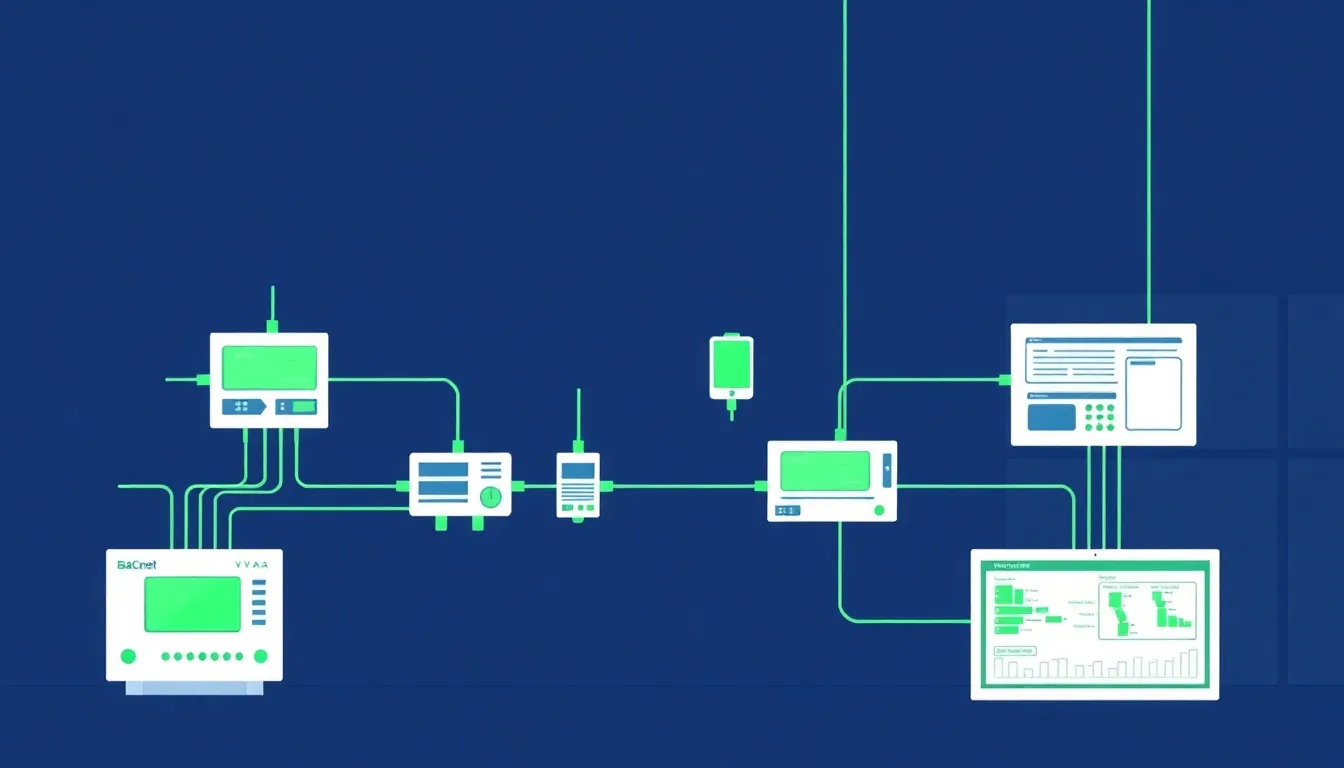
BACnet Building Automation and IIoT Crossover

Most IIoT engineers live in the world of Modbus registers, EtherNet/IP CIP objects, and MQTT topics. BACnet — the dominant protocol in building automation — rarely appears on their radar. But as manufacturing facilities increasingly integrate HVAC, energy management, and environmental monitoring into their operational technology (OT) stacks, understanding BACnet becomes a practical necessity.

This article explains BACnet from the perspective of someone who already understands industrial protocols. If you can read a Modbus register map, you can understand BACnet's object model. The concepts map more cleanly than you might expect.

Best SCADA Alternatives in 2026: Modern Platforms That Replace Legacy Systems

· 10 min read
MachineCDN Team
Industrial IoT Experts

SCADA systems have been the backbone of industrial monitoring for four decades. They've earned their place — when a plant needed visibility into process variables, alarms, and equipment status, SCADA was the only game in town.

But here's what's happening in 2026: manufacturers aren't replacing their SCADA systems because SCADA stopped working. They're looking for alternatives because SCADA was built for a world that no longer exists — a world where data lived on-premise, where remote access meant a VPN headache, where adding a new data point required an integrator and a purchase order.

The modern manufacturing floor demands real-time cloud analytics, mobile access, AI-powered predictive maintenance, and deployments measured in minutes, not months. Legacy SCADA can't deliver that. These alternatives can.

Data Normalization in IIoT: Handling Register Formats, Byte Ordering, and Scaling Factors [2026]

· 11 min read
MachineCDN Team
Industrial IoT Experts

Every IIoT engineer eventually faces the same rude awakening: you've got a perfectly good Modbus connection to a PLC, registers are responding, data is flowing — and every single value is wrong.

Not "connection refused" wrong. Not "timeout" wrong. The insidious kind of wrong where a temperature reading of 23.5°C shows up as 17,219, or a pressure value oscillates between astronomical numbers and zero for no apparent reason.

Welcome to the data normalization problem — the unsexy, unglamorous, absolutely critical layer between raw industrial registers and usable engineering data. Get it wrong, and your entire IIoT platform is built on garbage.

Data Normalization in IIoT: Handling PLC Register Formats, Byte Ordering, and Scaling Factors [2026 Guide]

· 13 min read
MachineCDN Team
Industrial IoT Experts

If you've ever stared at a raw Modbus register dump and tried to figure out why your temperature reading shows 16,838 instead of 72.5°F, this article is for you. Data normalization is the unglamorous but absolutely critical layer between industrial equipment and useful analytics — and getting it wrong means your dashboards lie, your alarms misfire, and your predictive maintenance models train on garbage.

After years of building data pipelines from PLCs across plastics, HVAC, and conveying systems, here's what we've learned about the hard parts nobody warns you about.

Edge Computing Architecture for IIoT: Store-and-Forward, Batch Processing, and Bandwidth Optimization [2026]

· 14 min read
MachineCDN Team
Industrial IoT Experts

Here's an uncomfortable truth about industrial IoT: your cloud platform is only as reliable as the worst cellular connection on your factory floor.

And in manufacturing environments — where concrete walls, metal enclosures, and electrical noise are the norm — that connection can drop for minutes, hours, or days. If your edge architecture doesn't account for this, you're not building an IIoT system. You're building a fair-weather dashboard that goes dark exactly when you need it most.

This guide covers the architecture patterns that separate production-grade edge gateways from science projects: store-and-forward buffering, intelligent batch processing, binary serialization, and the MQTT reliability patterns that actually work when deployed on a $200 industrial router with 256MB of RAM.