125 posts tagged with "Manufacturing"

Smart manufacturing and Industry 4.0

View All Tags

IoTFlows vs MachineCDN for Downtime Root Cause Analysis: Which Platform Finds Problems Faster?

· 8 min read
MachineCDN Team
Industrial IoT Experts

When a $40,000-per-hour stamping press goes down, the last thing your maintenance team needs is ambiguity. They need to know exactly what failed, exactly when, and exactly why — not a vibration score that says "something might be wrong."

That's where the fundamental difference between IoTFlows and MachineCDN becomes crystal clear. Both platforms promise downtime root cause analysis, but they approach the problem from opposite directions — and the approach determines how fast your team gets answers.

MachineCDN vs Samsara for Factory Equipment Monitoring: IoT Fleet Platform vs Purpose-Built IIoT

· 8 min read
MachineCDN Team
Industrial IoT Experts

Samsara is one of the most recognizable names in IoT — a publicly traded company (NYSE: IOT) valued at over $20 billion that processes trillions of data points from millions of connected devices. When manufacturers evaluate connected platforms, Samsara's name inevitably comes up.

But here's the nuance that matters: Samsara is a fleet and operations IoT platform that also does manufacturing. MachineCDN is a manufacturing IIoT platform that does nothing else. That distinction shapes every feature, every price point, and every deployment decision.

This comparison goes deeper than our initial MachineCDN vs Samsara analysis — specifically focusing on the factory equipment monitoring use case that matters most to manufacturing engineers.

Top 8 MachineMetrics Alternatives for Manufacturing in 2026

· 10 min read
MachineCDN Team
Industrial IoT Experts

MachineMetrics has built a solid reputation in CNC machine monitoring. If you're running a job shop full of Haas, Mazak, and DMG MORI mills, their platform delivers real-time visibility into spindle utilization, cycle times, and part counts.

But MachineMetrics has limitations that become obvious as your monitoring needs expand. Their strength — deep CNC integration via MTConnect and FANUC FOCAS — is also their constraint. If you need to monitor injection molding machines, packaging lines, compressors, furnaces, or any non-CNC equipment, you'll quickly hit the edges of what MachineMetrics can do.

Here are 8 alternatives worth evaluating in 2026, ranked by how well they solve the problems MachineMetrics doesn't.

Materials and Inventory Management for Manufacturing: How IIoT Closes the Visibility Gap

· 9 min read
MachineCDN Team
Industrial IoT Experts

Ask any production manager what stops their lines, and "we ran out of material" will be in the top five answers. It's not a technology failure or a mechanical breakdown — it's a visibility problem. The hopper ran empty because nobody checked it. The raw material wasn't staged because the warehouse didn't know the production schedule changed. The spare part wasn't available because nobody tracked consumption rates.

Materials and inventory management in manufacturing has been a blind spot for most IIoT platforms, which focus exclusively on machine health and OEE. But material availability is directly connected to equipment uptime, product quality, and production throughput. A machine that's running perfectly still produces zero output if its material hopper is empty.

MQTT Broker Architecture for Industrial Deployments: Clustering, Persistence, and High Availability [2026]

· 11 min read

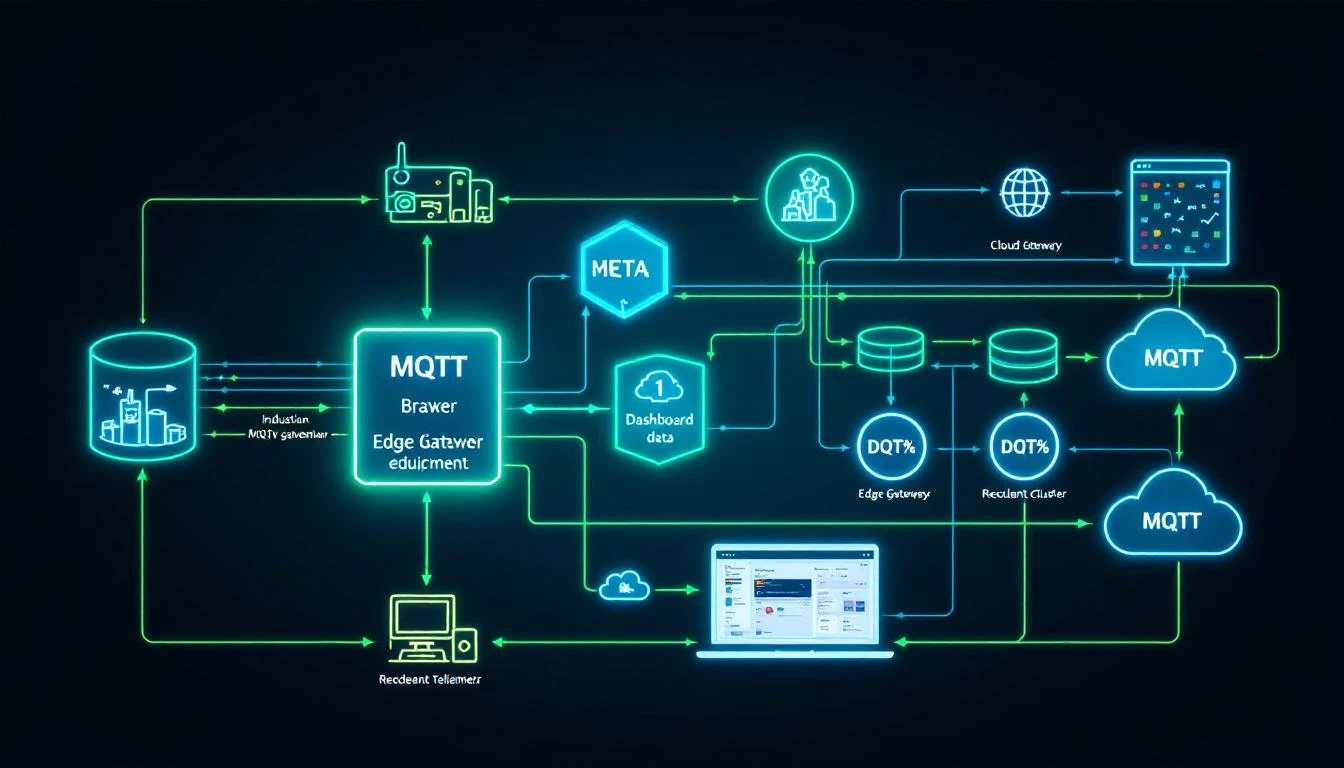
MQTT Broker Architecture

Every IIoT tutorial makes MQTT look simple: connect, subscribe, publish. Three calls and you're streaming telemetry. What those tutorials don't tell you is what happens when your broker goes down at 2 AM, your edge gateway's cellular connection drops for 40 minutes, or your plant generates 50,000 messages per second and you need every single one to reach the historian.

Industrial MQTT isn't a protocol problem. It's an architecture problem. The protocol itself is elegant and well-specified. The hard part is designing the broker infrastructure — clustering, persistence, session management, and failover — so that zero messages are lost when (not if) something fails.

This article is for engineers who've gotten past "hello world" and need to build MQTT infrastructure that meets manufacturing reliability requirements. We'll cover the internal mechanics that matter, the failure modes you'll actually hit, and the architecture patterns that work at scale.

How MQTT Brokers Actually Handle Messages

Before discussing architecture, let's nail down what the broker is actually doing internally. This understanding is critical for sizing, troubleshooting, and making sensible design choices.

The Session State Machine

When a client connects with CleanSession=false (MQTT 3.1.1) or CleanStart=false with a non-zero SessionExpiryInterval (MQTT 5.0), the broker creates a persistent session bound to the client ID. This session maintains:

  • The set of subscriptions (topic filters + QoS levels)
  • QoS 1 and QoS 2 messages queued while the client is offline
  • In-flight QoS 2 message state (PUBLISH received, PUBREC sent, waiting for PUBREL)
  • The packet identifier namespace

This is the mechanism that makes MQTT suitable for unreliable networks — and it's the mechanism that will eat your broker's memory and disk if you don't manage it carefully.

Message Flow at QoS 1

Most industrial deployments use QoS 1 (at least once delivery). Here's what actually happens inside the broker:

  1. Publisher sends PUBLISH with QoS 1 and a packet identifier
  2. Broker receives the message and must:
    • Match the topic against all active subscription filters
    • For each matching subscription, enqueue the message
    • For connected subscribers with matching QoS, deliver immediately
    • For disconnected subscribers with persistent sessions, store in the session queue
    • Persist the message to disk (if persistence is enabled) before acknowledging
  3. Broker sends PUBACK to the publisher — only after all storage operations complete
  4. For each connected subscriber, broker sends PUBLISH and waits for PUBACK
  5. If PUBACK isn't received, broker retransmits on reconnection

The critical detail: step 3 is the durability guarantee. If the broker crashes between receiving the PUBLISH and sending the PUBACK, the publisher will retransmit. If the broker crashes after PUBACK but before delivering to all subscribers, the message must survive the crash — which means it must be on disk.

QoS 2: The Four-Phase Handshake

QoS 2 (exactly once) uses a four-message handshake: PUBLISH → PUBREC → PUBREL → PUBCOMP. The broker must maintain state for each in-flight QoS 2 transaction. In industrial settings, this is occasionally used for critical state changes (machine start/stop commands, recipe downloads) where duplicate delivery would cause real damage.

The operational cost: each QoS 2 message requires 4x the network round trips of QoS 0, and the broker must maintain per-message transaction state. For high-frequency telemetry, this is almost never worth the overhead. QoS 1 with application-level deduplication (using message timestamps or sequence numbers) is the standard industrial approach.

Broker Persistence: What Gets Stored and Where

In-Memory vs Disk-Backed

A broker with no persistence is a broker that loses messages on restart. Period. For development and testing, in-memory operation is fine. For production industrial deployments, you need disk-backed persistence.

What needs to be persisted:

DataPurposeStorage Impact
Retained messagesLast-known-good value per topicGrows with topic count
Session stateOffline subscriber queuesGrows with offline duration × message rate
Inflight messagesQoS 1/2 messages awaiting acknowledgmentUsually small, bounded by max_inflight
Will messagesLast-will-and-testament per clientOne per connected client

The session queue is where most storage problems originate. Consider: an edge gateway publishes 100 tags at 1-second intervals. Each message is ~200 bytes. If the cloud subscriber goes offline for 1 hour, that's 360,000 messages × 200 bytes = ~72 MB queued for that single client. Now multiply by 50 gateways across a plant.

Practical Queue Management

Every production broker deployment needs queue limits:

  • Maximum queue depth — Cap the number of messages per session queue. When the queue is full, either drop the oldest message (most common for telemetry) or reject new publishes (appropriate for control messages).
  • Maximum queue size in bytes — A secondary safeguard when message sizes vary.
  • Message expiry — MQTT 5.0 supports per-message expiry intervals. For telemetry data, 1-hour expiry is typical — a temperature reading from 3 hours ago has no operational value.

A well-configured broker with 4 GB of RAM can handle approximately:

  • 100,000 active sessions
  • 500,000 subscriptions
  • 10,000 messages/second throughput
  • 50 MB of retained messages

These are ballpark figures that vary enormously with message size, topic tree depth, and subscription overlap. Always benchmark with your actual traffic profile.

Clustering: Why and How

A single broker is a single point of failure. For industrial deployments where telemetry loss means blind spots in production monitoring, you need broker clustering.

Active-Active vs Active-Passive

Active-passive (warm standby): One broker handles all traffic. A secondary broker synchronizes state and takes over on failure. Failover time: typically 5-30 seconds depending on detection mechanism.

Active-active (load sharing): Multiple brokers share the client load. Messages published to any broker are replicated to subscribers on other brokers. This provides both high availability and horizontal scalability.

The Shared Subscription Problem

In a clustered setup, if three subscribers share a subscription (e.g., three historian instances for redundancy), each message should be delivered to exactly one of them — not all three. MQTT 5.0's shared subscriptions ($share/group/topic) handle this, distributing messages round-robin among group members.

Without shared subscriptions, each historian instance receives every message, tripling your write load. This is one of the strongest arguments for MQTT 5.0 over 3.1.1 in industrial architectures.

Message Ordering Guarantees

MQTT guarantees message ordering per publisher, per topic, per QoS level. In a clustered broker, maintaining this guarantee across brokers requires careful replication design. Most broker clusters provide:

  • Strong ordering for messages within a single broker node
  • Eventual ordering for messages replicated across nodes (typically < 100ms delay)

For industrial telemetry where timestamps are embedded in the payload, eventual ordering is almost always acceptable. For control messages where sequencing matters, route the publisher and subscriber to the same broker node.

Designing the Edge-to-Cloud Pipeline

The most common industrial MQTT architecture has three layers:

Layer 1: Edge Broker (On-Premises)

Runs on the edge gateway or a local server within the plant network. Responsibilities:

  • Local subscribers — HMI panels, local alarm engines, historian
  • Store-and-forward buffer — Queues messages when cloud connectivity is lost
  • Protocol translation — Accepts data from Modbus/EtherNet/IP collectors and publishes to MQTT
  • Data reduction — Filters unchanged values, aggregates high-frequency data

The edge broker must run on reliable storage (SSD, not SD card) because it's your buffer against network outages. Size the storage for your worst-case outage duration:

Storage needed = (messages/sec) × (avg message size) × (max outage seconds)

Example: 500 msg/s × 200 bytes × 3600 sec = 360 MB per hour of outage

Layer 2: Bridge to Cloud

The edge broker bridges selected topics to a cloud-hosted broker or IoT hub. Key configuration decisions:

  • Bridge QoS — Use QoS 1 for the bridge connection. QoS 0 means any TCP reset loses messages in transit. QoS 2 adds overhead with minimal benefit since telemetry is naturally idempotent.
  • Topic remapping — Prefix bridged topics with a plant/location identifier. A local topic machines/chiller-01/temperature becomes plant-detroit/machines/chiller-01/temperature in the cloud.
  • Bandwidth throttling — Limit the bridge's publish rate to avoid saturating the WAN link. If local collection runs at 500 msg/s but your link can sustain 200 msg/s, the edge broker must buffer or aggregate the difference.

Layer 3: Cloud Broker Cluster

Receives bridged data from all plants. Serves cloud-hosted consumers: analytics pipelines, dashboards, ML training jobs. This layer typically uses a managed service (Azure IoT Hub, AWS IoT Core, HiveMQ Cloud) or a self-hosted cluster.

Key sizing for cloud brokers:

  • Concurrent connections — One per edge gateway, plus cloud consumers
  • Message throughput — Sum of all edge bridge rates
  • Retention — Typically short (minutes to hours). Long-term storage is the historian's job.

Connection Management: The Details That Bite You

Keep-Alive and Half-Open Connections

MQTT's keep-alive mechanism is your primary tool for detecting dead connections. When a client sets keepAlive=60, it must send a PINGREQ within 60 seconds if no other packets are sent. The broker will close the connection after 1.5× the keep-alive interval with no activity.

In industrial environments, be aware of:

  • NAT timeouts — Many firewalls and NAT devices close idle TCP connections after 30-120 seconds. Set keep-alive below your NAT timeout.
  • Cellular networks — 4G/5G connections can silently disconnect. A keep-alive of 30 seconds is aggressive but appropriate for cellular gateways.
  • Half-open connections — The TCP connection is dead but neither side has detected it. Until keep-alive expires, the broker maintains the session and queues messages that will never be delivered. This is why aggressive keep-alive matters.

Last Will and Testament for Device Health

Configure every edge gateway with a Last Will and Testament (LWT):

Topic: devices/{device-id}/status
Payload: {"status": "offline", "timestamp": 1709251200}
QoS: 1
Retain: true

On clean connection, publish a retained "online" message to the same topic. Now any subscriber can check device status by reading the retained message on the status topic. If the device disconnects uncleanly (network failure, power loss), the broker publishes the LWT automatically.

This pattern provides a real-time device health map across your entire fleet without any polling or heartbeat logic in your application.

Authentication and Authorization at Scale

Certificate-Based Authentication

For fleets of 100+ edge gateways, username/password authentication becomes an operational burden. Certificate-based TLS client authentication scales better:

  • Issue each gateway a unique X.509 certificate from your PKI
  • Configure the broker to extract the client identity from the certificate's Common Name (CN) or Subject Alternative Name (SAN)
  • Revoke compromised devices by updating the Certificate Revocation List (CRL) — no password rotation needed

Topic-Level Authorization

Not every device should publish to every topic. A well-designed ACL (Access Control List) restricts:

  • Each gateway can only publish to plants/{plant-id}/devices/{device-id}/#
  • Each gateway can only subscribe to plants/{plant-id}/devices/{device-id}/commands/#
  • Cloud services can subscribe to plants/+/devices/+/# (wildcard across all plants)
  • No device can subscribe to another device's command topics

This contains the blast radius of a compromised device. It can only pollute its own data stream, not inject false data into other devices' telemetry.

Monitoring Your Broker: The Metrics That Matter

$SYS Topics

Most MQTT brokers expose internal metrics via $SYS/ topics:

  • $SYS/broker/messages/received — Total messages received (track rate, not absolute)
  • $SYS/broker/clients/connected — Current connected client count
  • $SYS/broker/subscriptions/count — Active subscription count
  • $SYS/broker/retained/messages/count — Retained message store size
  • $SYS/broker/heap/current — Memory usage

Operational Alerts

Set alerts for:

  • Connected client count drops > 10% in 5 minutes → possible network issue
  • Message rate drops > 50% vs rolling average → possible edge gateway failure
  • Heap usage > 80% of available → approaching memory limit, check session queue sizes
  • Subscription count anomaly → possible subscription leak (client reconnecting without cleaning up)

Where machineCDN Fits

All of this broker infrastructure complexity is why industrial IIoT platforms exist. machineCDN's edge software handles the protocol collection layer (Modbus, EtherNet/IP, and more), implements the store-and-forward buffering that keeps data safe during connectivity gaps, and manages the secure delivery pipeline to cloud infrastructure. The goal is to let plant engineers focus on what the data means rather than how to transport it reliably.

Whether you build your own MQTT infrastructure or use a managed platform, the principles in this article apply. Understand your persistence requirements, size your queues for realistic outage durations, and test failover before you need it in production. The protocol is simple. The architecture is where the engineering happens.

Quick Reference: Broker Sizing Calculator

Plant SizeEdge GatewaysTags/GatewayMsgs/sec (total)Min Broker RAMStorage (1hr buffer)
Small10505001 GB360 MB
Medium501005,0004 GB3.6 GB
Large20020040,00016 GB28.8 GB
Enterprise500+500250,00064 GB+180 GB+

These assume 200-byte average message size, QoS 1, and 1-second publishing intervals per tag. Your mileage will vary — always benchmark with representative traffic.

OPC-UA Pub/Sub vs Client/Server: Choosing the Right Pattern for Your Plant Floor [2026]

· 10 min read

OPC-UA Architecture

If you've spent any time connecting PLCs to cloud dashboards, you've run into OPC-UA. The protocol dominates industrial interoperability conversations — and for good reason. Its information model, security architecture, and cross-vendor compatibility make it the lingua franca of modern manufacturing IT.

But here's what trips up most engineers: OPC-UA isn't a single communication pattern. It's two fundamentally different paradigms sharing one information model. Client/server has been the workhorse since OPC-UA's inception. Pub/sub, ratified in Part 14 of the specification, is the newer pattern designed for one-to-many data distribution. Picking the wrong one can mean the difference between a system that scales to 500 machines and one that falls over at 50.

Let's break down when you need each, how they actually behave on the wire, and where the real-world performance boundaries lie.

The Client/Server Model: What You Already Know (and What You Don't)

OPC-UA client/server follows a familiar request-response paradigm. A client establishes a secure channel to a server, opens a session, creates one or more subscriptions, and receives notifications when monitored item values change.

How Subscriptions Actually Work

This is where many engineers have an incomplete mental model. A subscription isn't a simple "tell me when X changes." It's a multi-layered construct:

  1. Monitored Items — Each tag you want to observe becomes a monitored item with its own sampling interval (how often the server checks the underlying data source) and queue size (how many values to buffer between publish cycles).

  2. Publishing Interval — The subscription itself has a publishing interval that determines how frequently the server packages up change notifications and sends them to the client. This is independent of the sampling interval.

  3. Keep-alive — If no data changes occur within the publishing interval, the server sends a keep-alive message. After a configurable number of missed keep-alives, the subscription is considered dead.

The key insight: sampling and publishing are decoupled. You might sample a temperature sensor at 100ms but only publish aggregated notifications every 1 second. This reduces network traffic without losing fidelity at the source.

Real-World Performance Characteristics

In practice, a single OPC-UA server can typically handle:

  • 50-200 concurrent client sessions (depending on hardware)
  • 5,000-50,000 monitored items per server across all sessions
  • Publishing intervals down to ~50ms before CPU becomes the bottleneck
  • Secure channel negotiation takes 200-800ms depending on security policy

The bottleneck isn't usually bandwidth — it's the server's CPU. Every subscription requires the server to maintain state, evaluate sampling queues, and serialize notification messages for each connected client independently. This is the fan-out problem.

When Client/Server Breaks Down

Consider a plant with 200 machines, each exposing 100 tags. A central historian, a real-time dashboard, an analytics engine, and an alarm system all need access. That's four clients × 200 servers × 100 tags each.

Every server must maintain four independent subscription contexts. Every data change gets serialized and transmitted four times — once per client. The server doesn't know or care that all four clients want the same data. It can't share work between them.

At moderate scale, this works fine. At plant-wide scale with hundreds of devices and dozens of consumers, you're asking each embedded OPC-UA server on a PLC to handle work that grows linearly with the number of consumers. That's the architectural tension pub/sub was designed to resolve.

The Pub/Sub Model: How It Actually Differs

OPC-UA Pub/Sub fundamentally changes the relationship between data producers and consumers. Instead of maintaining per-client connections, a publisher emits data to a transport (typically UDP multicast or an MQTT broker) and subscribers independently consume from that transport.

The Wire Format: UADP vs JSON

Pub/sub messages can be encoded in two ways:

UADP (UA Data Protocol) — A compact binary encoding optimized for bandwidth-constrained networks. A typical dataset message with 50 variables fits in ~400 bytes. Headers contain security metadata, sequence numbers, and writer group identifiers. This is the format you want for real-time control loops.

JSON encoding — Human-readable, easier to debug, but 3-5x larger on the wire. Useful when messages need to traverse IT infrastructure (firewalls, API gateways, log aggregators) where binary inspection is impractical.

Publisher Configuration

A publisher organizes its output into a hierarchy:

Publisher
└── WriterGroup (publishing interval, transport settings)
└── DataSetWriter (maps to a PublishedDataSet)
└── PublishedDataSet (the actual variables)

Each WriterGroup controls the publishing cadence and encoding. A single publisher might have one WriterGroup at 100ms for critical process variables and another at 10 seconds for auxiliary measurements.

DataSetWriters bind the data model to the transport. They define which variables go into which messages and how they're sequenced.

Subscriber Discovery

One of pub/sub's elegant features is publisher-subscriber decoupling. A subscriber doesn't need to know the publisher's address. It subscribes to a multicast group or MQTT topic and discovers available datasets from the messages themselves. DataSet metadata (field names, types, engineering units) can be embedded in the message or discovered via a separate metadata channel.

In practice, this means you can add a new analytics consumer to a running plant network without touching a single PLC configuration. The publisher doesn't even know the new subscriber exists.

Head-to-Head: The Numbers That Matter

DimensionClient/ServerPub/Sub (UADP/UDP)Pub/Sub (JSON/MQTT)
Latency (typical)5-50ms1-5ms10-100ms
Connection setup200-800msNone (connectionless)Broker-dependent
Bandwidth per 100 tags~2-4 KB/s~0.5-1 KB/s~3-8 KB/s
Max consumers per dataset~50 practicalUnlimited (multicast)Broker-limited
SecuritySession-level encryptionMessage-level signing/encryptionTLS + message-level
Firewall traversalEasy (single TCP)Hard (multicast)Easy (TCP to broker)
Deterministic timingNoYes (with TSN)No

The Latency Story

Client/server latency is bounded by the publishing interval plus network round-trip plus serialization overhead. The server must evaluate all monitored items in the subscription, package the notification, encrypt it, and transmit it — for each client independently.

Pub/sub with UADP over UDP can achieve sub-millisecond delivery when combined with Time-Sensitive Networking (TSN). The publisher serializes the dataset once, and the network fabric handles delivery to all subscribers simultaneously. There's no per-subscriber work on the publisher side.

Security Trade-offs

Client/server has the more mature security story. Each session negotiates its own secure channel with certificate-based authentication, message signing, and encryption. The server knows exactly who's connected and can enforce fine-grained access control.

Pub/sub security is message-based. Publishers sign and optionally encrypt messages using security keys distributed through a Security Key Server (SKS). Subscribers must obtain the appropriate keys to decrypt and verify messages. This works, but key distribution and rotation add operational complexity that client/server doesn't have.

Practical Architecture Patterns

Pattern 1: Client/Server for Configuration, Pub/Sub for Telemetry

The most common hybrid approach uses client/server for interactive operations — reading configuration parameters, writing setpoints, browsing the address space, acknowledging alarms — while pub/sub handles the high-frequency telemetry stream.

This plays to each model's strengths. Configuration operations are infrequent, require acknowledgment, and benefit from the request/response guarantee. Telemetry is high-volume, one-directional, and needs to scale to many consumers.

Pattern 2: Edge Aggregation with Pub/Sub Fan-out

Deploy an edge gateway that connects to PLCs via client/server (or native protocols like Modbus or EtherNet/IP), normalizes the data, and re-publishes it via OPC-UA pub/sub. The gateway absorbs the per-device connection complexity while providing a clean, scalable distribution layer.

This is exactly the pattern that platforms like machineCDN implement — the edge software handles the messy reality of multi-protocol PLC communication while providing a unified data stream that any number of consumers can tap into.

Pattern 3: MQTT Broker as Pub/Sub Transport

If your plant network can't support UDP multicast (many can't, due to switch configurations or security policies), use an MQTT broker as the pub/sub transport. The publisher sends OPC-UA pub/sub messages (JSON-encoded) to MQTT topics. Subscribers consume from those topics.

You lose the latency advantage of raw UDP, but you gain:

  • Standard IT infrastructure compatibility
  • Built-in persistence (retained messages)
  • Existing monitoring and management tools
  • Firewall-friendly TCP connections

The overhead is measurable — expect 10-50ms additional latency per hop through the broker — but for most monitoring and analytics use cases, this is perfectly acceptable.

Migration Strategy: Moving from Pure Client/Server

If you're running a pure client/server architecture today and hitting scale limits, don't rip and replace. Migrate incrementally:

  1. Identify high-fan-out datasets — Which datasets have 3+ consumers? Those are your first pub/sub candidates.

  2. Deploy an edge pub/sub gateway — Stand up a gateway that subscribes to your existing OPC-UA servers (via client/server) and republishes via pub/sub. Existing consumers continue to work unchanged.

  3. Migrate consumers one at a time — Move each consumer from direct server connections to the pub/sub stream. Monitor for data quality and latency differences.

  4. Push pub/sub to the source — Once proven, configure PLCs and servers that support native pub/sub to publish directly, eliminating the gateway hop for those devices.

When to Use Which: The Decision Matrix

Choose Client/Server when:

  • You need request/response semantics (writes, method calls)
  • Consumer count is small and stable (< 10 per server)
  • You need to browse and discover the address space interactively
  • Security audit requirements demand per-session access control
  • Your network doesn't support multicast

Choose Pub/Sub when:

  • You have many consumers for the same dataset
  • You need deterministic, low-latency delivery (especially with TSN)
  • Publishers are resource-constrained (embedded PLCs)
  • You're distributing data across network boundaries (IT/OT convergence)
  • You want to decouple publisher lifecycle from consumer lifecycle

Choose both when:

  • You're building a plant-wide platform (this is most real deployments)
  • Configuration and telemetry have different reliability requirements
  • You need to scale consumers independently of device count

The Future: TSN + Pub/Sub

The convergence of OPC-UA Pub/Sub with IEEE 802.1 Time-Sensitive Networking is arguably the most significant development in industrial networking since Ethernet hit the plant floor. TSN provides guaranteed bandwidth allocation, bounded latency, and time synchronization at the network switch level. Combined with UADP encoding, this enables OPC-UA to replace proprietary fieldbus protocols in deterministic control applications.

We're not there yet for most brownfield deployments. TSN-capable switches are expensive, and PLC vendor support is still rolling out. But for greenfield installations making architecture decisions today, TSN-ready pub/sub infrastructure is worth designing for.

Getting Started

If you're evaluating OPC-UA patterns for your plant:

  1. Audit your current fan-out — Count how many consumers connect to each data source. If any source serves 5+ consumers, pub/sub will reduce its load.

  2. Test your network for multicast — Many industrial Ethernet switches support multicast, but it may not be configured. Work with your network team to test IGMP snooping and multicast routing.

  3. Start with MQTT transport — If multicast isn't viable, MQTT-based pub/sub is the lowest-friction path. You can always migrate to UADP/UDP later.

  4. Consider an edge platform — Platforms like machineCDN handle the protocol translation and data normalization layer, letting you focus on the analytics and business logic rather than wrestling with transport plumbing.

The choice between client/server and pub/sub isn't either/or. It's understanding which pattern serves which data flow — and designing your architecture accordingly.

Preventive Maintenance Scheduling Software for Manufacturing: Automate PM Tasks and Maximize Uptime

· 9 min read
MachineCDN Team
Industrial IoT Experts

Preventive maintenance is the most effective maintenance strategy that most manufacturers still execute poorly. Not because they don't understand PM — every maintenance manager knows that regularly scheduled maintenance prevents breakdowns. They execute it poorly because their PM scheduling tools are disconnected from reality.

The typical PM program lives in a spreadsheet, a standalone CMMS, or even a whiteboard in the maintenance office. Tasks are scheduled based on calendar intervals or runtime hours that someone estimated years ago. Technicians get a printed work order with instructions written for a generic machine, not the specific unit they're about to work on. Spare parts availability is checked by walking to the parts crib. Completion is documented on paper and entered into the CMMS days later — if at all.

Modern IIoT platforms are changing this by connecting PM scheduling directly to real-time machine data — so maintenance tasks are triggered by actual equipment condition, spare parts are tracked in the same system, and technicians have the information they need before they pick up a wrench.

Best Real-Time Manufacturing Dashboard Software 2026: See Your Factory in Real Time

· 9 min read
MachineCDN Team
Industrial IoT Experts

A manufacturing dashboard isn't useful if it shows you what happened yesterday. By the time you're reading yesterday's production report, the scrap is already in the bin, the machine has been down for 8 hours, and your best customer's order is late.

Real-time manufacturing dashboards change the equation. They show you what's happening right now — which machines are running, which are idle, which are alarming, and how your shift is tracking against plan. The difference between a 5-second data refresh and a next-day report is the difference between catching a problem and cleaning up after one.

Here's what the best real-time dashboard platforms deliver in 2026, and how to pick the right one for your operation.

How to Reduce Energy Costs in Manufacturing with IIoT: A Practical Guide to Cutting 15-30% Off Your Power Bill

· 10 min read
MachineCDN Team
Industrial IoT Experts

Energy is the expense that hides in plain sight. Most manufacturers know their monthly utility bill, but few can answer these questions:

  • Which machines consume the most energy per part produced?
  • How much energy does your factory waste during idle time and changeovers?
  • What's the actual cost of running Machine #7 versus Machine #12 for the same product?
  • How does your energy consumption compare between shifts, operators, or products?

Without machine-level energy visibility, you're paying a number you can't optimize. And that number is getting bigger — U.S. industrial electricity rates have risen 22% since 2020, and the trend isn't reversing.

This guide shows you how to use IIoT monitoring to find and eliminate energy waste in manufacturing operations — with a realistic target of 15–30% reduction in energy costs within the first year.

Reliable Telemetry Delivery in IIoT: Page Buffers, Batch Finalization, and Disconnection Recovery [2026]

· 13 min read

Your edge gateway reads 200 tags from a PLC every second. The MQTT connection to your cloud broker drops for 3 minutes because someone bumped the cellular antenna. What happens to the 36,000 data points collected during the outage?

If your answer is "they're gone," you have a toy system, not an industrial one.

Reliable telemetry delivery is the hardest unsolved problem in most IIoT architectures. Everyone focuses on the protocol layer — Modbus reads, EtherNet/IP connections, OPC-UA subscriptions — but the real engineering is in what happens between reading a value and confirming it reached the cloud. This article breaks down the buffer architecture that makes zero-data-loss telemetry possible on resource-constrained edge hardware.

Reliable telemetry delivery buffer architecture

The Problem: Three Asynchronous Timelines

In any edge-to-cloud telemetry system, you're managing three independent timelines:

  1. PLC read cycle — Tags are read at fixed intervals (1s, 60s, etc.). This never stops. The PLC doesn't care if your cloud connection is down.

  2. Batch collection — Raw tag values are grouped into batches by timestamp and device. Batches accumulate until they hit a size limit or a timeout.

  3. MQTT delivery — Batches are published to the broker. The broker acknowledges receipt. At QoS 1, the MQTT library handles retransmission, but only if you give it data in the right form.

These three timelines run independently. The PLC read loop runs on a tight 1-second cycle. Batch finalization might happen every 30–60 seconds. MQTT delivery depends on network availability. If any one of these stalls, the others must keep running without data loss.

This is fundamentally a producer-consumer problem with a twist: the consumer (MQTT) can disappear for minutes at a time, and the producer (PLC reads) cannot slow down.

The Batch Layer: Grouping Values for Efficient Transport

Raw tag values are tiny — a temperature reading is 4 bytes, a boolean is 1 byte. Sending each value as an individual MQTT message would be absurdly wasteful. Instead, values are collected into batches — structured payloads that contain multiple timestamped readings from one or more devices.

Batch Structure

A batch is organized as a series of groups, where each group represents one polling cycle (one timestamp, one device):

Batch
├── Group 0: { timestamp: 1709284800, device_type: 5000, serial: 12345 }
│ ├── Value: { id: 2, values: [72.4] } // Delivery Temp
│ ├── Value: { id: 3, values: [68.1] } // Mold Temp
│ └── Value: { id: 5, values: [12.6] } // Flow Value
├── Group 1: { timestamp: 1709284860, device_type: 5000, serial: 12345 }
│ ├── Value: { id: 2, values: [72.8] }
│ ├── Value: { id: 3, values: [68.3] }
│ └── Value: { id: 5, values: [12.4] }
└── ...

Dual-Format Encoding: JSON vs Binary

Production edge daemons typically support two encoding formats for batches, and the choice has massive implications for bandwidth:

JSON format:

{
"groups": [
{
"ts": 1709284800,
"device_type": 5000,
"serial_number": 12345,
"values": [
{"id": 2, "values": [72.4]},
{"id": 3, "values": [68.1]}
]
}
]
}

Binary format (same data):

Header:  F7                           (1 byte - magic)
Groups: 00 00 00 01 (4 bytes - group count)
Group 0: 65 E5 A0 00 (4 bytes - timestamp)
13 88 (2 bytes - device type: 5000)
00 00 30 39 (4 bytes - serial number)
00 00 00 02 (4 bytes - value count)
Value 0: 00 02 (2 bytes - tag id)
00 (1 byte - status: OK)
01 (1 byte - values count)
04 (1 byte - element size: 4 bytes)
42 90 CC CD (4 bytes - float 72.4)
Value 1: 00 03
00
01
04
42 88 33 33 (4 bytes - float 68.1)

The JSON version of this payload: ~120 bytes. The binary version: ~38 bytes. That's a 3.2x reduction — and on a metered cellular connection at $0.01/MB, that savings compounds quickly when you're transmitting every 30 seconds 24/7.

The binary format uses a simple TLV-like structure: magic byte, group count (big-endian uint32), then for each group: timestamp (uint32), device type (uint16), serial number (uint32), value count (uint32), then for each value: tag ID (uint16), status byte, value count, element size, and raw value bytes. No field names, no delimiters, no escaping — just packed binary data.

Batch Finalization Triggers

A batch should be finalized (sealed and queued for delivery) when either condition is met:

  1. Size limit exceeded — When the accumulated batch size exceeds a configured maximum (e.g., 500KB for JSON, or when the binary buffer is 90%+ full). The 90% threshold for binary avoids the edge case where the next value would overflow the buffer.

  2. Collection timeout expired — When elapsed time since the batch started exceeds a configured maximum (e.g., 60 seconds). This ensures data flows even during quiet periods with few value changes.

if (elapsed_seconds > max_collection_time) → finalize
if (batch_size > max_batch_size) → finalize

Both checks happen after every group is closed (after every polling cycle). This means finalization granularity is tied to your polling interval — if you poll every 1 second and your batch timeout is 60 seconds, each batch will contain roughly 60 groups.

The "Do Not Batch" Exception

Some values are too important to wait for batch finalization. Equipment alarms, pump state changes, emergency stops — these need to reach the cloud immediately. These tags are flagged as "do not batch" in the configuration.

When a do-not-batch tag changes value, it bypasses the normal batch pipeline entirely. A mini-batch is created on the spot — containing just that single value — and pushed directly to the outgoing buffer. This ensures sub-second cloud visibility for critical state changes, while bulk telemetry still benefits from batch efficiency.

Tag: "Pump Status"     interval: 1s    do_not_batch: true
Tag: "Heater Status" interval: 1s do_not_batch: true
Tag: "Delivery Temp" interval: 60s do_not_batch: false ← normal batching

The Buffer Layer: Surviving Disconnections

This is where most IIoT implementations fail. The batch layer produces data. The MQTT layer consumes it. But what sits between them? If it's just an in-memory queue, you'll lose everything on disconnect.

Page-Based Ring Buffer Architecture

The production-grade answer is a page-based ring buffer — a fixed-size memory region divided into equal-sized pages that cycle through three states:

States:
FREE → Available for writing
WORK → Currently being filled with batch data
USED → Filled, waiting for MQTT delivery

Lifecycle:
FREE → WORK (when first data is added)
WORK → USED (when page is full or batch is finalized)
USED → transmit → delivery ACK → FREE (recycled)

Here's how it works:

Memory layout: At startup, a contiguous block of memory is allocated (e.g., 2MB). This block is divided into pages of a configured size (matching the MQTT max packet size, typically matching the batch size). Each page has a small header tracking its state and a data area.

┌──────────────────────────────────────────────┐
│ [Page 0: USED] [Page 1: USED] [Page 2: WORK]│
│ [Page 3: FREE] [Page 4: FREE] [Page 5: FREE]│
│ [Page 6: FREE] ... [Page N: FREE] │
└──────────────────────────────────────────────┘

Writing data: When a batch is finalized, its serialized bytes are written to the current WORK page. Each message gets a small header: a 4-byte message ID slot (filled later by the MQTT library) and a 4-byte size field. If the current page can't fit the next message, it transitions to USED and a fresh FREE page becomes the new WORK page.

Overflow handling: When all FREE pages are exhausted, the buffer reclaims the oldest USED page — the one that's been waiting for delivery the longest. This means you lose old data rather than new data, which is the right trade-off: the most recent readings are the most valuable. An overflow warning is logged so operators know the buffer is under pressure.

Delivery: When the MQTT connection is active, the buffer walks through USED pages and publishes their contents. Each publish gets a packet ID from the MQTT library. When the broker ACKs the packet (via the PUBACK callback for QoS 1), the corresponding page is recycled to FREE.

Disconnection recovery: When the MQTT connection drops:

  1. The disconnect callback fires
  2. The buffer marks itself as disconnected
  3. Data continues accumulating in pages (WORK → USED)
  4. When reconnected, the buffer immediately starts draining USED pages

No data is lost unless the buffer physically overflows. With 2MB of buffer and 500KB page size, you get 4 pages of headroom — enough to survive several minutes of disconnection at typical telemetry rates.

Thread Safety

The PLC read loop and the MQTT event loop run on different threads. The buffer must be thread-safe. Every buffer operation acquires a mutex:

  • buffer_add_data() — called from the PLC read thread after batch finalization
  • buffer_process_data_delivered() — called from the MQTT callback thread on PUBACK
  • buffer_process_connect() / buffer_process_disconnect() — called from MQTT lifecycle callbacks

Without proper locking, you'll see corrupted pages, double-free crashes, and mysterious data loss under load. This is non-negotiable.

Sizing the Buffer

Buffer sizing depends on three variables:

  1. Data rate: How many bytes per second does your polling loop produce?
  2. Expected outage duration: How long do you need to survive without MQTT?
  3. Available memory: Edge devices (especially industrial routers) have limited RAM

Example calculation:

  • 200 tags, average 6 bytes each (including binary overhead) = 1,200 bytes/group
  • Polling every 1 second = 1,200 bytes/second = 72KB/minute
  • Target: survive 30-minute outage = 2.16MB buffer
  • With 500KB pages = 5 pages minimum (round up for safety)

In practice, 2–4MB covers most scenarios. On a 32MB industrial router, that's well within budget.

The MQTT Layer: QoS, Reconnection, and Watchdogs

QoS 1: At-Least-Once Delivery

For industrial telemetry, QoS 1 is the right choice:

  • QoS 0 (fire and forget): No delivery guarantee. Unacceptable for production data.
  • QoS 1 (at least once): Broker ACKs every message. Duplicates possible but data loss prevented. Good trade-off.
  • QoS 2 (exactly once): Eliminates duplicates but doubles the handshake overhead. Rarely worth it for telemetry.

The page buffer's recycling logic depends on QoS 1: pages are only freed when the PUBACK arrives. If the ACK never comes (connection drops mid-transmission), the page stays in USED state and will be retransmitted after reconnection.

Connection Watchdog

MQTT connections can enter a zombie state — the TCP socket is open, the MQTT loop is running, but no data is actually flowing. This happens when network routing changes, firewalls silently drop the connection, or the broker becomes unresponsive.

The fix: a watchdog timer that monitors delivery acknowledgments. If no PUBACK has been received within a timeout window (e.g., 120 seconds) and data has been queued for transmission, force a reconnect:

if (now - last_delivered_packet_time > 120s) {
if (has_pending_data) {
// Force MQTT reconnection
reset_mqtt_client();
}
}

This catches the edge case where the MQTT library thinks it's connected but the network is actually dead. Without this watchdog, your edge daemon could silently accumulate hours of undelivered data in the buffer, eventually overflowing and losing it all.

Asynchronous Connection

MQTT connection establishment (DNS resolution, TLS handshake, CONNACK) can take several seconds, especially over cellular links. This must not block the PLC read loop. The connection should happen on a separate thread:

  1. Main thread detects connection is needed
  2. Connection thread starts connect_async()
  3. Main thread continues reading PLCs
  4. On successful connect, the callback fires and buffer delivery begins

If the connection thread is still working when a new connection attempt is needed, skip it — don't queue multiple connection attempts or you'll thrash the network stack.

TLS for Production

Any MQTT connection leaving your plant network must use TLS. Period. Industrial telemetry data — temperatures, pressures, equipment states, alarm conditions — is operationally sensitive. On the wire without encryption, anyone on the network path can see (and potentially modify) your readings.

For cloud brokers like Azure IoT Hub, TLS is mandatory. The edge daemon should:

  • Load the CA certificate from a PEM file
  • Use MQTT v3.1.1 protocol (widely supported, well-tested)
  • Monitor the SAS token expiration timestamp and alert before it expires
  • Automatically reinitialize the MQTT client when the certificate or connection string changes (file modification detected via stat())

Daemon Status Reporting

A well-designed edge daemon reports its own health back through the same MQTT channel it uses for telemetry. A periodic status message should include:

  • System uptime and daemon uptime — detect restarts
  • PLC link state — is the PLC connection healthy?
  • Buffer state — how full is the outgoing buffer?
  • MQTT state — connected/disconnected, last ACK time
  • SAS token expiration — days until credentials expire
  • Software version — for remote fleet management

An extended status format can include per-tag state: last read time, last delivery time, current value, and error count. This is invaluable for remote troubleshooting — you can see from the cloud exactly which tags are stale and why.

Value Comparison and Change Detection

Not all values need to be sent every polling cycle. A temperature that's been 72.4°F for the last hour doesn't need to be transmitted 3,600 times. Change detection — comparing the current value to the last sent value — can dramatically reduce bandwidth.

The implementation: each tag stores its last transmitted value. After reading, compare:

if (tag.compare_enabled && tag.has_been_read_once) {
if (current_value == tag.last_value) {
skip_this_value(); // Don't add to batch
}
}

Important caveats:

  • Not all tags should use comparison. Continuous process variables (temperatures, flows) should always send, even if unchanged — the recipient needs the full time series to calculate trends and detect flatlines (a stuck sensor reads the same value forever, which is itself a fault condition).
  • Discrete state tags (booleans, enums) are ideal for comparison — they change rarely and each change is significant.
  • Floating-point comparison should use an epsilon threshold, not exact equality, to avoid sending noise from ADC jitter.

Putting It All Together: The Main Loop

The complete edge daemon main loop ties all these layers together:

1. Parse configuration (device addresses, tag lists, MQTT credentials)
2. Allocate memory (PLC config pool + output buffer)
3. Format output buffer into pages
4. Start MQTT connection thread
5. Detect PLC device (probe address, determine type/protocol)
6. Load device-specific tag configuration

MAIN LOOP (runs every 1 second):
a. Check for config file changes → restart if changed
b. Read PLC tags (coalesced Modbus/EtherNet/IP)
c. Add values to batch (with comparison filtering)
d. Check batch finalization triggers (size/timeout)
e. Process incoming commands (config updates, force reads)
f. Check MQTT connection watchdog
g. Sleep 1 second

Every component — polling, batching, buffering, delivery — operates within this single loop iteration, keeping the system deterministic and debuggable.

How machineCDN Implements This

The machineCDN edge runtime implements this full stack natively on resource-constrained industrial routers. The page-based ring buffer runs in pre-allocated memory (no dynamic allocation after startup), the MQTT layer handles Azure IoT Hub and local broker configurations interchangeably, and the batch layer supports both JSON and binary encoding selectable per-device.

On a Teltonika RUT9xx router with 256MB RAM, the daemon typically uses under 4MB total — including 2MB of buffer space that can store 20+ minutes of telemetry during a connectivity outage. Tags are automatically sorted, coalesced, and dispatched with zero configuration beyond listing the tag names and addresses.

The result: edge gateways that have been running continuously for years in production environments, surviving cellular dropouts, network reconfigurations, and even firmware updates without losing a single data point.

Conclusion

Reliable telemetry delivery isn't about the protocol — it's about the pipeline. Modbus reads are the easy part. The hard engineering is in the layers between: batching values efficiently, buffering them through disconnections, and confirming delivery before recycling memory.

The key design principles:

  1. Never block the read loop — PLC polling is sacred
  2. Buffer with finite, pre-allocated memory — dynamic allocation on embedded systems is asking for trouble
  3. Reclaim oldest data first — in overflow, recent values matter more
  4. Acknowledge before recycling — a page stays USED until the broker confirms receipt
  5. Watch for zombie connections — a connected socket doesn't mean data is flowing

Get these right, and your edge infrastructure becomes invisible — which is exactly what production IIoT should be.